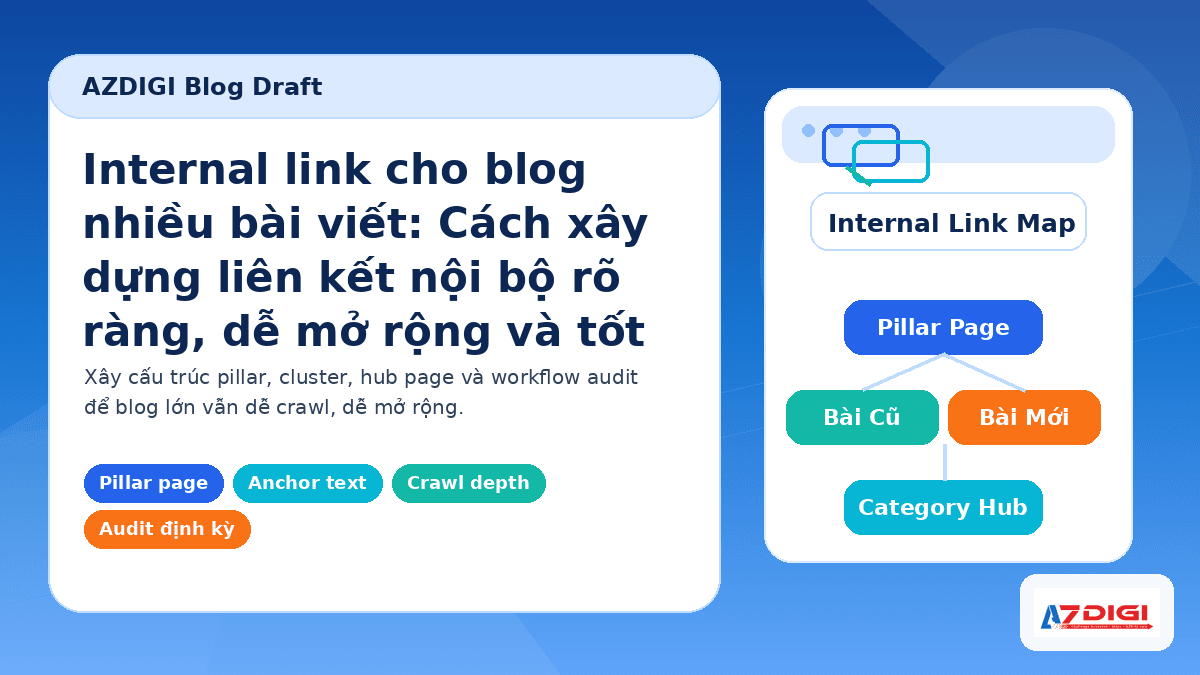
When a blog only has a few dozen posts, internal linking is often handled quite intuitively. After finishing a post, you add a few related links and publish it if everything looks fine. But once the number of posts grows into the hundreds or thousands, that approach starts to show its weaknesses: new posts are harder to get crawled quickly, many older posts no longer lead anywhere, some important pages sit too deep, and the site manager can no longer remember which post should link to which.
Internal linking for a large blog is not just about adding more internal links to increase the link count. What you really need is a clear system so bots can find pages faster, readers can continue naturally, and internal SEO value is distributed to the right places. If done well, you can reduce orphan pages, keep important posts at a reasonable depth, and spend less effort every time you publish a new post.
If you are optimizing the entire SEO workflow for your blog, you can also read how to write an SEO-friendly article to align everything from topic selection and content writing to internal link placement.
Why internal links become messy as a blog grows
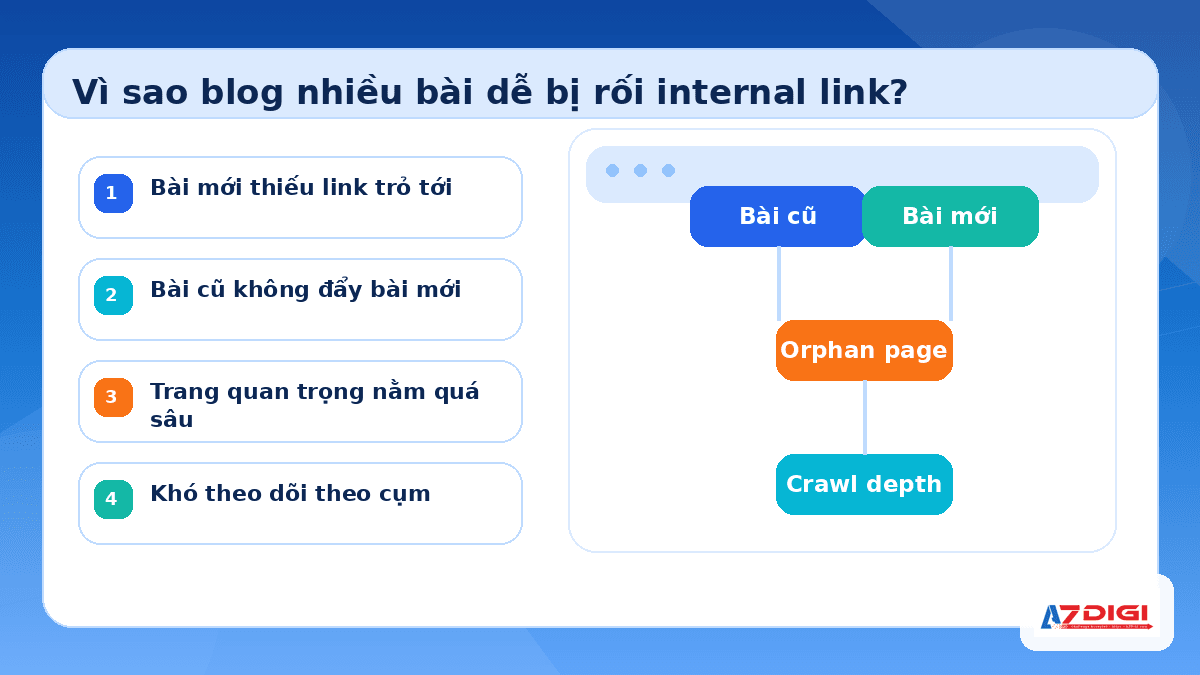
With a small blog, nearly every post can link back and forth to each other. But as content keeps growing month after month, then year after year, that structure usually breaks down in a few familiar ways.
- New posts are published without enough internal links pointing to them.
- Older posts with traffic are not being used to support new posts on the same topic.
- Posts are scattered around instead of being grouped into clear clusters.
At that point, crawl depth starts to increase. An important post that takes 4 to 5 clicks to reach will usually be at a disadvantage compared to one that sits closer to the homepage, a category hub, or a strong pillar page.
The metric to watch is not just the number of internal links. You need to see which posts receive links, where those links come from, and what role each page plays in the overall content structure.
From an SEO perspective, internal links help Google understand the relationship between pages. From an operational perspective, they work like a content map. The looser that map becomes, the harder it is to scale the blog neatly.
You should also distinguish internal links from other types of links inside an article. If you want to revisit the role of link attributes, the article are nofollow and dofollow links good for SEO will help clarify that part.
Build internal links by topic cluster instead of scattering links randomly
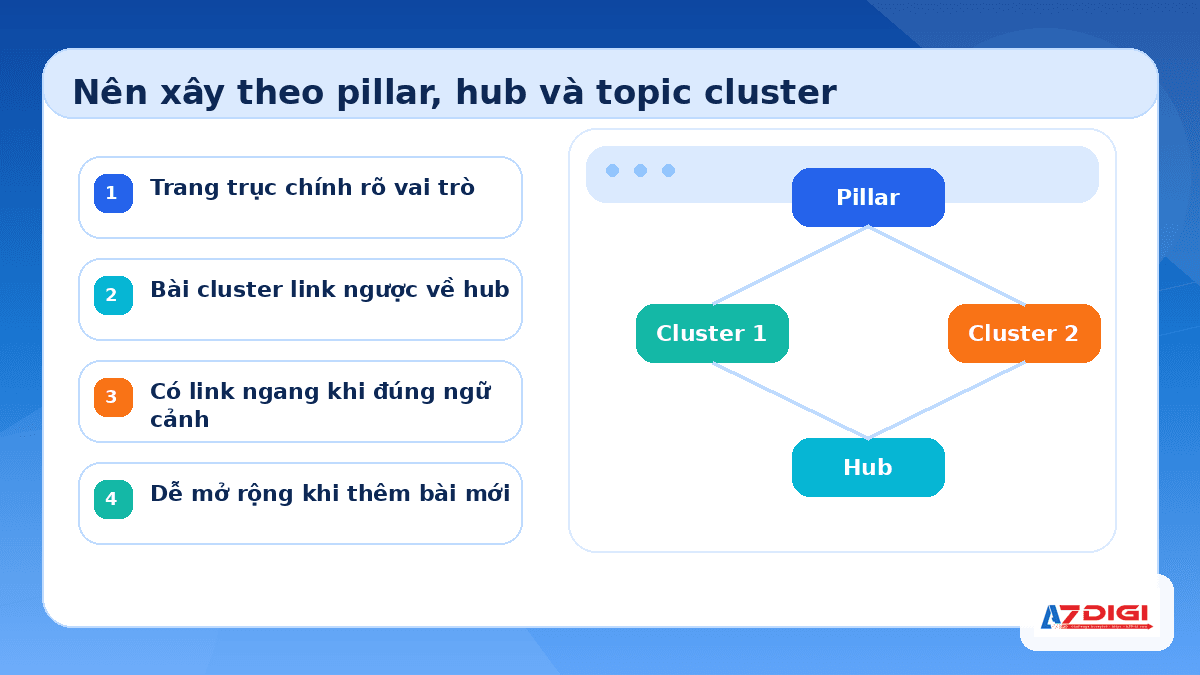
The easiest way to scale a large blog is to follow a pillar page, hub page, and topic cluster model. You choose a main topic, create a strong overview page or post for that topic, then link supporting articles back to that central page.
For example, if your blog has a content cluster around WordPress SEO, you might have a core article on the overall SEO strategy, then split supporting posts into specific areas such as writing SEO-friendly articles, sitemaps, SEO plugins, internal links, or AI Search. In that setup:
- The main pillar article links down to detailed posts.
- The detailed posts link back to the main pillar article.
- The detailed posts link laterally to one another when they truly share the same context.
This helps Google read the content cluster as a group. The content team also knows where a new article should fit, instead of having to rethink everything from scratch every time something is published.
| Page type | Role | Where links should point |
|---|---|---|
| Pillar page | The central page for a broad topic | Link to detailed posts and relevant category hubs |
| Cluster post | Addresses a smaller idea or a specific query | Link back to the pillar page and 1 to 3 closely related posts |
| Category hub | Groups content under a broader theme | Link to featured posts, new posts, and foundational content |
| Older post with traffic | A page that already has strong signals | Link to new posts or posts on the same topic that need a boost |
One advantage of this model is that it does not force you into an overly rigid silo. On a real blog, especially one that has been around for years, there will still be overlaps between topics. As long as you keep the main axis of each cluster clear, lateral linking is still useful. For example, an article about internal links can naturally lead to Rank Math and Elementor plugin – The perfect SEO duo for WordPress when discussing tools that help manage on-page SEO.
Note: Do not create a pillar page just to complete the model. If the core page is too thin, does not cover the topic well, and is not updated, it will not truly serve as a central page.
If you are building by cluster, the other articles in that cluster should be interlinked from the start. Here, you can place a natural cross-link to the companion article: Image SEO for websites with many images.
How to choose anchor text and link placement so they feel natural and useful
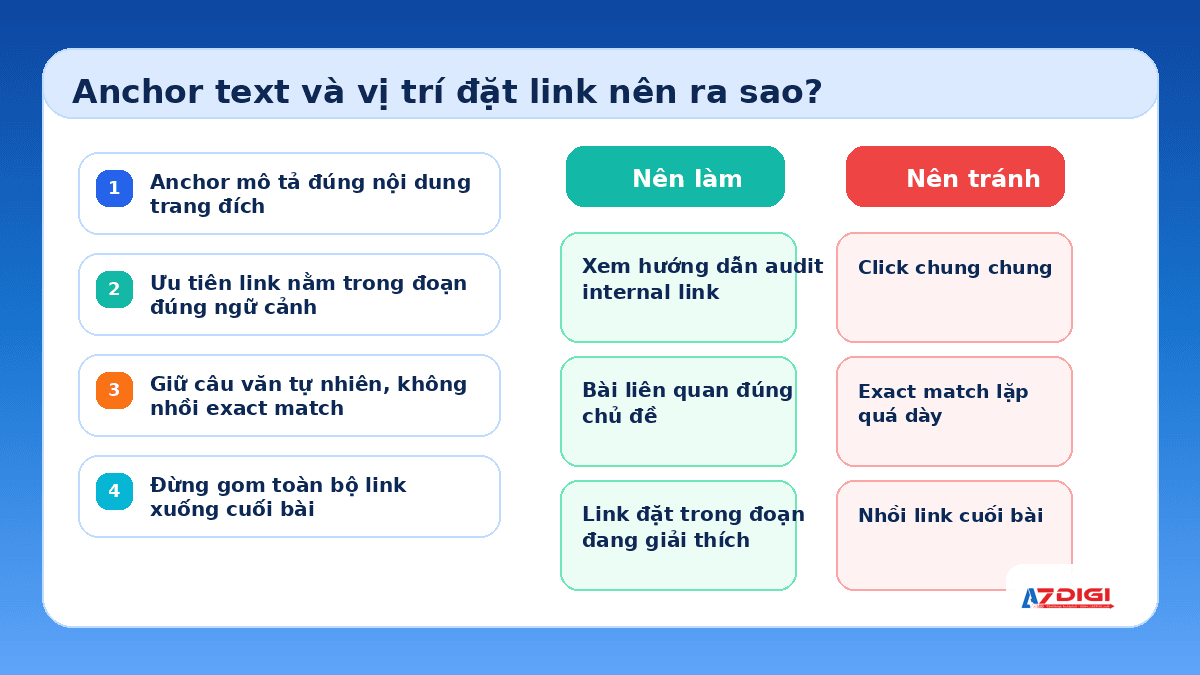
Anchor text is the part many people handle too casually, even though it is one of the clearest signals search engines use to understand what the destination page is about. For a blog with many posts, you should prioritize anchor text that accurately describes the destination content, stays short, sounds natural, and appears in the exact paragraph discussing that topic.
- Good: how to submit a sitemap to Google Search Console
- Acceptable: read this article
- Not recommended: stuffing the exact same keyword into every article
For example, when talking about helping bots find new posts faster, you can link directly to how to submit a sitemap to Google Search Console. An anchor like that feels natural and clearly tells readers what they will find after clicking.
Another common mistake is grouping links into one long block at the end of the article. That approach weakens the reading experience and also makes the context of each link less meaningful. Internal links are often more effective when placed right inside the paragraph that explains the related issue.
If your site runs on WordPress, you can combine an SEO plugin with a well-structured editing workflow to manage this more easily. The article Rank Math and Elementor plugin – The perfect SEO duo for WordPress is a useful reference point for teams optimizing content directly inside WordPress.
Quick reminder: Anchor text does not always need to match the main keyword exactly. Close variations, as long as they fit the context, often feel more natural.
Besides anchor text, link placement is also worth watching. In a long article, if an important link only appears at the end, readers are less likely to click it.
Support new posts with older ones, fix orphan pages, and keep crawl depth reasonable
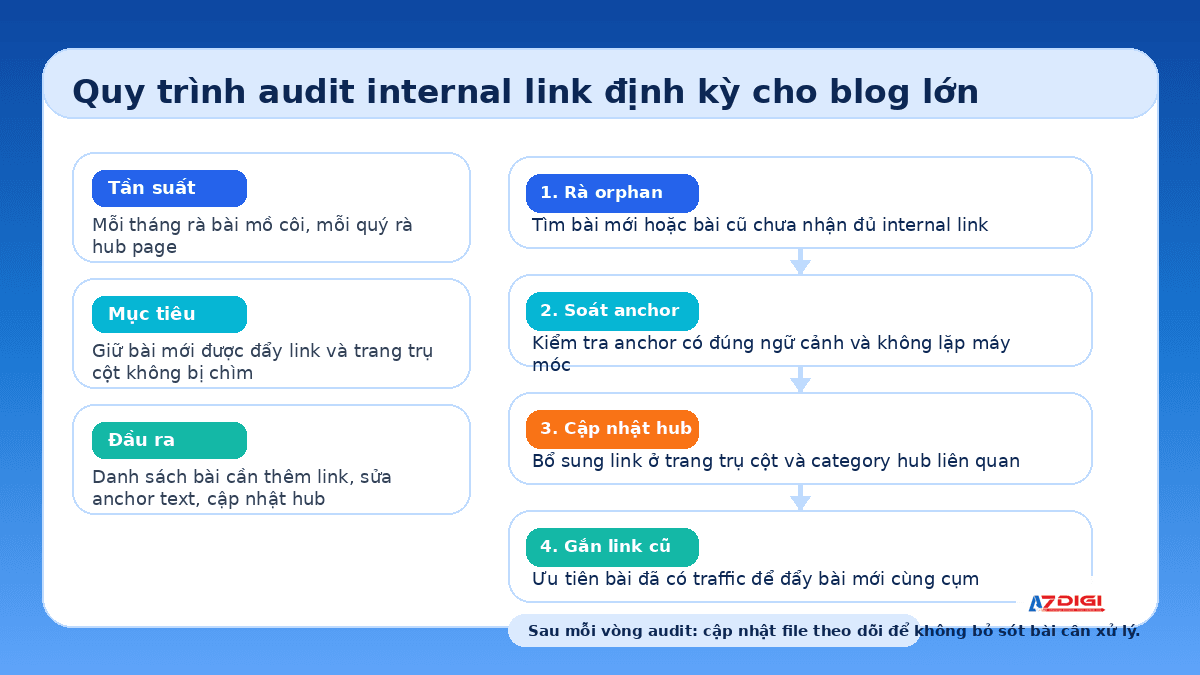
When publishing a new article, many teams wait for it to be indexed before thinking about internal links. A more effective approach is to prepare a list of related older posts and update them on the same day the new article goes live. This is the fastest way to use the internal page authority you already have.
For example, if you have just published a new article about internal links in the context of AI Search, it makes sense to point readers to SEO 2026: a complete strategy as Google shifts to AI Search. In the opposite direction, you should also reopen that older article and add a link back to the new one if the context fits.
Orphan pages are the most concerning group of pages. These are pages that receive little to no internal links from elsewhere on the site. They may still appear in the sitemap, but they are very weak in terms of discoverability and topical signals.
- Review posts that have no internal links pointing to them.
- Reassess old tags or categories that no longer provide navigational value.
- Prioritize pulling important pages closer to a category hub or pillar page.
- Keep strategic pages within about 2 to 3 clicks from the homepage or from a strong hub.
Related posts, breadcrumbs, and category hubs also help reduce crawl depth. Even so, do not rely entirely on automated blocks. Manually placed links inside the article body still provide stronger contextual value. Automation helps with coverage, while editorial links improve quality.
Operational note: If your blog has hundreds of posts or more, create a simple tracking sheet with the URL, main topic, corresponding pillar page, possible linking targets, and the most recent audit date. That alone will make the process much easier to control.
For WordPress blogs that keep growing steadily, stable infrastructure also helps crawling and content updates run more smoothly. If you need an environment already optimized for WordPress, AZDIGI currently offers WordPress Hosting and Business Hosting plans that fit expanding content blogs.
A recurring internal link audit process to keep a large blog under control
If you want internal linking to stay strong over time, you need to treat it as an ongoing operational task. The larger the blog becomes, the more it needs a clear audit process.
- Every new article should include enough outgoing internal links that fit the context.
- New articles should receive links from older posts or relevant hubs within the first week.
- Each month, review posts that receive too few internal links.
- Each quarter, update pillar pages and category hubs.
Quick audit checklist
- Does each important article already have links from a hub page or pillar article?
- Has each new article been linked from at least 2 older posts on the same topic?
- Are there any orphan pages that receive no internal links at all?
- Is the anchor text repeating the same pattern too often across multiple articles?
- Are the categories truly serving a navigational role, or are they just acting as storage?
- Are related posts actually promoting the right related articles?
If your content team has many contributors, it helps to establish one shared rule set: which cluster an article belongs to, where it should link back, which related articles it should link across to, and who updates older articles whenever a new one is published.
Small tip: Do not audit internal links by quantity alone. Also check link placement, anchor text relevance, and which pages are being neglected.
Whether you use supporting tools or not, the core principle stays the same: the content structure must be clear, central pages must serve the right role, and every new article must be connected to the existing network as soon as it is published.
When you do this well, internal links become a shared navigation layer for both readers and search engines. The more articles your blog has, the more valuable that layer becomes.
FAQ about internal links for blogs with many articles
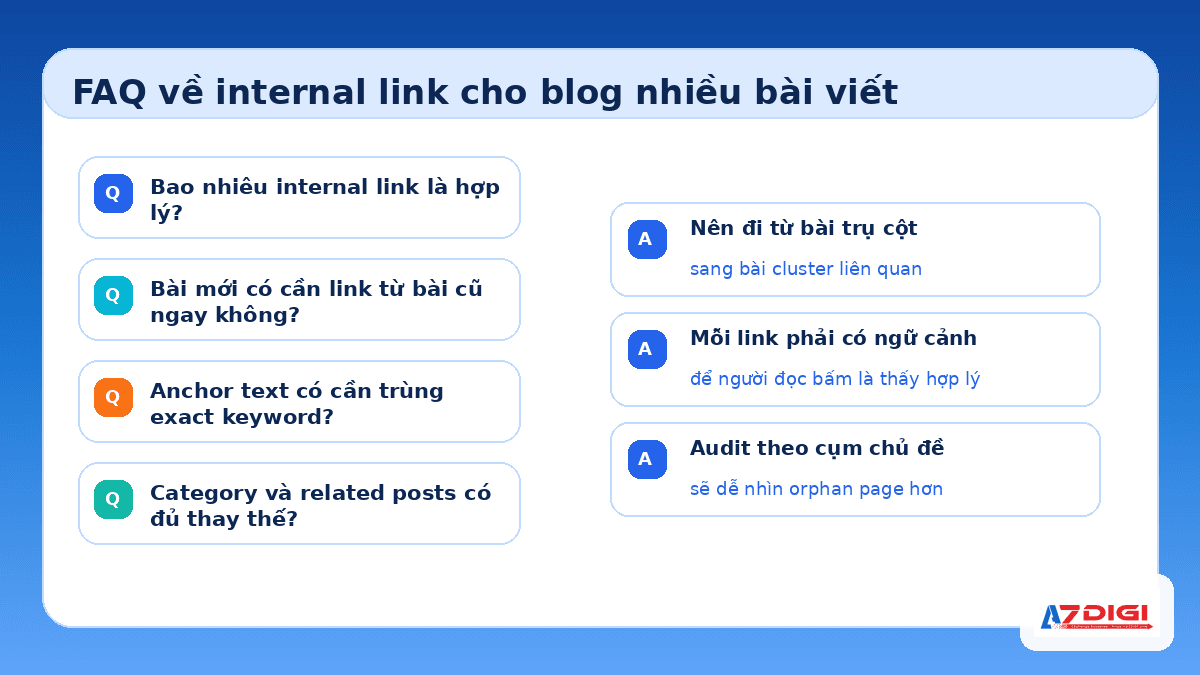
How many internal links should an article have?
There is no fixed number that works for every article. What matters most is relevance and the reading experience. For a long article, 3 to 8 internal links placed in the right context is usually more reasonable than stuffing in many links just to raise the count.
Should a new article get links from older articles as soon as it is published?
Yes. This is the fastest way to help bots discover the new article and pass topical signals from pages that already have internal trust. It is best to prepare a list of related older articles so you can update them right after publishing.
Does anchor text need to match the exact keyword?
No. Anchor text should accurately describe the destination page and read naturally within the sentence. Repeating the exact keyword too often can make the linking structure feel forced and unnatural.
Are categories and related posts enough to replace links in the article body?
No. They help with navigation and reduce crawl depth, but links placed inside the article body still carry stronger contextual value because they are tied directly to the content being discussed.
How often should you audit internal links?
If your blog publishes regularly, do a quick check every month and review each content cluster every quarter. For a fast-growing site, you can also audit right after each major publishing wave to avoid creating orphan pages.
If you are building a content blog in a more systematic way, start with four things: define the main pillar pages, regroup articles by cluster, update links from older articles to new ones, and check orphan pages regularly.
If your site already has many categories and needs a stable platform for long-term WordPress use, you can also explore the hosting solutions at AZDIGI.
You might also like
- Crawled Currently Not Indexed and How to Fix It in Search Console
- 8 Simple Tasks to Optimize SEO Better
- Are Nofollow & Dofollow links beneficial for SEO?
- What is RAG? Building Internal Document Chatbots on VPS
- What’s New in WordPress 7.0? A Detailed Look at the Armstrong Release
- Install and set up the WordPress website
About the author

Trần Thắng
Expert at AZDIGI with years of experience in web hosting and system administration.