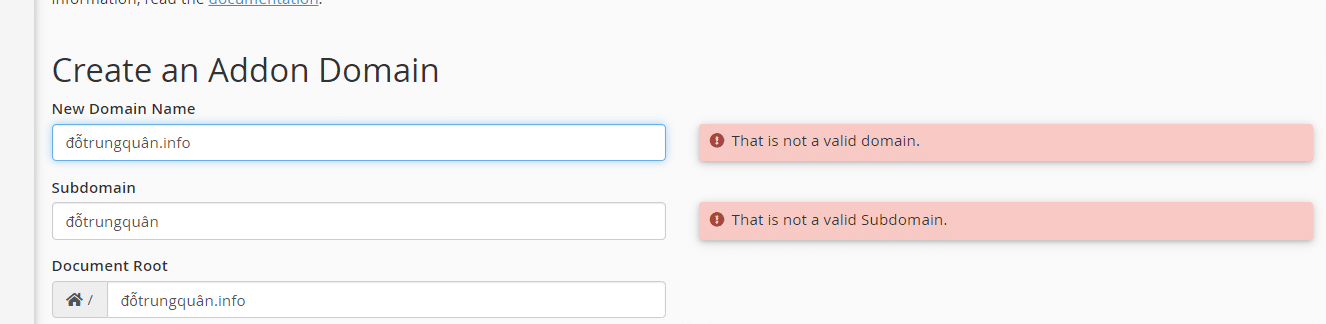
As you all know, the control panels are DEV from foreign developers that only support Latin characters, with accented Vietnamese characters, they are not well supported.
And when you register a Vietnamese domain name with an accented like: đỗtrungquân.info, you will certainly not be able to add to Hosting/VPS. It is imperative that you convert the domain name with this mark to the ASCII code table to be able to add, if you try to do the add, you will receive the following message “That is not a valid domain”
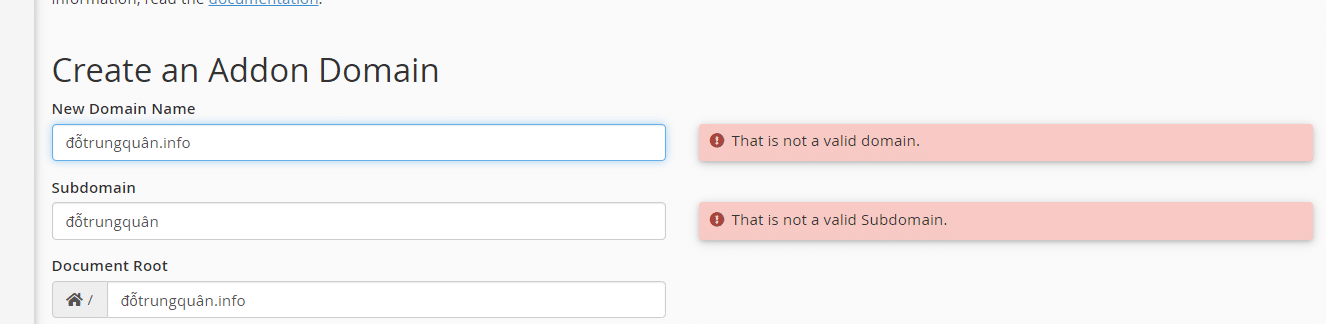
AZDIGI will guide you on how to add an accented domain name to your hosting
Step 1: Visit the website that supports converting accented domains to ASCII code
Bước 2: Chuyển đổi domain sang mã ASCII
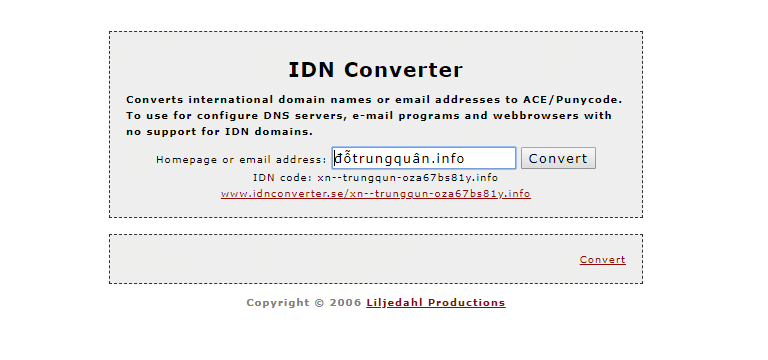
After converting, you will get IDN code: xn--trungqun-oza67bs81y.info
Step 3: Addon domain to hosting
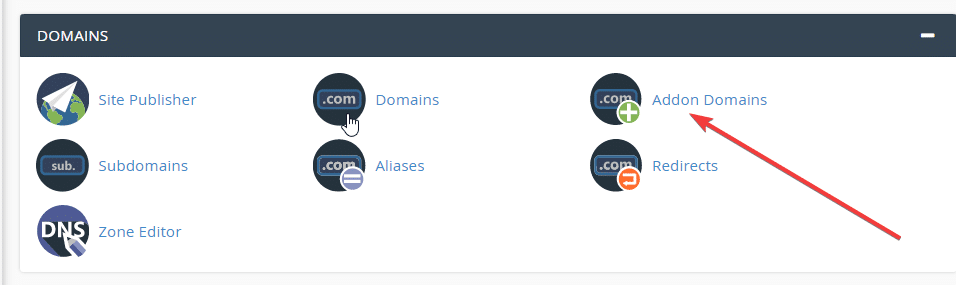

So you have finished adding domain accented to hosting already.
You might also like
- Pro Mail Hosting: How to add an addon domain to Pro Mail Hosting
- How to add the addon domain to SEO Hosting
- How to add an Addon/Sub Domain to Centos Web Panel (CWP)
- How to add an addon domain and subdomain on DirectAdmin
- How to register the domain and hosting at AZDIGI
- DNS Domain management guide on SEO Hosting AZDIGI.
About the author

Thạch Phạm
Đồng sáng lập và Giám đốc điều hành của AZDIGI. Có hơn 15 năm kinh nghiệm trong phổ biến kiến thức liên quan đến WordPress tại thachpham.com, phát triển website và phát triển hệ thống.