While using Hosting at AZDIGI, it is possible that your source code is not compatible with the default PHP setup configuration at AZDIGI, so you will need to reset the configuration to be better compatible with your source code.
Change default PHP version on hosting
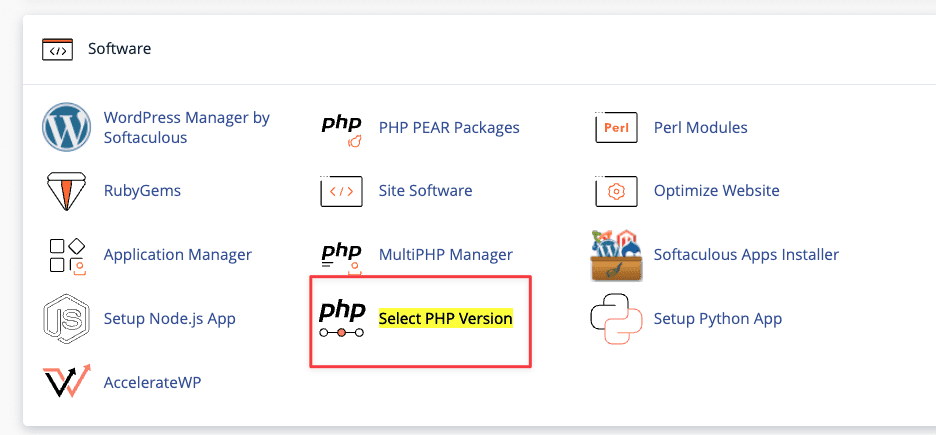
By default hosting at AZDIGI will use PHP version 7.2, if your source code is not compatible with this PHP version, you can change it to other PHP versions, we support PHP 5.3, PHP 5.4, PHP 5.5, PHP 5.6, PHP 7.0, PHP 7.1, PHP 7.2, PHP 7.3, PHP 7.4, PHP 8.0 and PHP 8.1. You can change the PHP version in the Select PHP Version section in cPanel or DirectAdmin (for SEO Hosting service).
Note: Before doing this, you need to check if you are using Multi PHP, if you are using Multi PHP with a different version, the customization will not take effect.
Click Multi PHP Manager.

Click all domains and return inherit.
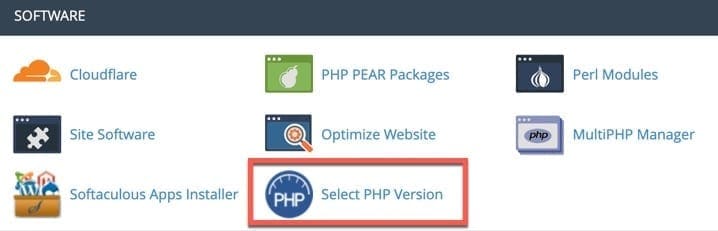
Then you select the appropriate PHP version and press the Set as current button.
Enable/disable the extension for PHP
In the Select PHP Version section, you can also toggle the extensions you need to use for PHP on the hosting. Note that your host resources will use more the more extensions you use.

After selecting the extension, the system will save it automatically.
Customize PHP Configuration
To correct the default PHP configuration (PHP memory, execution time, error message options,…), go to Select PHP Version => Switch to PHP Options.

In this section you will see the options that you are allowed to set, click on the value of each option to change the value.

After completing the setup, press the Save button to finish.
VIDEO INSTRUCTIONS
Use multiple PHP versions on one hosting plan
Only applicable to Hosting services using cPanel.
If you have multiple domains on a hosting package and want to use each domain name as a PHP version, you can set it up by accessing the MultiPHP Manager section on the cPanel interface.

Here you will see a list of domains in use on the host. If you want to set the PHP version for any domain name, click on that domain name and select the PHP version you need to set up in the upper right column.

Note: Domains that choose the Inherited version will use the version set by default at Select PHP Version.
To set up extensions for used PHP versions for domains, you can set them up in the Select PHP Version section as instructed above (don’t press the Set as current button).
Wishing you success!
You might also like
About the author

Thạch Phạm
Đồng sáng lập và Giám đốc điều hành của AZDIGI. Có hơn 15 năm kinh nghiệm trong phổ biến kiến thức liên quan đến WordPress tại thachpham.com, phát triển website và phát triển hệ thống.