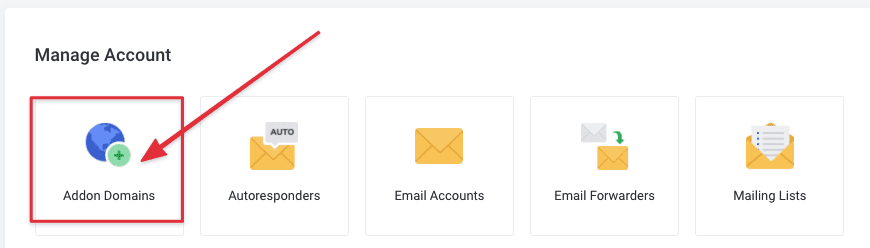
When you use the Email hosting package that supports 2 or more domains, how to add the 2nd addon (add domain) to it? In this article, AZDIGI will show you to add an addon domain to the Pro Mail Hosting service.
You access and log in to your service admin account at https://my.azdigi.com/clientarea.php.
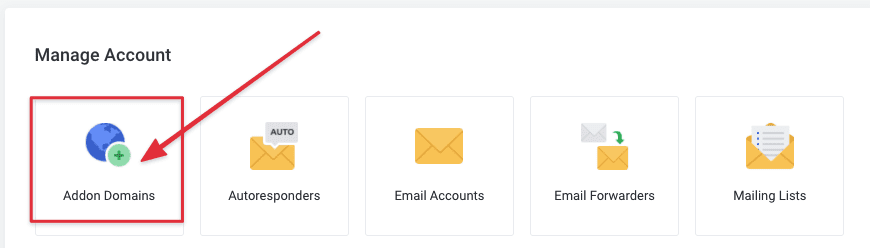
Next, go to the mail service => select Addon Domain.
You might also like
- Pro Mail Hosting: How to login to WebMail
- Pro Mail Hosting: How to add a domain email account to Gmail
- Pro Mail Hosting: How to create a mail account
- How to add an Addon/Sub Domain to Centos Web Panel (CWP)
- Pro Mail Hosting: How to change the password of your email hosting account
- How to add the addon domain to SEO Hosting
This article has been reviewed by AZDIGI Team
About the author

Thạch Phạm
Đồng sáng lập và Giám đốc điều hành của AZDIGI. Có hơn 15 năm kinh nghiệm trong phổ biến kiến thức liên quan đến WordPress tại thachpham.com, phát triển website và phát triển hệ thống.
10+ years serving 80,000+ customers