Now that redirecting http:// to https:// website is no longer too difficult, there are many ways for you to do this redirect, such as installing a third-party plugin or redirecting with a .htaccess file And in this article, AZDIGI will show you how to redirect using the built-in cPanel function, which is Force HTTPS Redirection.
The redirection is very simple with the steps below.
You need to log in to cPanel
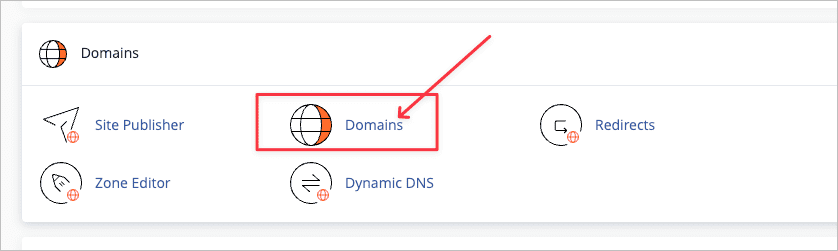
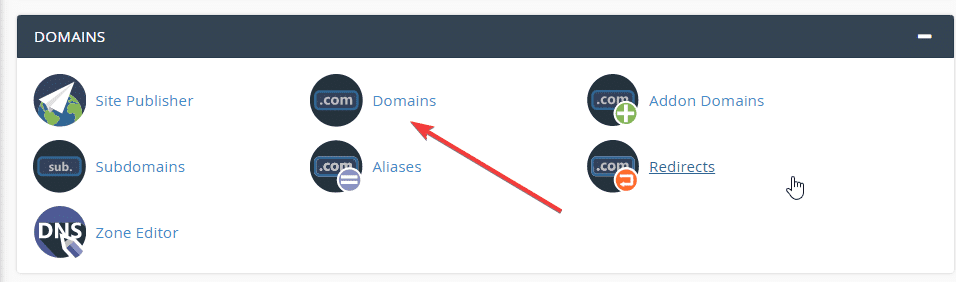
Next, click Domains as shown below:
In this interface will show all the domains you are using, you just need to turn OFF => ON in the Force HTTPS Redirection section.
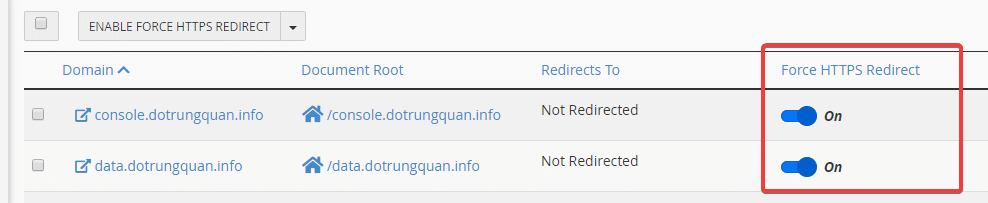
Note: The addon domains will not show an on-off button for you to do, but you must rely on the main domain.
- For example, in the image below, the main domain is meovatwindows.com. When adding an addon domain: linuxcanban.com will automatically generate a domain of the format linuxcanban.com.meovatwindows.com. Then at this time, you turn ON in this domain to take effect!

With just a small step, you’ve done it successfully and there’s no need to configure .htaccess or install additional plugins.
About the author

Thạch Phạm
Đồng sáng lập và Giám đốc điều hành của AZDIGI. Có hơn 15 năm kinh nghiệm trong phổ biến kiến thức liên quan đến WordPress tại thachpham.com, phát triển website và phát triển hệ thống.