
Enable the One-Click Login For Roundcube feature on DirectAdmin with a few actions with AZDIGI.
I. Introduction
Continuing with the DirectAdmin series, AZDIGI will introduce a great new feature supported on DirectAdmin that many of you probably do not know: the One-Click Login for RoundCube feature. This feature makes accessing RoundCube Webmail faster with just one click, but to use this feature, your DirectAdmin version must be from version 1.59.0 or higher.
Please go to part II to refer to the steps.
II. Implementation Guide
To enable the One-Click Login for RoundCube feature on DirectAdmin, follow these 3 steps.
Step 1: SSH into your DirectAdmin system
To enable the One-Click Login for RoundCube feature on DirectAdmin, we first need to SSH or access your VPS/server with root privileges. If you don’t know how to SSH into your VPS/Server, you can refer to the following tutorial:
After successfully SSH, we continue with step 2 to check the version of CustomBuild in use.
Step 2: Enable One-Click Login for RoundCube with CustomBuild 2.0
First, check if your VPS/Server is using CustomBuild 2.0 version. To check the version of CustomBuild in use, please refer to the following tutorial:
If your CustomBuild version is lower than 2.0, you need to upgrade CustomBuild 1.x to 2.0, you can refer to the following tutorial:
After having CustomBuild 2.0, we need to run the following commands to enable One-Click Login for RoundCube on DirectAdmin.
cd /usr/local/directadmin/
./directadmin set one_click_webmail_login 1
service directadmin restart
cd custombuild
./build update
./build dovecot_conf
./build exim_conf
./build roundcube
Explanation of the above commands:
- Command 1: Move to the
directadminfolder. - Command 2: Adjust configuration
one_click_webmail_loginto 1 (enable). - Command 3: Restart the DirectAdmin service.
- Command 4: Move to the
custombuilddirectory. - Command 5: Update custombuild script.
- Command 6: Update dovecot configuration
- Command 7: Update config exim
- Command 8: Reinstall RoundCube with the latest configuration.
Below are the images during the activation process:
directadmin directory and adjust the one_click_webmail_login
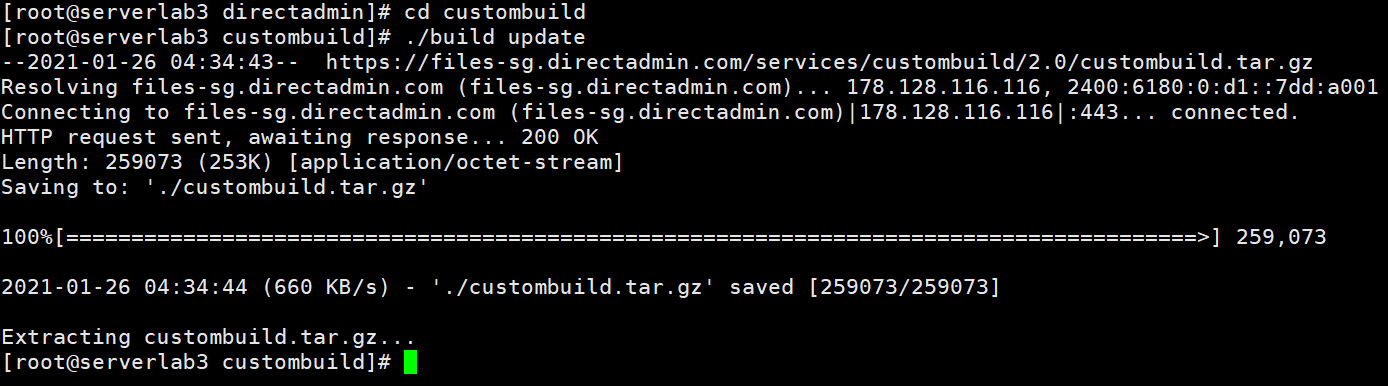
custombuild directory and update custombuild script.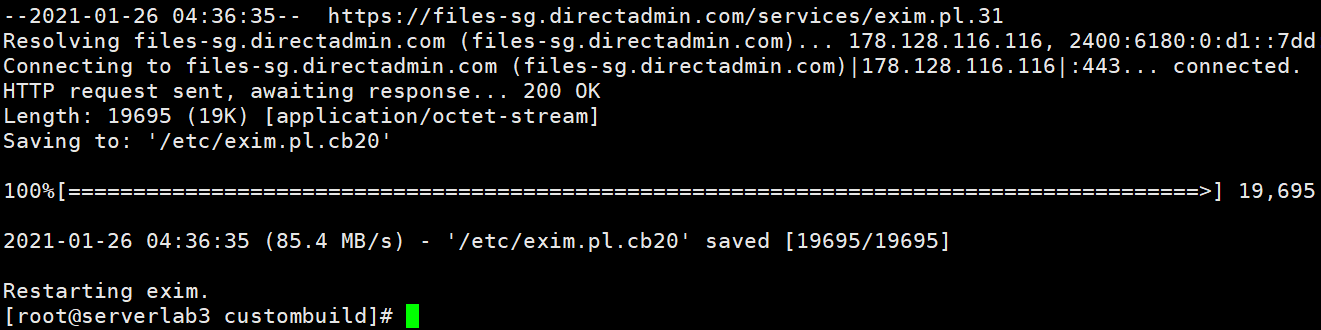
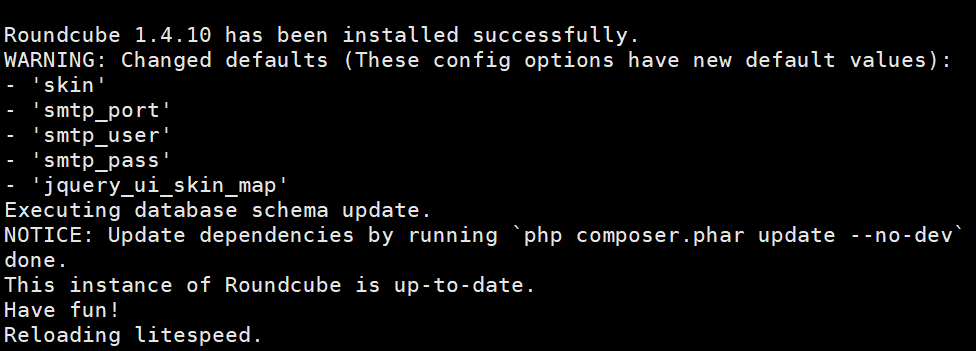
So my VPS has successfully activated the one_click_webmail_login DirectAdmin feature.
Step 3: Check the operation of One-Click Login for RoundCube on DirectAdmin
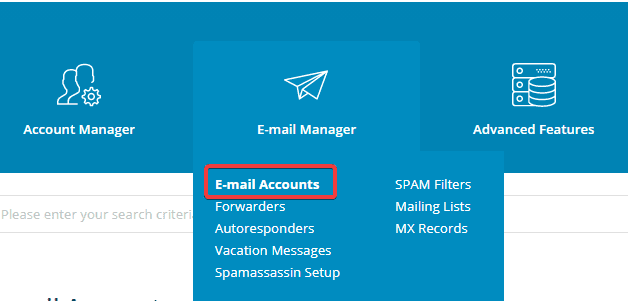
After successful installation, access your DirectAdmin and go to E-mail Manager => E-mail Accounts
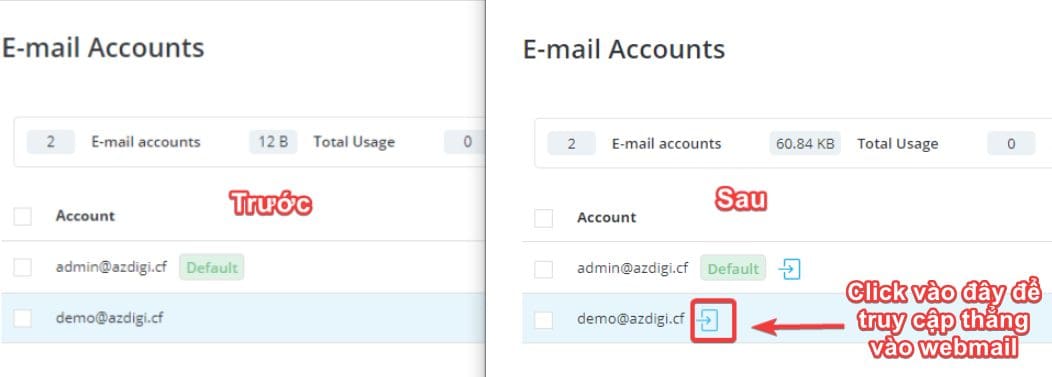
Here you will see the mail accounts that have been created. Click on the blue arrow to log in directly to Webmail RoundCube with the corresponding account. Click on the blue arrow.
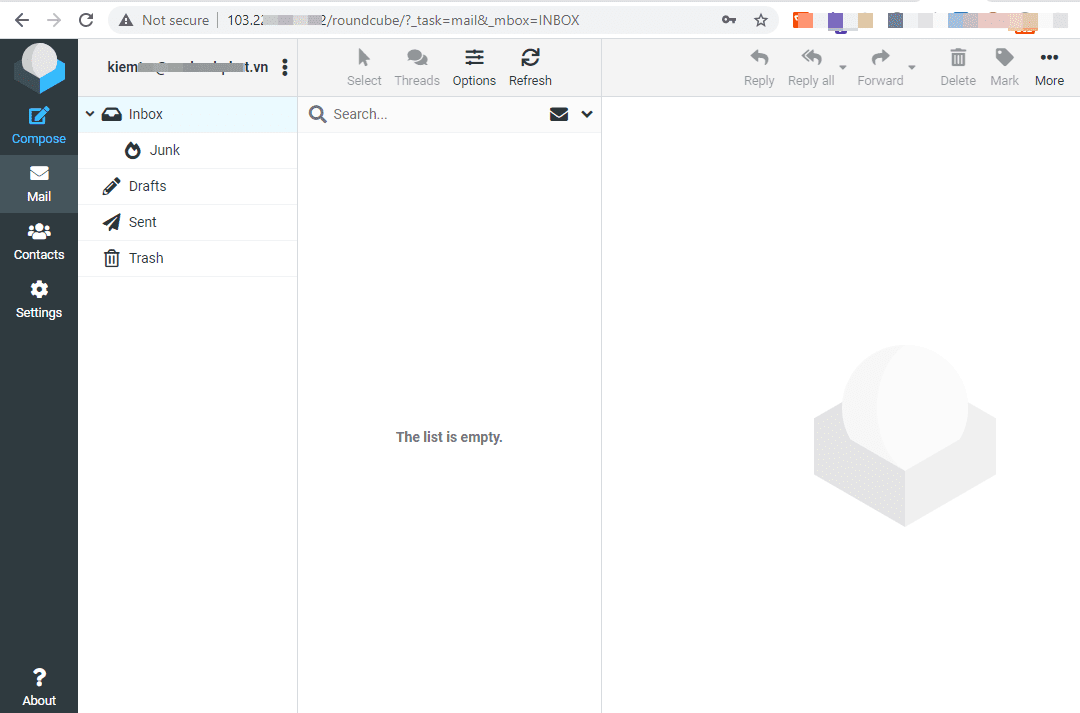
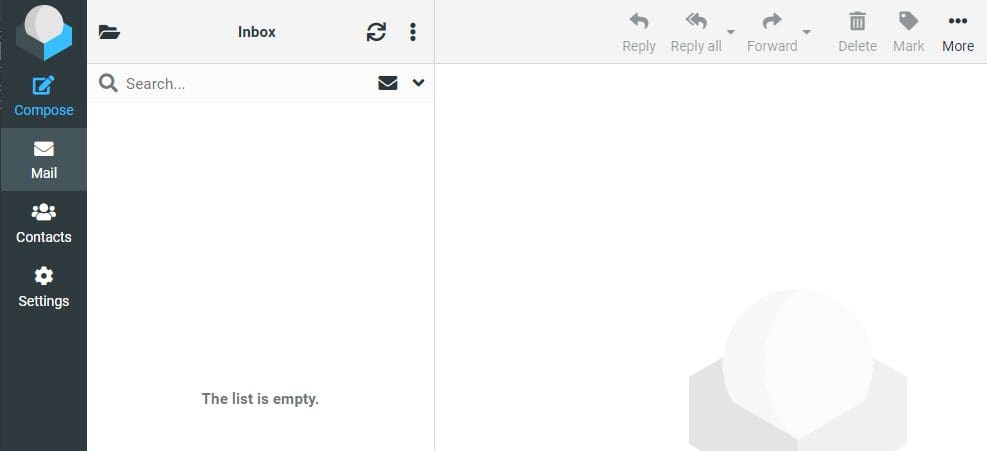
So, after one click, I can directly access RoundCube Webmail without entering the username/password.
III. Summary
Thus, in this article, AZDIGI showed you how to enable the One-Click Login for RoundCube feature on DirectAdmin quickly and simply. The One-Click integration helps you save a lot of time in operations and no longer need to remember your Mail login information like before. If you find the article helpful, don’t forget to share it widely.
Wishing you success.
You can see more useful articles about DirectAdmin at the following link:
If you need assistance, you can contact support in the ways below:
- Hotline 247: 028 888 24768 (Ext 0)
- Ticket/Email: You use the email to register for the service and send it directly to: support@azdigi.com
You might also like
About the author

Thạch Phạm
Đồng sáng lập và Giám đốc điều hành của AZDIGI. Có hơn 15 năm kinh nghiệm trong phổ biến kiến thức liên quan đến WordPress tại thachpham.com, phát triển website và phát triển hệ thống.