In case your DirectAdmin installations or related software updates download very slowly or frequently lose connections. Then in this article, AZDIGI will guide you to change the DirectAdmin download server with other alternative servers.
I. Overview
By default, when installing DirectAdmin, the download server is always files.directadmin.com at the initial time. And the thing to note here is the server files.directadmin.com located in the US. It will not be possible to give the fastest download speed when you need to install DirectAdmin updates in Vietnam. So how to change the DirectAdmin download server? Please continue reading the article.
II. How to change DirectAdmin download server
To change the DirectAdmin download server we follow the following 2 steps.
Step 1: SSH into your DirectAdmin system
To change the DirectAdmin download server, we first need to SSH or access your VPS/server as root. If you do not know how to SSH into your VPS/Server, you can refer to the following tutorial:
After SSH successfully SSH, we continue with step 2 to start the process of changing the DirectAdmin download server.
Step 2: Execute commands to change DirectAdmin download server
These commands perform relatively simply and fast as follows:
cd /usr/local/directadmin/custombuild
./build set_fastest
./build update
Explanation of the above commands:
- Command 1: Move into custombuild folder.
- Command 2: Change the DirectAdmin download server to the server for the best speed.
- Command 3: Update custombuild script.
Below are the images when I manipulate the above commands.
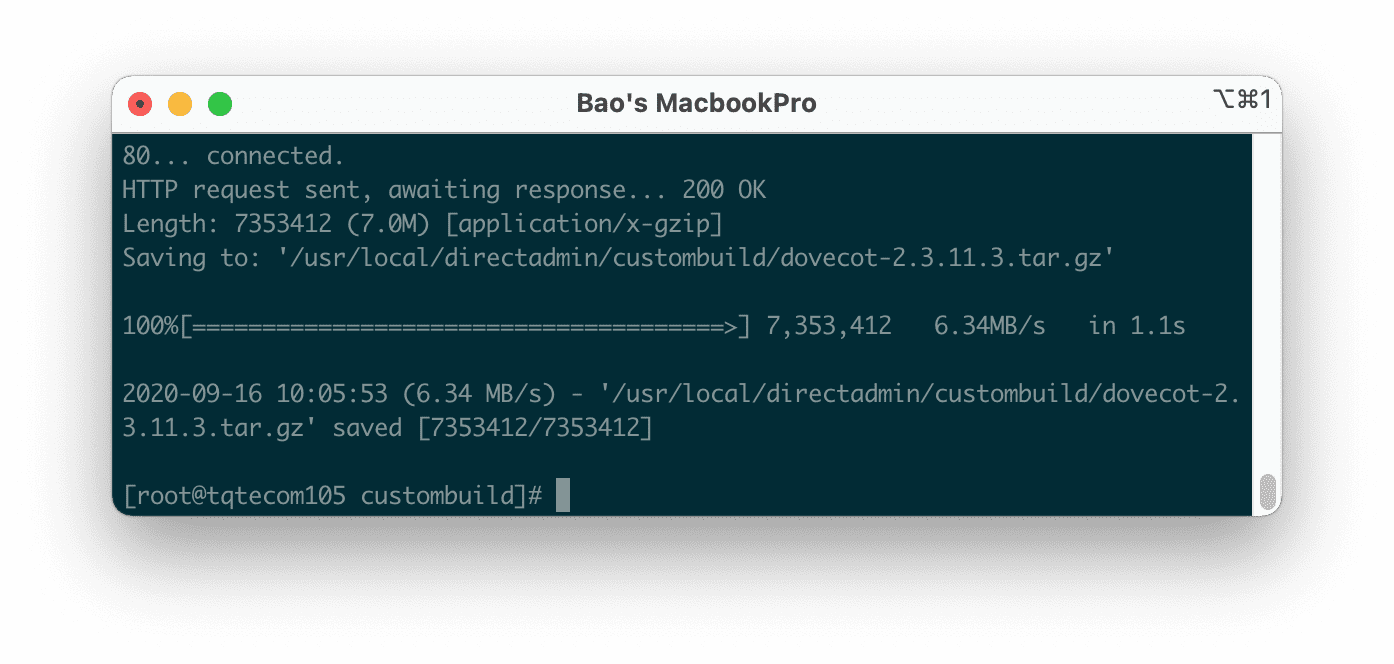

As you can see in the picture above, after checking my VPS, I see the download speed of the serverfile-sg.directadmin.com is the server with the fastest download speed. So my VPS self-regulates downloadserver about this server.
In addition, if your current download server is failing, you can completely change it manually by editing the options.conf file by the following command:
cd /usr/local/directadmin/custombuild
vi options.conf
You just need to change the download server URL path at the downloadserver: line, then save it.
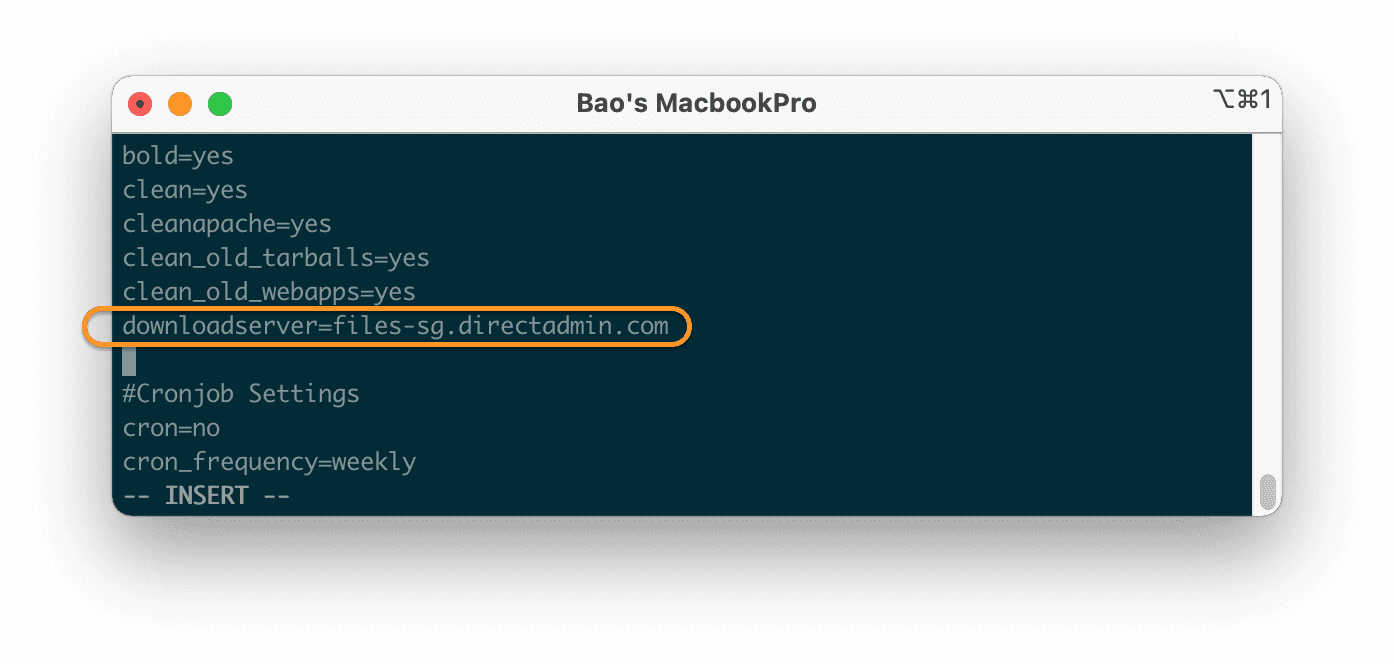
Here is a list of DirectAdmin download server URLs and locations that you can refer to:
| Server URL | Server location |
| files1.directadmin.com | USA main server |
| files2.directadmin.com | the USA |
| files3.directadmin.com | the USA |
| files5.directadmin.com | Bruges, Belgium |
| files6.directadmin.com | Netherlands |
| files7.directadmin.com | Netherlands |
| files8.directadmin.com | Israel |
| files9.directadmin.com | the USA |
| files10.directadmin.com | Thailand |
| files11.directadmin.com | Italy |
| files12.directadmin.com | Hong Kong, China |
| files13.directadmin.com | Iran |
| files14.directadmin.com | Vietnam |
| files15.directadmin.com | Italy |
| files16.directadmin.com | Ukraine |
| files17.directadmin.com | Singapore |
| files18.directadmin.com | Turkey |
| files19.directadmin.com | Japan |
| files20.directadmin.com | Iran |
| files22.directadmin.com | Netherlands |
| files23.directadmin.com | Iran |
| files24.directadmin.com | Poland |
| files25.directadmin.com | Vietnam |
| files26.directadmin.com | Belgium |
| files27.directadmin.com | Iran |
In the list above, there are two DirectAdmin servers in Vietnam and one server in Singapore, so you should consider using these three servers for the best speed.
III. Summary
Through this article, we have learned how to change the DirectAdmin download server, as well as the list of popular DirectAdmin download servers, based on which we implant the nearest server image to achieve the speed highest. Hope the article is useful to you.
Wishing you success.
See more useful articles about DirectAdmin at the following link:
If you need assistance, you can contact support in the ways below:
- Hotline 247: 028 888 24768 (Ext 0)
- Ticket/Email: You use the email to register for the service and send it directly to: support@azdigi.com
About the author

Thạch Phạm
Đồng sáng lập và Giám đốc điều hành của AZDIGI. Có hơn 15 năm kinh nghiệm trong phổ biến kiến thức liên quan đến WordPress tại thachpham.com, phát triển website và phát triển hệ thống.