
During the process of using hosting to run the website, you will encounter a case when accessing the website and receiving the message“This account has been suspended. Either the domain has been overused, or the reseller ran out of resources.”Now do not worry too much, with this message, you are using more than the bandwidth that you set for that website.
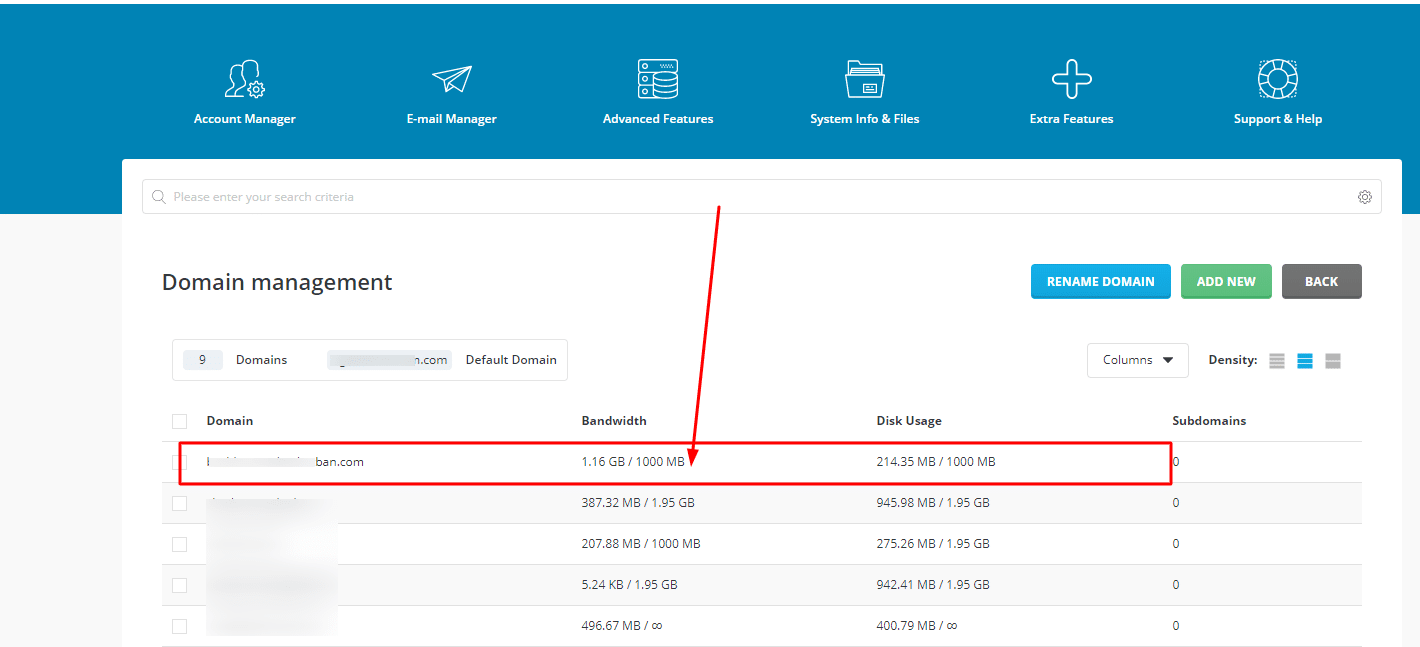
To fix it, you access your hosting Account Manager => Domain Setup
Here, you will see that the domain is using excess bandwidth. In the picture below is 1.6GB / 1GB
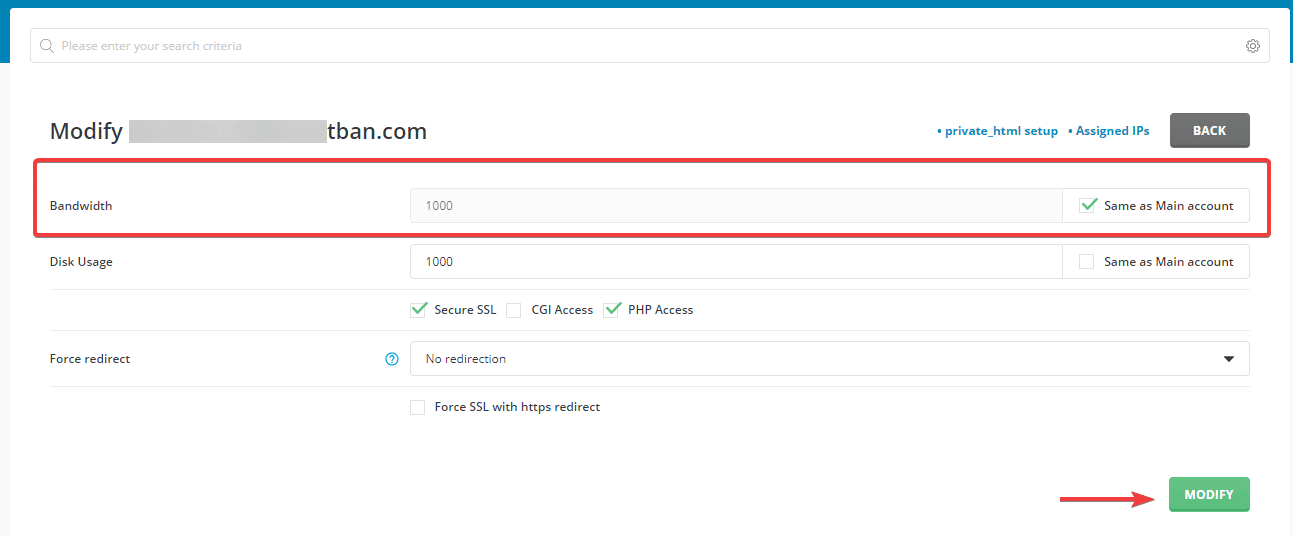
You click on the domain and reset this parameter, as shown below, I set unlimited for this website. Next, click MODIFY để execute.
Because the website has been temporarily locked, so you need to open it.
Tick domain => Suspend/Unsuspend
So the error “Either the domain has been overused, or the reseller ran out of resources” on DirectAdmin has been fixed, you can recheck your website.
You might also like
- 401 Unauthorized Error: causes and how to fix
- Fixing the error "the user account has been locked"
- How to use CLI to manage User Package on CyberPanel
- How to create a Package on Reseller Hosting package
- How to fix the error: Request body no files data length is larger on DirectAdmin
- Fix "Requested icu-uc 50.1 but version of icu-uc is" error on DirectAdmin
About the author

Thạch Phạm
Đồng sáng lập và Giám đốc điều hành của AZDIGI. Có hơn 15 năm kinh nghiệm trong phổ biến kiến thức liên quan đến WordPress tại thachpham.com, phát triển website và phát triển hệ thống.