
What is Softaculous?
Softaculous is a commercial scripting library that automates the installation of commercial and open-source web applications for a website. Soft scripts are executed from the admin area of the website control panel, usually through an interface tool such as cPanel, Plesk, H-Sphere, DirectAdmin, and InterWorx. (According to Wikipedia)
You can easily and quickly install popular source codes like WordPress, Joomla, WHMCS…
Why do we need to install Softaculous?
Right in the feature of Softaculous that gave us the reason to use it is the ability to install popular source codes fastest. It helps administrators quickly install the necessary source code or use it by your customers.
However, to use Softaculous, you need to buy a license or use it for free within 1 month.
Install Softaculous on DirectAdmin
To install Softaculous on DirectAdmin, we perform the following steps:
Step 1: Sign up for a trial of Softaculous on your VPS/Server
To register for a trial of Softaculous, we access the following link:
After accessing the above link, we enter your VPS/Server IP address in the first frame.
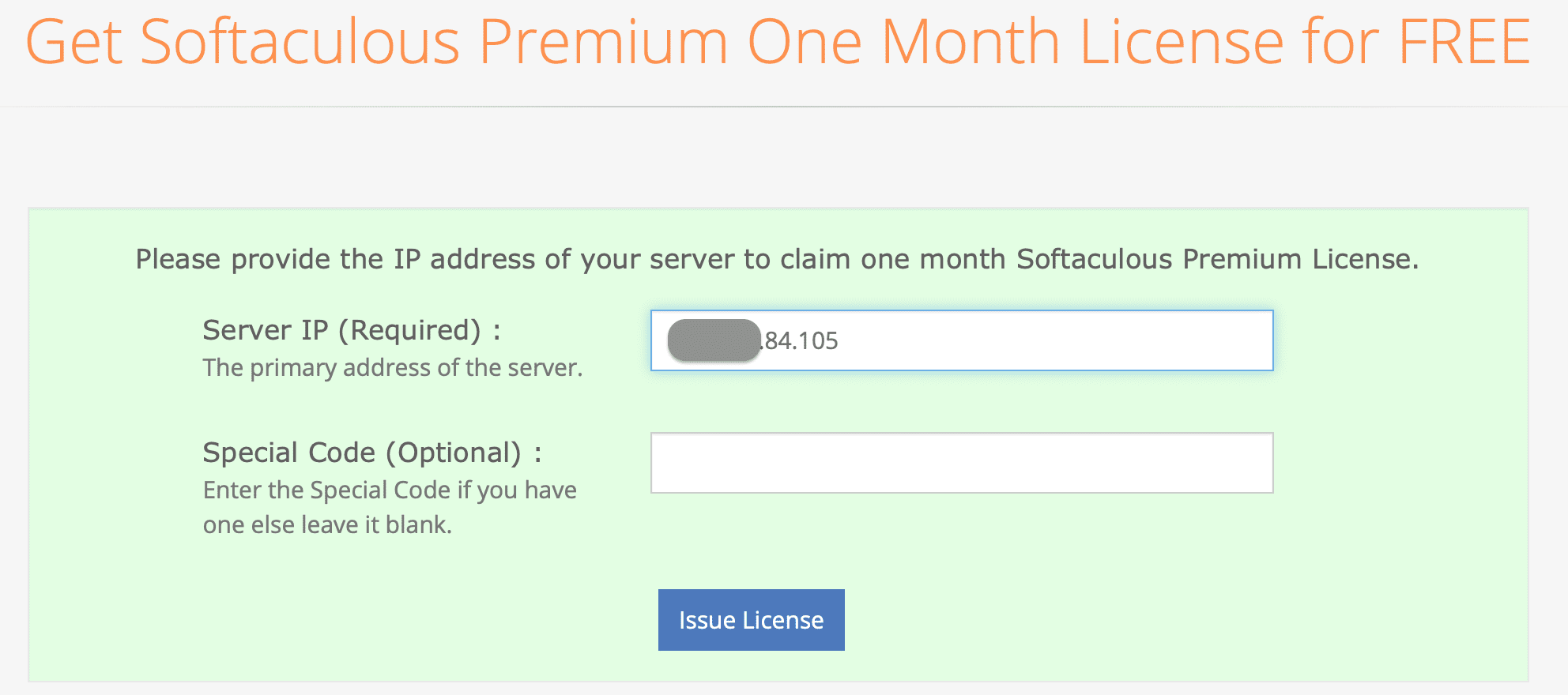
If you have a VIP customer code from Softaculous then fill it out below, otherwise don’t fill it out and select “Issue License“.
You will then receive a message that a valid license has been allocated for the IP as shown below:
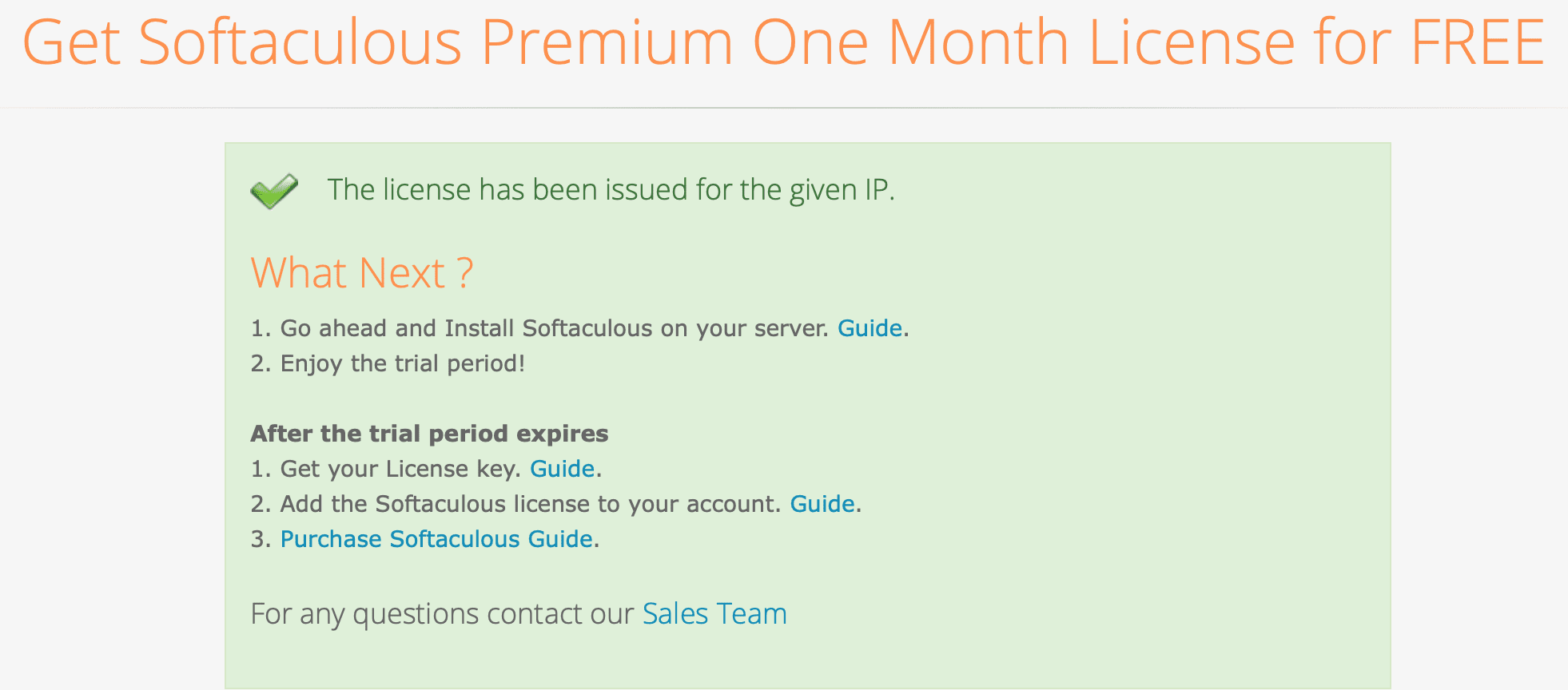
Thus completing the Softaculous trial registration, we continue with the next steps to install Softaculous on DirectAdmin.
Step 2: SSH into Linux VPS with root account
First, you need SSH into your VPS/Server. If you don’t know how to SSH into your VPS/Server, you can refer to the following tutorial:
Step 3: Run the commands to install Softaculous on DirectAdmin
Installing Softaculous on DirectAdmin is extremely simple, you just need to run the following 3 commands as root to be able to use it:
wget -N http://files.softaculous.com/install.sh
chmod 755 install.sh
./install.sh
Explanation of the above commands:
- Command 1: Download the installation file from the Softaculous server
- Command 2: Grant execution permission to the installation file
- Command 3: Execute the installation file
If you get the error “ionCube Loader is not loaded. Please enable it to continue installation”, please refer to the following tutorial:
The installation process usually speeds, about a few minutes to complete. Below is a picture after the installation of Softaculous on DirectAdmin is complete.
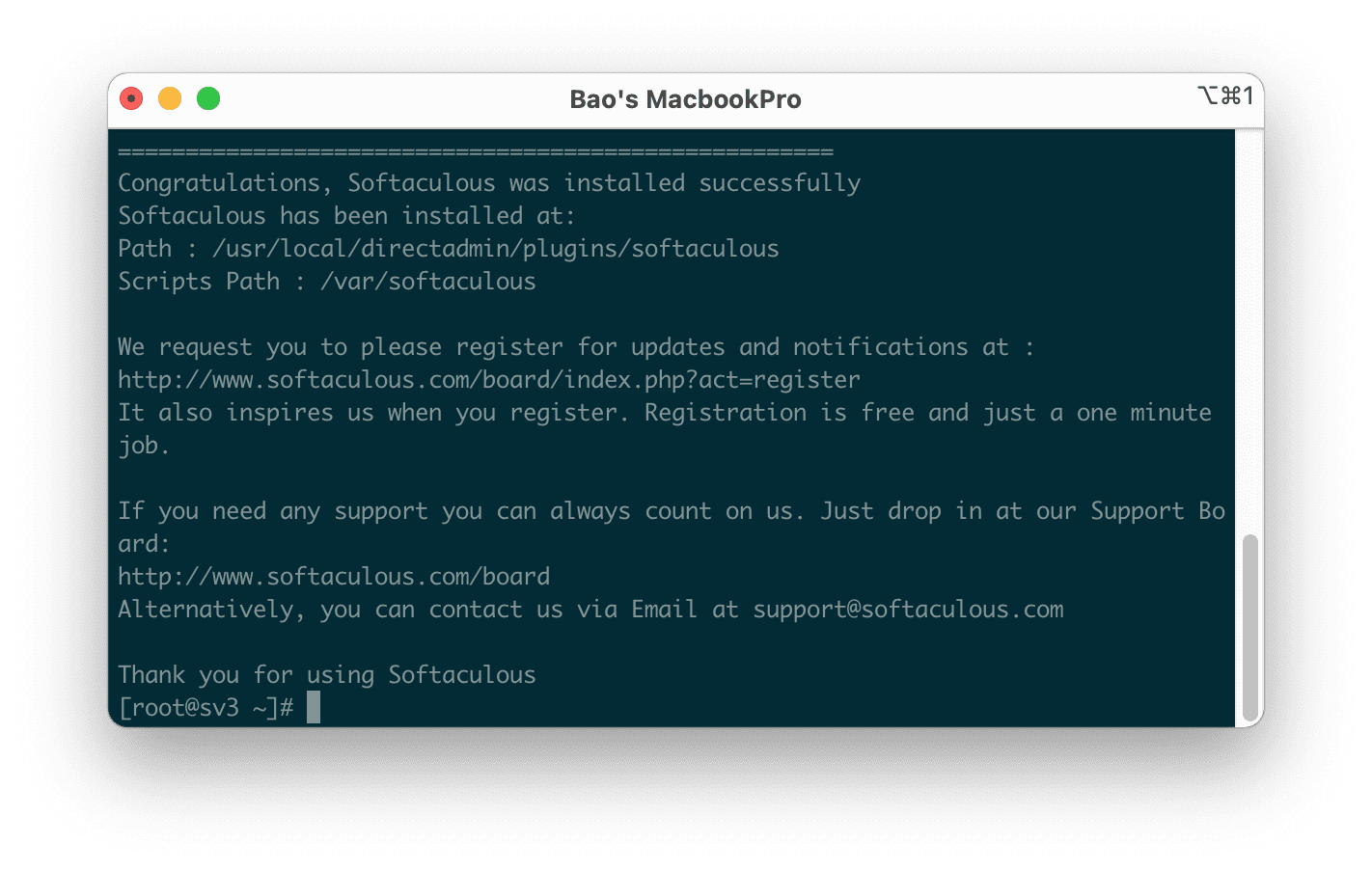
The last step is to check if the DirectAdmin interface has the Softaculous Auto Installer feature.
Step 4: Check on the DirectAdmin interface
We log in to DirectAdmin => access the Extra Features to check if the Softaculous Auto Installer feature has been displayed as shown below:
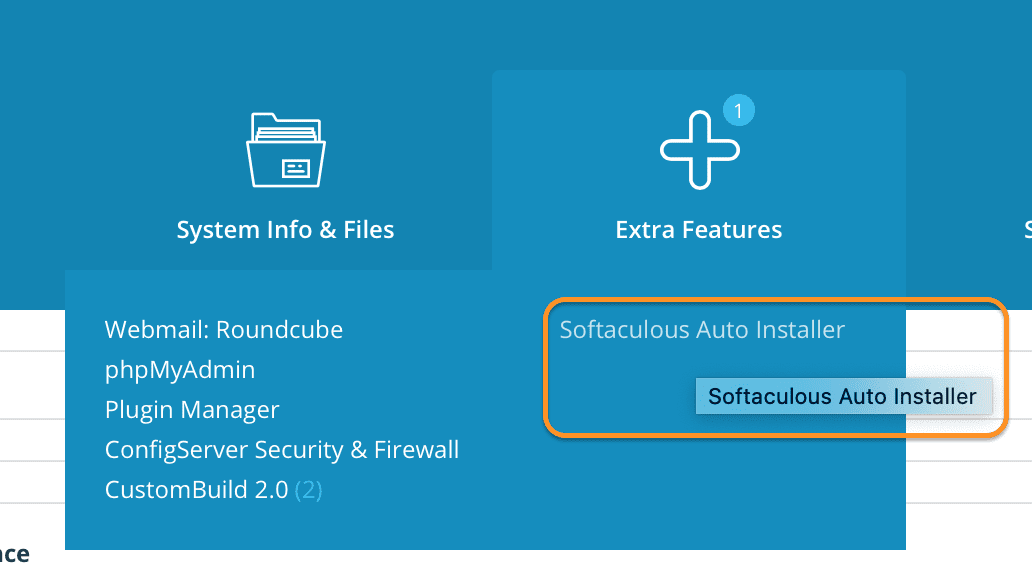
If not, try restarting DirectAdmin with the following 2 commands:
echo "action=directadmin&value=restart" >> /usr/local/directadmin/data/task.queue.cb
/usr/local/directadmin/dataskq d20 --custombuild
Thus, we have completed the steps to install Softaculous on DirectAdmin with just 4 simple steps. Hope you enjoy this article and share it widely.
Wishing you success!
About the author

Thạch Phạm
Đồng sáng lập và Giám đốc điều hành của AZDIGI. Có hơn 15 năm kinh nghiệm trong phổ biến kiến thức liên quan đến WordPress tại thachpham.com, phát triển website và phát triển hệ thống.