Index bài viết ngay lập tức với Rank Math SEO. Mới đây ngày 26/02/2022, plugin Rank Math SEO đã tích hợp Index Now vào nhằm giúp khách hàng có thêm lựa chọn , theo đó các website sử dụng plugin này sẽ tự động xử lý tất cả API Index Now của riêng nó. Việc tích hợp này nhằm mục đích rút ngắn quá trình cập nhật, thay đổi nội dung của trang web trên các công cụ tìm kiếm như Google, Bing,Yandex.
Đây là một tính năng mà mình thấy rất hữu tích cho các bạn làm SEO. Và để thực hiện cài đặt và cấu hình như thế nào. Xin mời các bạn xem qua bài viết và thực hiện tuần tự các bước để cấu hình.
1. Tạo Indexing API Project
1.2 Truy cập Google Cloud Platform
1.2 Tạo một Project mới
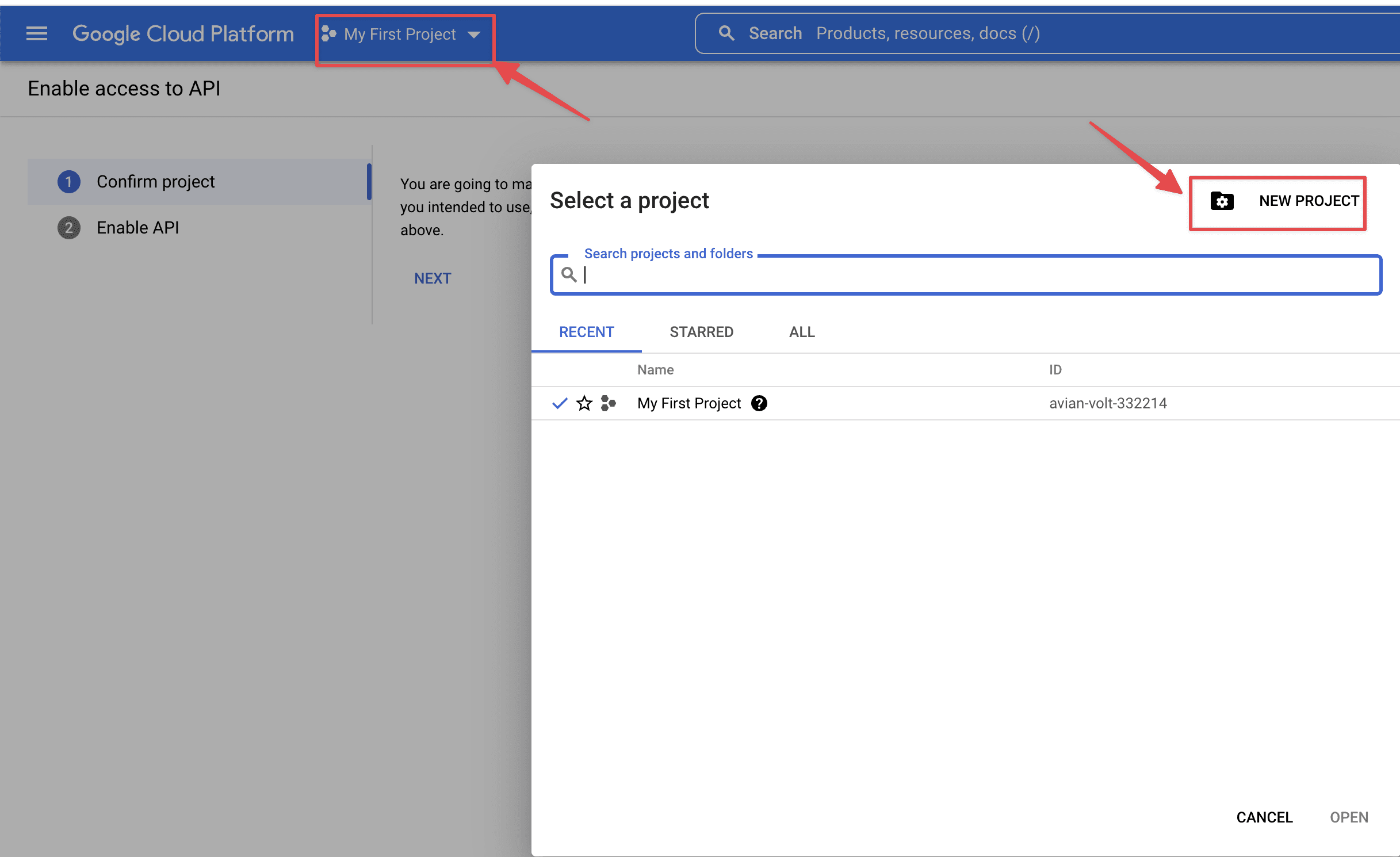
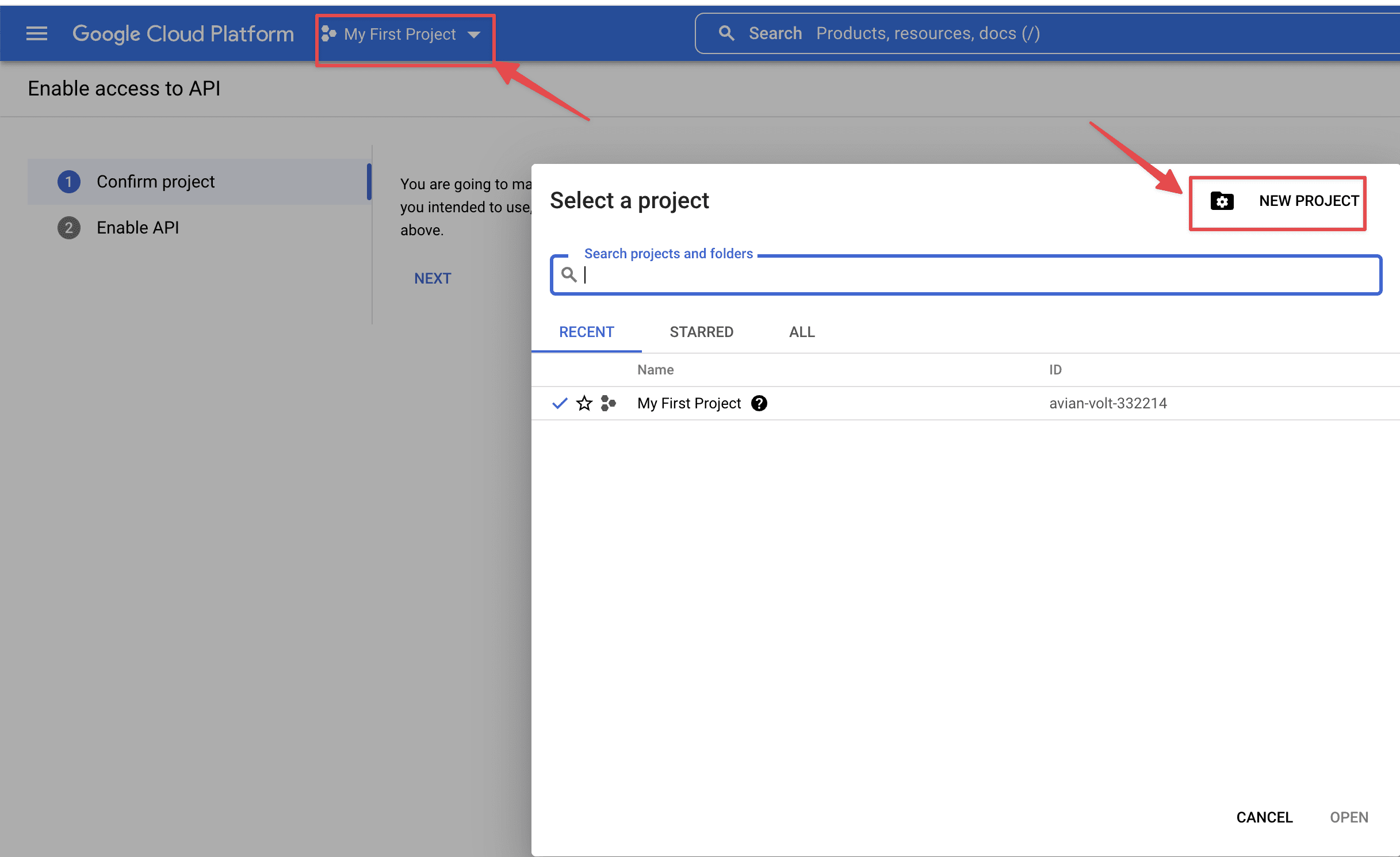
Bạn sẽ cần tạo một Project mới bằng cách chọn My Firrst Project => New Project
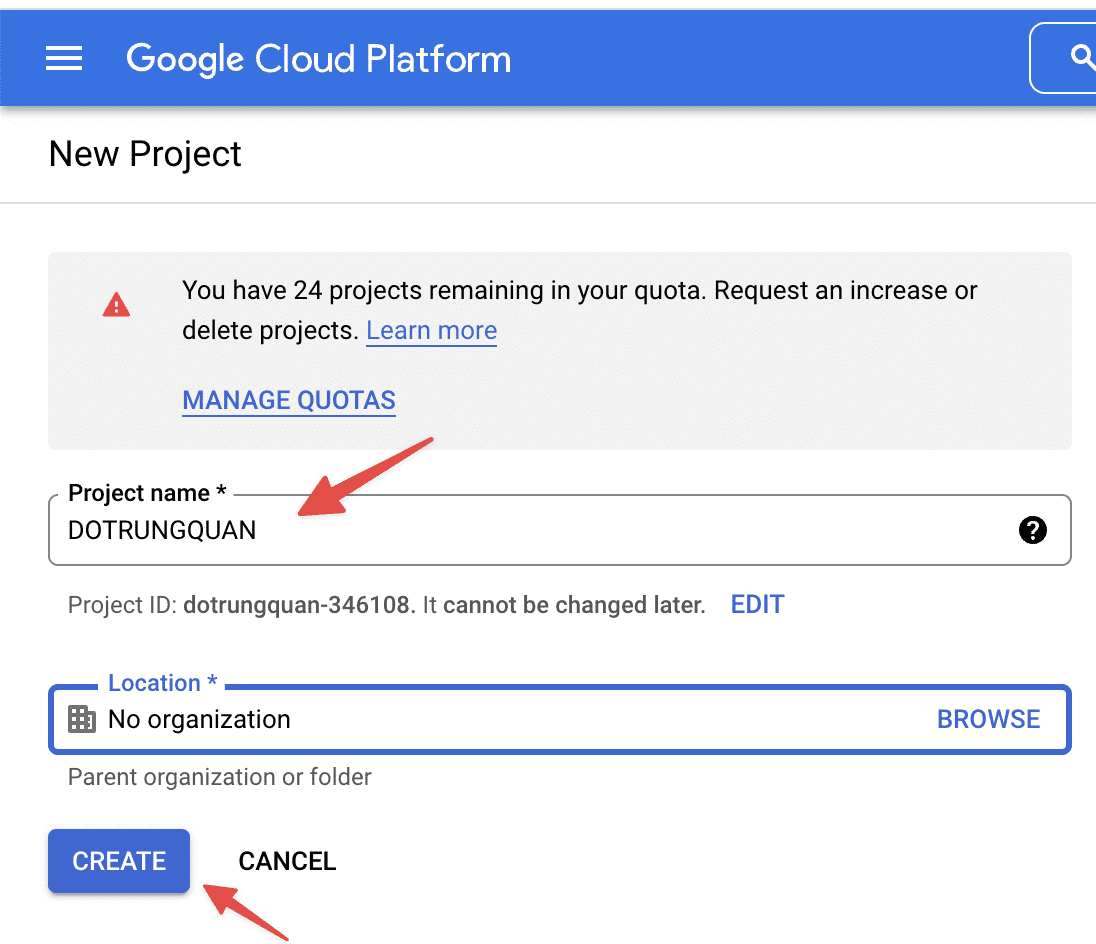
Sau đó bạn đặt tên cho Project này. Và chọn Create để tạo
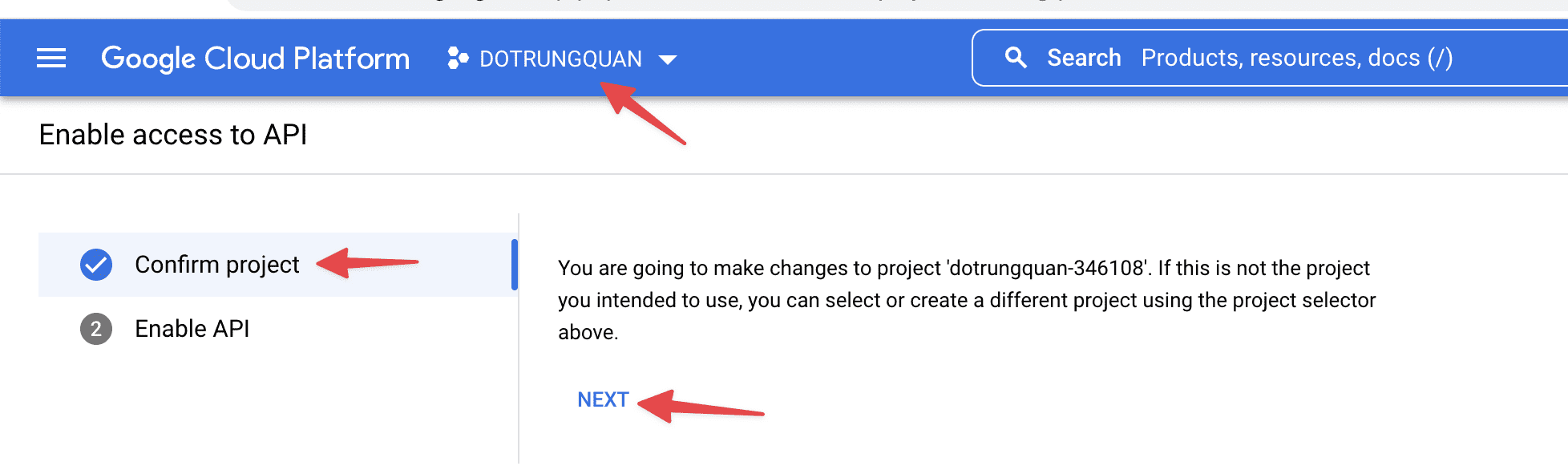
1.4 Kích hoạt truy cập API
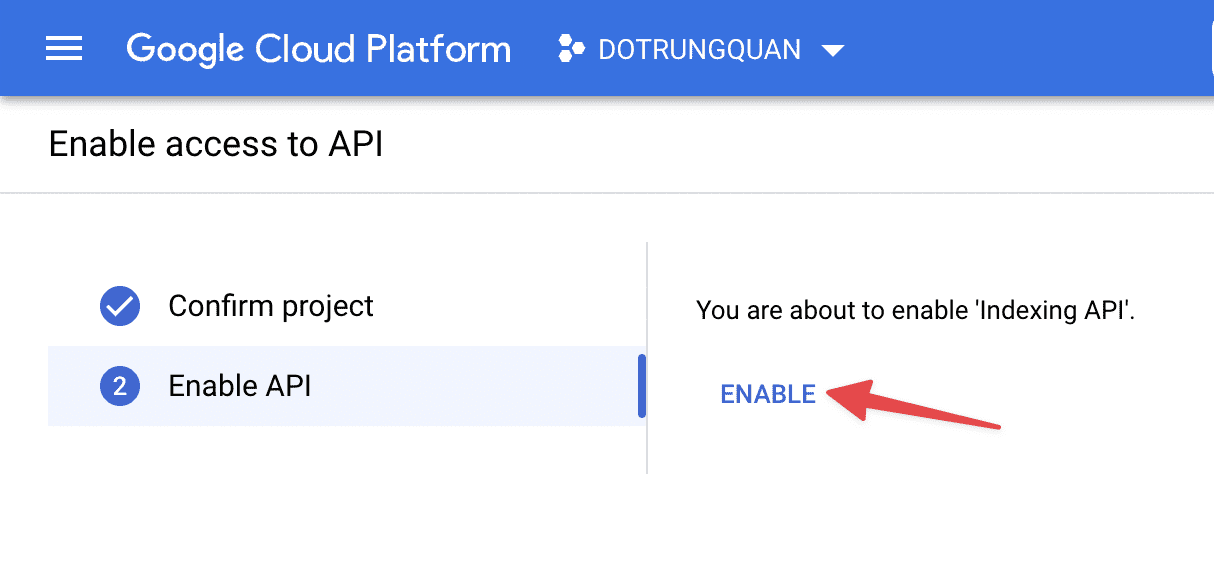
Khi Project được tạo xong bạn sẽ kích hoạt API lên. Ở mục Enable access API thì bạn chọn NEXT
Tiếp đến chọn Enable để kích hoạt
2. Tạo tài khoản dịch vụ
Tiếp theo bạn cần tạo một tài khoản dịch vụ bằng cách truy cập vào link sau
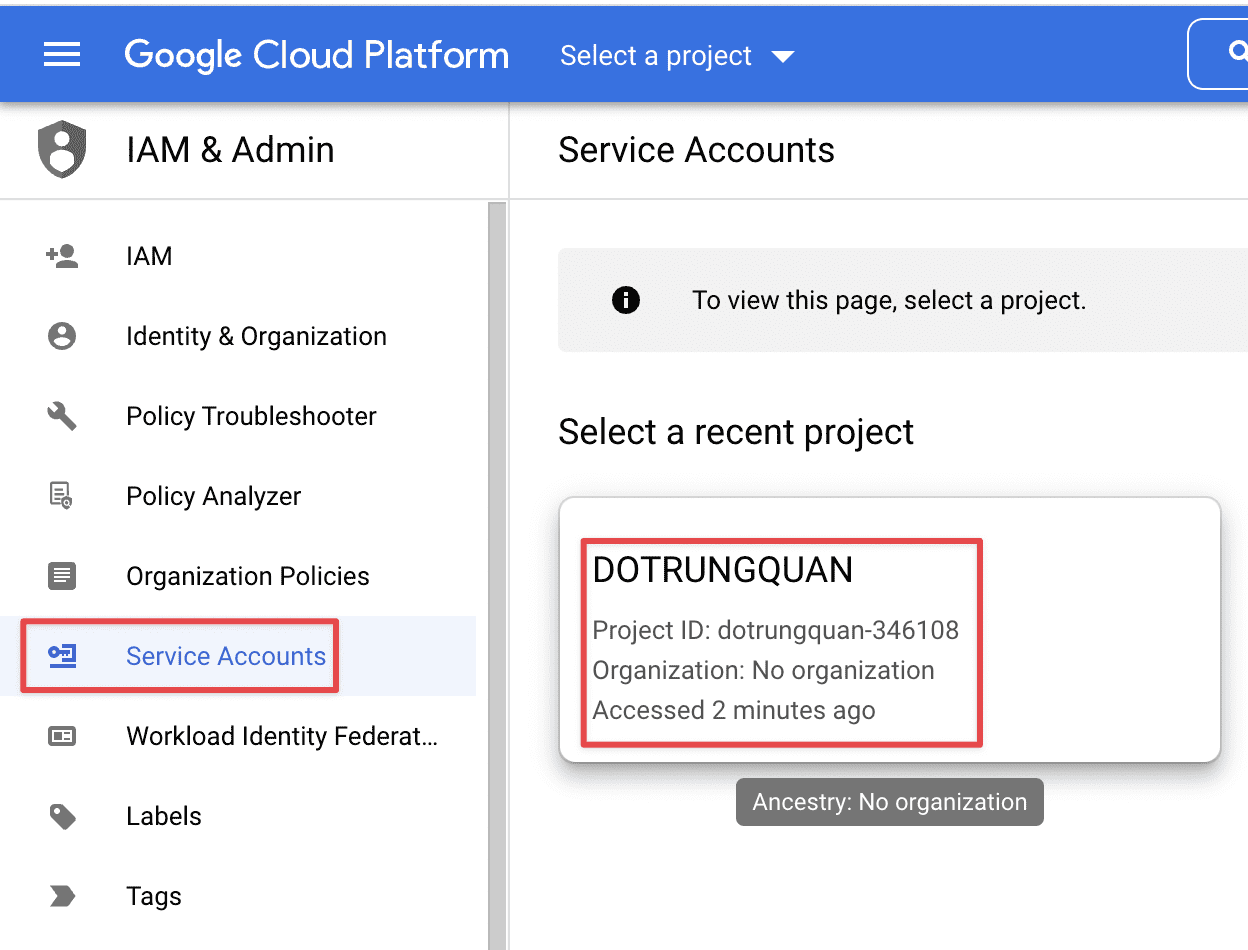
2.1. Chọn dự án
Tại đây bạn sẽ được nhắc chọn Project, bạn hãy chọn Project đã tạo ở bước trên
2.2 Tạo tài khoản dịch vụ
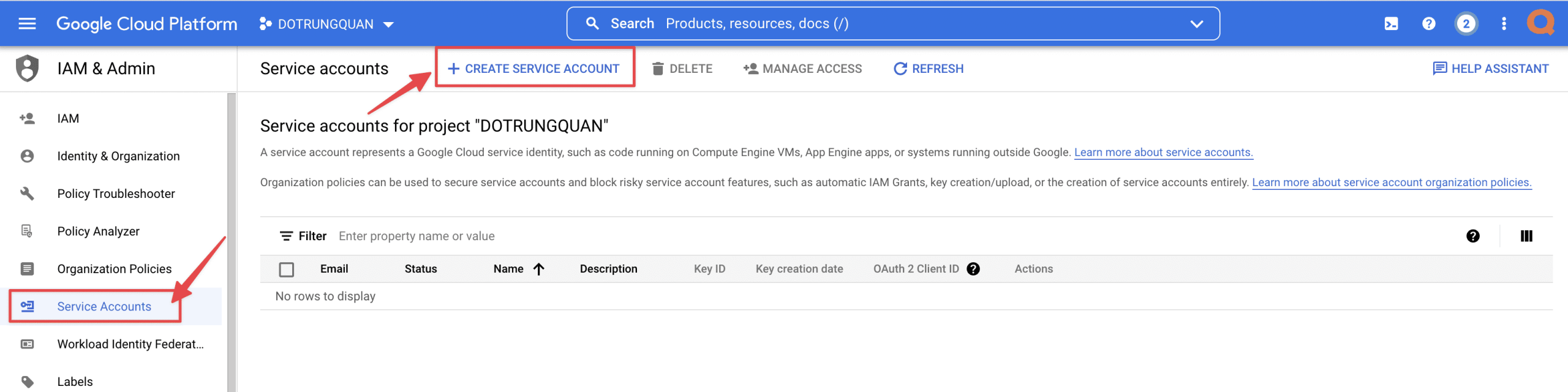
Sau khi chọn vào Project xong, bạn sẽ được đưa đến một trang, tại trang này bạn sẽ tạo một tài khoản dịch vụ mới bằng cách click vào Servies Accouts => Create Services Account
Tại đây bạn hãy nhập vào thông tin như sau
- Services account name: Đặt tên tuỳ ý
- Services account ID
- Services account description
Sau khi nhập xong bạn click DONE để hoàn tất.
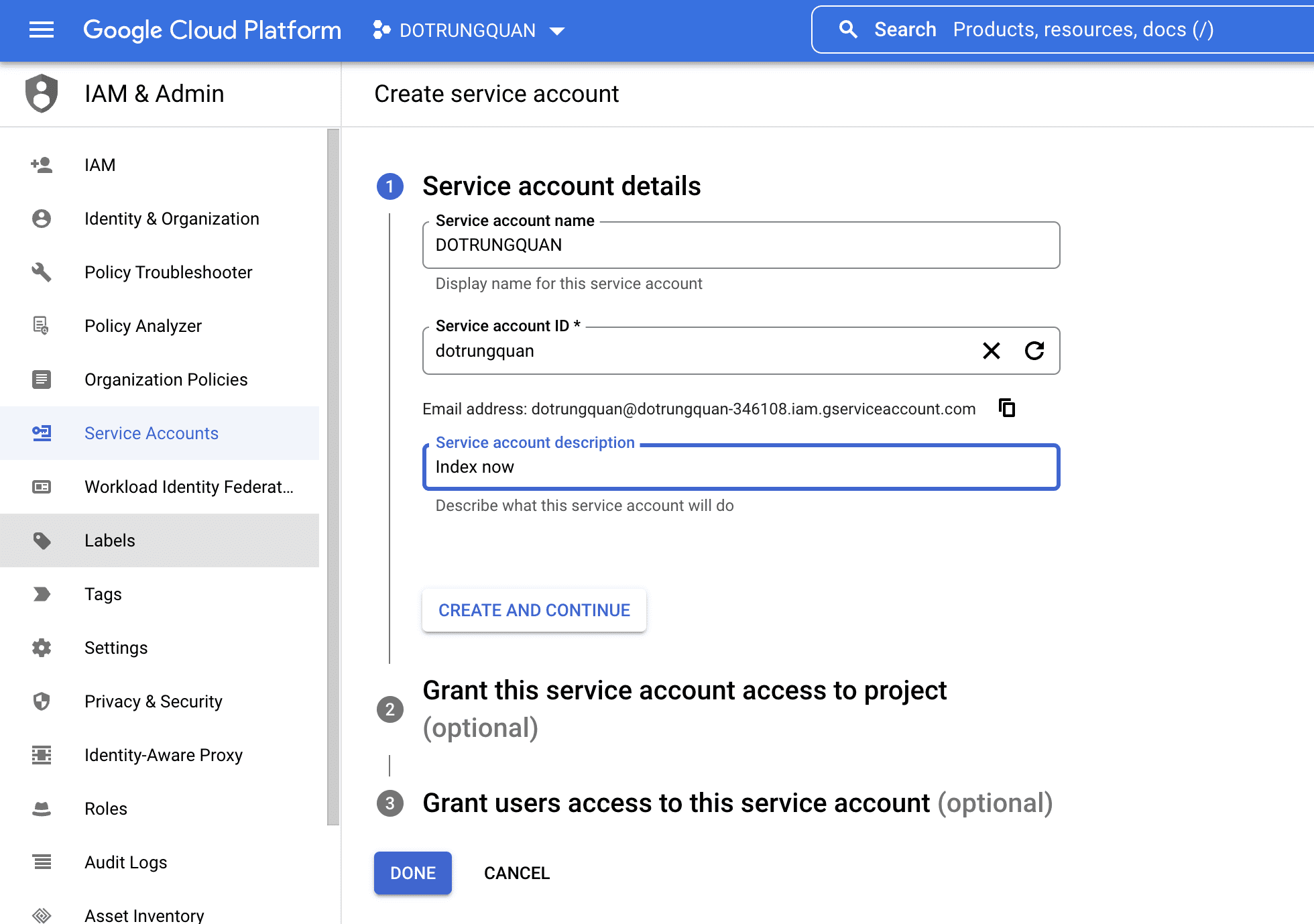
Sau khi tạo hoàn tất, bạn hãy copy lại địa chỉ mail này lại để cấu hình cho Bước 2.4
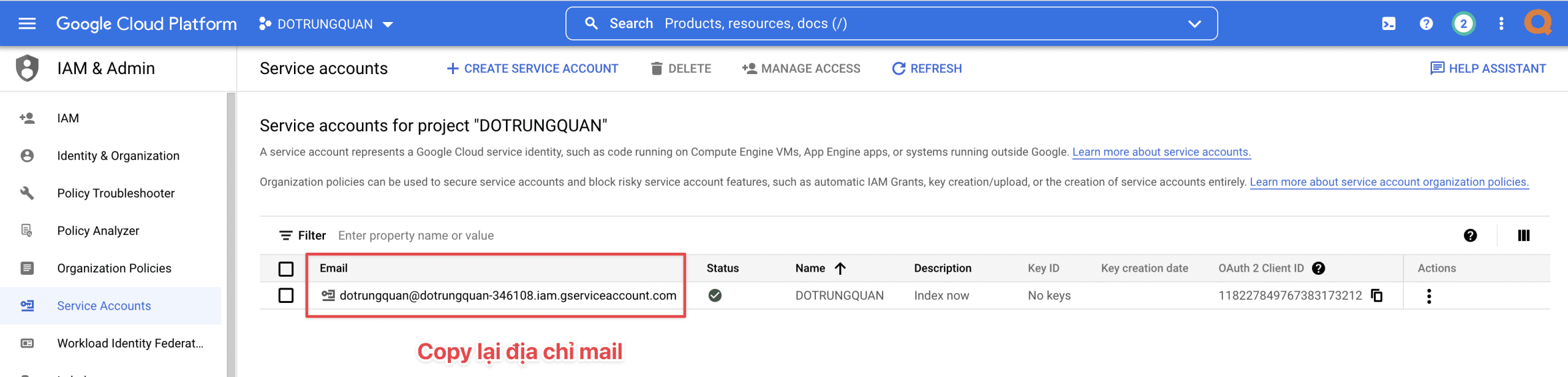
2.3 Thiết lập khoá và tạo khoá JSON
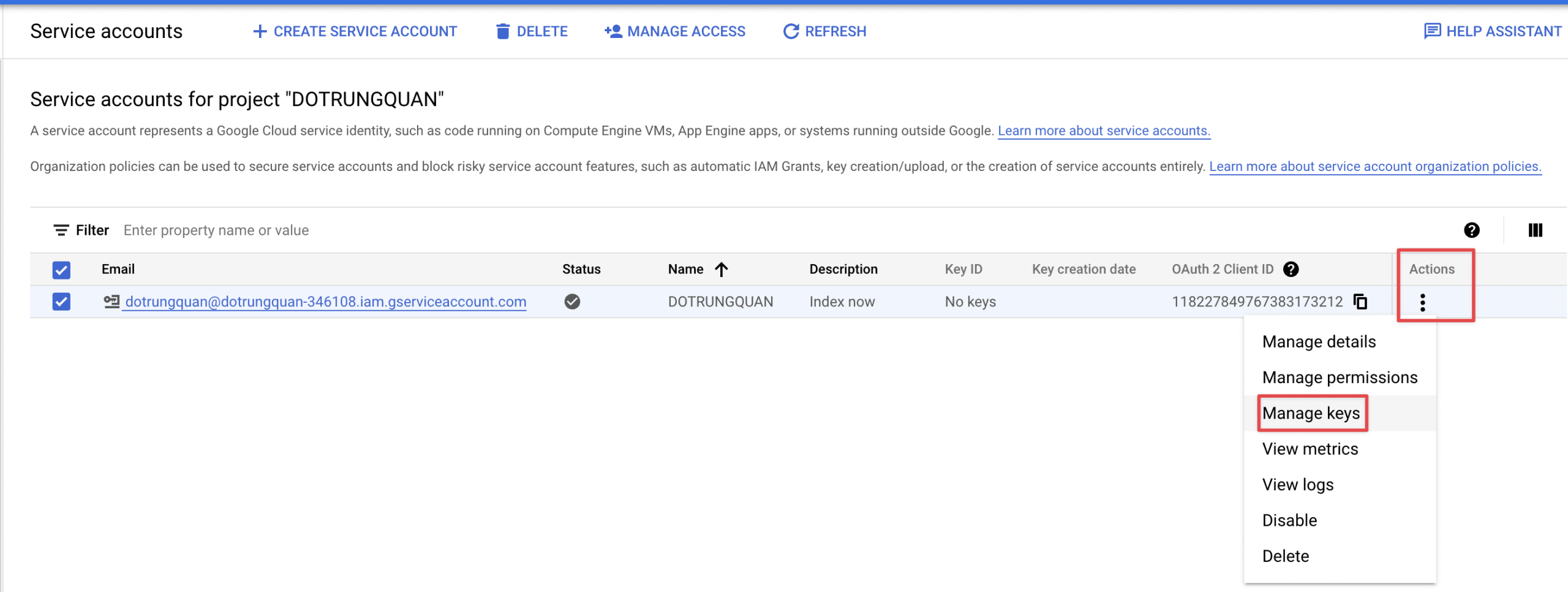
Ở trang tài khoản dịch vụ. Bạn click vào dấu 3 chấm của tài khoản vừa tạo và chọn Manage keys
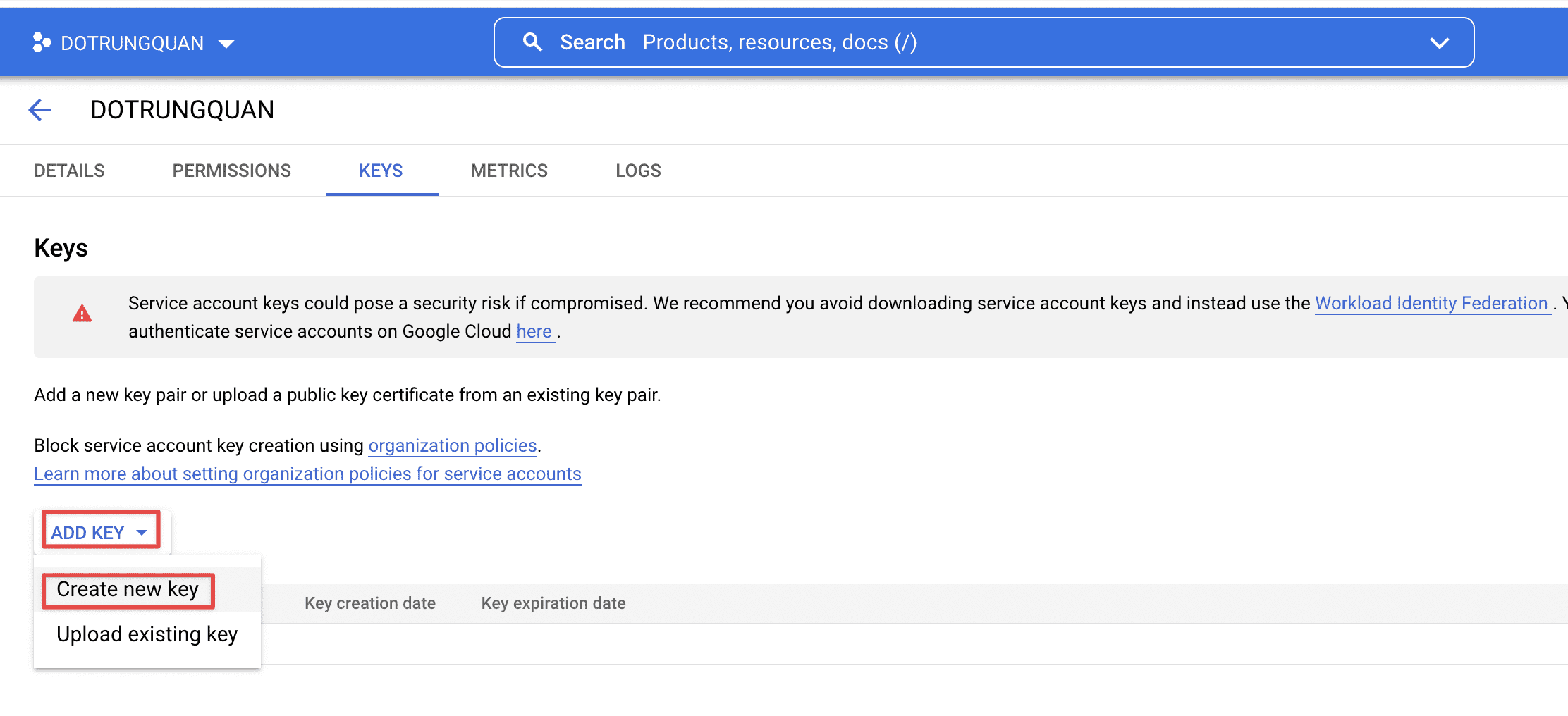
Sau đó bạn click vào ADD KEY => Create new key để tạo khoá JSON
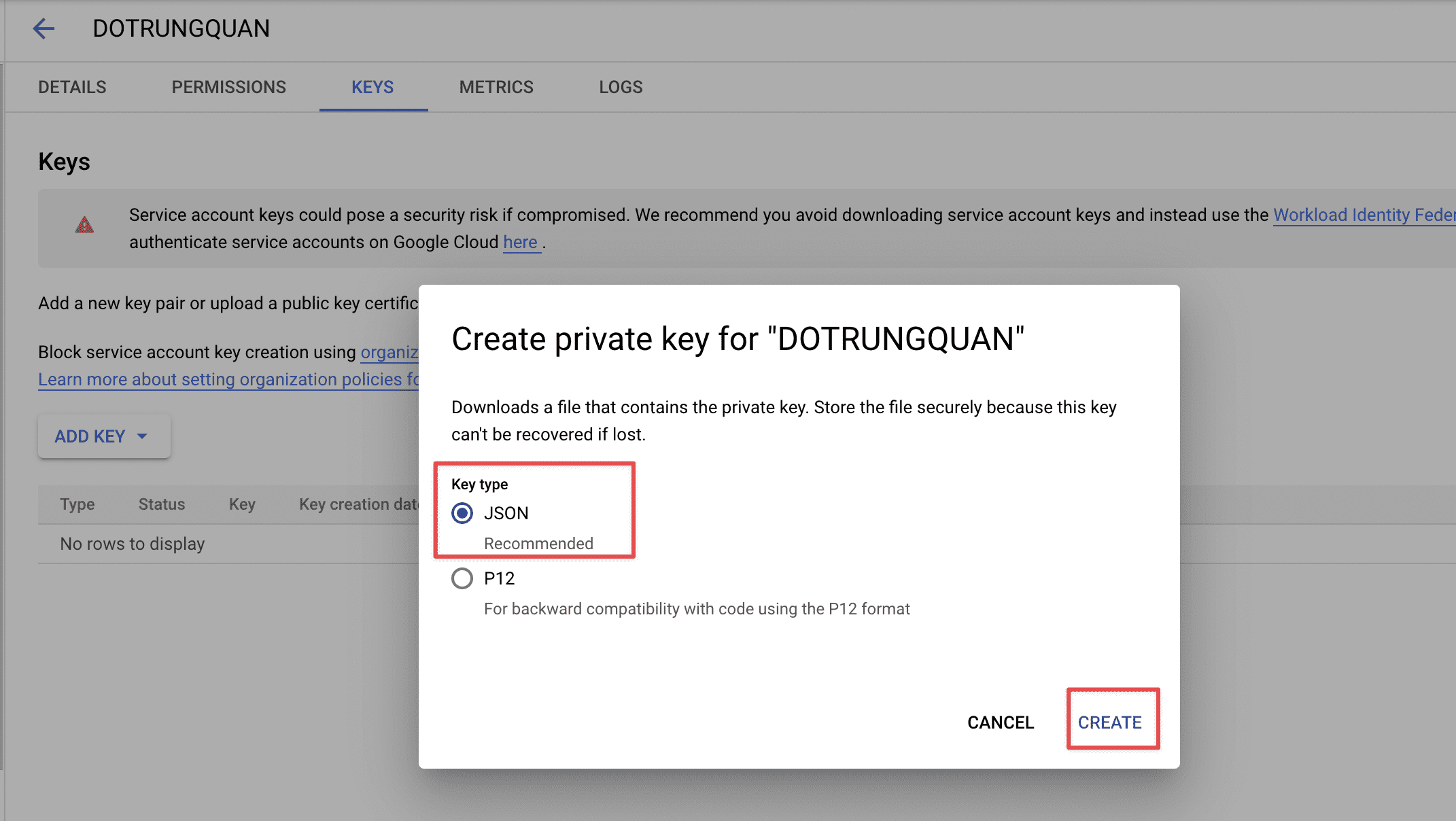
Bạn chọn định dạng JSON sau đó click Create để tạo.
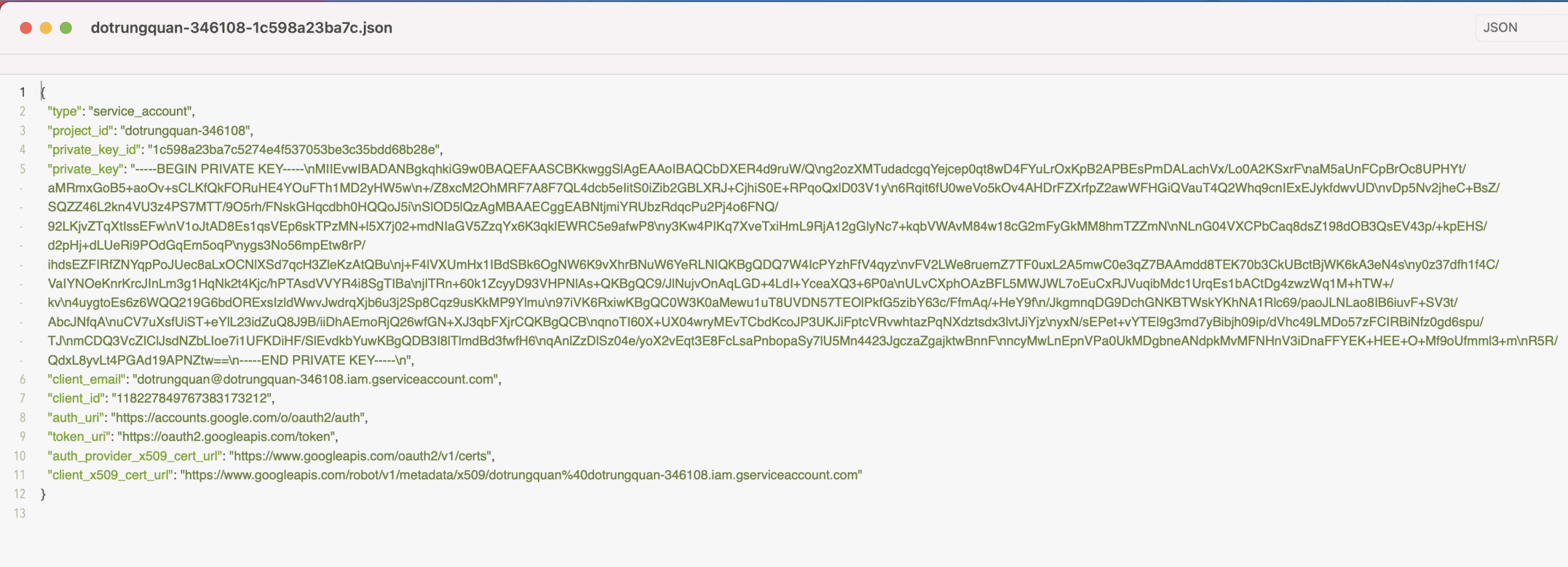
Sau khi nhấn tạo xong, bạn sẽ nhận được 1 file json tải về máy tính. Bạn hãy lưu lại nội dung file này để cấu hình bước tiếp theo.
2.4 Thêm tài khoản vào Search Console
Ở bước này bắt buộc website bạn phải được khai báo với Search Console trước đó.
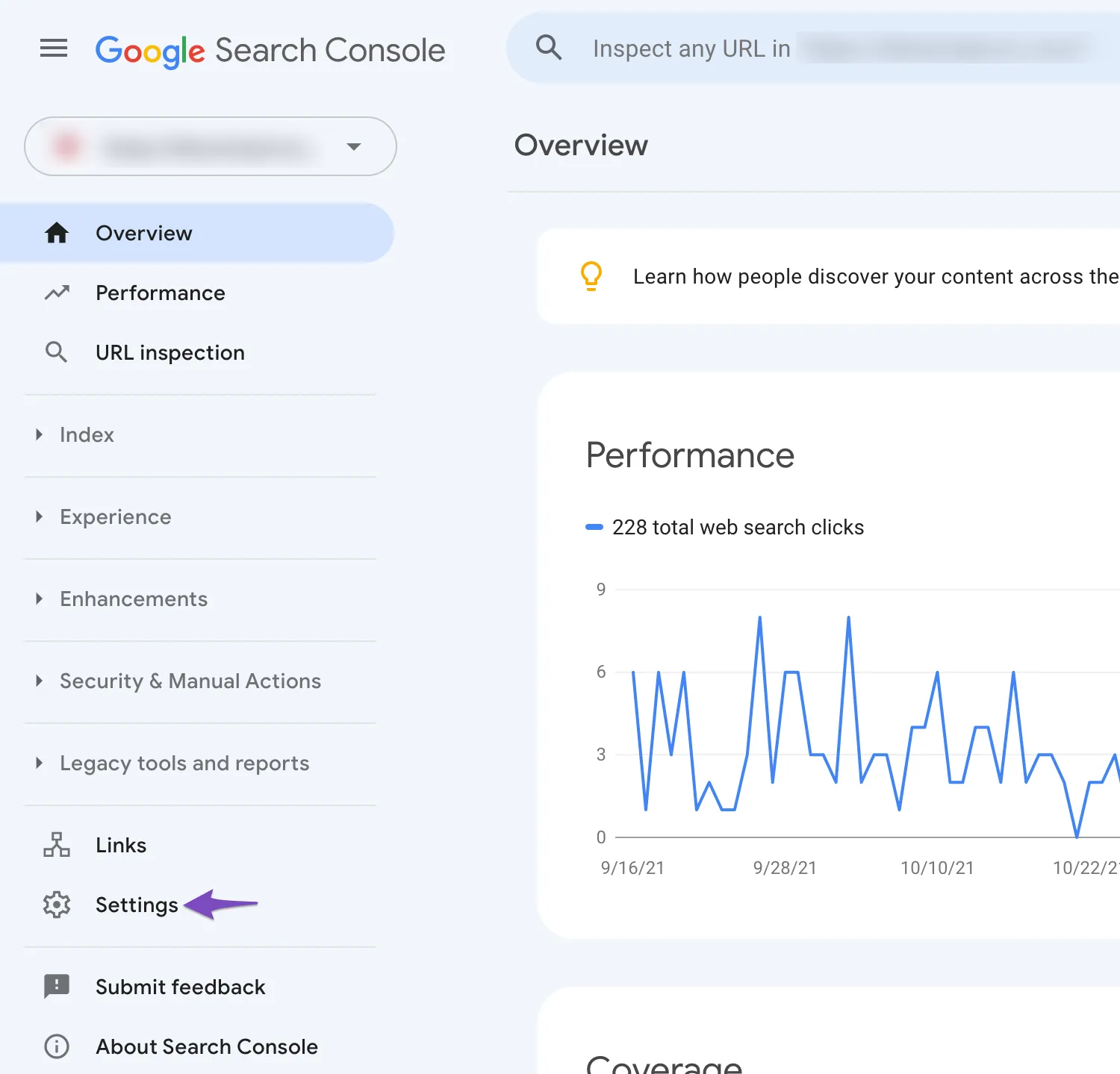
Bạn truy cập vào Settings => Users add permissions
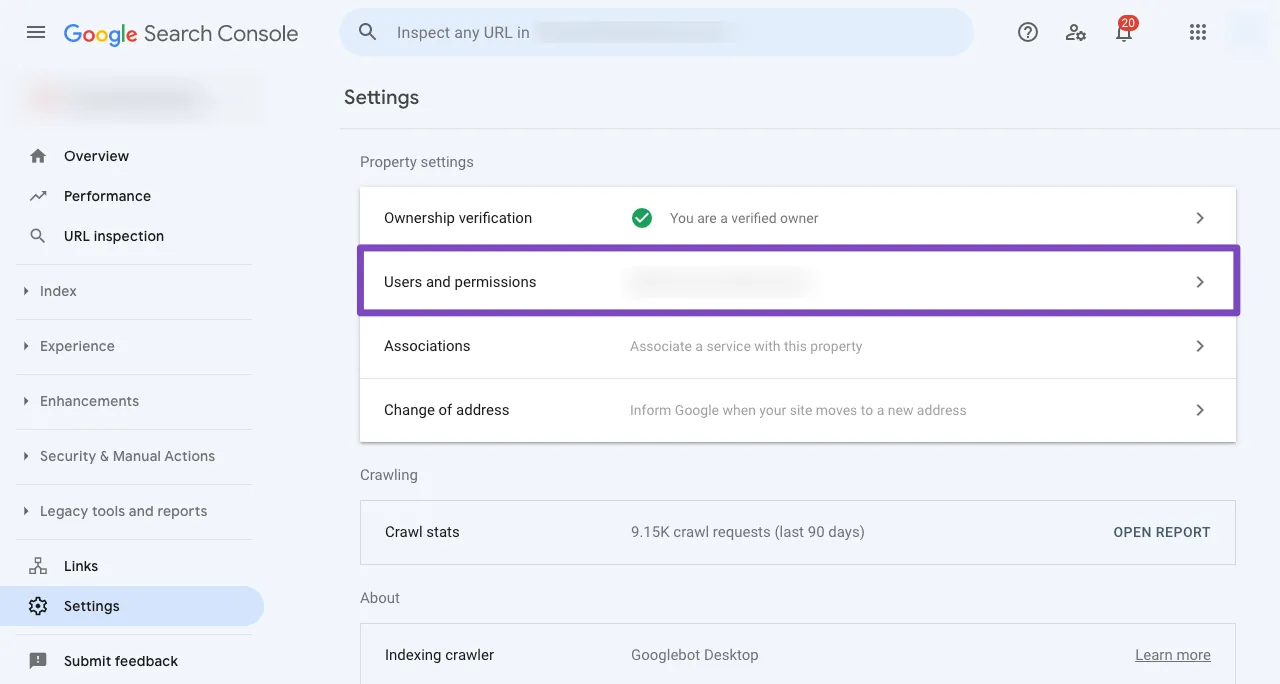
Thực hiện thêm một người dùng mới vào.
Ở khung Địa chỉ email bạn hãy nhập địa chỉ mail đã tạo ở bước trước. Và Quyền bạn hãy chọn là Chủ sở hữu sau đó nhấn Thêm để hoàn tất
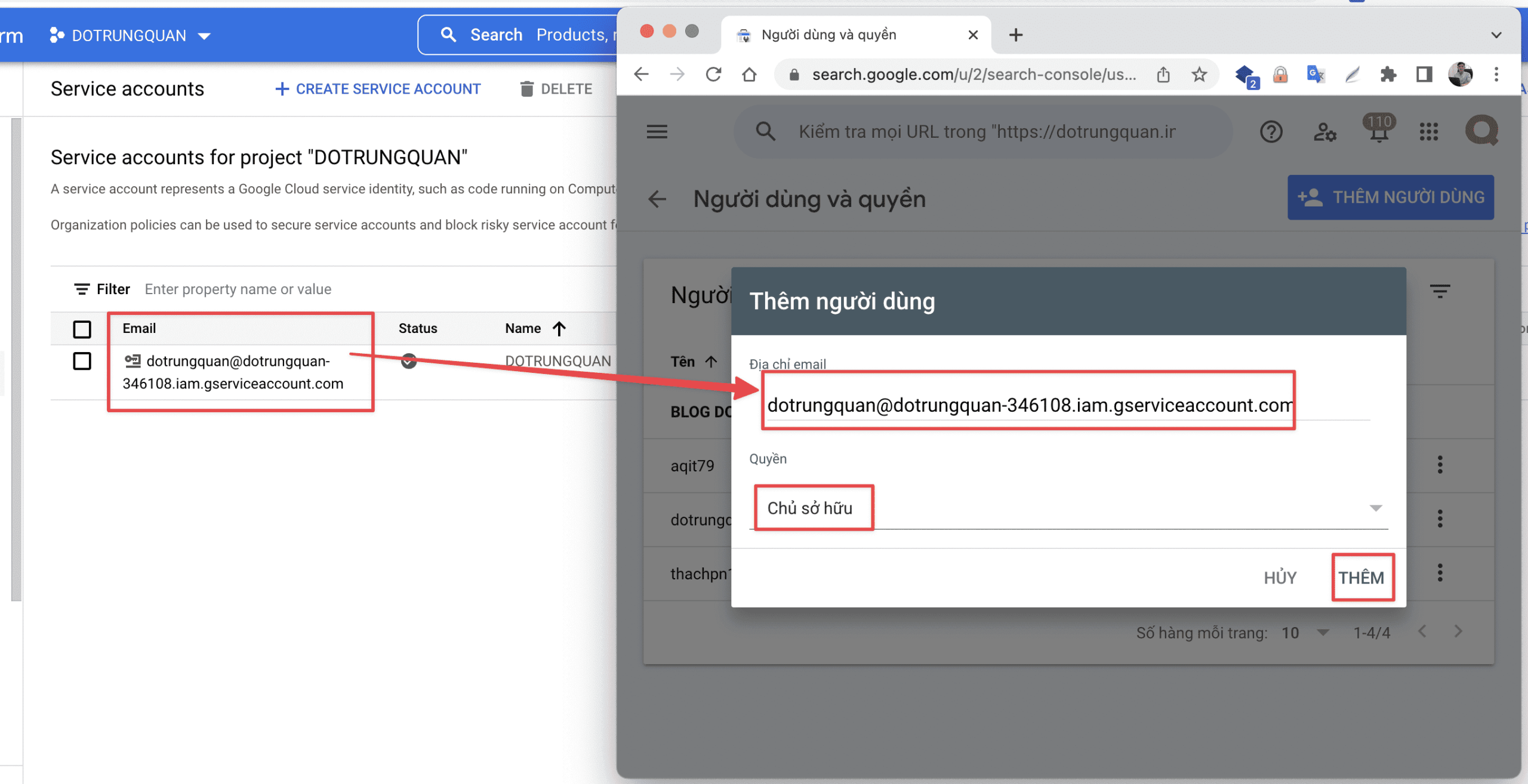
Bạn có thể sử dụng một Dự án , Tài khoản Dịch vụ và Khóa API JSON trên nhiều trang web, chỉ cần đảm bảo rằng Tài khoản Dịch vụ được thêm làm Chủ sở hữu cho tất cả các trang web trong Search Console.
3. Cài đặt và cấu hình Plugin Instant Indexing for Google
Bạn sẽ sử dụng Plugin do chính Rank Math phát triển để làm môi trường kết nối. Plugin này bạn có thể cài trực tiếp từ thư viện Plugin WordPress
3.1 Cài đặt Plugin
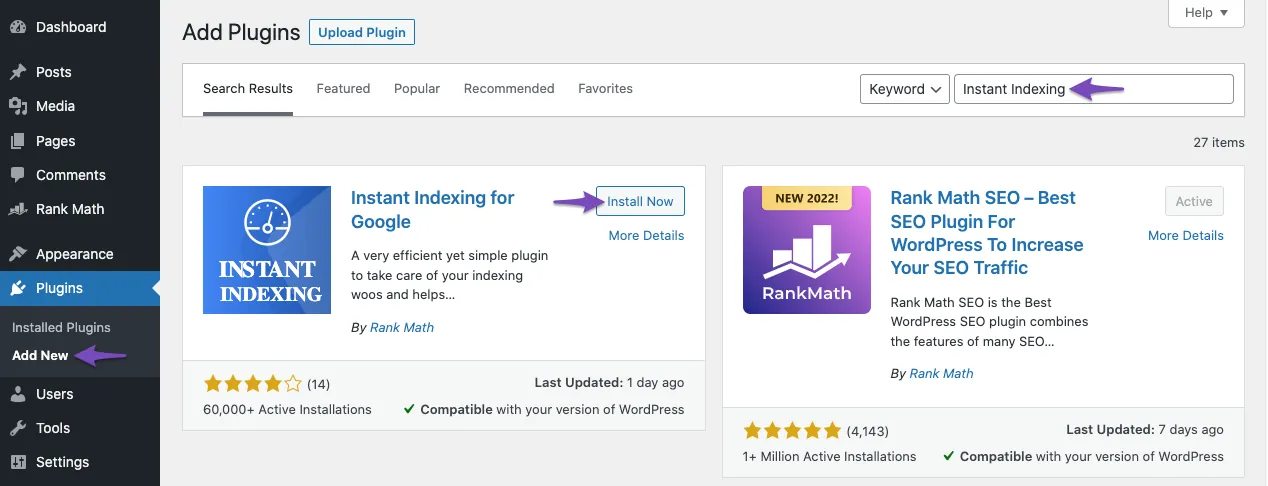
Bạn chọn Plugin => Add New sau đó nhập vào từ khoá Instant Indexing để tìm kiếm.
- Download Plugin tại đây:
- Hướng dẫn cài Plugin lên website WordPress
3.2 Cấu hình Plugin
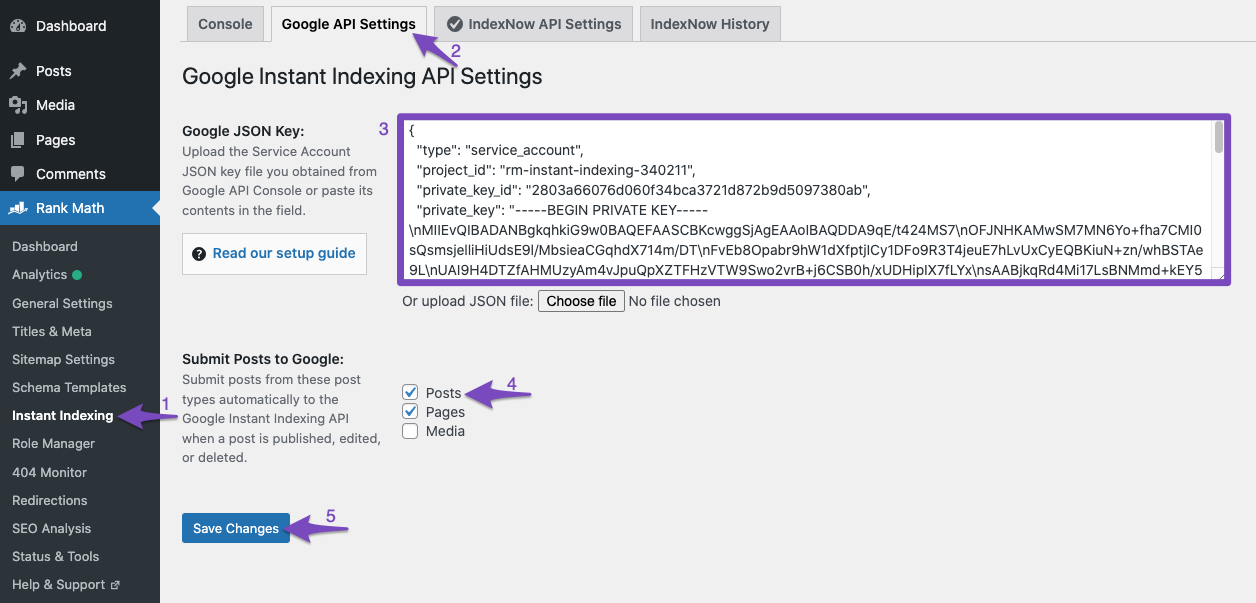
Sau khi cài Plugin sau bạn truy cập vào Rank math => Instant Indexing => Google API Settings và nhập vào nội dung file JSON đã tạo trước đó. Và ở Submit Posts to Google bạn có thể tick hết để sử dụng.
3.3 Sử dụng API để index ngay lập tức.
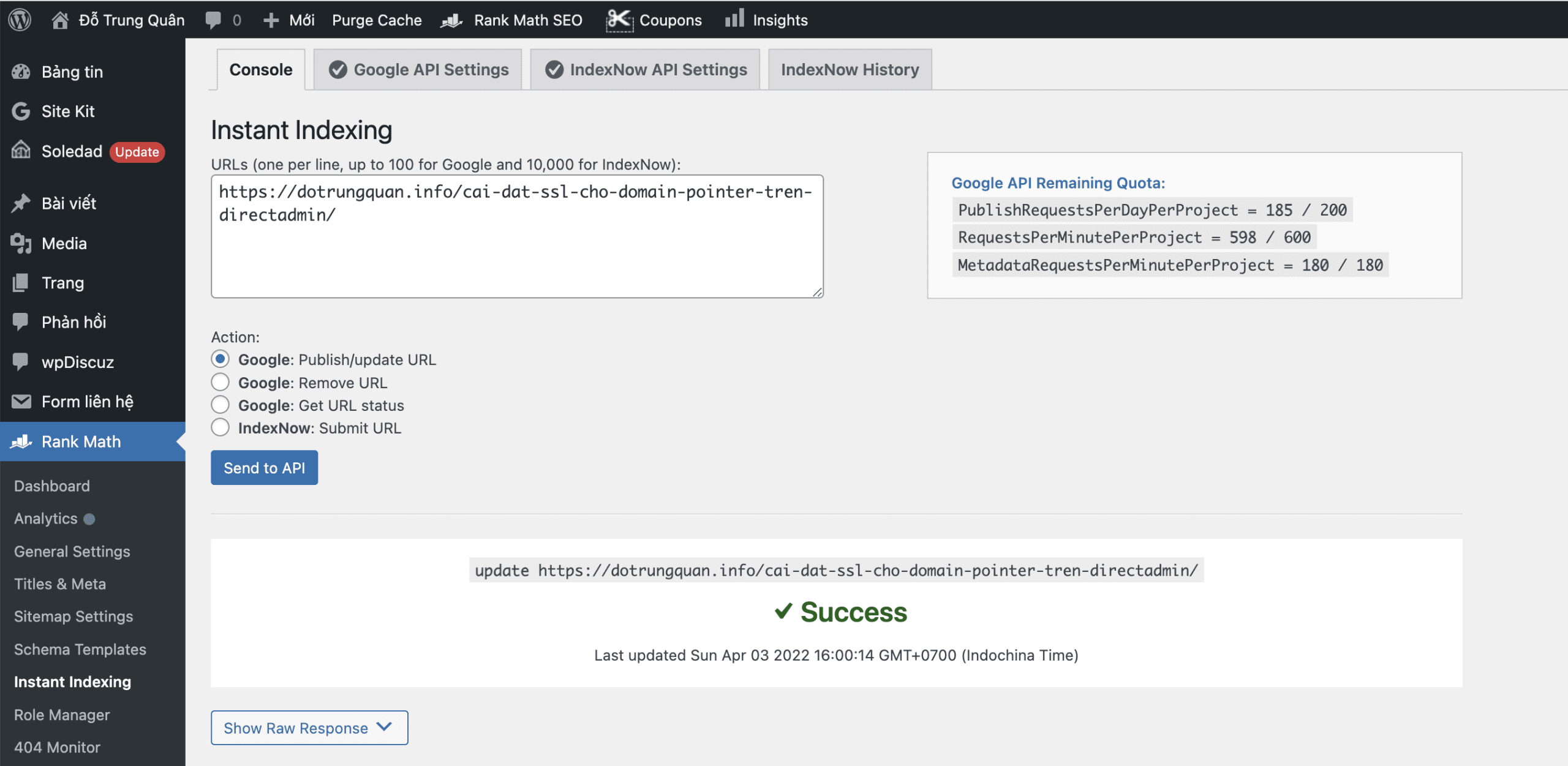
Ở khung Console bạn có thể nhập vào URL bài viết để thực hiện index ngay lập tức cho bạn.
Ngoài ra ở giao diện Bài viết sau khi viết xong bạn có thể Click trực tiếp ở đây để yêu cầu index ngay lập tức bài viết của bạn.
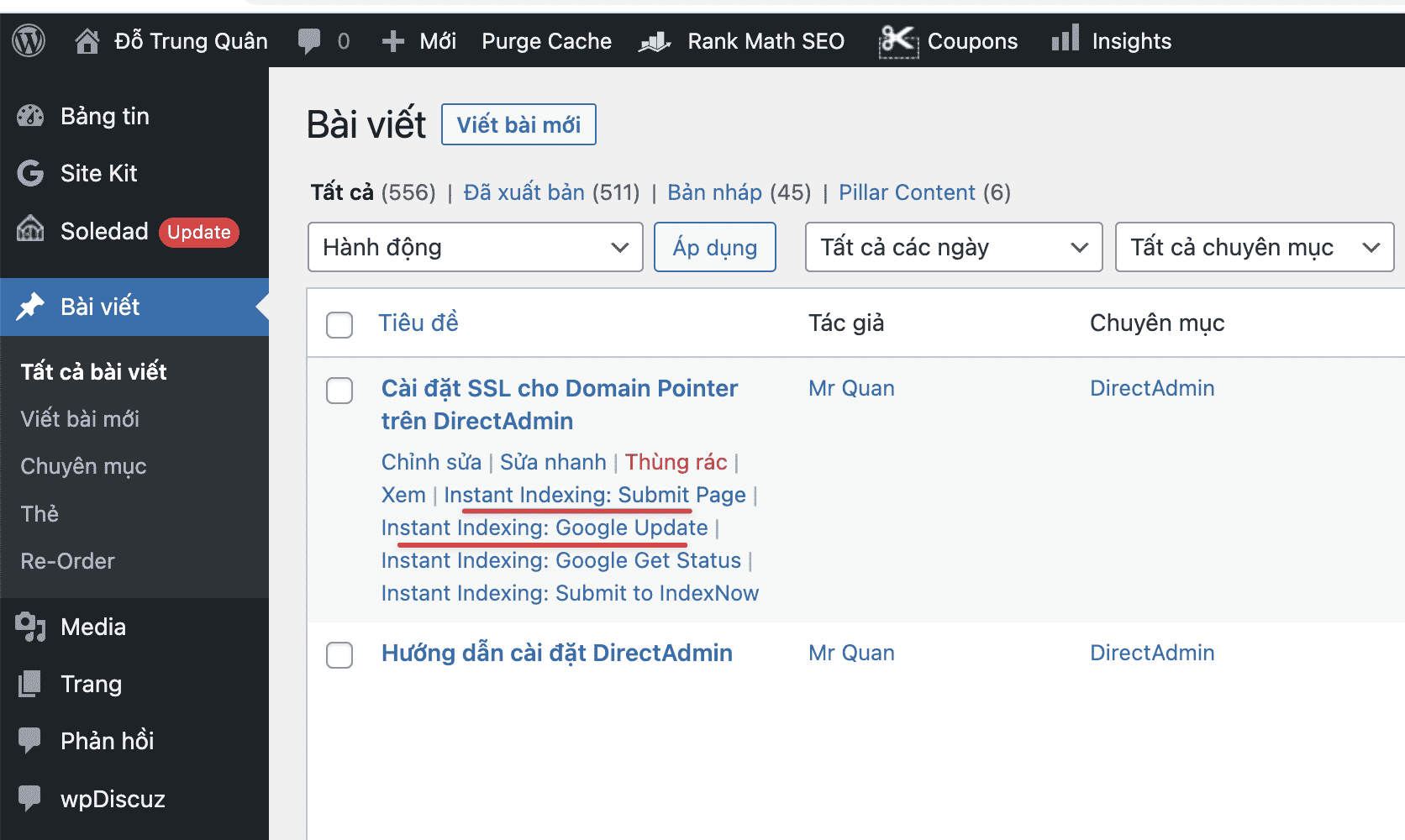
Như vậy mình đã hoàn tất các bước thực hiện cấu hình Index bài viết ngay lập tức với Rank Math SEO. Chúc các bạn thực hiện thành công với website của mình.
Các bạn có thể tham khảo thêm các hướng dẫn sử dụng khác tại link bên dưới:
Nếu các bạn cần hỗ trợ các bạn có thể liên hệ bộ phận hỗ trợ theo các cách bên dưới:
- Hotline 247: 028 888 24768 (Ext 0)
- Ticket/Email: Bạn dùng email đăng ký dịch vụ gửi trực tiếp về: support@azdigi.com
You might also like
- Rank Math integrates the Index Now feature for WordPress websites
- Rank Math and Elementor Plugin - The Perfect SEO Duo for WordPress
- How to put your website on Bing with Sitemap
- How to declare a Sitemap for Google Search Console
- Crawled Currently Not Indexed and How to Fix It in Search Console
- Internal Linking for Large Blogs: How to Build a Clear and Scalable Structure
About the author

Thạch Phạm
Đồng sáng lập và Giám đốc điều hành của AZDIGI. Có hơn 15 năm kinh nghiệm trong phổ biến kiến thức liên quan đến WordPress tại thachpham.com, phát triển website và phát triển hệ thống.