If you want to send a mail form on WordPress, then the Contact Form 7 Plugin is the best and easiest choice. You can send using php mail function or SMTP Gmail, SMTP of any mail server.
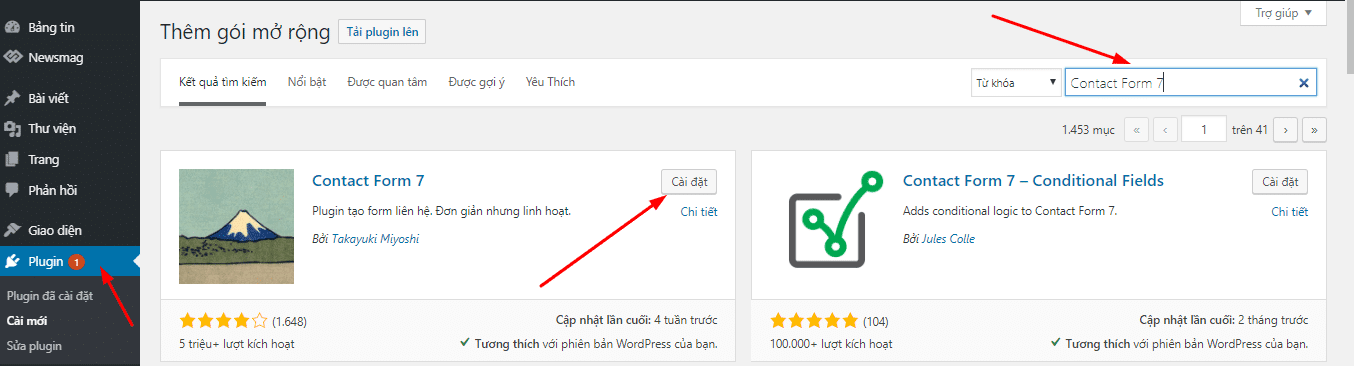
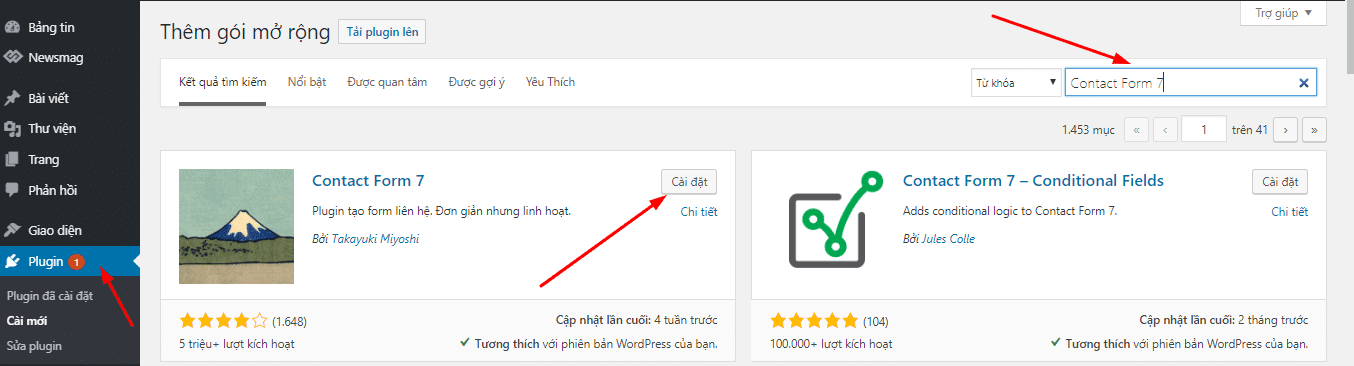
Step 1: Download and install the plugin from the library repository.
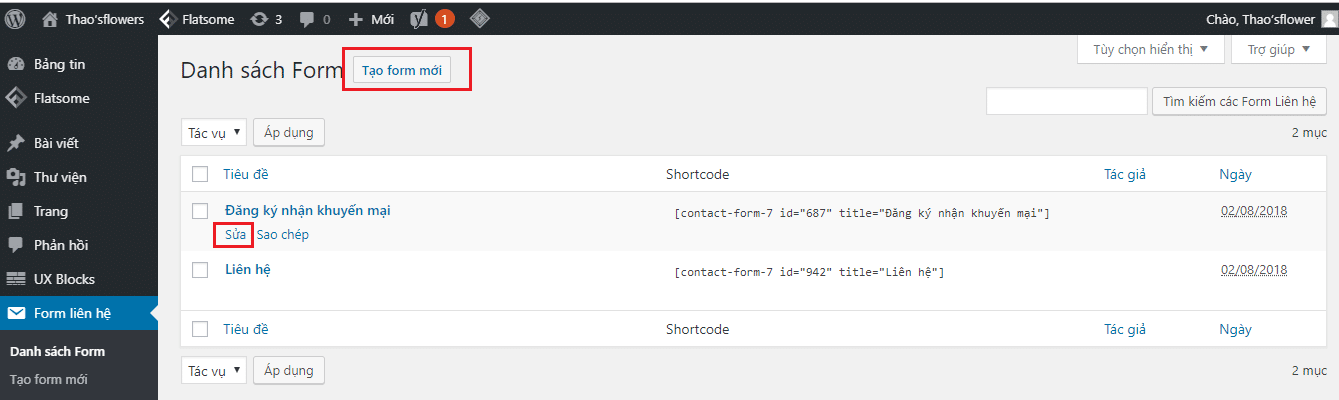
Step 2: Create a new Form or edit Form
Then click Add New or edit the existing form if you have not used the original default contact form
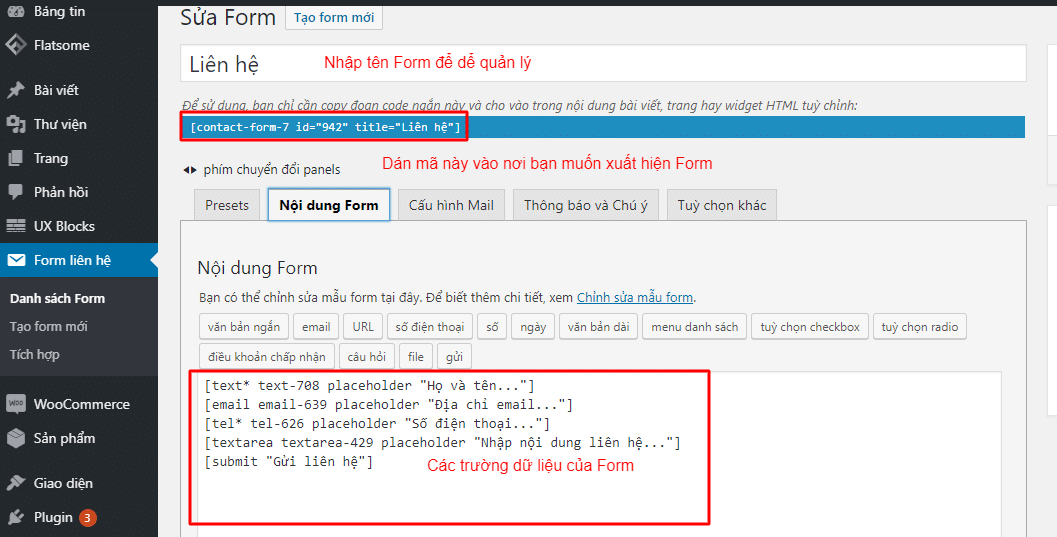
Step 3: Install Contact Form 7 and configure
You can follow the steps below:
- Email received: enter Gmail if you want to receive by Gmail
- Email Send: enter email@domain
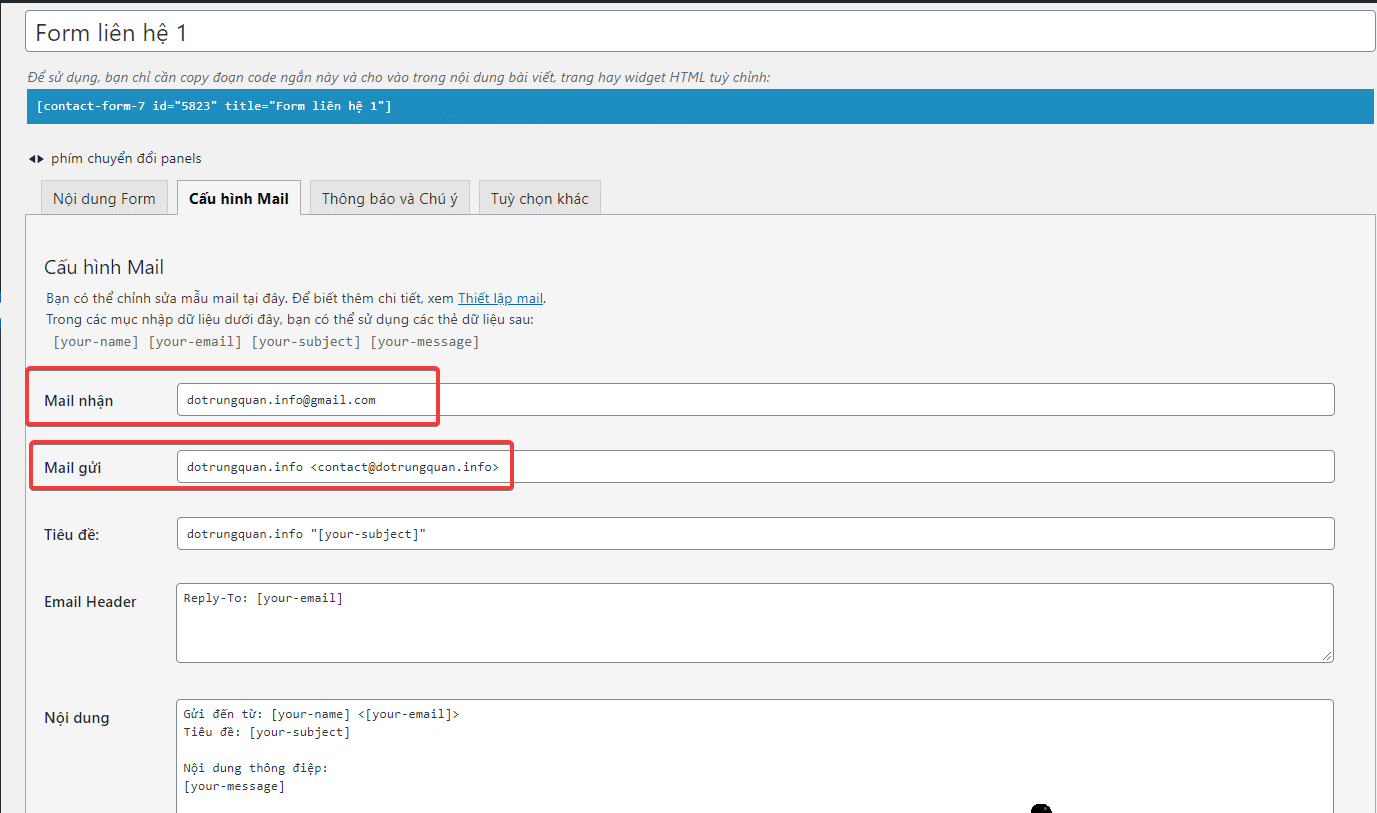
Then you copy the Shortcode and paste it into the page or post you want to display.

Wishing you success!
You might also like
- How to use WP CLI to Administer WordPress Plugins
- Secure WordPress website with Wordfence plugin
- Install and set up the WordPress website
- Building an e-commerce website with MyThemeShop
- Building an e-commerce website with Astra Theme
- What’s New in WordPress 7.0? A Detailed Look at the Armstrong Release
This article has been reviewed by AZDIGI Team
About the author

Thạch Phạm
Đồng sáng lập và Giám đốc điều hành của AZDIGI. Có hơn 15 năm kinh nghiệm trong phổ biến kiến thức liên quan đến WordPress tại thachpham.com, phát triển website và phát triển hệ thống.
10+ years serving 80,000+ customers