In this article, AZDIGI will help you prevent plugin installation on WordPress.
I. Why do we need to block plugin installation on WordPress?
Why do we need to block plugin installation on WordPress? Common in it as some of the following reasons:
- We are website designers and after designing the website, we need to hand it over to the customer for administration. Of course, we will block the permission to install the plugin to avoid the website having an incompatibility error.
- We fear the website will be hijacked and install backup plugins to get the source code.
- Afraid that the website is infected with malicious code and the malicious code automatically install the File Manager plugin, then we can completely delete the source code of our website.
- Don’t want the website to upgrade the theme/plugin automatically.
II. Preventing plugin installation on WordPress
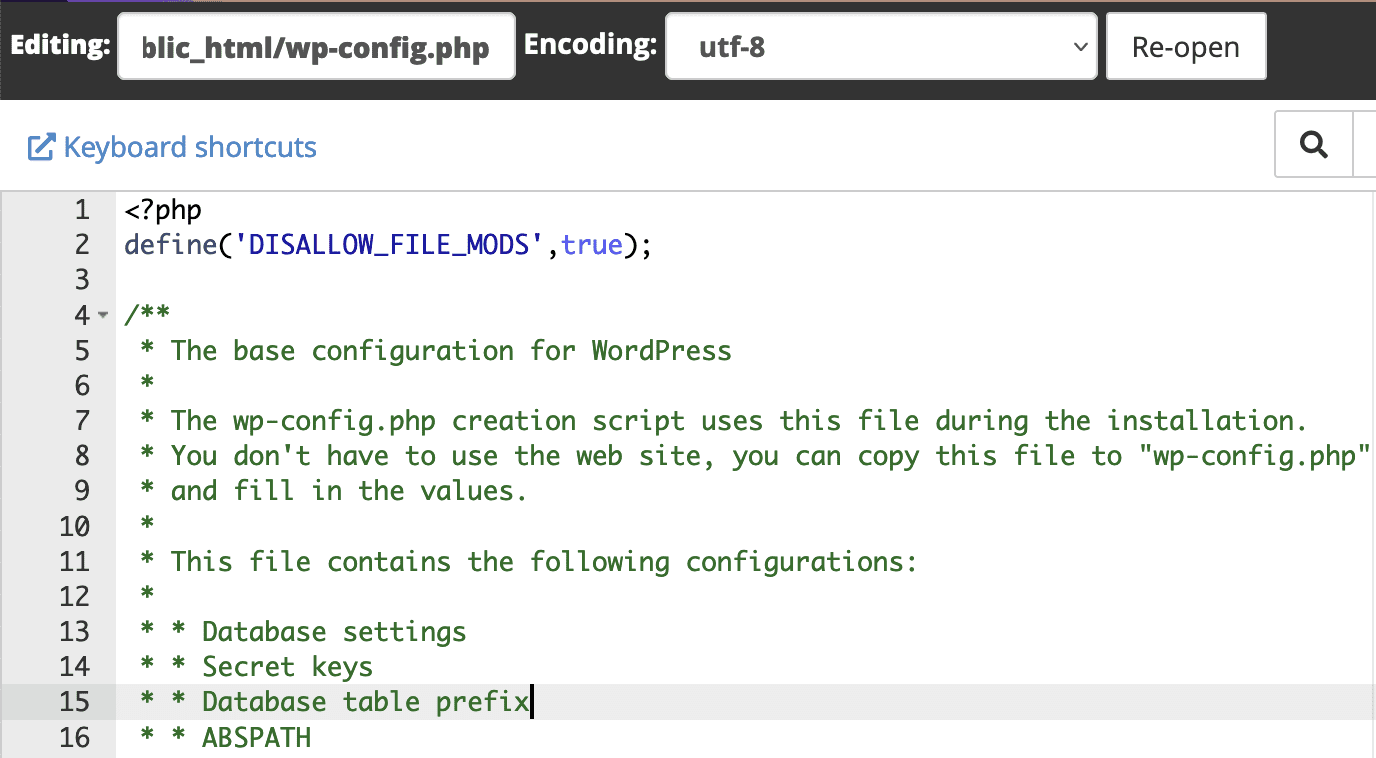
Go to the wp-config.php file in the WordPress website source code and insert the following configuration line:
define( 'DISALLOW_FILE_MODS', true );
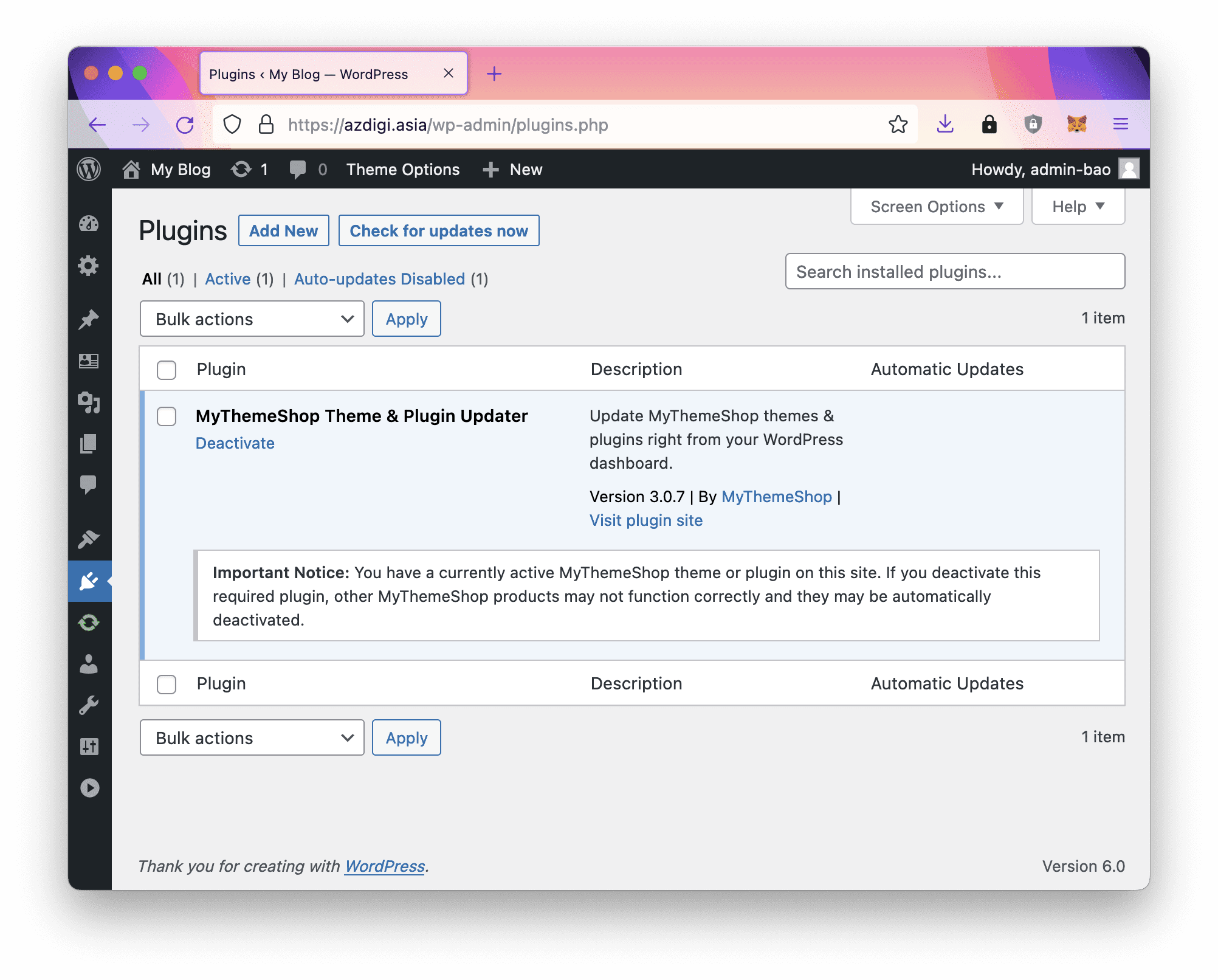
After saving the file, you can check that your plugin settings page does not have a button to install a new plugin.
In case you want to update or install a new plugin, we just need to add // in front of the configuration line and then save it.
III. Summary
Hopefully, this article will help you manage your website better or simply know more tips when using WordPress.
Wishing you success!
See more useful website tutorial articles at the following link:
If you need support, you can contact support in the ways below:
- Hotline 247: 028 888 24768 (Ext 0)
- Ticket/Email: You use the email to register for the service and send it directly to: support@azdigi.com .
- Click on the AZDIGI website to refer to the best Hosting/VPS service in Vietnam.
You might also like
- Secure WordPress website with Wordfence plugin
- How to fix when a WordPress website is infected with malicious code
- How has Imunify360 improved WordPress security?
- Processing 403 error when accessing WordPress admin (Forbidden)
- Top Best WordPress Website Security Plugins
- Some ways to keep your WordPress website safe
About the author

Thạch Phạm
Đồng sáng lập và Giám đốc điều hành của AZDIGI. Có hơn 15 năm kinh nghiệm trong phổ biến kiến thức liên quan đến WordPress tại thachpham.com, phát triển website và phát triển hệ thống.