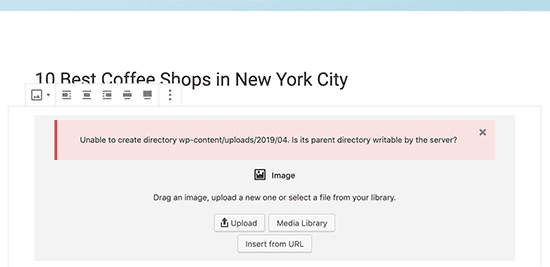
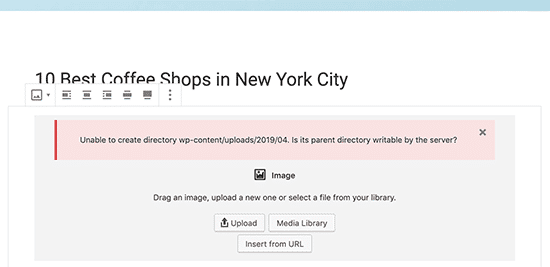
There are some cases when you upload a file or image to WordPress but encounter errors, as shown below: In this article, AZDIGI will show you to fix the following:
‘Unable to create directory wp-content/uploads/2019/04. Is its parent directory writable by the server?’
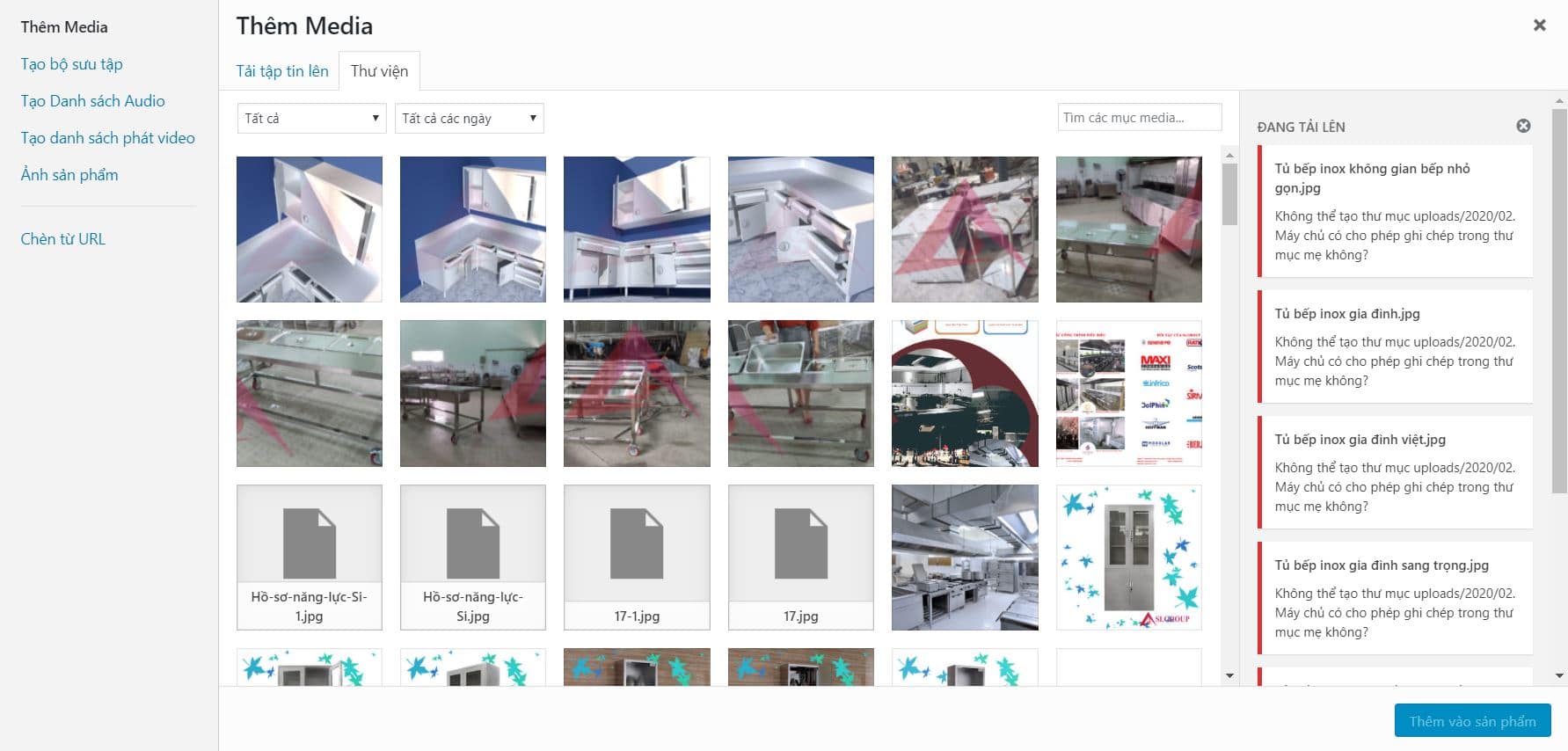
Fix the problem of not uploading images in WordPress
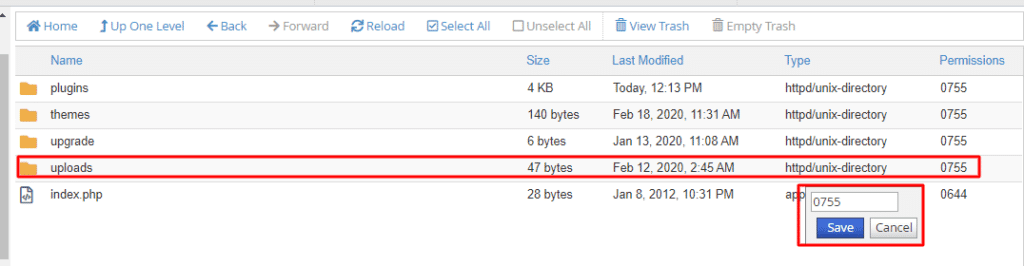
Folder Permissions
With the WordPress source code, the image storage directory will be in the following path domain/wp-content/upload when you can access it, then you can make the upload directory permission to 0755
Edit the archive path
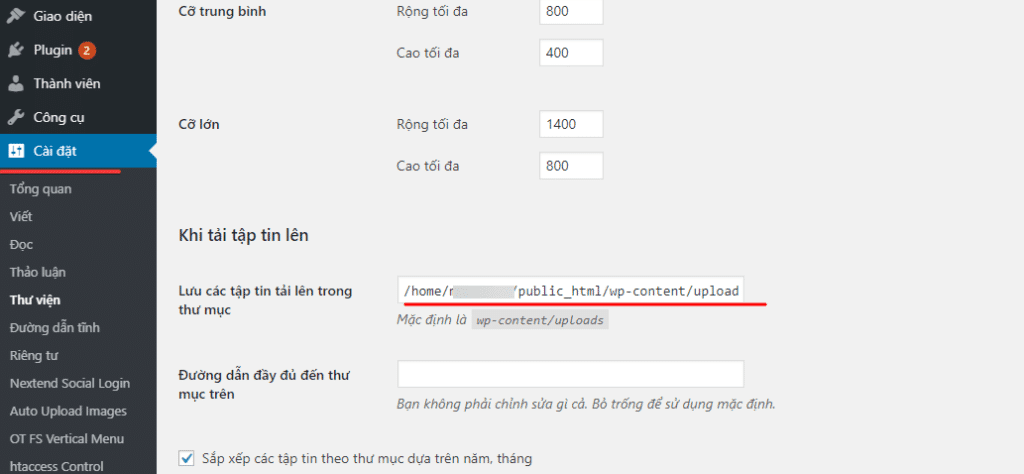
If after resetting it still doesn’t work, check the Archive in WordPress admin by going to Settings => Library, and you notice the line Save uploaded files in the folder. Here it is possible to set the wrong directory and the directory does not exist, so please delete and leave it blank and then save.
Wishing you success!
You might also like
- 401 Unauthorized Error: causes and how to fix
- Fixing the robots.txt file is not writable error when using Rank Math
- Processing 403 error when accessing WordPress admin (Forbidden)
- Install and set up the WordPress website
- How to fix 404 not found error in WordPress
- Fixing the 500 Internal Server Error on WordPress
About the author

Thạch Phạm
Đồng sáng lập và Giám đốc điều hành của AZDIGI. Có hơn 15 năm kinh nghiệm trong phổ biến kiến thức liên quan đến WordPress tại thachpham.com, phát triển website và phát triển hệ thống.