Changing Hostname for aaPanel with 3 steps.
Introduction
Surely you are no stranger to aaPanel control, this is a free control panel that is easy to use, compact and optimal today. In addition to the features that support the website’s operation, aaPanel also offers many other cool features that you will find interesting when using it.
AZDIGI will introduce to you in this article the feature of changing the Hostname for aaPanel directly from the interface of aaPanel. When accessing aaPanel, we will default follow the link http://IP-Server:Port/, and after configuring Hostname, we will use Hostname, for example, https://panel.dantrungkien.info:Port to access.
Implementation Guide
Step 1: Create a hostname
First, you need to access your aaPanel to create a Domain or Subdomain to set as Hostname for aaPanel. Here I will create a Subdomain panel.damtrungkien.info and the steps are as follows:
Note: Domain or Subdomain must be pointed to the server IP.
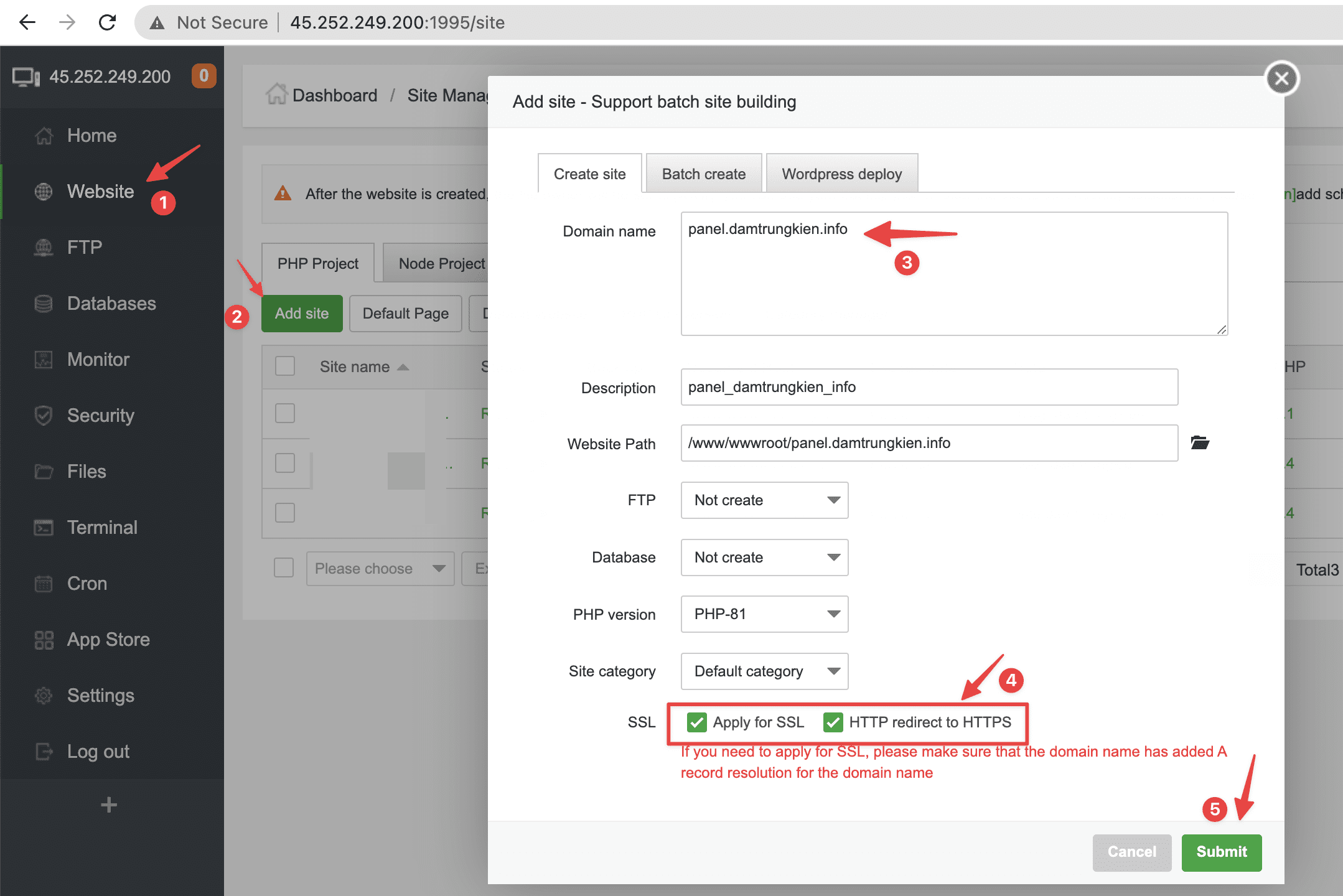
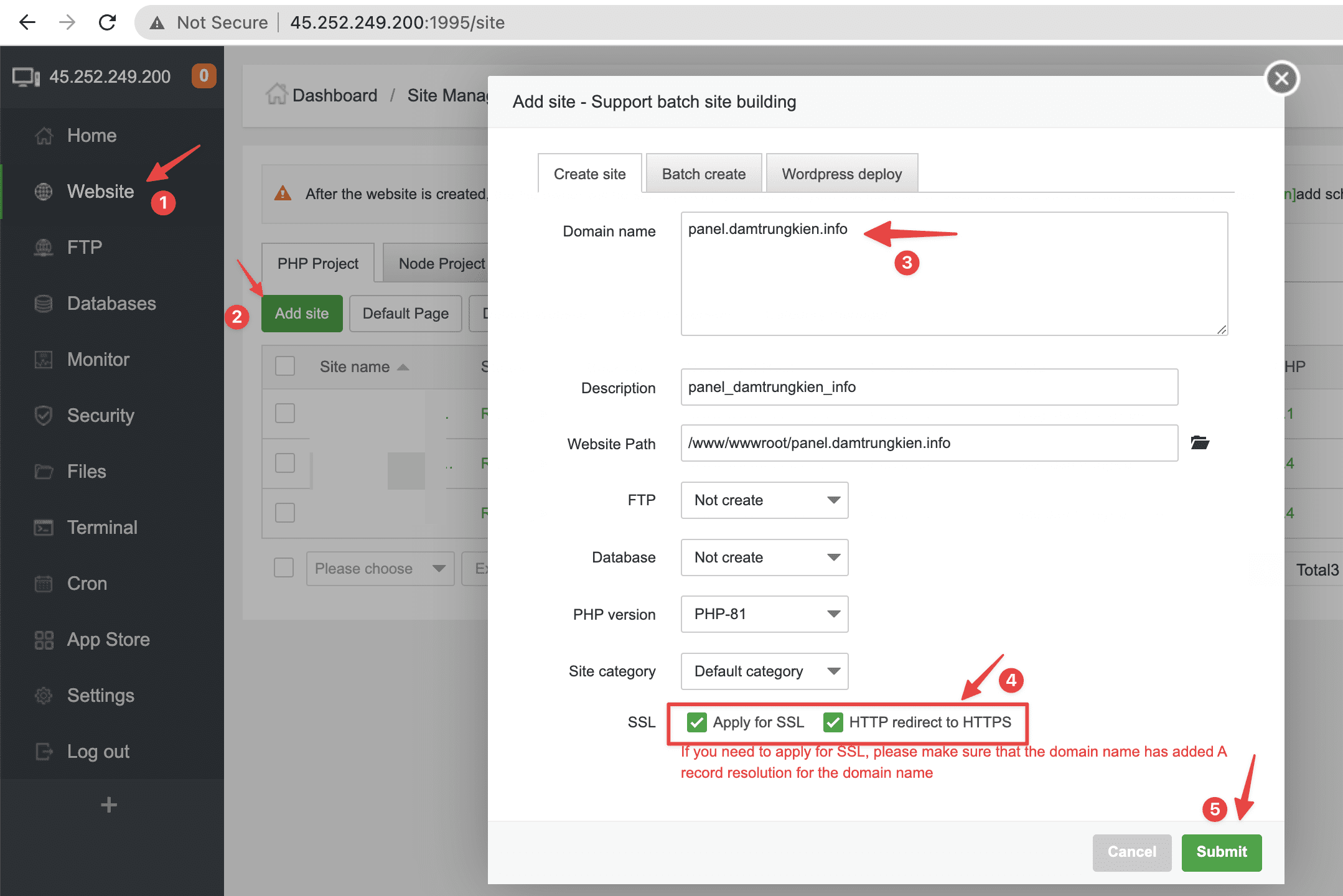
To add a new Domain, at the aaPanel interface, go to Website (1) >> Add site (2) >> Enter the website name in the Domain name section (3) >> Click to install SSL and automatically redirect HTTP => HTTPS (4) >> Submit (5).
Step 2: Set up SSL for Hostname
To set up the SSL certificate of the newly installed Hostname to be used by the panel, you need to perform the following steps:
Note: Replace panel.damtrungkien.info with your domain/subdomain name.
cp -r /www/server/panel/ssl /www/server/panel/ssl.bak
rm -f /www/server/panel/ssl/*
ln -s /www/server/panel/vhost/cert/panel.damtrungkien.info/fullchain.pem /www/server/panel/ssl/certificate.pem
ln -s /www/server/panel/vhost/cert/panel.damtrungkien.info/privkey.pem /www/server/panel/ssl/privateKey.pem
Command annotation:
- Command 1: Backup Panel’s ssl folder to ssl.bak
- Command 2: Delete all content inside ssl folder
- Commands 3 – 4: Create a symlink for SSL Domain/Subdomain to SSL of panel.

Step 3: Set Hostname for Panel
To set up Hostname for Panel, you can use the following 2 methods:
- Method 1: Manipulating from the aaPanel interface
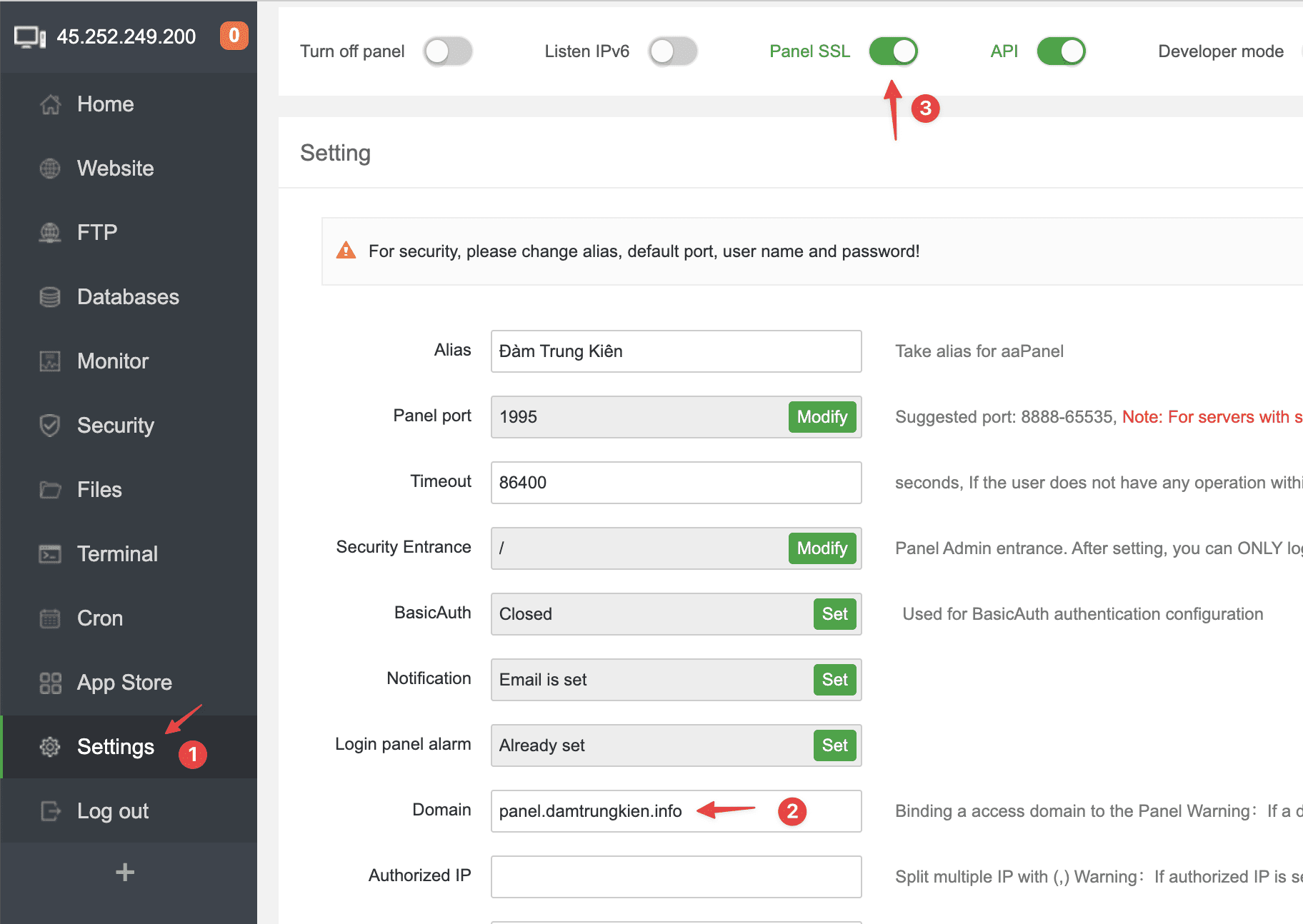
At the aaPanel interface, go to Setting > > enter the hostname in the Domain section > > Panel SSL .
- Method 2: Manipulate by command line
echo "panel.damtrungkien.info" > /www/server/panel/data/domain.conf
echo "True" > /www/server/panel/data/ssl.pl
bt reload
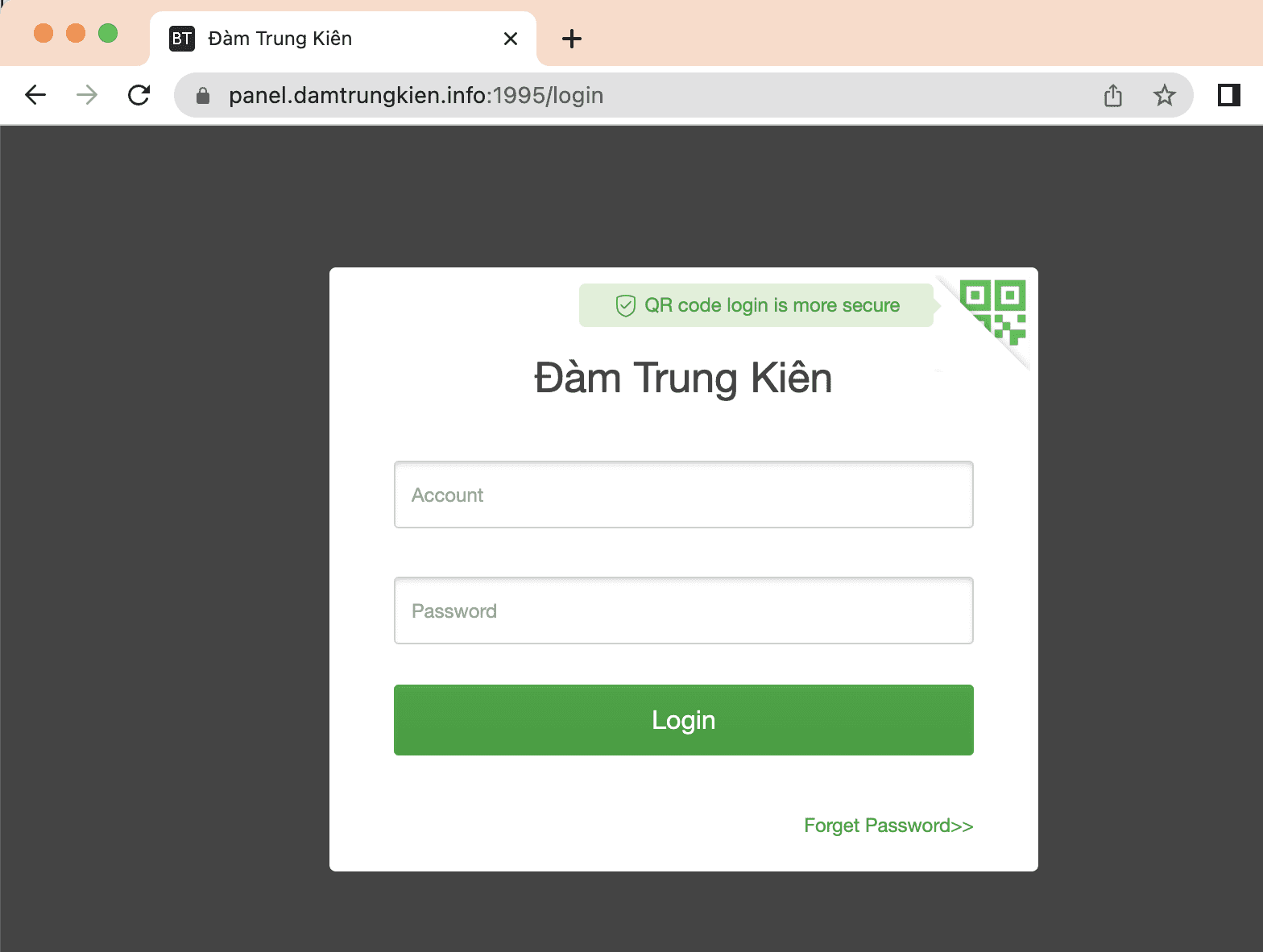
If the setup is successful, you will be able to access aaPanel through the Hostname as shown below:
So AZDIGI has completed the steps to create and set up Hostname for aaPanel. Hopefully, this article is helpful to you. Wishing you success!
You can refer to other user manuals at the link below
If you need support, you can contact support in the ways below:
- Hotline 247: 028 888 24768 (Ext 0)
- Ticket/Email: You use the email to register for the service and send it directly to: support@azdigi.com
About the author

Thạch Phạm
Đồng sáng lập và Giám đốc điều hành của AZDIGI. Có hơn 15 năm kinh nghiệm trong phổ biến kiến thức liên quan đến WordPress tại thachpham.com, phát triển website và phát triển hệ thống.