In this article, AZDIGI will help you quickly and easily install the NodeJS app on cPanel.
I. What is Node.js?
Node.js is a JavaScript runner for server-side programming. It allows developers to create extensible backend functionality using JavaScript, a language many people are familiar with in browser-based web development.
In this article, AZDIGI will show you how to install the NodeJS app on cPanel at AZDIGI.
II. Install NodeJS app on cPanel
To install NodeJS app on cPanel, you need to follow these 3 steps:
Step 1: Login to cPanel
To access to cPanel, you can refer to the following tutorial:
Step 2: Find and select Node.js setup App
On cPanel, you enter the Setup Node keyword search bar to find and access this feature.
At this screen, select Create Application.
And start entering the necessary information for the Node.js App.
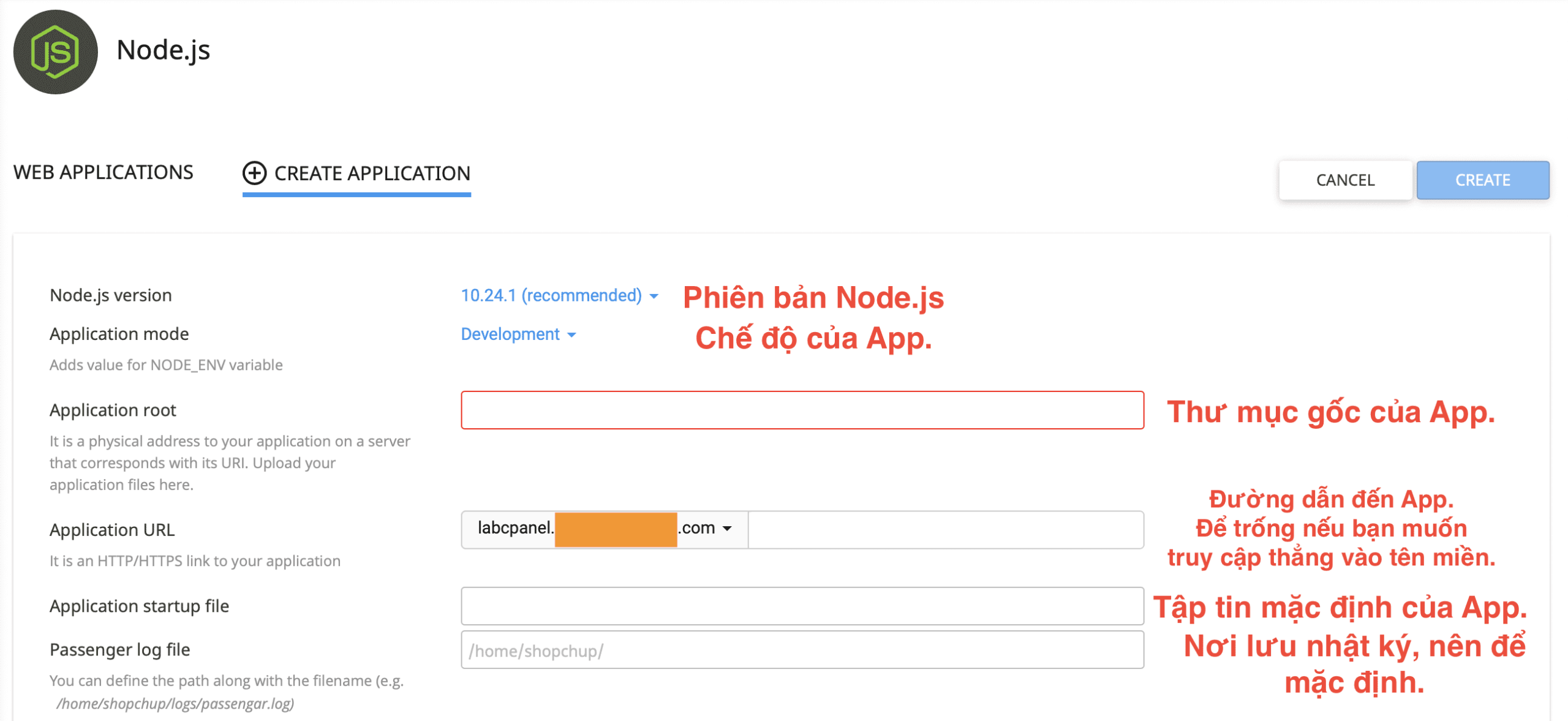
Below is the information I entered, you can set the same depending on your use case. Then, click Create button Create on the right.
In the end, you will get a command line as shown below, you will need to copy this command and use it with the Terminal feature on cPanel. Please contact your hosting provider if you do not have this feature on your cPanel.
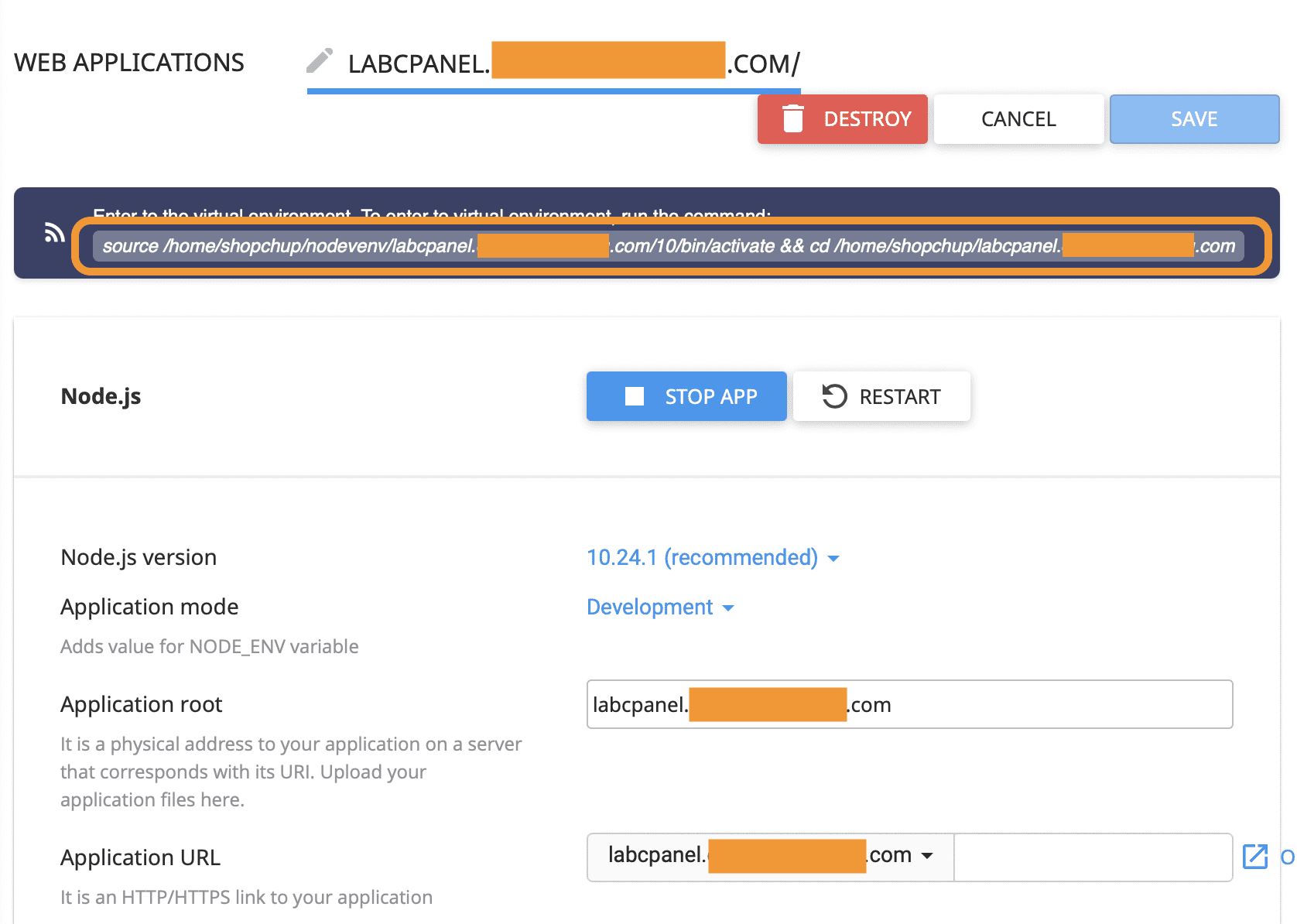
You can search Terminal on cPanel’s search bar.

When running the command you get, you won’t see any results.

But you can check the results by accessing the application installation link. Here are my results:
You have completed the steps of Installing the NodeJS app on cPanel.
III. Summary
AZDIGI has complete instructions on how to install the Node.JS application on cPanel. If you find this helpful article, please share it widely!
Wishing you success!
See more useful cPanel articles at the following link:
If you need assistance, you can contact support in the ways below:
- Hotline 247: 028 888 24768 (Ext 0)
- Ticket/Email: You use the email to register for the service and send it directly to: support@azdigi.com .
You might also like
- Install Node.js on Ubuntu 20.04
- How to install Node.js 16 on CentOS 7
- How to fix "Can't acquire lock for app" error when editing Node.js app on Hosting
- How to install Django on cPanel
- Sử dụng Opcache Preload cho WordPress trên SSD Hosting tại AZDIGI
- How to use the Imunify360 feature on hosting AZDIGI
About the author

Thạch Phạm
Đồng sáng lập và Giám đốc điều hành của AZDIGI. Có hơn 15 năm kinh nghiệm trong phổ biến kiến thức liên quan đến WordPress tại thachpham.com, phát triển website và phát triển hệ thống.