What is Alias?
Alias, aka Parked domain, allows us to run a website on many different domains. An alias is a domain separate from the main domain but shares the same directory structure as the main domain.
- Example: I have a domain called quyenlt.com, and I create an Alias called quyenlt.vn.
After setting up the alias, when you access either quyenlt.vn or quyenlt.com, you will receive the same content on both domains.
Step 1: Point the domain name to cPanel hosting
To make Aliases work successfully, you need to point that domain to the IP address of the hosting server so that the Alias becomes effective.
Step 2: How to configure an Alias
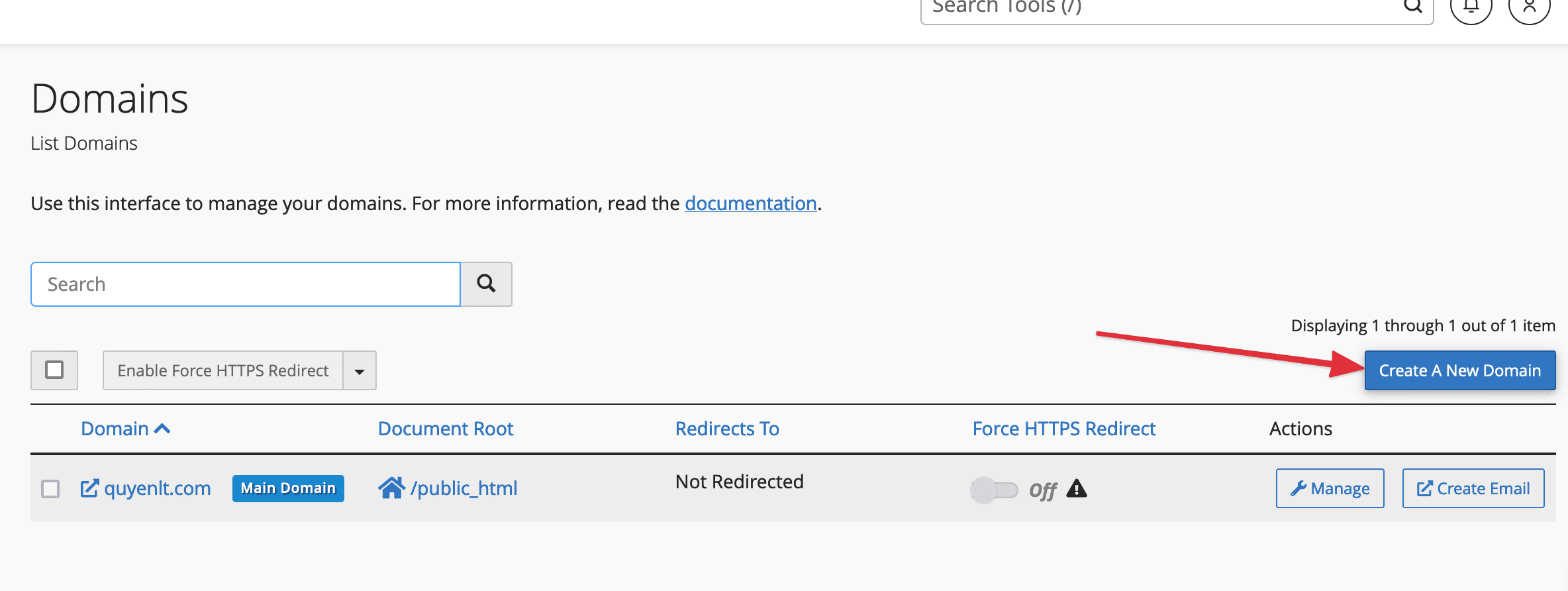
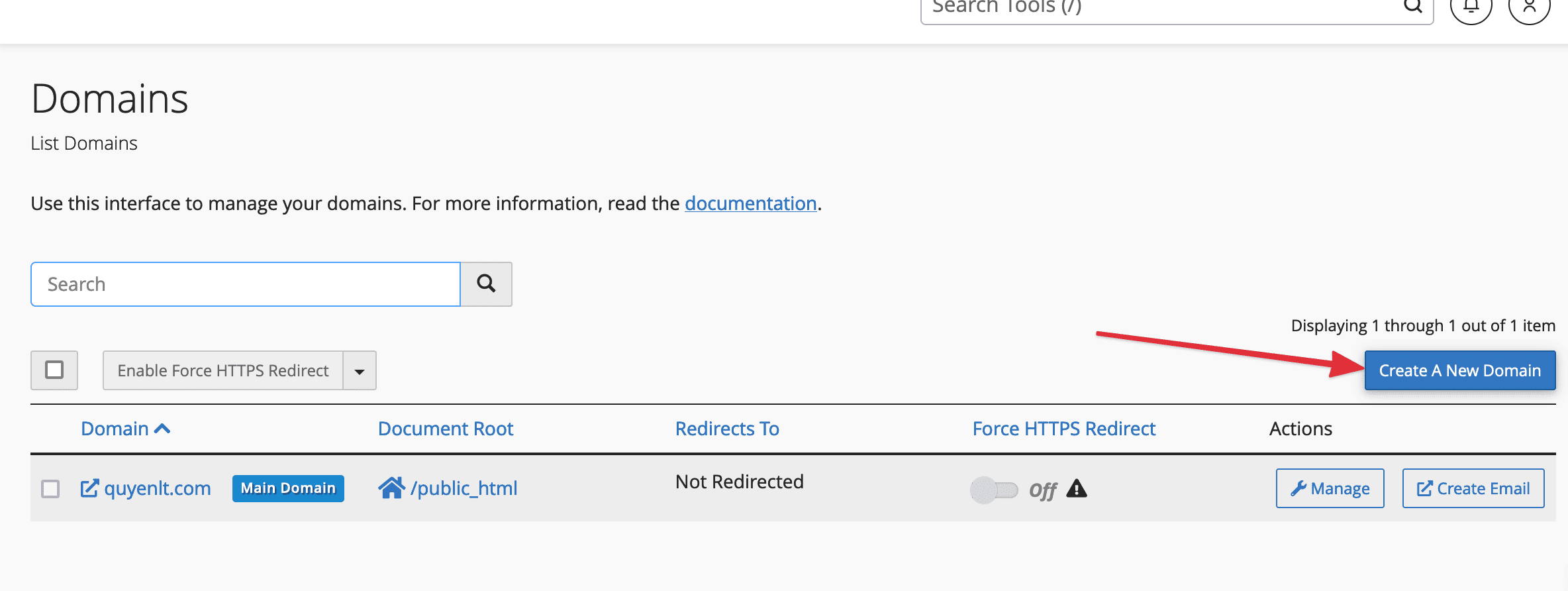
Firstly, log in to the cPanel management page and navigate to the DOMAINS section => click Create A New Domain as shown below:
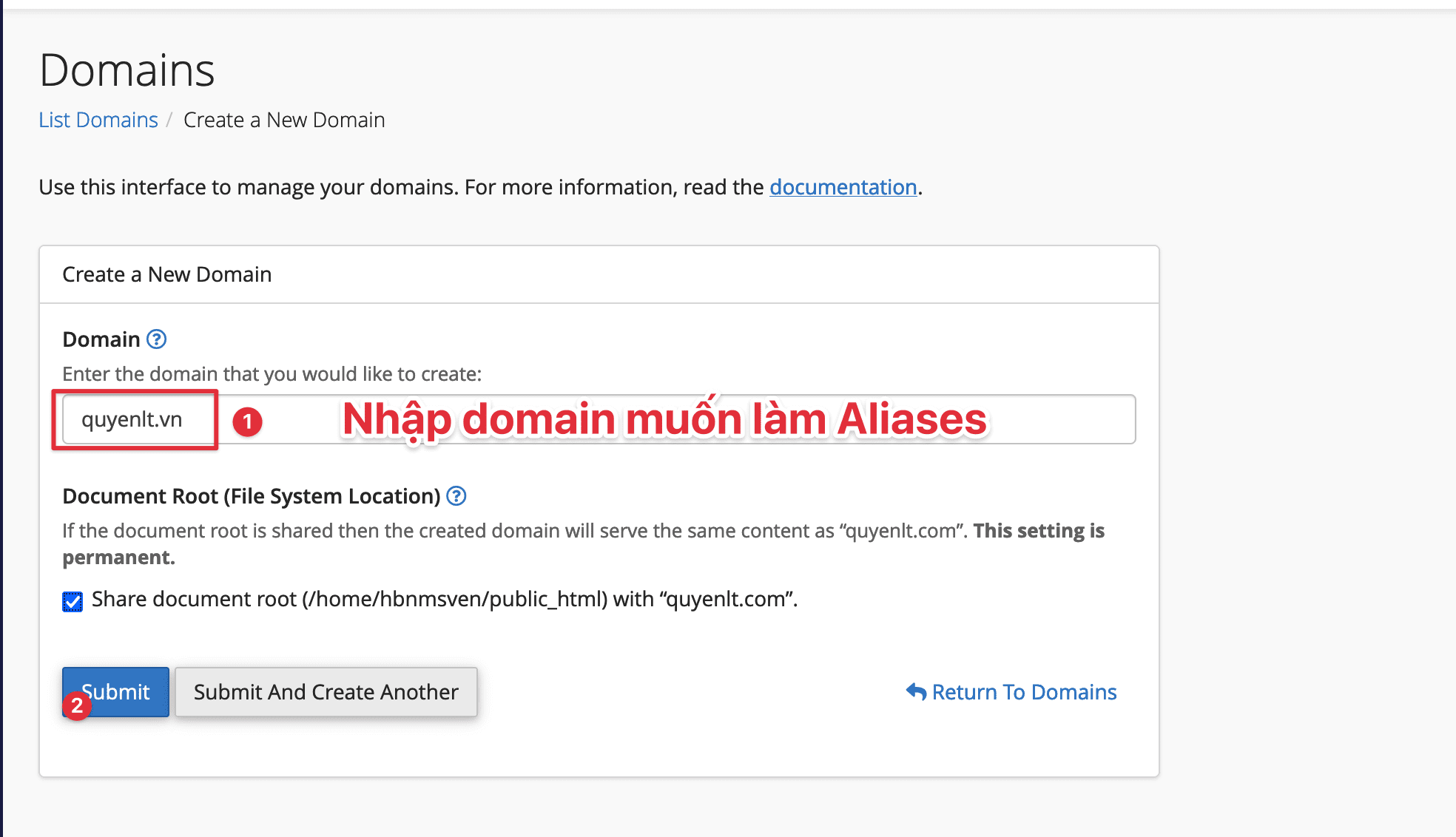
- For adding Aliases for the main domain, enter Domain Aliases => Submit as shown below:
- For adding an Alias for an Addon Domain in the hosting, do the following:
For example, I have an Addon Domain called quyenlt.info, and I want to add quyenlt.org as an Alias for quyenlt.info:
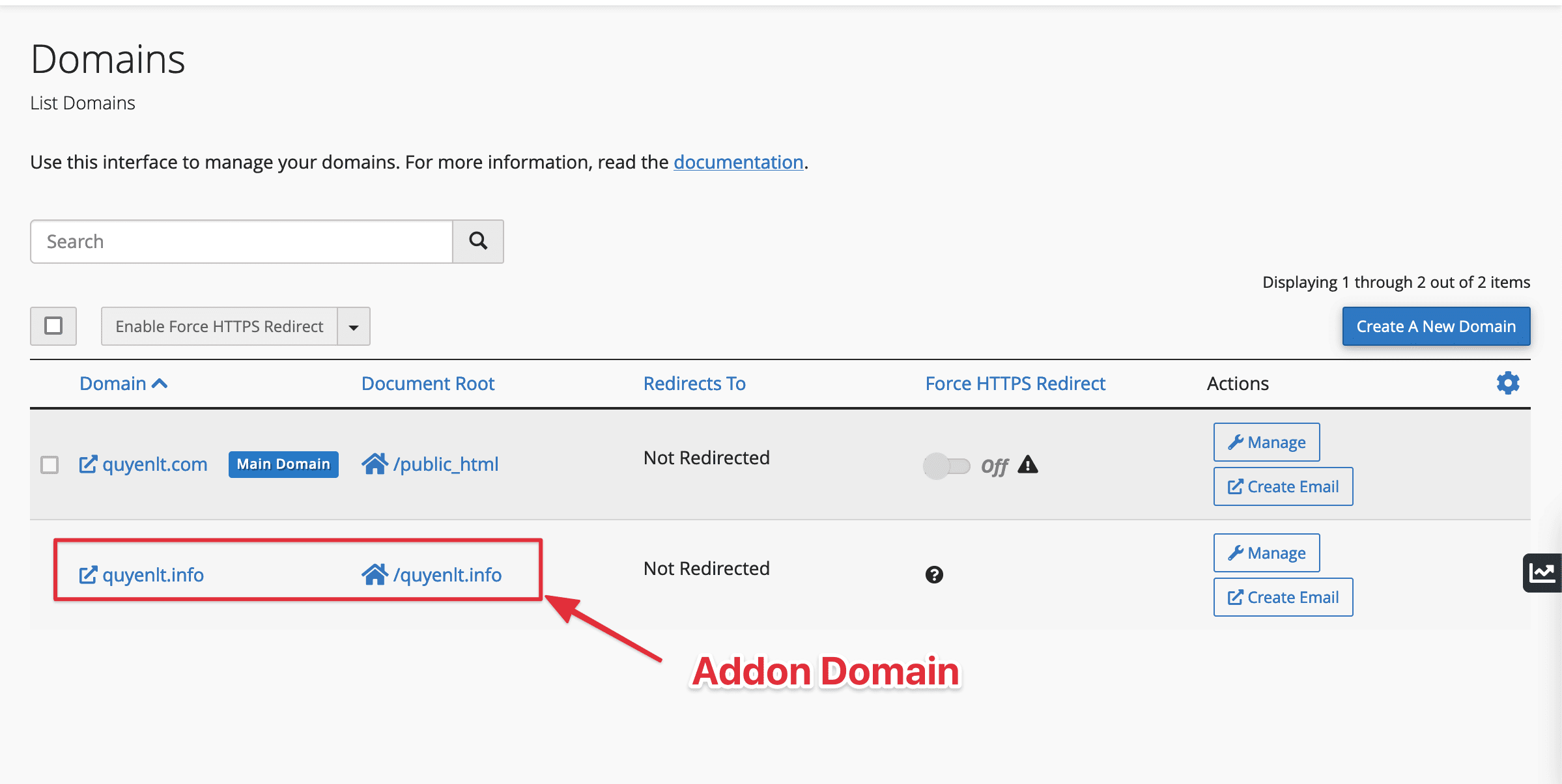
Select Create A New Domain > Enter the Alias Domain > Uncheck the Share document root option > Enter the Document Root of the Alias Domain > Submit
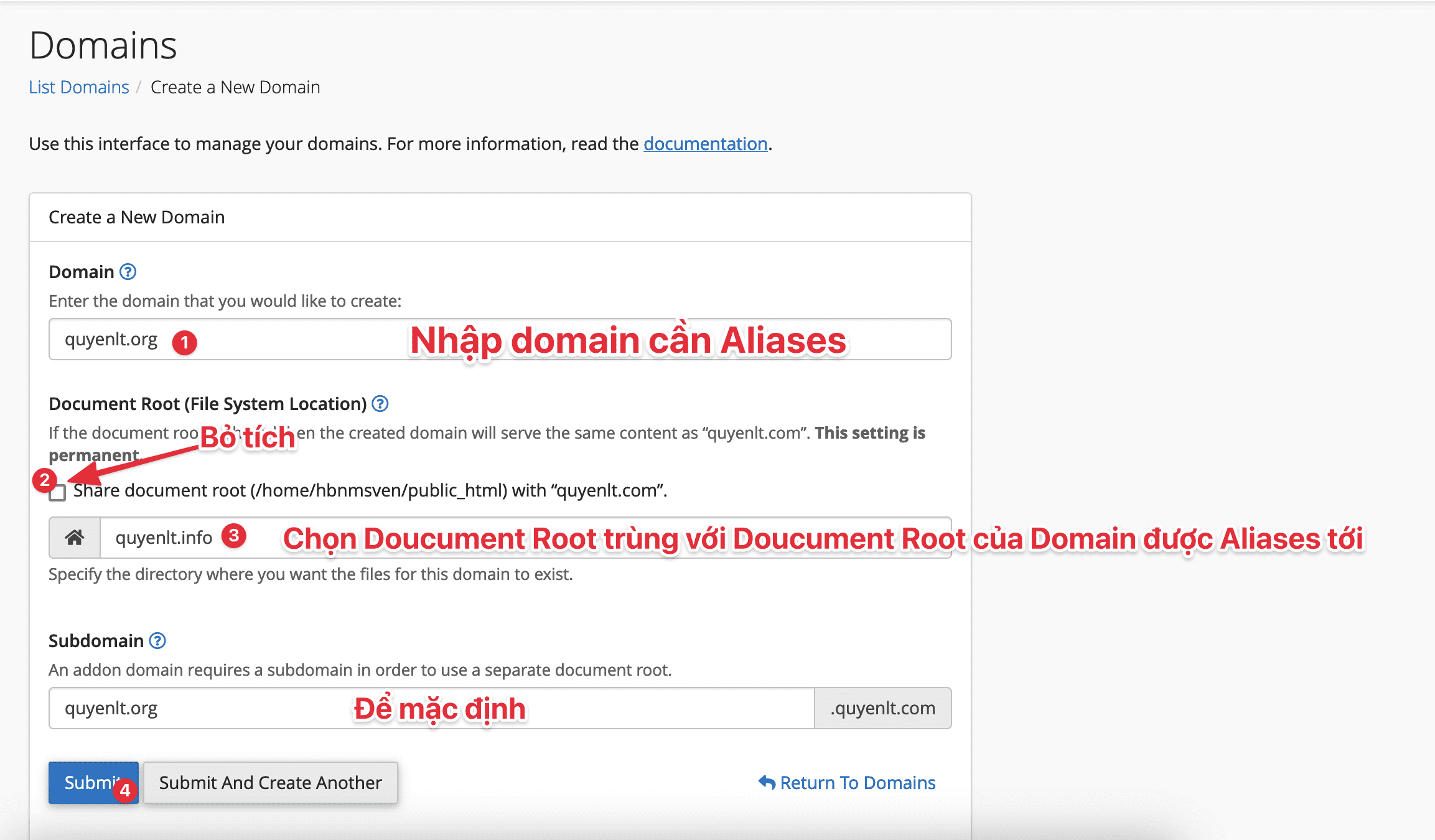
Now you have successfully added the domain as an Alias. However, for WordPress source code, you must perform another step, step 3.
Step 3: Add configuration to the source code (specifically for WordPress source code)
After setting up the Alias, you need to add the following code to the wp-config.php file on the main website (main domain, the website to which the Alias is directed). If you don’t add this code, when users access the Alias domain, it will automatically redirect to the main domain, similar to the domain redirect feature.
define('WP_SITEURL', 'http://' . $_SERVER['HTTP_HOST']);
define('WP_HOME', 'http://' . $_SERVER['HTTP_HOST']);
Conclusion
So we have learned how to add Alias Domains on cPanel. This practice will contribute to diversifying website access for customers more quickly using Alias Domains. We hope this article is helpful for you in the process of developing your website.
If you need assistance, you can contact support in the ways below:
- Hotline 247: 028 888 24768 (Ext 0)
- Ticket/Email: You use the email to register for the service and send it directly to: support@azdigi.com.
You might also like
About the author

Thạch Phạm
Đồng sáng lập và Giám đốc điều hành của AZDIGI. Có hơn 15 năm kinh nghiệm trong phổ biến kiến thức liên quan đến WordPress tại thachpham.com, phát triển website và phát triển hệ thống.