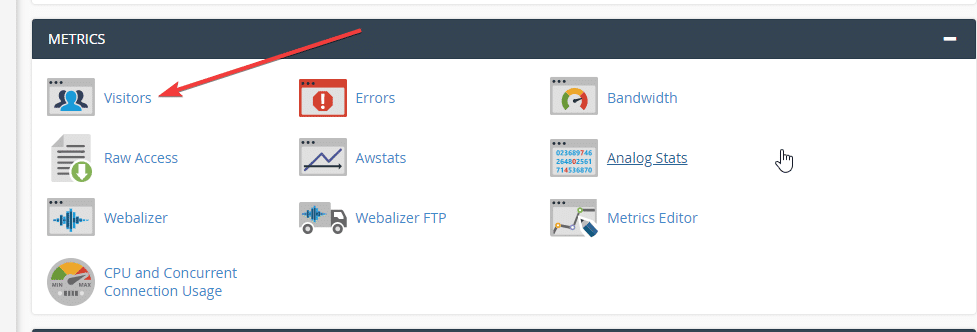
The Latest Visitors feature in cPanel allows you to get information about the visits to your website (up to the last 1000 visits). You will see the IP address used to access, time and status,… This makes it easier to check the website’s activity as well as easier to check and statistic the access history to your website.
How to use the Latest Visitors feature
Step 1: In the cPanel interface, go to Visitors
Step 2: Select the domain you want to see information
Note:
- View website access information on port 80 without SSL
- View website access information on port 433 with SSL
Step 3: View detailed information
The screen shows the details of the access

The top of the data table is a summary of the time from the start to the end of the data recording, as well as the total amount sent. You can change the number displayed on each page to 25, 100, 150 or display all (Select the corresponding number in the upper right corner of the data table).
You can also search for a specific visit by using the Search tool (Enter the information you want to find in the search box, the system will automatically filter the results and announce results that match).
If you want to add or remove columns of the displayed information, click on the gear icon at the top right of the statistics table, check or uncheck the desired lines.
- IP: The column displays the visitor’s IP address.
- URL: The file name on the visited website.
- Time: Access time.
- Size: The capacity used in the access (in bytes).
- Status: The status of the access (Successful or unsuccessful, etc.).
- Method: Access method (POST or GET).
- Protocol: Access Protocol (HTTP).
./.
You might also like
About the author

Thạch Phạm
Đồng sáng lập và Giám đốc điều hành của AZDIGI. Có hơn 15 năm kinh nghiệm trong phổ biến kiến thức liên quan đến WordPress tại thachpham.com, phát triển website và phát triển hệ thống.