What is a Package?
Package is a tool used to divide resources for websites, if you have a need to divide into host packages with different configurations of resources for users, this is the function of Package, almost any control panel has a Package. In this article, AZDIGI will show you how to create a Package on Cyber Panel.
Create Package
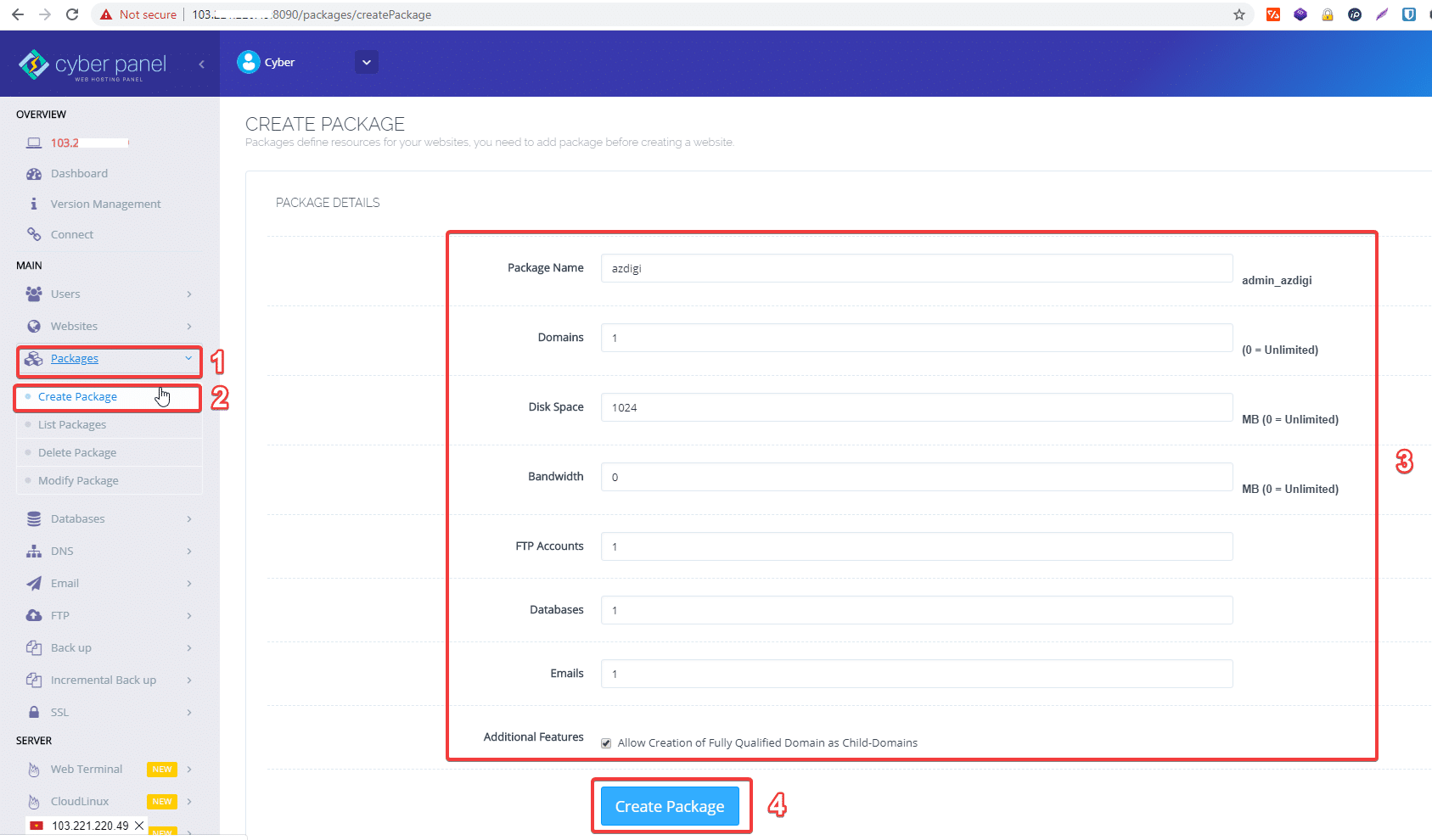
Access and log in to Cyberpanel, look at the menu bar on the left and click:
Package => Creat Packages and fill in all the required information
- Packages name
- Domains: The number of domains created by the Package (if you want to be unlimited, enter 0)
- Disk Space: The generated capacity of the Package (if you want to be unlimited, enter 0)
- Bandwidth: Transmission data of the Package (if you want to be unlimited, enter 0)
- FTP Accounts: The created FTP account of the Package
- Databases: The generated database of the Package
- Emails: The generated email number of the Package
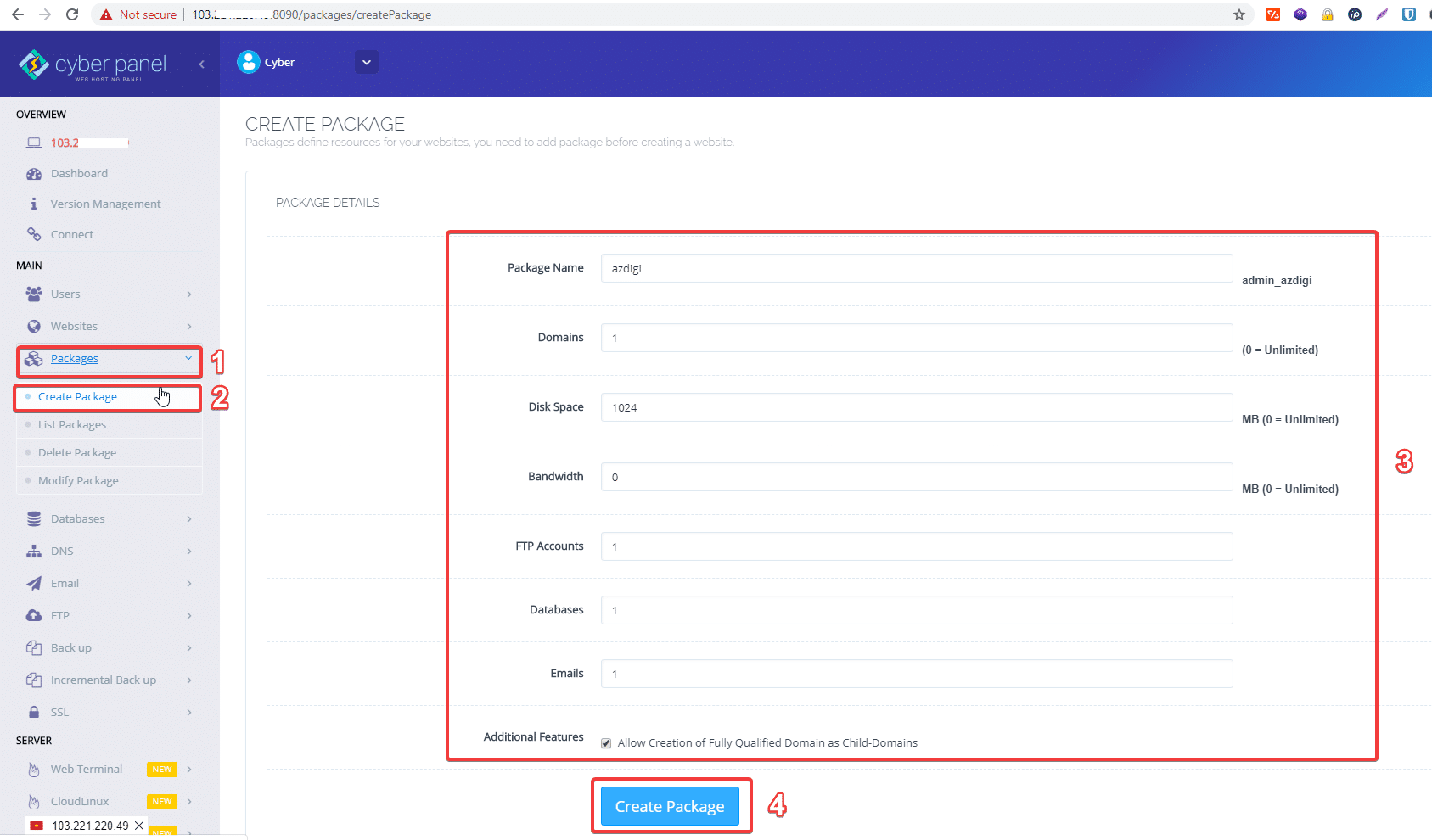
After filling in the above information, click Create Package to create a Package.
Edit Package
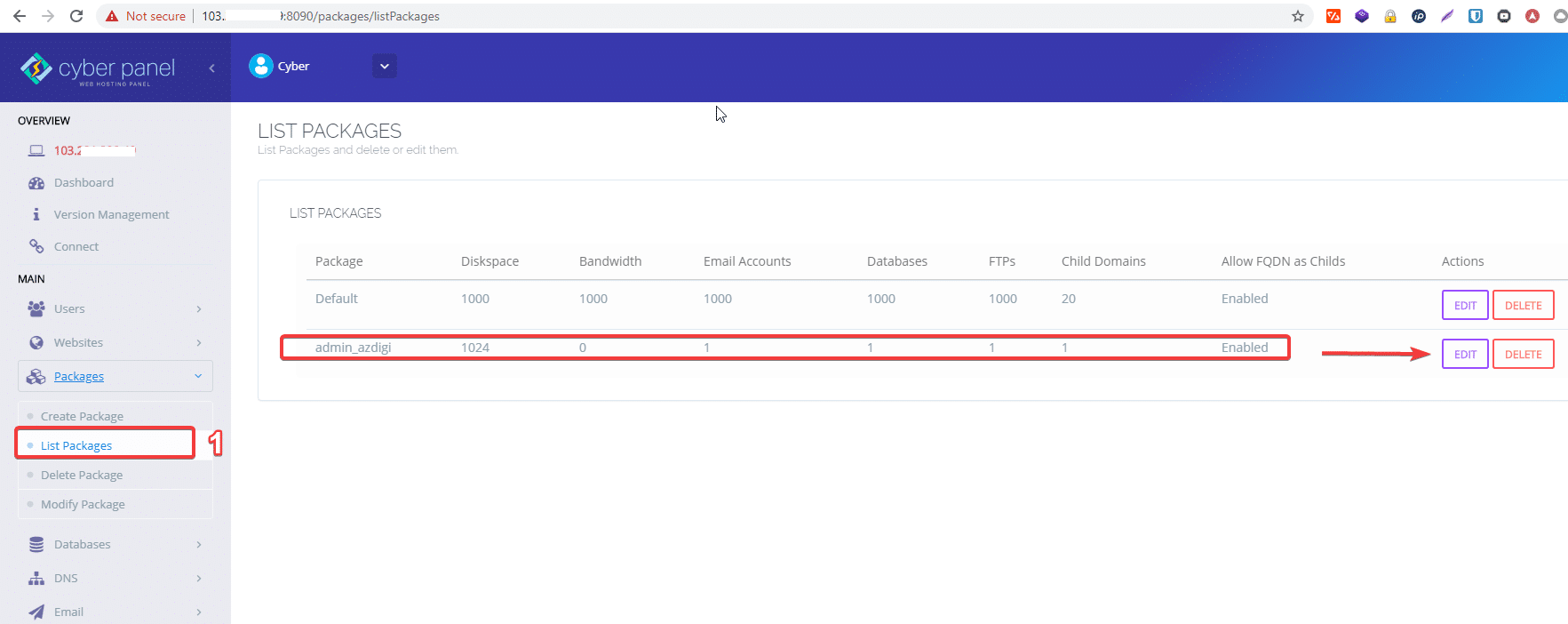
To see the Packages created and edited, go to Package => List Package => Edit to edit.
Wishing you success!
About the author

Thạch Phạm
Đồng sáng lập và Giám đốc điều hành của AZDIGI. Có hơn 15 năm kinh nghiệm trong phổ biến kiến thức liên quan đến WordPress tại thachpham.com, phát triển website và phát triển hệ thống.