After installing CyberPanel on the server is complete, you will need to create a new user on CyberPanel to be able to add the website and start using it.
What is a User on CyberPanel?
The user is a child account created by Admin or Reseller, this is the account with the lowest permissions and will have certain restrictions on manipulation rights. In this article, AZDIGI will show you how to create a User on Cyber Panel
Create a user
Access and log in to Cpanel => in the left menu bar select Users -> Create New User and fill in all the information
- First Name: Any name (no accented)
- Last Name: Any name (no accented)
- Email: Your email
- Account Type: Select account type (here you choose user)
- Username
- Password
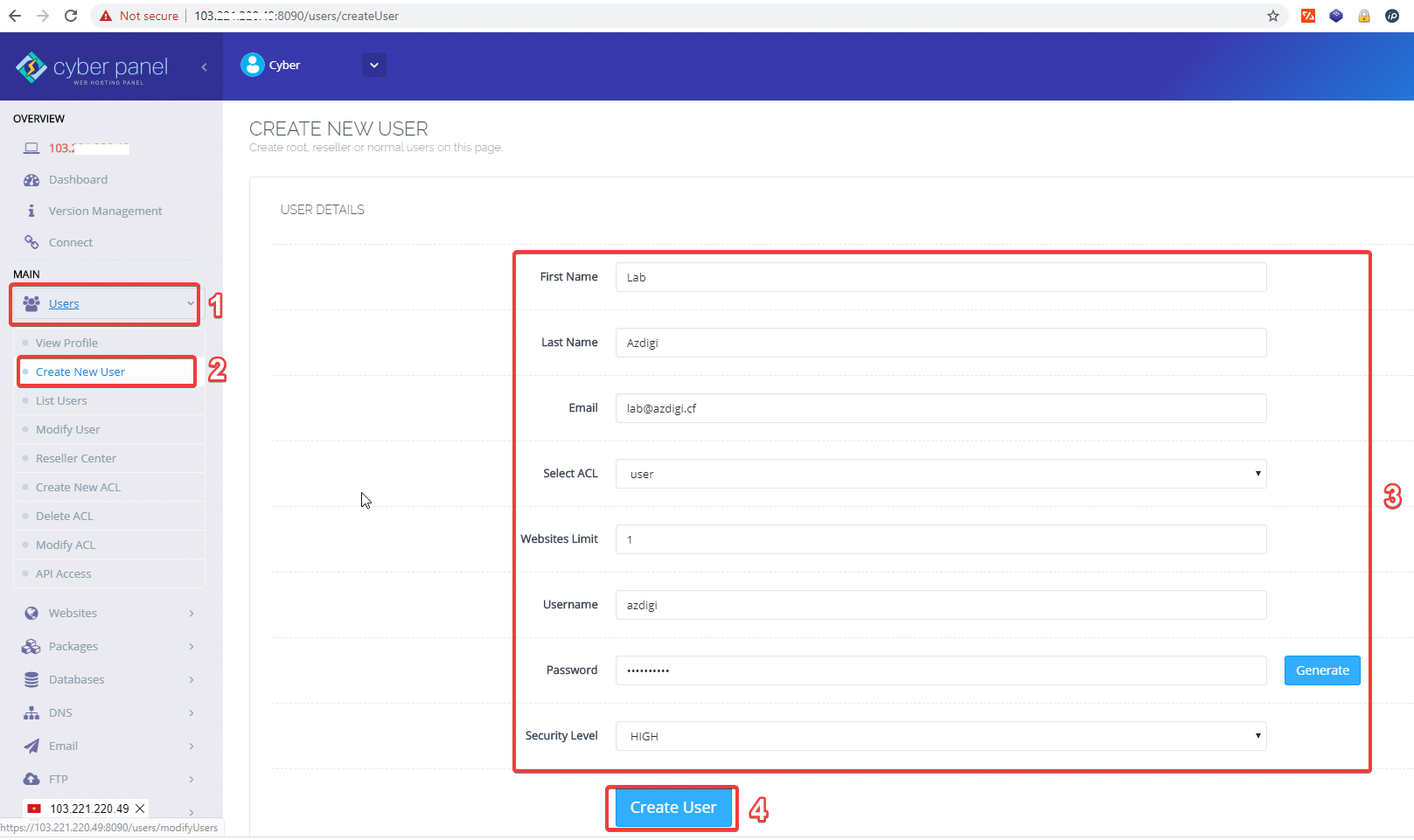
After filling in all the information, select Create User to create a user account
Edit user
To see created users, go to Users => List users => Edit to edit.
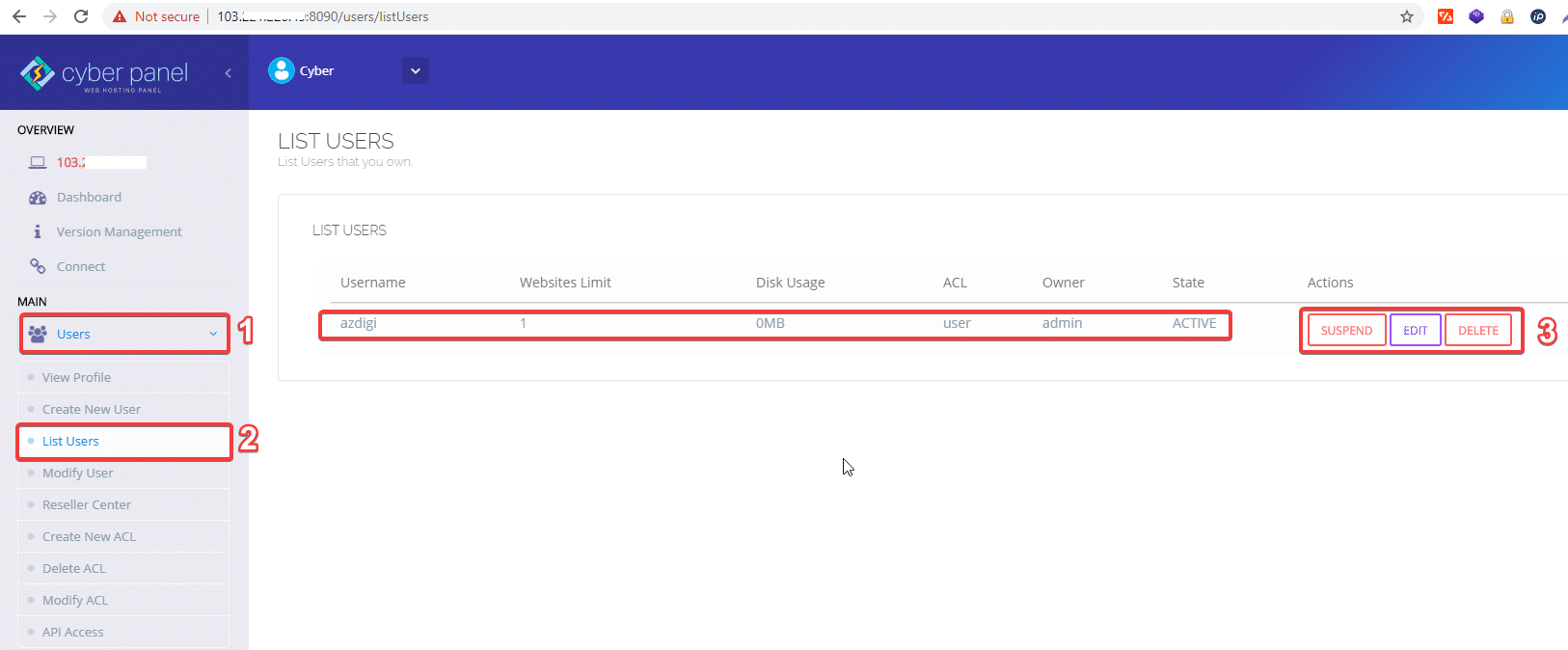
So you have successfully created a User on CyberPanel.
Now, you can log in to the newly created user on the CyberPanel interface to add the domain name and use it.
About the author

Thạch Phạm
Đồng sáng lập và Giám đốc điều hành của AZDIGI. Có hơn 15 năm kinh nghiệm trong phổ biến kiến thức liên quan đến WordPress tại thachpham.com, phát triển website và phát triển hệ thống.