There are many ways to install WordPress on a Linux server using CyberPanel. One of the fastest ways to install WordPress on CyberPanel is to use the automatic installation tool via the Application Installer feature.
In this article, AZDIGI will guide you to use the Application Installer feature in CyberPanel for the fastest automatic WordPress installation.
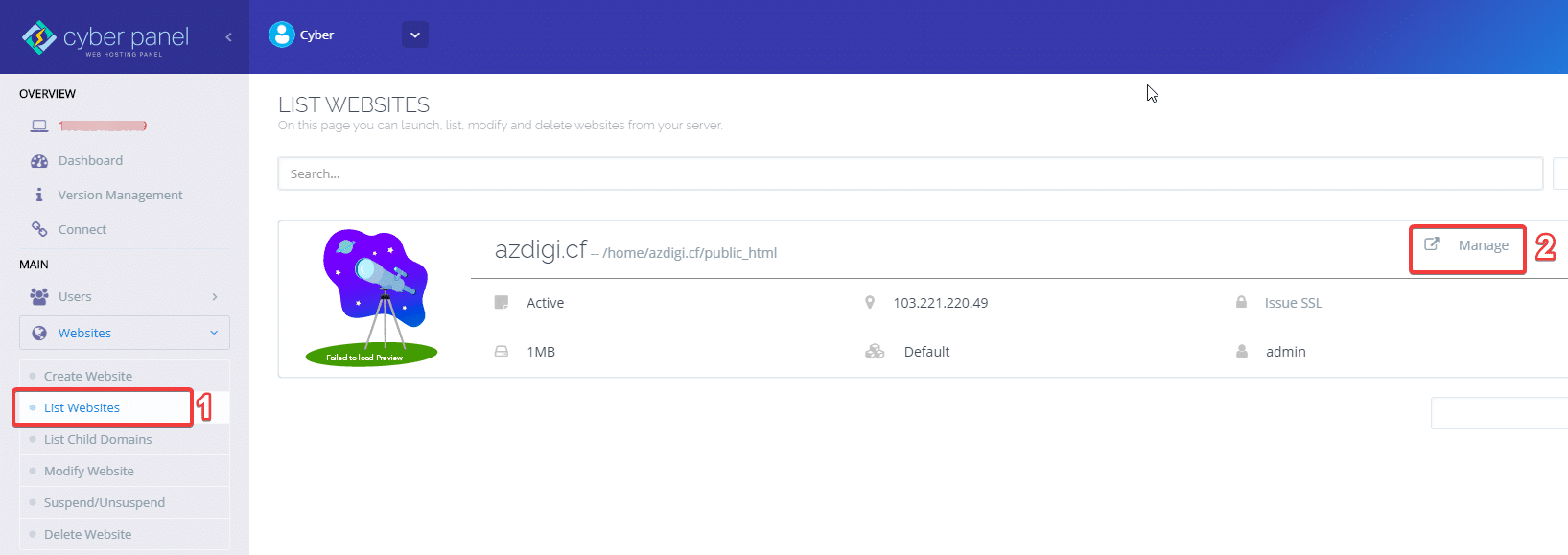
First, access the Cyber Panel administration, in the menu on the left, you choose Websites -> List of websites -> Go to the Manage section of the website to be installed.
To add a website on CyberPanel, you can see it here

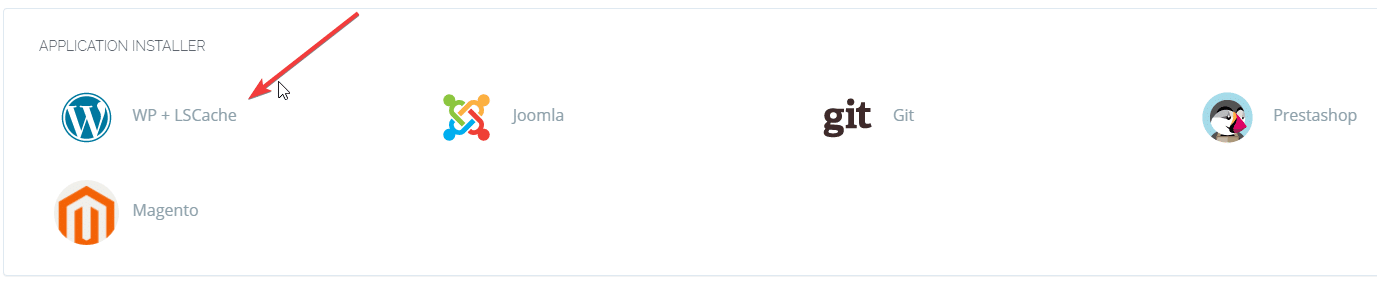
You scroll down to the bottom to find the APPLICATION INSTALLER section, -> choose WP + LSCache
Proceed to fill in the information for the website:
- Blog Title: Website title
- Login User
- Login Password
- Email: Admin email of website
- Path: The folder containing the source code (this section should be left blank to install the website in the default folder)
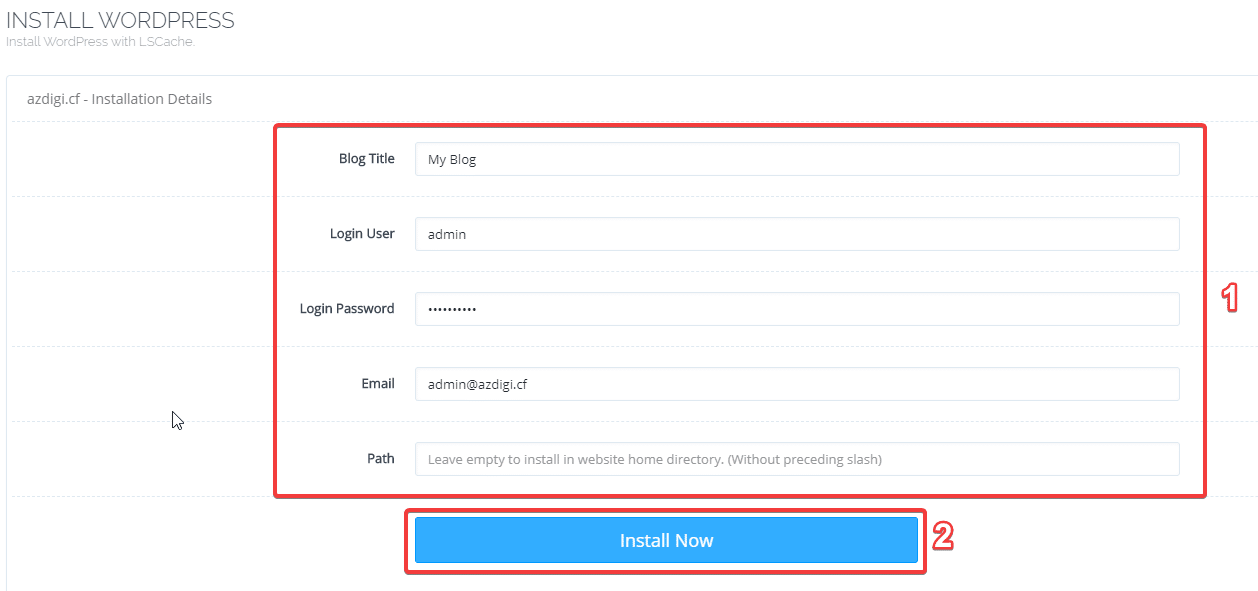
After filling in all the information, click Install Now.
The installation process will take a few minutes, after successful installation you will receive a message as shown below:

Next, go to any browser and visit the website to check the results.
- The path to access the website admin page will be: http://domain.com/wp-admin or http://domain.com/wp-login.php

Wishing you success!
About the author

Thạch Phạm
Đồng sáng lập và Giám đốc điều hành của AZDIGI. Có hơn 15 năm kinh nghiệm trong phổ biến kiến thức liên quan đến WordPress tại thachpham.com, phát triển website và phát triển hệ thống.