In this article, AZDIGI will help you to fix the Error with system Quotas on DirectAdmin.
I. Introduction
On some newly installed DirectAdmin systems, we may encounter an error when creating a new user as follows:
Error with system Quotas
setquota: Mountpoint (or device) / not found or has no quota enabled.
setquota: Not all specified mountpoints are using quota.
Here is the image to help you visualize the error.
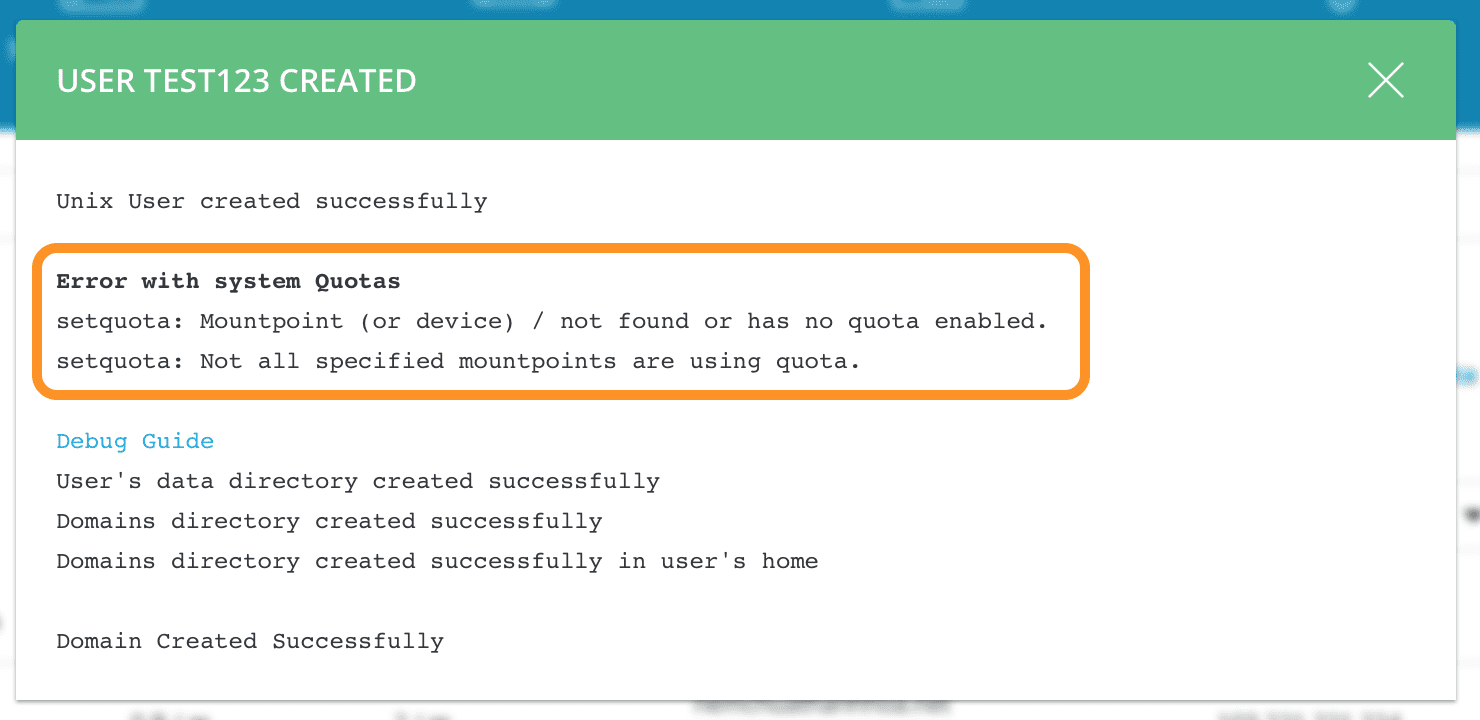
Certainly, the user you created will still be successfully initialized, but the storage memory usage limit of this user will almost have no effect. And this user can completely exceed the limit you set.
To fix this, please continue reading the article.
II. II. Fixing the “Error with system Quotas on DirectAdmin” error
To fix the “Error with system Quotas on DirectAdmin” error, we will perform the following 2 steps below.
Step 1: SSH into your server
To fix the “Error with system Quotas on DirectAdmin”, first, we need to SSH or access your VPS or server with root privileges. Or at least log in to the server with a user with sudo privileges. If you don’t know how to SSH into your VPS/Server, you can refer to the following tutorial:
After successfully SSH, we will continue with step 2 to execute the error processing commands.
Step 2: Error processing commands “Error with system Quotas on DirectAdmin”
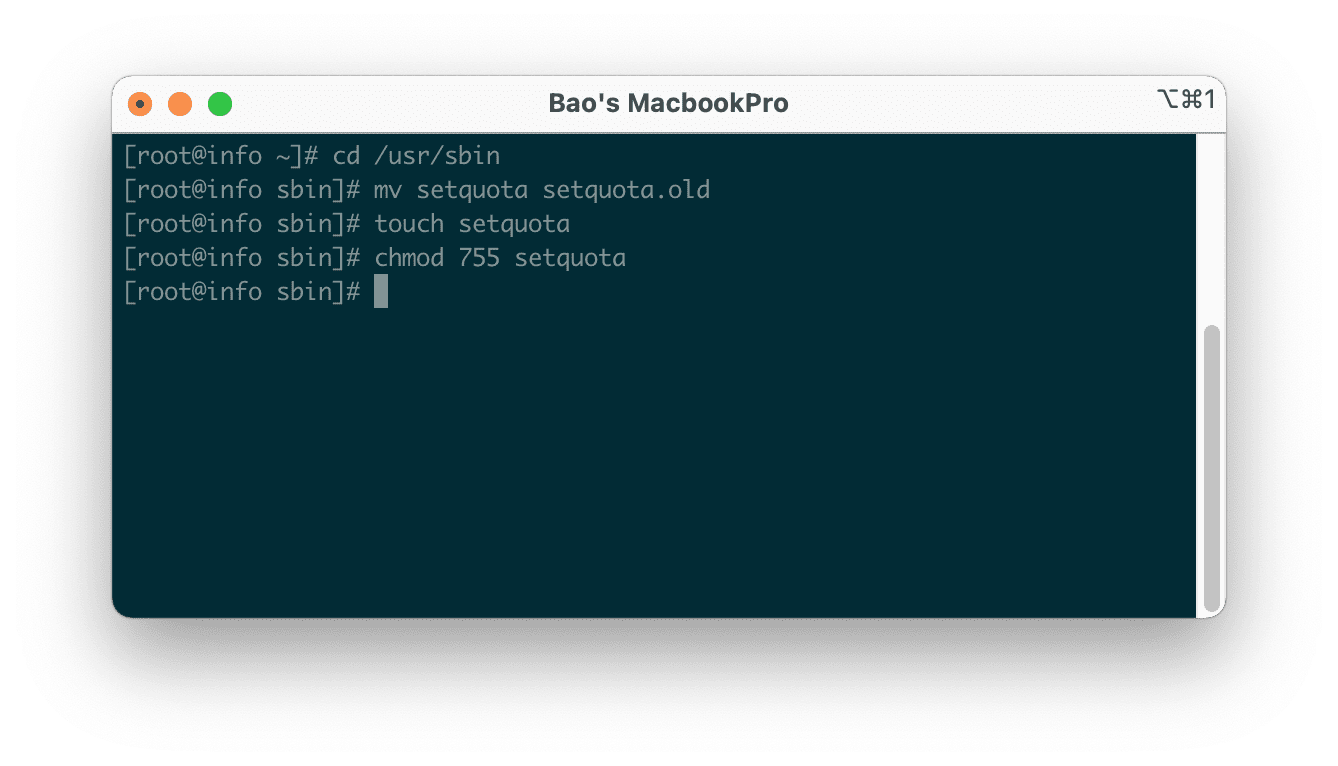
The error-handling commands are relatively simple, you just need to execute the following commands in order.
cd /usr/sbin
mv setquota setquota.old
touch setquota
chmod 755 setquota
Explanation of the above commands:
- Command 1: Move into the
sbindirectory. - Command 2: Rename the
setquotafile tosetquota.old. - Command 3: Create a new empty file named
setquota. - Command 4: Set permissions 755 for the newly created
setquotafile.
Below is an image of running these four commands:
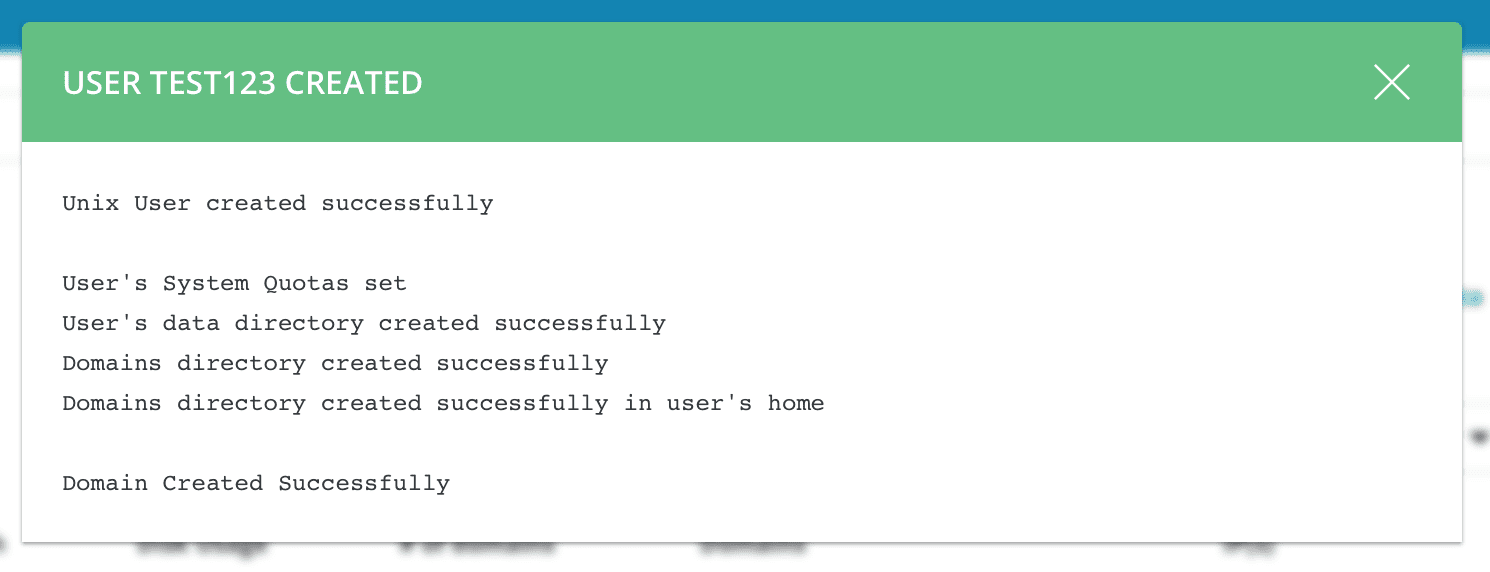
Now let’s try creating a new user again to see if the Error with system Quotas on the DirectAdmin issue is still there.
When I tried creating a new user again, this error had completely disappeared. And almost no need to restart any service.
III. Summary
For administrators, any error encountered during system operation should not be ignored. Because such small errors can cause big or small problems in the future. In the case of a website using cache plugins with unreasonable options, it can completely inflate the cache directory very large.
And if the usage quota limit does not work, it can completely cause your VPS/server to reach 100% capacity.
Hope this article will be of help to you. Wishing you success!
See more useful articles about DirectAdmin at the following link:
If you need assistance, you can contact support in the ways below:
- Hotline 247: 028 888 24768 (Ext 0)
- Ticket/Email: You use the email to register for the service and send it directly to: support@azdigi.com .
- See more services at AZDIGI’s website!
You might also like
- Fix the error: xfs_quota: cannot set limits: Function not implemented Directadmin
- How to fix the error: Request body no files data length is larger on DirectAdmin
- Fix "Requested icu-uc 50.1 but version of icu-uc is" error on DirectAdmin
- How to fix the Security Error No valid session key error on CSF DirectAdmin
- Fix the error: CXXABI 1.3.9 not found on CentOS 7 running DirectAdmin
- How to fix the 500 internal server error in PhpMyAdmin?
About the author

Thạch Phạm
Đồng sáng lập và Giám đốc điều hành của AZDIGI. Có hơn 15 năm kinh nghiệm trong phổ biến kiến thức liên quan đến WordPress tại thachpham.com, phát triển website và phát triển hệ thống.