Catch-all Email is a feature that helps you set up an email address that is sent to an email address that does not exist on the system. For example, if an email is sent to nhanvien1@azdigi.com, but this email address does not exist on the Email Hosting service plan, the email will be sent to an address called the Catch-all Email address.
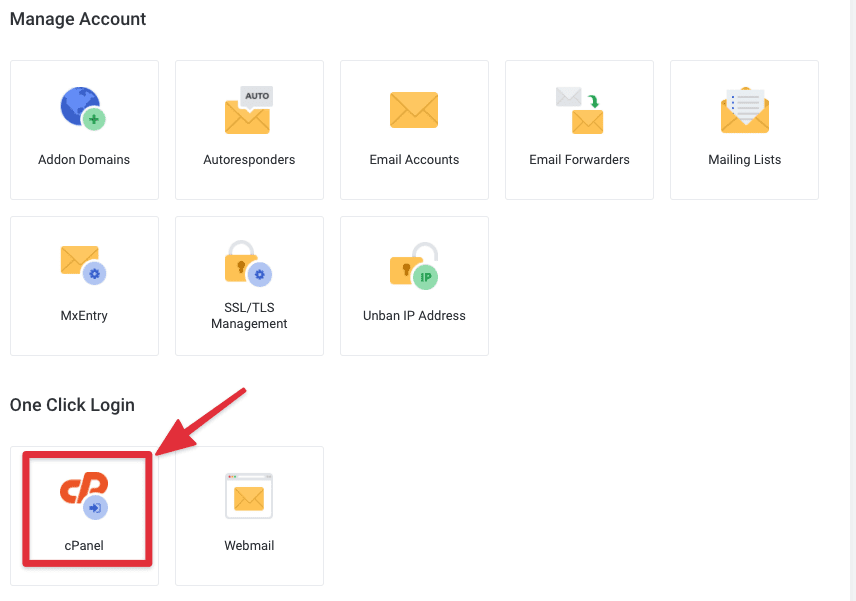
To set up Catch-all Email on Pro Mail Hosting service, you need to access the cPanel interface of the Email Hosting service package by clicking on the cPanel login link on the service management page.
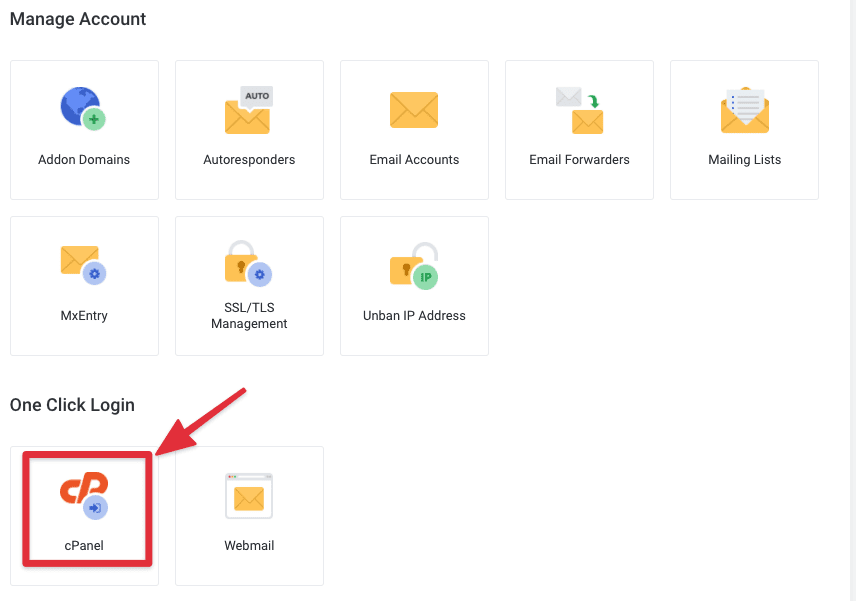
Or log in directly through the information attached to the email from AZDIGI after the service is activated.
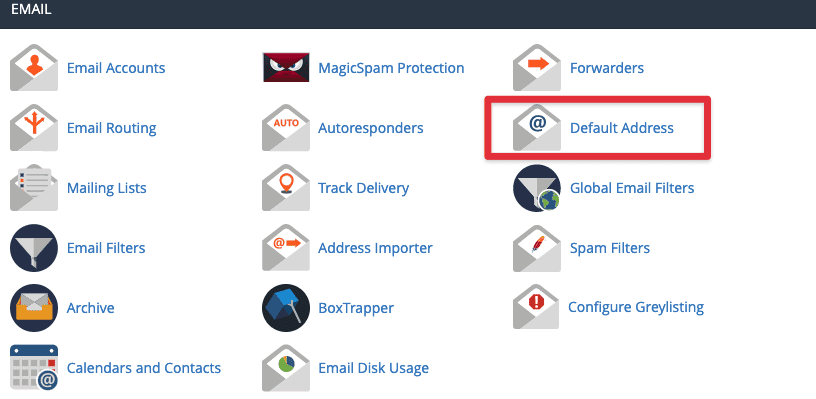
Next, click Default Address.
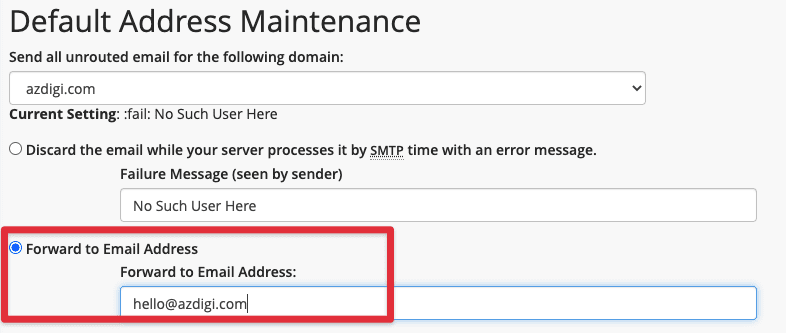
At the interface below, select the option “Forward to Email Address” and enter the email address to receive these messages in the box below, then click Change to save.
Thus, AZDIGI has complete instructions on how to set up the Catch-all Email feature on AZDIGI’s Pro Mail Hosting service.
Wishing you success!
You might also like
- Pro Mail Hosting: How to Configure Email Forwarders on Pro Mail Hosting
- Pro Mail Hosting: How to configure email into Outlook
- Pro Mail Hosting: How to change the password of your email hosting account
- Pro Mail Hosting: How to add a domain email account to Gmail
- Turn on sending mail on Hosting service AZDIGI
- Pro Mail Hosting: How to create a mail account
About the author

Thạch Phạm
Đồng sáng lập và Giám đốc điều hành của AZDIGI. Có hơn 15 năm kinh nghiệm trong phổ biến kiến thức liên quan đến WordPress tại thachpham.com, phát triển website và phát triển hệ thống.