During the usage and operation of a server/VPS, it is common to encounter situations where running the top -c or htop command reveals one or more processes utilizing a significant amount of CPU. This can cause the system to slow down and result in overload. In this article, AZDIGI will introduce you to an application that helps you limit the CPU usage of such processes, called CPULimit. Let’s explore and implement it.
What is CPULimit?
CPULimit is a simple yet powerful command-line tool for limiting and controlling the CPU usage of any process in the system. It allows you to set limits or interrupt the process when it reaches a high threshold.
To restrict the CPU usage of a process, CPULimit sends SIGSTOP and SIGCONT signals to the processes, as determined by the system load. It relies on the /proc file system to read the process IDs (PIDs) and the CPU usage metrics of the system.
When a process is utilizing 100% CPU, you can limit it to use only 50% or 20%. To use CPULimit, you need to install it.
CPULimit Installation Guide
To install CPULimit, follow these steps: Note that you should choose the appropriate installation command based on the operating system you are using. Before installation, make sure to SSH into your server.
SSH into your server
First, you need to SSH into your VPS as root, if you don’t know how to SSH, you can see the instructions below:
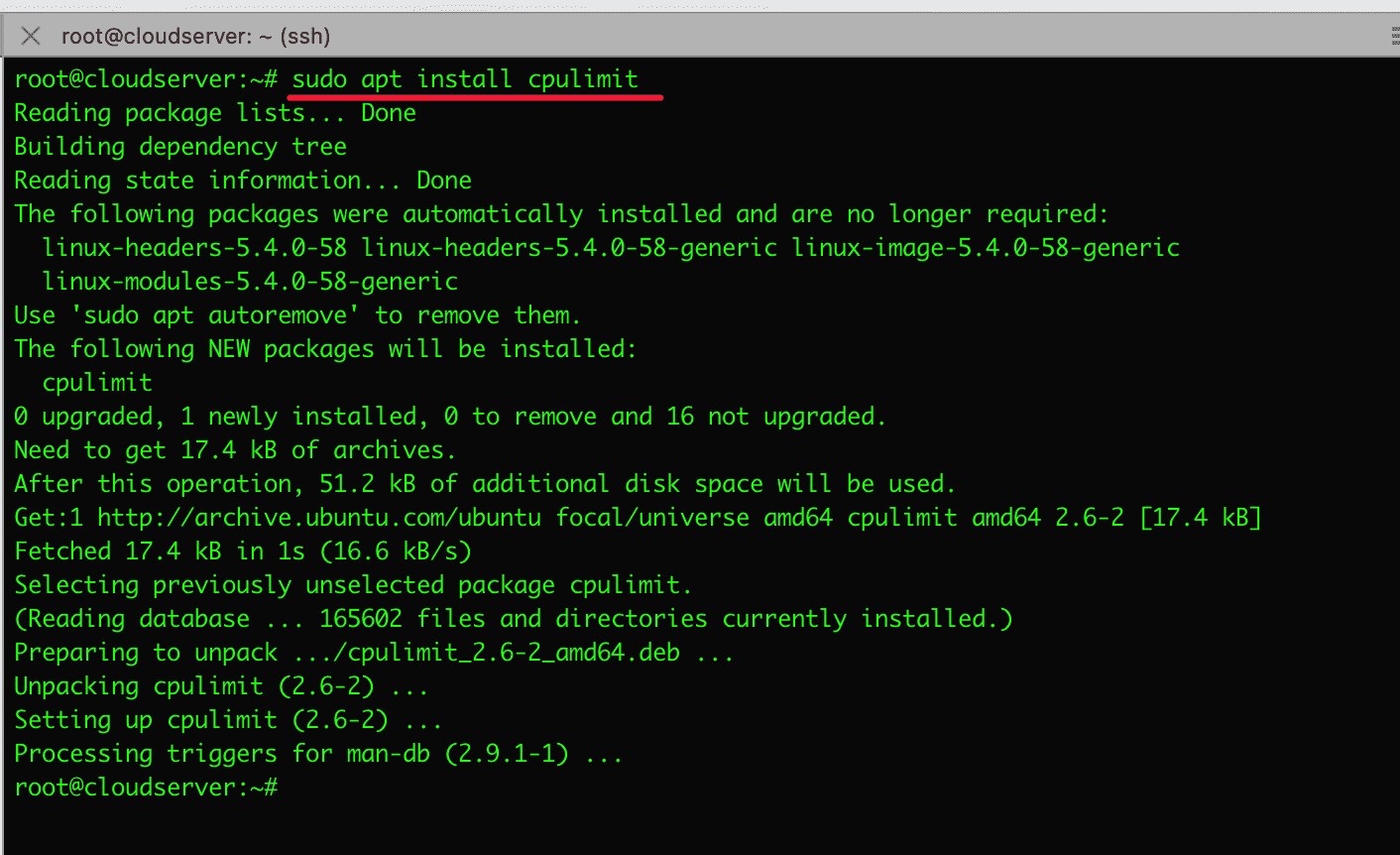
For Debian/Ubuntu
sudo apt install cpulimit
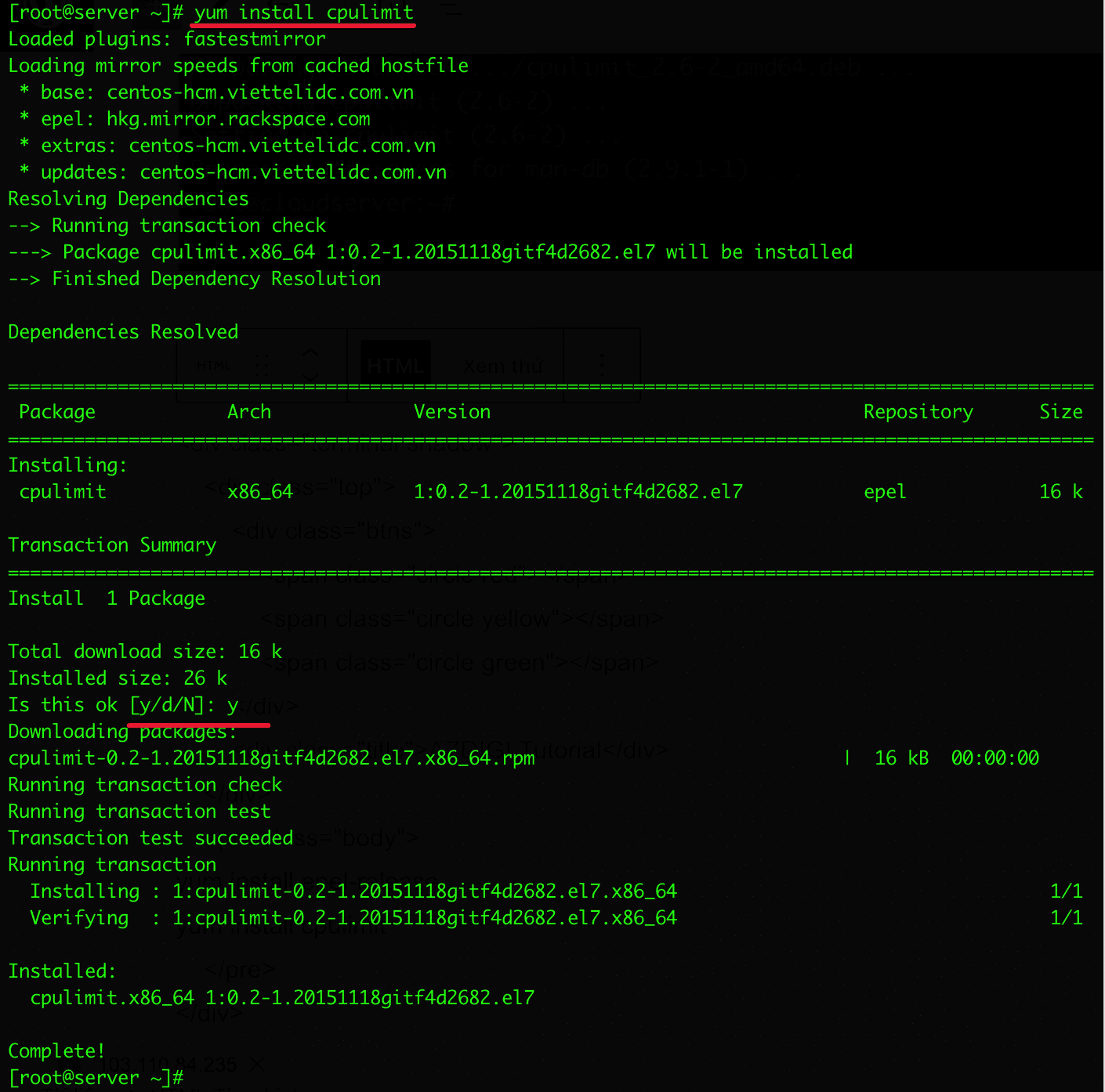
For RHEL/CentOS and Fedora
yum install epel-release
yum install cpulimit
How to use CPULimit
To use CPULimit, you need to understand the syntax and accompanying options for accurate usage. Below is a list and description of the options, including:
Syntax:
cpulimit [OPTIONS…] TARGET
Options:
- -l, –limit=N: Percentage or CPU limit to be set, ranging from 0 to 200
- -v, –verbose: Display control statistics
- -z, –lazy: Exit when the target process or the process has been killed
- -i, –include-children: Limit the children processes
- -h, –help: Display help information
- -b, –background: Run in the background
- -c, –cpu: To specify the CPU available in the system use this option
Targets:
- -p, –pid=N: PID of the process
- -e, –exe=FILE: The file name of the executed program or the path name
For example:
I will guide you on limiting a process with CPULimit as follows.:
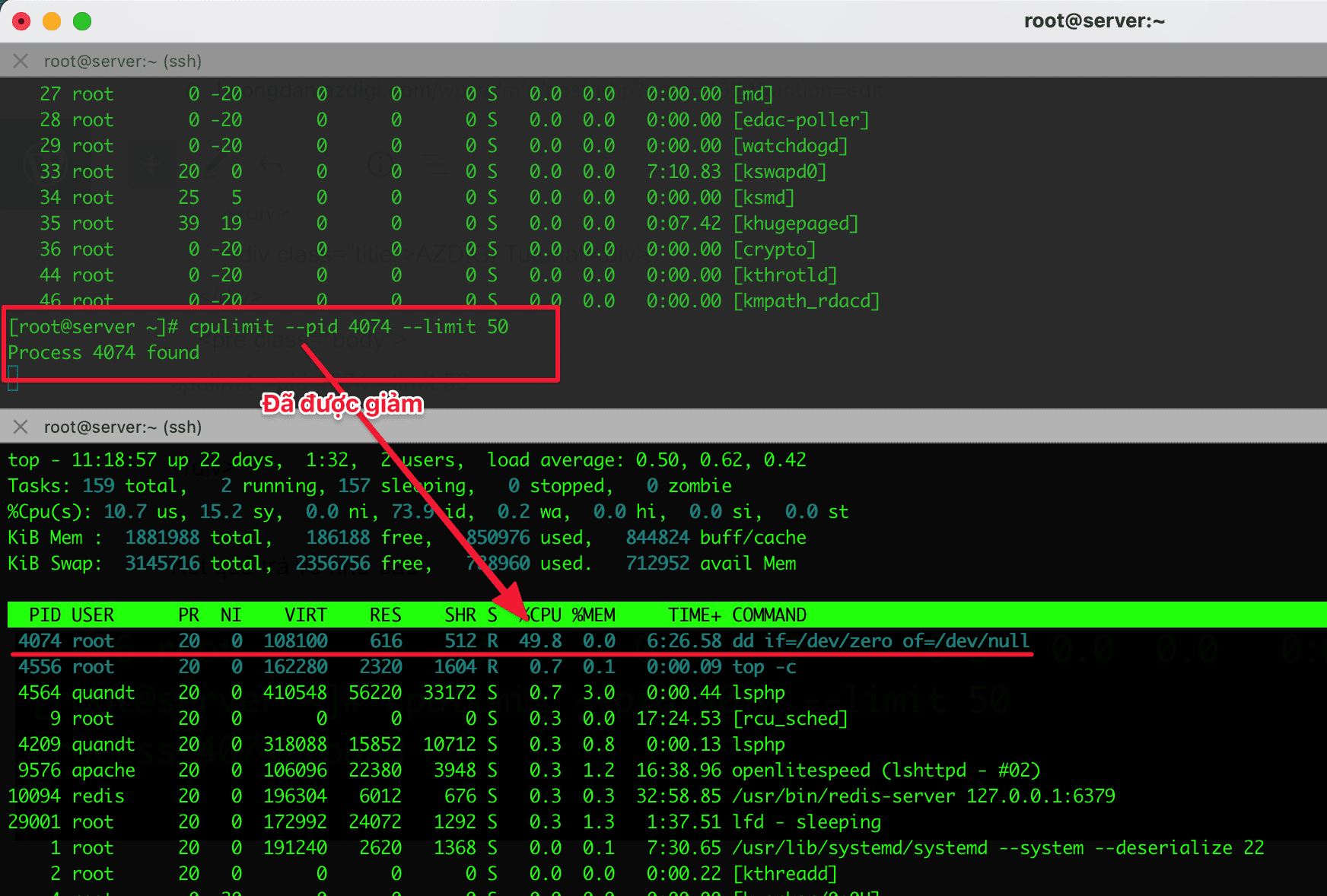
Here, I will run a dd command to create a process that uses a full CPU. You will see the PID (PID illustrated in the example is 4074), and then open top -c to observe that your PID 4074 is occupying 100% CPU (1 core).
Note: The PID in the tutorial and on your screen will be different. Please input the corresponding PID on your screen.
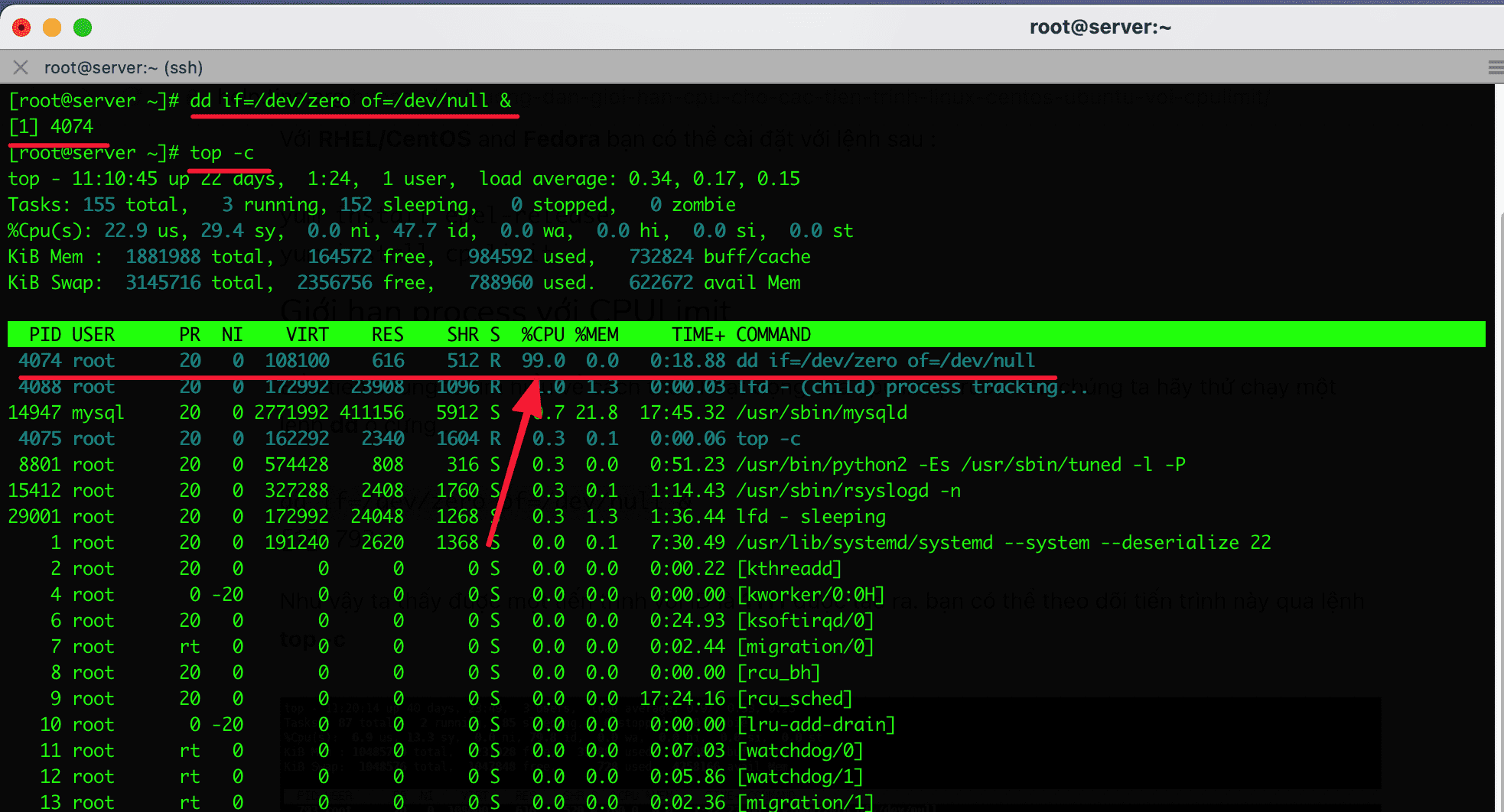
Now, I will limit this process using CPULimit, setting it to 50 by the following command:
cpulimit --pid 4074 --limit 50
The results are as follows:

Note: Do not exit the screen when using this command. To check it, open another window to verify.
top -c
After setting the limit, open top -c and check. The initial occupying process at 100% should now be reduced to 50%.
Conclusion
With CPULimit, you can control and limit processes that consume excessive CPU usage. This helps your server reduce resource consumption and allocate more resources to other processes. If you find the article helpful, please share it widely.
If you need assistance, you can contact support in the ways below:
- Hotline 247: 028 888 24768 (Ext 0)
- Ticket/Email: You use the email to register for the service and send it directly to: support@azdigi.com
You might also like
- Instructions for analyzing and explaining the TOP command in Linux
- nload - Monitor network bandwidth usage on Linux
- htop - Monitoring Linux server processes
- Troubleshooting Linux VPS - How to Handle Common VPS Issues
- Monitoring network traffic with vnStat and vnStati
- Jitsi Meet - online solution for businesses
About the author

Thạch Phạm
Đồng sáng lập và Giám đốc điều hành của AZDIGI. Có hơn 15 năm kinh nghiệm trong phổ biến kiến thức liên quan đến WordPress tại thachpham.com, phát triển website và phát triển hệ thống.