How to install and use Docker Compose on Ubuntu 22.04 with 2 steps.
Introduction
Docker compose is a tool to define and run multi-containers for Docker applications. With compose, you use the YAML file to configure the services for your application. Then use the command to create and run from those configs. The steps to use are also quite simple, as follows:
- Declare the app’s environment in Dockerfile.
- Declare the services needed to run the application in the docker-compose.yml file.
- Run docker-compose up to start and run the app.
In this tutorial, AZDIGI will show you how to install Docker compose and create a new application using Docker compose on Ubuntu 22.04.
Prerequisites before installing Docker compose
- You must have SSH access
- The server must have Docker pre-installed.
Implementation Guide
Step 1: Install Docker Compose
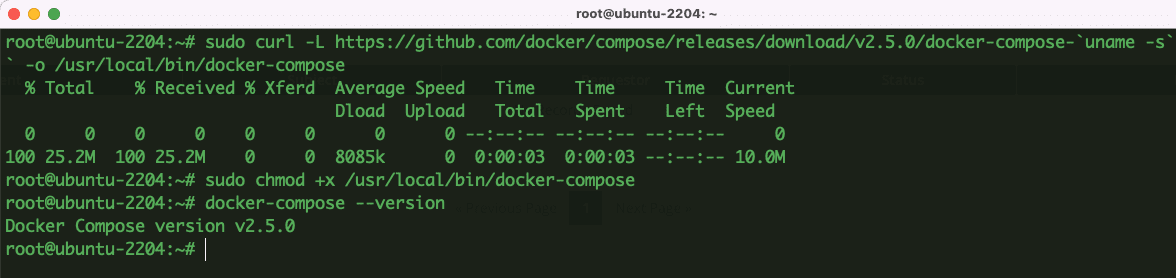
- To install the latest version of Docker Compose from the GitHub repository, use the following command:
sudo curl -L https://github.com/docker/compose/releases/download/v2.5.0/docker-compose-`uname -s`-`uname -m` -o /usr/local/bin/docker-compose
- Permissions for the downloaded file
sudo chmod +x /usr/local/bin/docker-compose
- Check results after installation
docker-compose --version

So Docker Compose has been successfully installed and you can start running containers.
Step 2: How to use Docker Compose
Docker Compose allows you to use YAML files to define multiple container applications. With the YAML file, you can run, build and configure all the containers.
- Create a project folder and move into that project folder, for example:
mkdir docker-project
cd docker-project
- Next, you need to create a YAML file. For example, I will create a yaml file for hello world.
sudo nano docker-compose.yml
Add the below content to the created file
version: '3.9'
services:
   hello-world:
      image:
         hello-world:latest
You can now execute the following command to pull the hello word image from Docker Hub.
docker-compose up
And here is the result after running the command:
So the hello-world image is taken from Docker Hub and docker-compose creates an attached container and runs the program.
- To view all existing containers, use the command:
docker ps -a
Thus, in this article, AZDIGI showed you how to install and use Docker compose on Ubuntu 22.04 very simply. Hopefully, this article will be helpful to you. Wishing you success!
You can refer to other instructions at the link below:
If you need support, you can contact support in the ways below:
- Hotline 247: 028 888 24768 (Ext 0)
- Ticket/Email: You use the email to register for the service and send it directly to: support@azdigi.com .
You might also like
- How to install Docker on Ubuntu 22.04
- How to install WireGuard with Docker Compose on Ubuntu 22.04
- How to install Nginx Proxy Manager with Docker Compose on Ubuntu 22.04
- Install WordPress with OpenLiteSpeed using Docker Compose on Ubuntu 22.04
- How to install WordPress with Docker Compose, Nginx, Apache and SSL
- Instructions for installing odoo with docker.
About the author

Thạch Phạm
Đồng sáng lập và Giám đốc điều hành của AZDIGI. Có hơn 15 năm kinh nghiệm trong phổ biến kiến thức liên quan đến WordPress tại thachpham.com, phát triển website và phát triển hệ thống.