Installing Node.js with NVM on Ubuntu 22.04 with 2 steps.
Introduction
Node.js is a software system designed for writing scalable internet applications, especially web servers. The program is written in JavaScript, using event-driven, asynchronous input/output to minimize overhead and maximize scalability. Node.js includes Google’s V8 JavaScript engine, libUV and several other libraries. Node.js was created by Ryan Dahl in 2009 and developed under the umbrella of Joyent.
NVM is an acronym for Node.js Version Manager, a flexible tool for installing and managing multiple versions of Node.js and related packages simultaneously.
In this tutorial, we will learn how to install a specific version of Node.js through NVM, please see the installation section below.
Implementation Guide
Step 1: Install NVM
To install or update NVM, you can use the curl command to download and execute the file. You can download the latest version from the nvm official repository
- Download the installation file
curl -o- https://raw.githubusercontent.com/nvm-sh/nvm/v0.39.1/install.sh | bash
- Run the install command
source ~/.bashrc
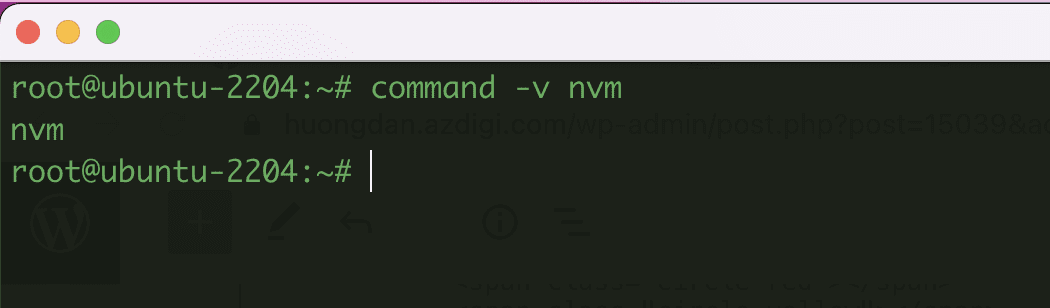
- To check if NVM has been installed successfully, please run the following command:
command -v nvm
- To check if NVM has been installed successfully, please run the following command:

Step 2: Install Node.js
- Once you’ve installed NVM, you can list all the Node.js versions available through NVM using ls-remote with the following command:
nvm ls-remote
- After running the above command, the system will display a list of Node.js versions. You can install any of the versions shown here.
For example, if you want to install Node.js version 16.15.0, you can simply use the install command as follows:
nvm install v16.15.0

- Check the results after installation
node -v

Above are the steps to install Node.js through NVM in the most detail. With NVM, you can easily manage and install different versions of Node.js straightforwardly. Wishing you success!
You can refer to other instructions at the link below:
If you need support, you can contact support in the ways below:
- Hotline 247: 028 888 24768 (Ext 0)
- Ticket/Email: You use the email to register for the service and send it directly to: support@azdigi.com .
About the author

Thạch Phạm
Đồng sáng lập và Giám đốc điều hành của AZDIGI. Có hơn 15 năm kinh nghiệm trong phổ biến kiến thức liên quan đến WordPress tại thachpham.com, phát triển website và phát triển hệ thống.