
Block IP or a range of IP access to hosting and websites located on hosting
On the cPanel interface, find the IP keyword or select the IP Blocker section to be able to block IP

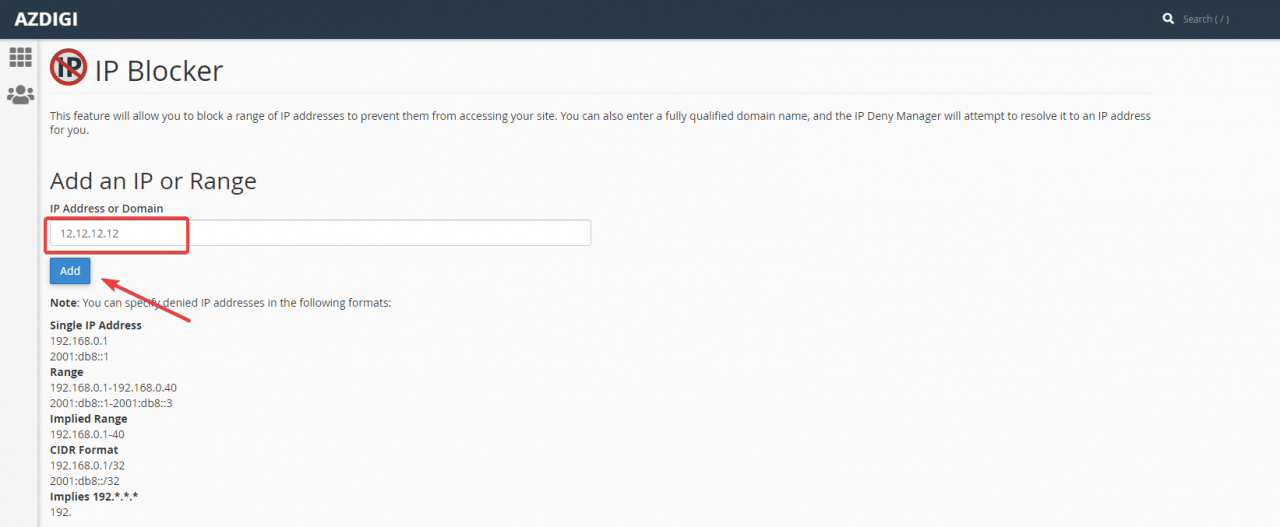
- Block 1 specific IP, the example here will block IP: 12.12.12.12. After adding IP, select Add to confirm blocking this IP
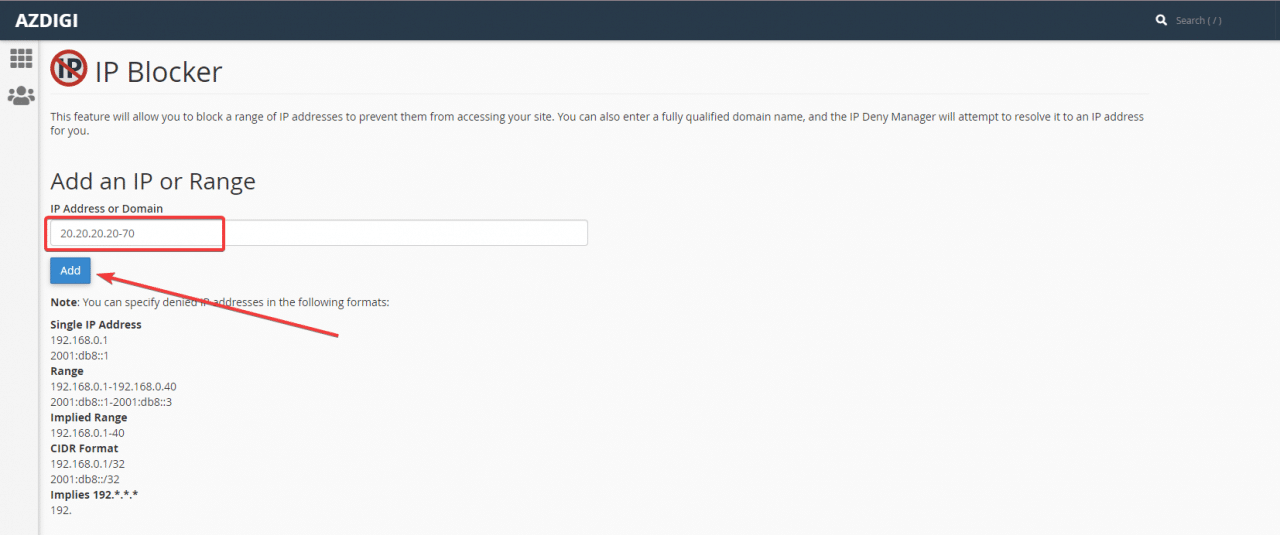
- Block an IP range, here will block a range 20.20.20.20-20.20.20.70
On the block toolbar, you can fill in the following 2 ways:
20.20.20.20-20.20.20.70
or
20.20.20.20-70
Check the blocked IPs again, so devices with IPs on this list will not be able to access the websites located on the hosting anymore.
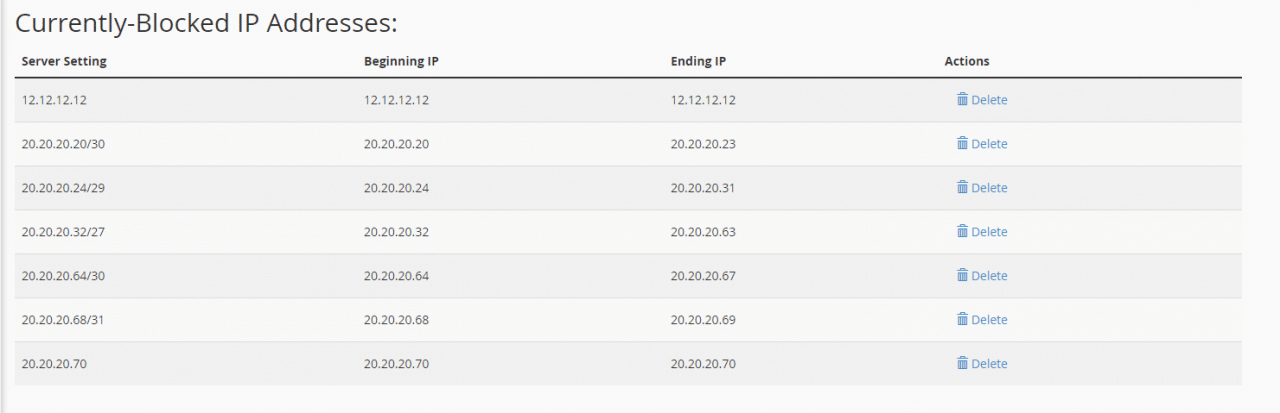
After adding IP to Website Blocker, your website will automatically block access from the declared IP address.
You might also like
This article has been reviewed by AZDIGI Team
About the author

Thạch Phạm
Đồng sáng lập và Giám đốc điều hành của AZDIGI. Có hơn 15 năm kinh nghiệm trong phổ biến kiến thức liên quan đến WordPress tại thachpham.com, phát triển website và phát triển hệ thống.
10+ years serving 80,000+ customers