
In the article, AZDIGI will show you how to create a user on DirectAdmin.
I. Overview
In the previous article, AZDIGI showed you to install DirectAdmin, so in this article, I will guide you through creating a user on DirectAdmin. From there, we can distribute to our customers and create a website.
Note: To create a user on DirectAdmin, you need to have Admin or Reseller permission.
II. Create the user on DirectAdmin
To create a user on DirectAdmin, we perform the following 3 steps.
Step 1: Login to DirectAdmin
First, we need to log in to the DirectAdmin interface with the following path:
http://ip:2222
Remember to change ip to your DirectAdmin server IP address. Below is the current latest DirectAdmin login interface:
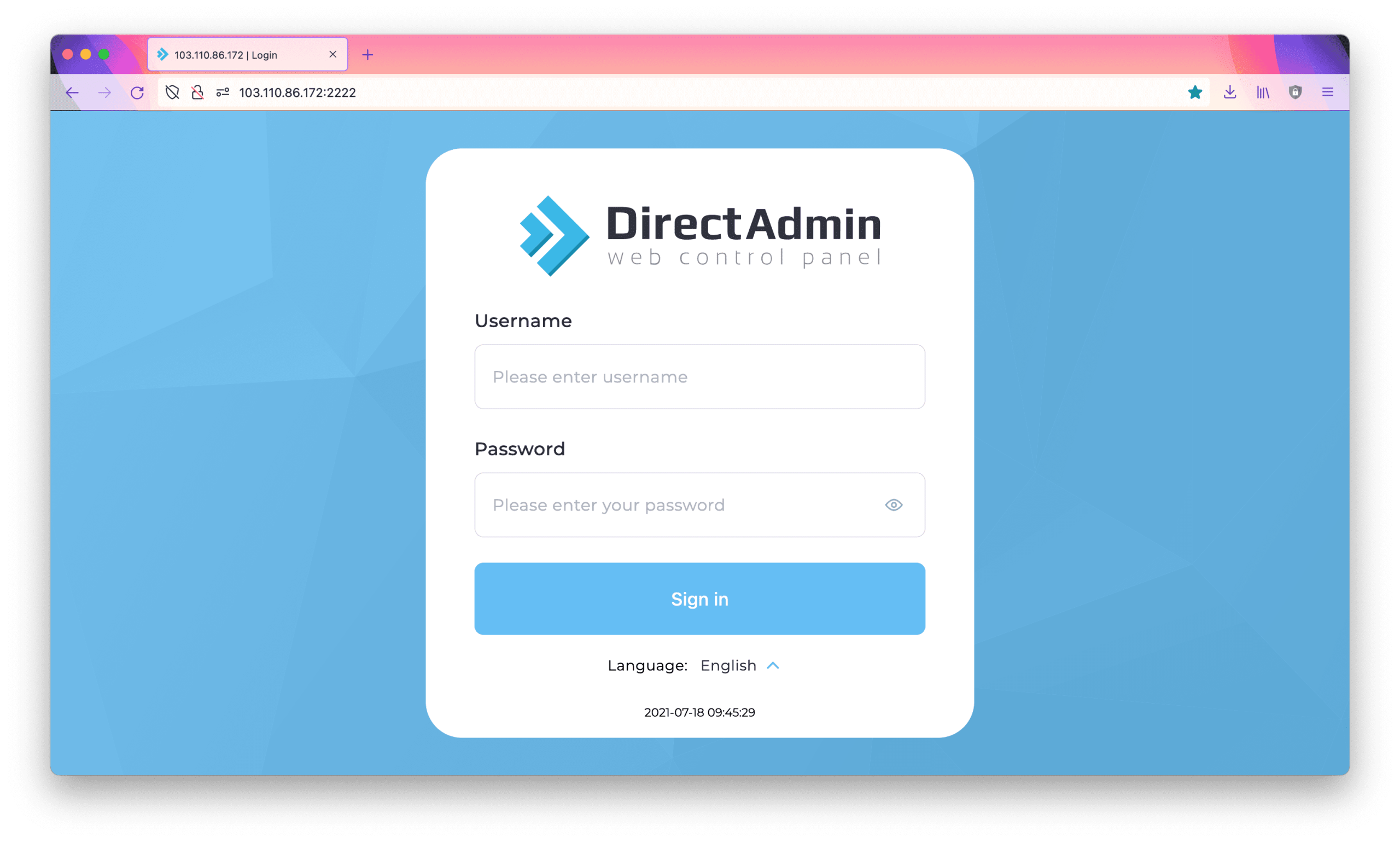
Next, you need to login with your admin account or reseller account.
Step 2: Create a user package on DirectAdmin
After logging in, we create a user package, these are the hosting packages created according to your needs.
Go to Account Manager and click Manage User Packages.
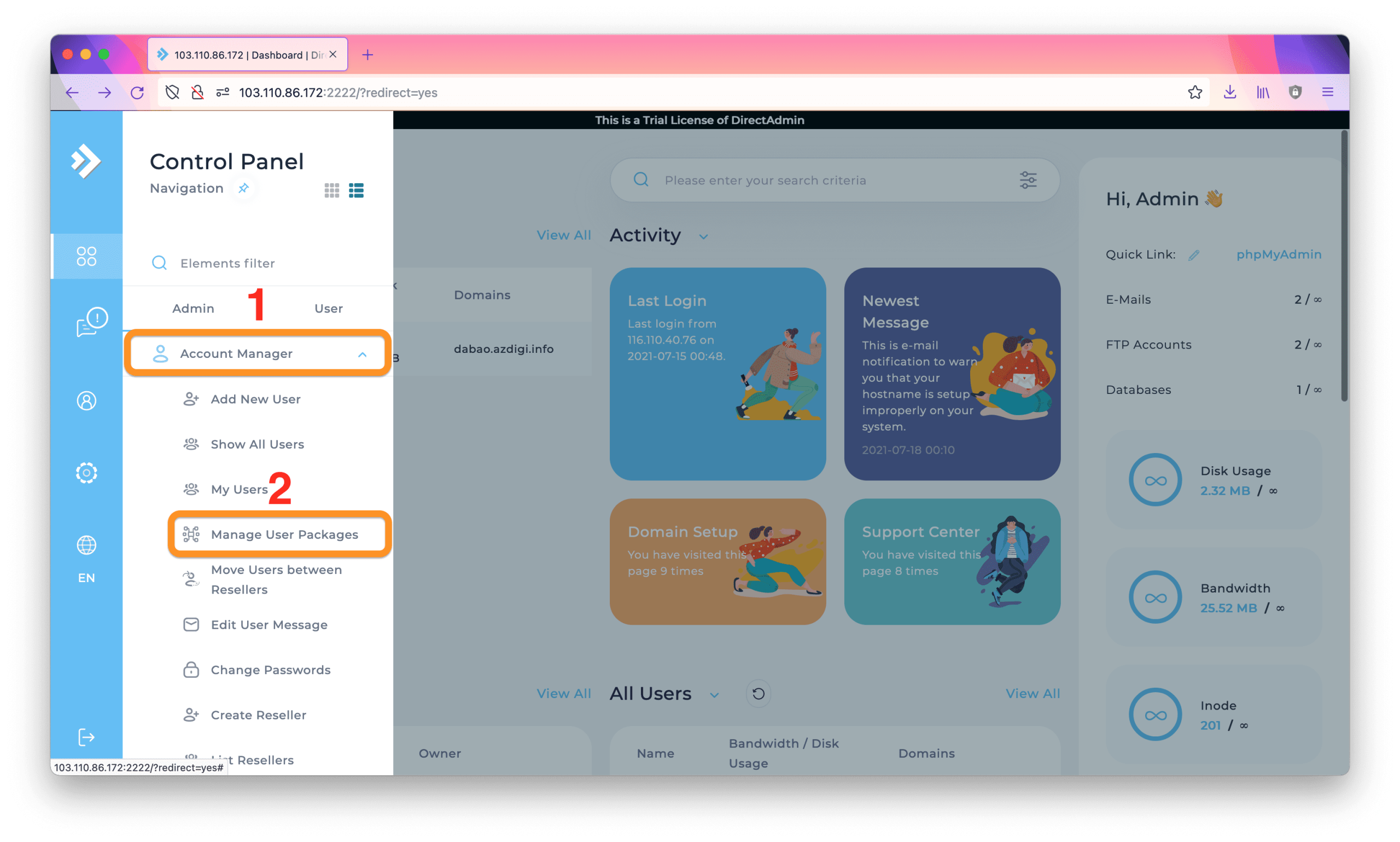
In this section, you click Add Package as shown below:

Then you will customize these Package parameters to suit your needs.

In my opinion, the parameters you should leave unlimited are:
- Bandwidth.
- Inode.
- Sub-Domains.
- MySQL Databases.
- Domain Pointers.
- FTP Accounts.
Other parameters you can customize according to your needs. You can create different high/low packages to distribute to your different customer segments.
Step 3: Create a User on DirectAdmin with a Package
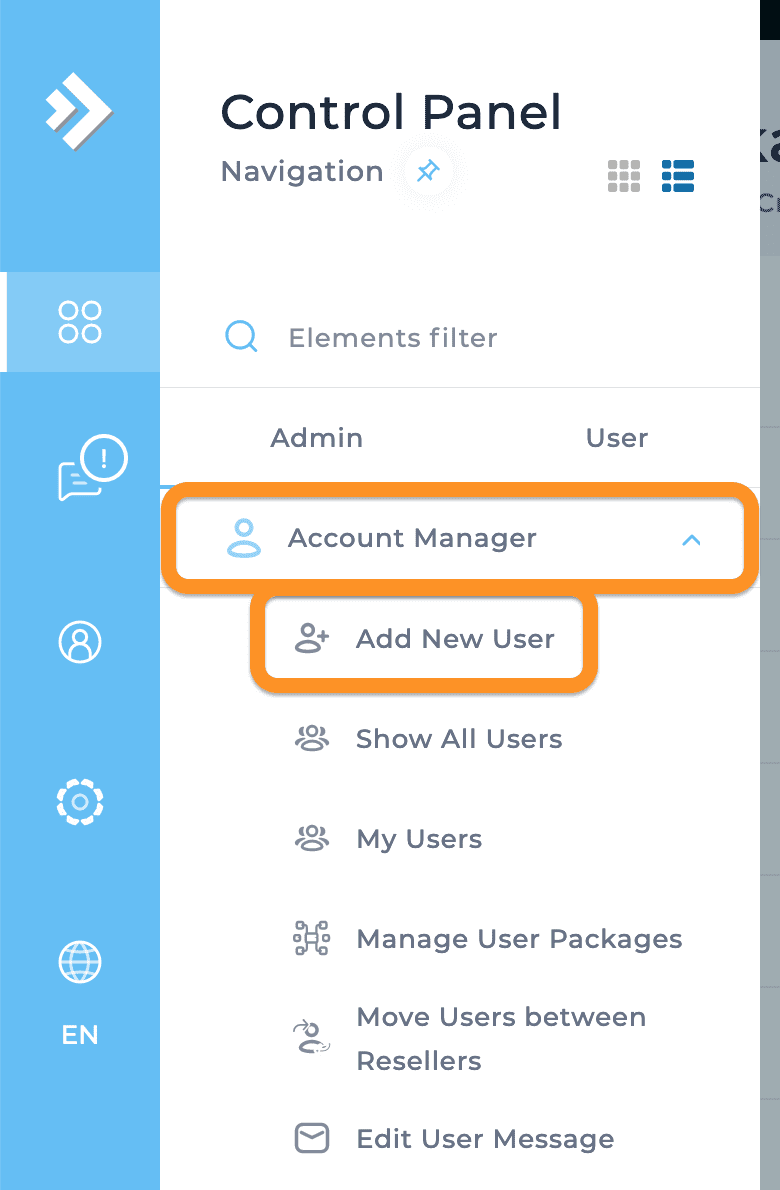
After you have created some Packages in step 2, we can start creating users in this step. You also do the same as in step 2, but will select Add New User.
Then you need to fill in some information for that user to be able to create. You should save your Username/Password information.
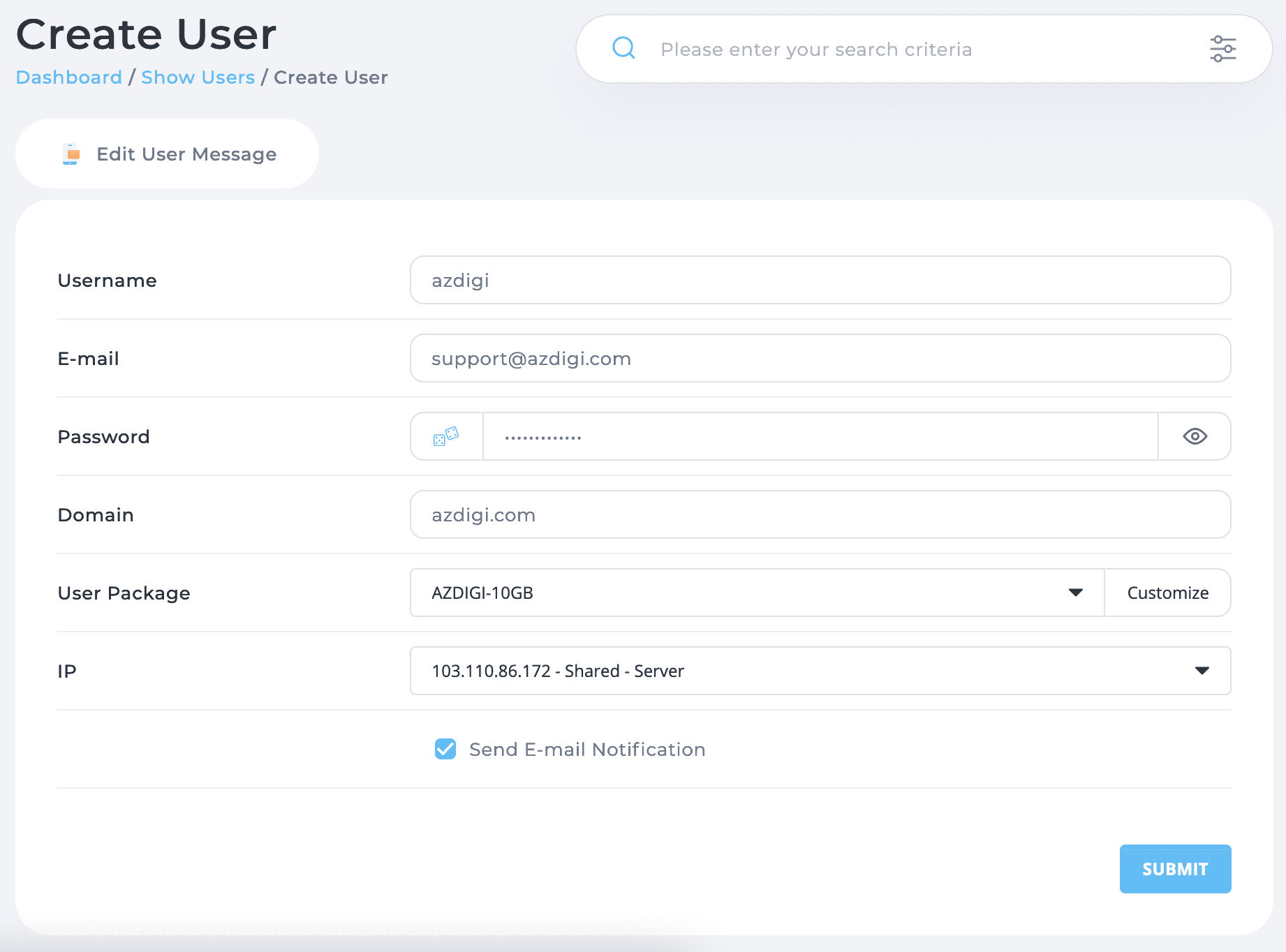
After you have filled in all the necessary information and selected the appropriate User Package, click SUBMIT.
So we have created a User on DirectAdmin, later you only need to do steps 1 and 3, step 2 only needs to be done once. Unless you create many new packages on DirectAdmin, you need to do step 2 again.
III. Summary
Thus, AZDIGI has complete instructions on how to create a user on DirectAdmin. Hope the article is helpful to you.
Wishing you success!
See more useful articles about DirectAdmin at the following link:
If you need assistance, you can contact support in the ways below:
- Hotline 247: 028 888 24768 (Ext 0)
- Ticket/Email: You use the email to register for the service and send it directly to support@azdigi.com.
You might also like
About the author

Thạch Phạm
Đồng sáng lập và Giám đốc điều hành của AZDIGI. Có hơn 15 năm kinh nghiệm trong phổ biến kiến thức liên quan đến WordPress tại thachpham.com, phát triển website và phát triển hệ thống.