
In today’s article, AZDIGI will guide you through enabling the folder size count feature in DirectAdmin because by default, this feature has been disabled in recent versions of DirectAdmin.
I. Introduction
You may not know, but in previous versions of DirectAdmin, when accessing the File Manager feature, you could see the full size of the folder. However, in later versions, when accessing the File Manager, you will not receive any information about the folder size.
There is no tool for you to calculate the size of the folder you want to know.
Therefore, in this article, AZDIGI will help you enable the directory size count feature in DirectAdmin as before.
The reason DirectAdmin has disabled this feature is that enabling this feature will increase the I/O usage of the storage memory system.
And things will be even worse when your system is using a low-speed HDD or SSD. Sometimes users with a large disk usage, when accessing the File Manager, will take a lot of time for the system to respond because it has to count the usage level of the displayed folders. In the case of counting for too long, the File Manager will timeout.
So, before getting into this guide, please consider it carefully. However, if you still want to enable it for certain users, you can refer to this article.
II. Enable folder size count in DirectAdmin for the entire system
To enable the directory size count feature in DirectAdmin for the entire system, we need to follow these 3 steps.
Step 1: SSH into your DirectAdmin system
To enable the directory size count feature in DirectAdmin, first, we need to SSH or access your VPS or server with root privileges. If you don’t know how to SSH into your VPS/Server, you can refer to the following tutorial:
After successfully SSH, we move on to step 2 to edit the DirectAdmin configuration.
Step 2: Change the configuration to enable the directory size count feature in DirectAdmin
Before making configuration changes, you should check the current status before modifying the configuration. All folders have a size of 4KB, whether they have data inside or not.
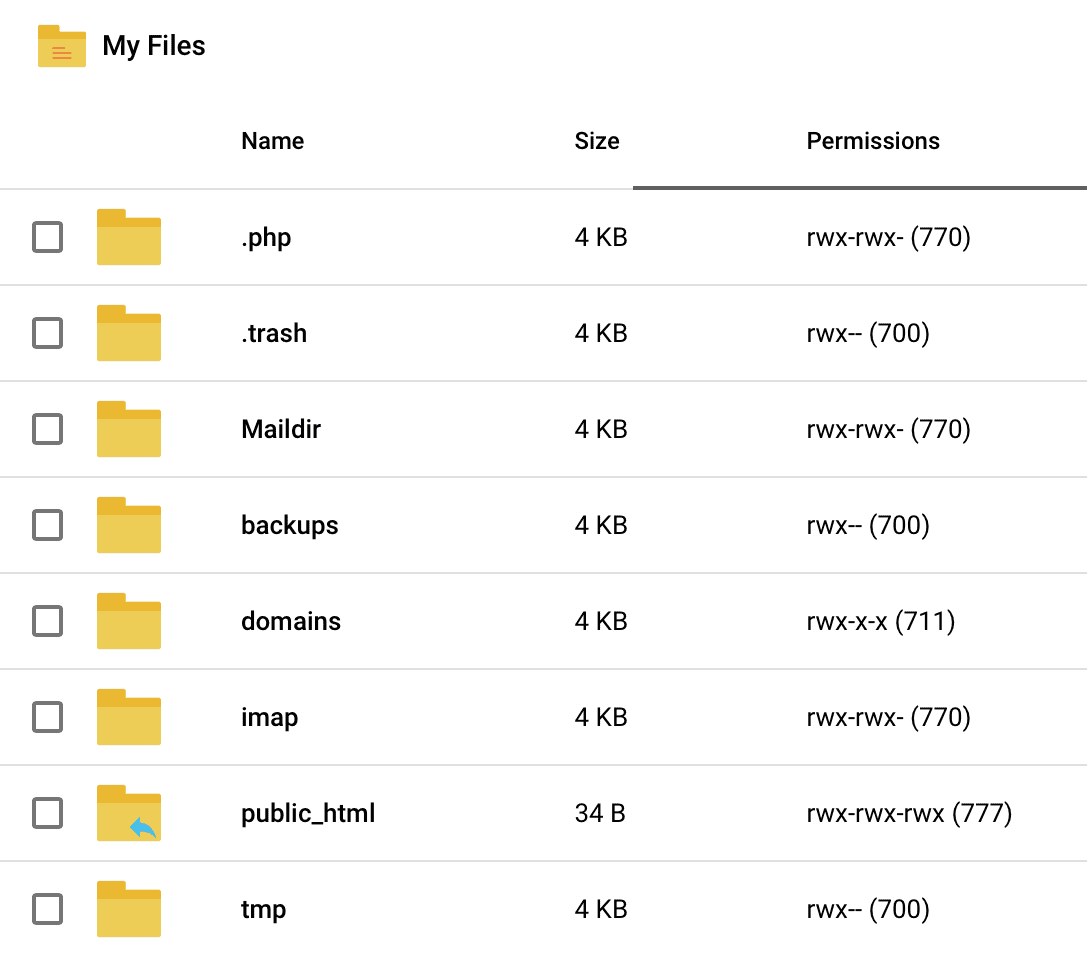
You execute the following commands:
cd /usr/local/directadmin/
./directadmin set filemanager_du 1
service directadmin restart
Explanation of the above commands:
- Command 1: Move into the
directadminfolder. - Command 2: Configure
filemanager_duto1. If you want to disable it, you can reset it to0. - Command 3: Restart
DirectAdmin.
Below is the result after we execute the above commands:
At this point, we have completed enabling DirectAdmin folder size counting for all users in DirectAdmin.
III. nabling disk space counting for a user on DirectAdmin
If you only want to enable this feature for a specific user, you need to edit that user’s configuration file using the following command:
vi /usr/local/directadmin/data/users/username/user.conf
Remember to replace “username” with the name of the user you want to edit.
Then, you just need to add or edit the line filemanager_du=1 in this configuration file. And of course, you will need to restart DirectAdmin.
IV. Summary
Hopefully, through this article, you have learned how to enable disk space counting for all or specific users on DirectAdmin. Enabling this feature for all users may increase I/O usage on your storage and potentially slow down your DirectAdmin system if your storage has slow speeds.
Hope this article will be of help to you. Wishing you success!
See more useful articles about DirectAdmin at the following link:
If you need assistance, you can contact support in the ways below:
- Hotline 247: 028 888 24768 (Ext 0)
- Ticket/Email: You use the email to register for the service and send it directly to: support@azdigi.com.
About the author

Thạch Phạm
Đồng sáng lập và Giám đốc điều hành của AZDIGI. Có hơn 15 năm kinh nghiệm trong phổ biến kiến thức liên quan đến WordPress tại thachpham.com, phát triển website và phát triển hệ thống.