In this tutorial, AZDIGI will show you how to install phpMyAdmin 5 on your old DirectAdmin server.
I. Introduction
In January 2021, most newly installed DirectAdmin systems were running phpMyAdmin 5.0.4.
However, some DirectAdmin systems installed many years ago can only be updated to phpMyAdmin 4.9.7. Often, I find servers running CentOS 6 or CentOS 5 encounter this situation.
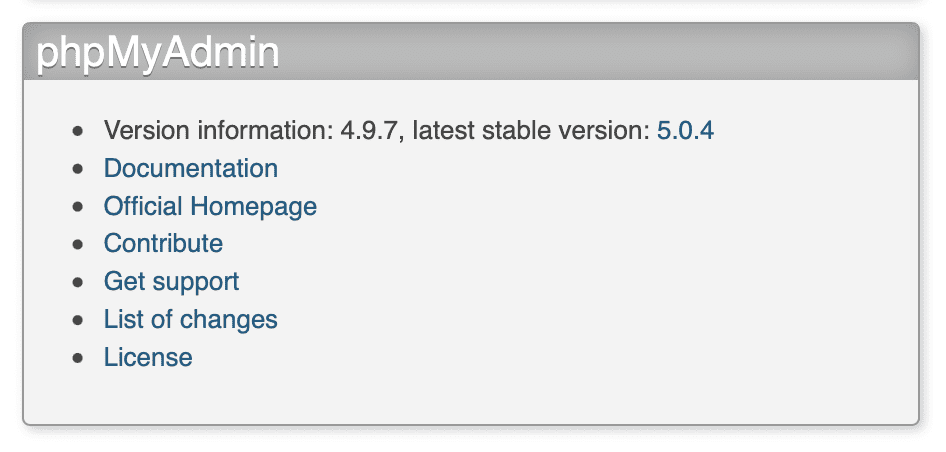
To fully support the latest features, we should use the latest version of phpMyAdmin.
You can see the changes from the phpMyAdmin version at the following link:
II. Install phpMyAdmin 5 on DirectAdmin server
To install phpMyAdmin 5 on the DirectAdmin server, follow these 3 steps.
Step 1: SSH into your DirectAdmin system
To install phpMyAdmin 5 on the DirectAdmin server, we first need to SSH or access your VPS/server with root privileges. If you don’t know how to SSH into your VPS/Server, you can refer to the following tutorial:
After successfully SSH, we continue with step 2 to perform the phpMyAdmin 5 installation commands on the old DirectAdmin server.
Step 2: Commands to install phpMyAdmin 5 on the old DirectAdmin server
First, we need to check what version of phpMyAdmin on the server is configured with the following command:
cd /usr/local/directadmin/custombuild/
cat options.conf | grep phpmyadmin_ver
Explanation of the two commands above:
- Command 1: Move to the
custombuildfolder. - Command 2: Check what version of
phpMyAdminis being configured.
In case your phpmyadmin_ver versions are not 5 then you use the following command to change to version 5.
./build set phpmyadmin_ver 5
You will get a message that phpmyadmin_ver has been changed from the old version to version 5 as below:
After you have updated version 5, you need to run the following two commands to install this version.
./build update
./build phpmyadmin
Explanation of the two commands above:
- Command 1: Update
custombuild script. - Command 2: Install the latest version of phpMyAdmin 5.
Since phpMyAdmin is so lightweight, the installation of the new version is speedy and has almost no problems.
Below is my screen after running the installation command:
So we have successfully installed phpMyAdmin 5 on the old DirectAdmin server. You can check the installed version of phpMyAdmin with the following command:
./build versions | grep phpmyadmin
Or simply go to the phpMyAdmin interface to see as shown below:
III. Summary
Hopefully, this article on installing phpMyAdmin 5 on an old DirectAdmin server will help you solve your problems.
Wishing you success!
See more useful articles about DirectAdmin at the following link:
If you need assistance, you can contact support in the ways below:
- Hotline 247: 028 888 24768 (Ext 0)
- Ticket/Email: You use the email to register for the service and send it directly to: support@azdigi.com .
- Website AZDIGI: https://azdigi.com/
About the author

Thạch Phạm
Đồng sáng lập và Giám đốc điều hành của AZDIGI. Có hơn 15 năm kinh nghiệm trong phổ biến kiến thức liên quan đến WordPress tại thachpham.com, phát triển website và phát triển hệ thống.