
How to upgrade User to Reseller by command on Directadmin is very simple with one command line.
I. Introduction
Continuing with the DirectAdmin series, today, AZDIGI will introduce a great feature that will quickly upgrade any User to a Reseller with just one command line. This helps you quickly upgrade User to Reseller in some necessary cases without spending time moving and reconfiguring websites.
Please go to part II to refer to the steps.
II. Implementation Guide
To upgrade User to Reseller on DirectAdmin, follow these 4 steps.
Step 1: SSH into your DirectAdmin system
To upgrade user to reseller on DirectAdmin, we first need to SSH or access your VPS/server with root privileges. If you don’t know how to SSH into your VPS/Server, you can refer to the following tutorial:
After successfully SSH, we continue with step 2.
Step 2: Check and determine the User need to upgrade
Before upgrading, you need to determine the exact User that needs to be upgraded to avoid errors during the upgrade process.
To determine exactly, you access DirectAdmin => Admin interface => Account Manager => Show All Users.
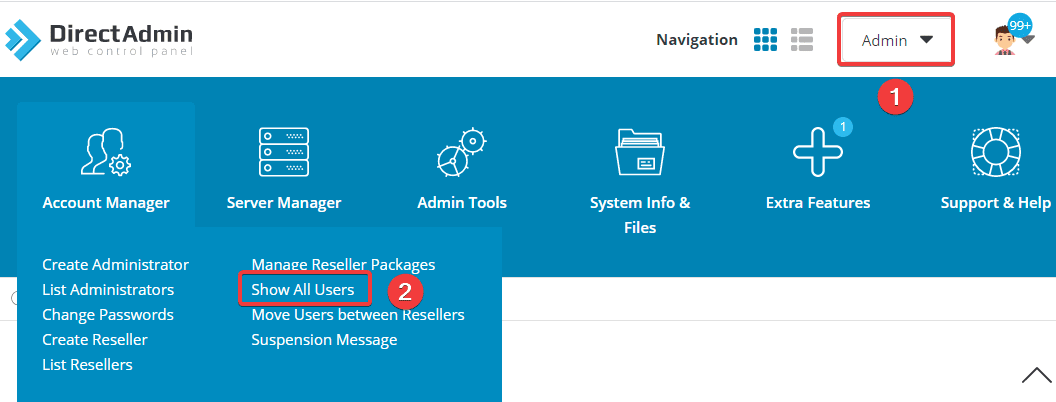
This page will list all the existing Users on your DirectAdmin. As shown below, I currently have the following Users:
- User: admin
- User: azdigi
- User: demouser
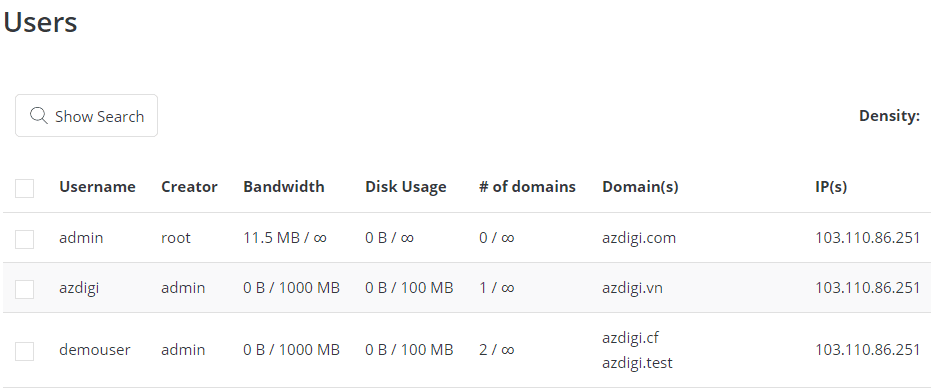
After correctly identifying the User that needs to be upgraded, please continue to step 3 to perform the upgrade.
Step 3: Upgrade User to Reseller
The command to upgrade User to Reseller on DirectAdmin will have the following structure:
cd /usr/local/directadmin/scripts
./user_to_reseller.sh username
You can directly refer to the instructions on the DirectAdmin homepage.
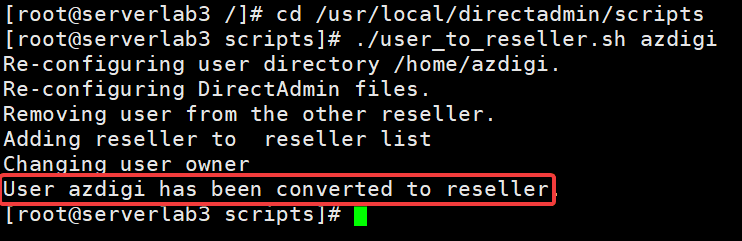
In this example, I will upgrade the User named azdigi to Reseller, the corresponding command will be as follows:
cd /usr/local/directadmin/scripts
./user_to_reseller.sh azdigi
Note:
- Command 1: Move to the script directory to run the command.
- Command 2: Command to upgrade User to Reseller (Remember to replace azdigi with your User)
After running command 2, if you receive the message “User azdigi has been converted to reseller” as shown, the upgrade has been successful.
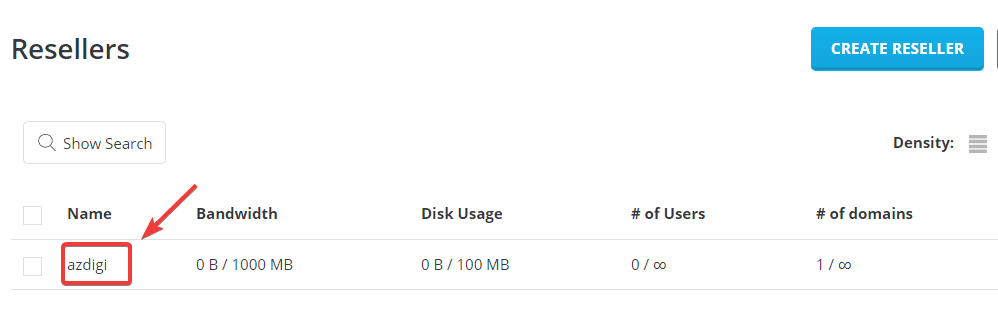
To make sure that the User has been upgraded to Reseller, go back to DirectAdmin => Admin interface => Account Manager => List Resellers to check.
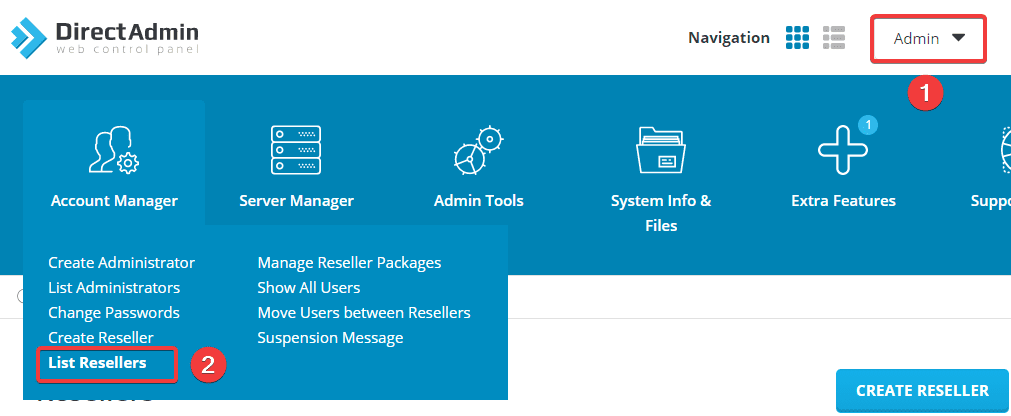
As shown below, I have successfully upgraded User azdigi to Reseller.
Step 4: Check the Reseller activity
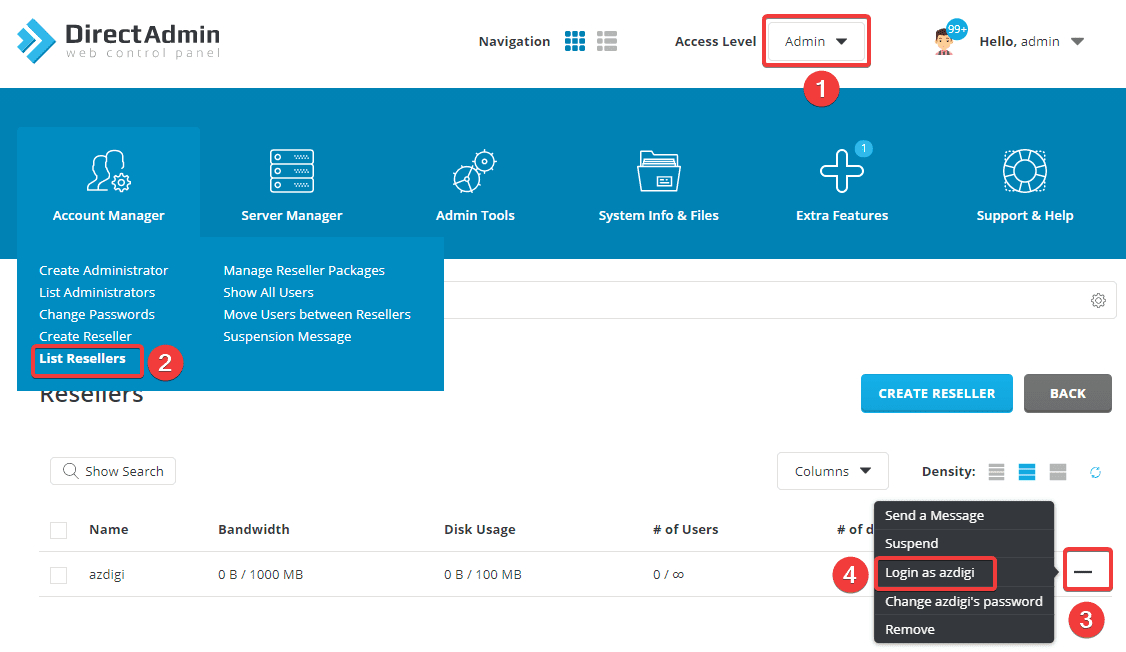
After successfully upgrading User azdigi to Reseller, you need to check if the Reseller function of azdigi is working properly. You log in to Reseller azdigi by going to
DirectAdmin => Admin interface => Account Manager => List Resellers => Login as azdigi
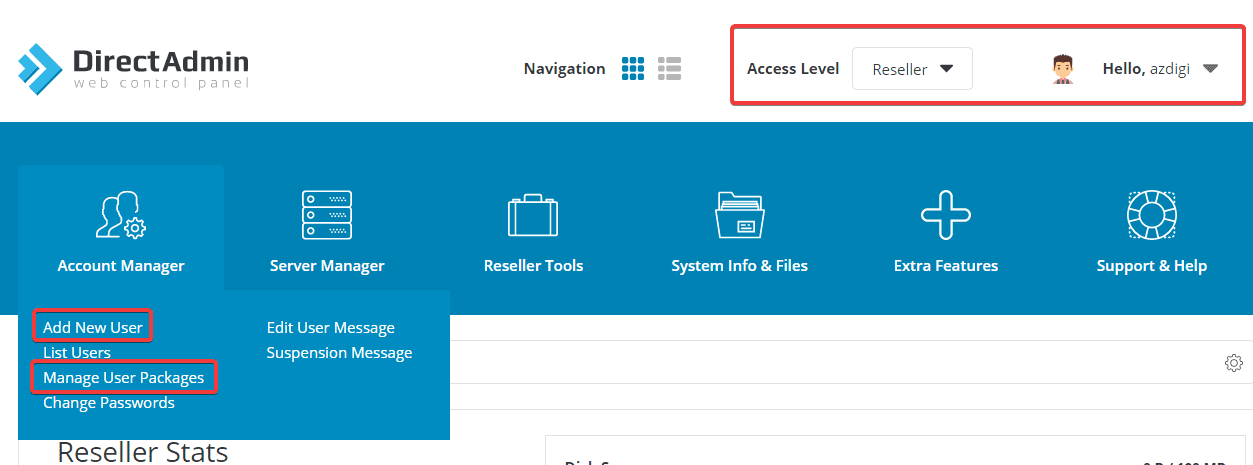
As shown below, Reseller azdigi has full functions such as creating new Users, Packages, Change password users…
III. Summary
Thus, in this article, AZDIGI has shown you how to upgrade a User to a Reseller on DirectAdmin quickly and simply. Upgrading through this script will save you a lot of time in having to backup data and then perform the conversion as usual. If you find the article helpful, don’t forget to share it widely.
Wishing you success.
You can see more useful articles about DirectAdmin at the following link:
If you need assistance, you can contact support in the ways below:
- Hotline 247: 028 888 24768 (Ext 0)
- Ticket/Email: You use the email to register for the service and send it directly to: support@azdigi.com
About the author

Thạch Phạm
Đồng sáng lập và Giám đốc điều hành của AZDIGI. Có hơn 15 năm kinh nghiệm trong phổ biến kiến thức liên quan đến WordPress tại thachpham.com, phát triển website và phát triển hệ thống.