In some cases, you accidentally forget the password to log in to the WordPress website admin for some reason, and there are many ways for you to retrieve this password such as by email, functions file…
And in today’s article, AZDIGI will guide you to reset WordPress admin password using phpMyAdmin.
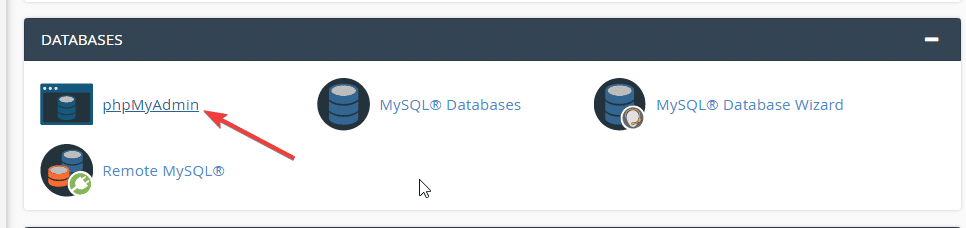
Step 1: Access to phpMyAdmin with the previously created database user/password information
If you forget your database password, you can go directly to the wp-config.php file to view it and the file will have the following format.
define( 'DB_NAME', 'azdigi_dotrungquan' );
define( 'DB_USER', 'azdigi_dotrungquan' );
define( 'DB_PASSWORD', 'S-85768_)(B8vp(6Q' );
Step 2: Select the user to reset password
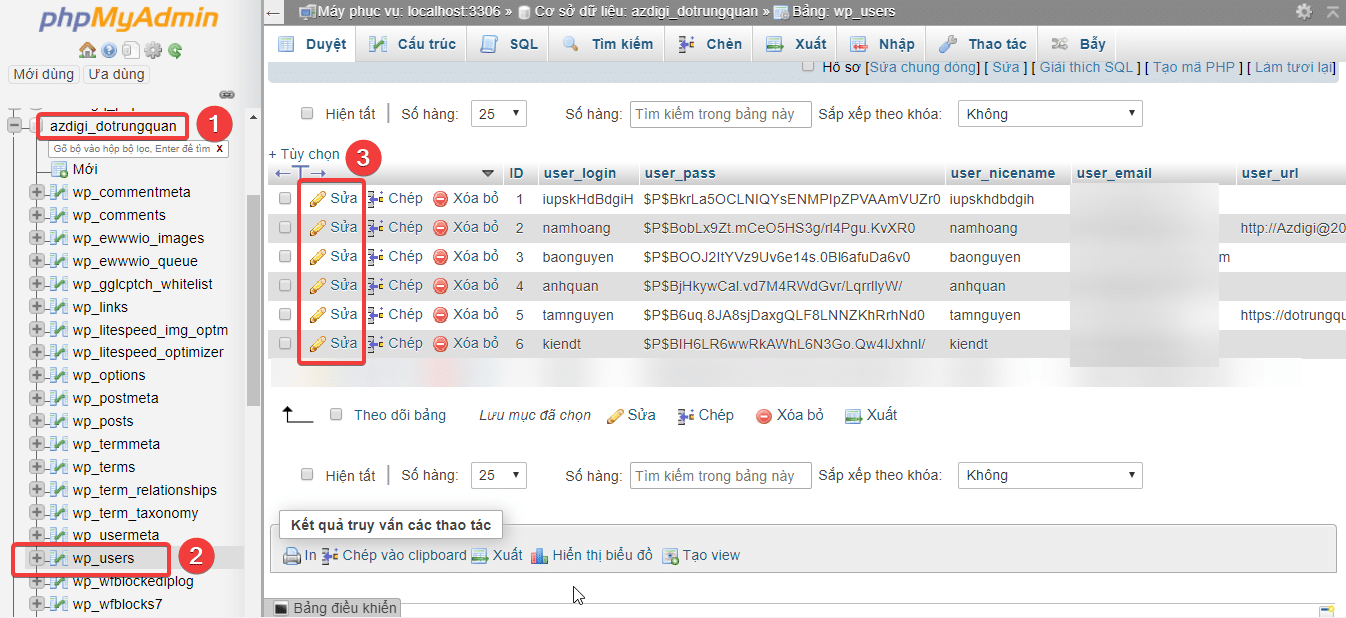
After accessing phpMyAdmin, you will see the interface as below, select the database corresponding to the website and select the wp_user table => select the user to reset. I have numbered in the order 1 – 2 – 3 for you to follow the steps.
Enter the new password information in the columnuser_pass, choose data type as MD5 .
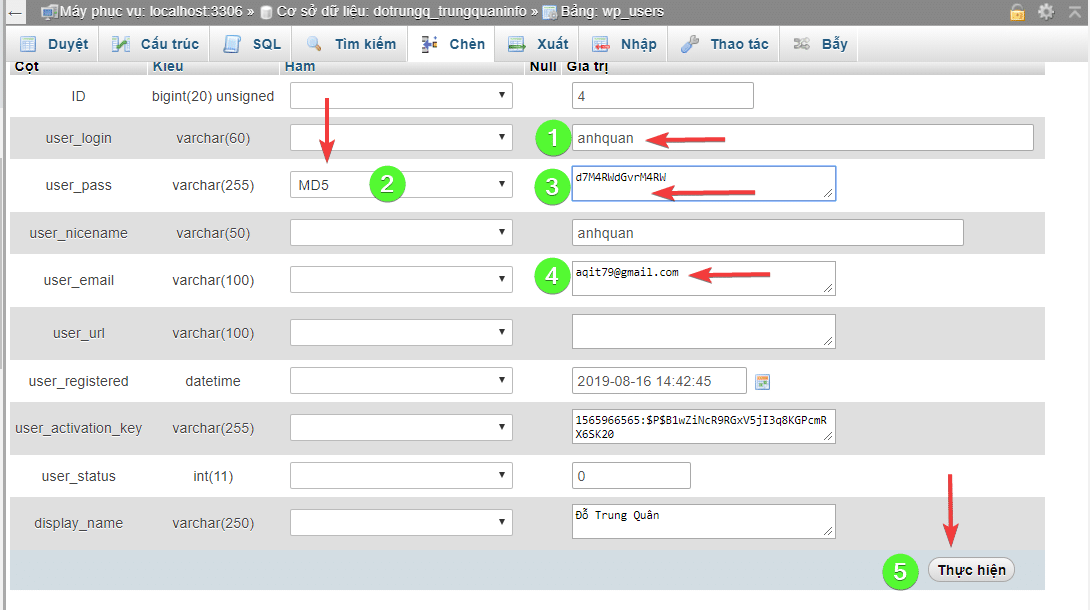
Above is the interface to edit the user information I have numbered in the order you follow:
- 1: Your username
- 2: Select the MD5 encryption type (to change the password, you need to select MD5)
- 3: Enter the password you need to change
- 4: Admin email of that user (you can change this information)
- 5: After the change is complete, click Done to save
Just with the above operations, you can change that user’s password.
About the author

Thạch Phạm
Đồng sáng lập và Giám đốc điều hành của AZDIGI. Có hơn 15 năm kinh nghiệm trong phổ biến kiến thức liên quan đến WordPress tại thachpham.com, phát triển website và phát triển hệ thống.