Currently, all Hosting servers at AZDIGI are set up with firewall software to block IP when detecting abnormal access, such as blocking IP when logging in wrongly 5 times into cPanel, FTP, Email,… to reduce the risk of password detection for users.
If you cannot access the Hosting server without any notice, it is possible that your IP has been blocked on the Hosting system. Currently, AZDIGI has integrated an IP checker and self-unblocking tool at https://my.azdigi.com so you can check and unlock your IP.
Note: If your computer’s IP is blocked from the Hosting server, then after logging in to https://my.azdigi.com, your IP will be automatically unlocked.
First, access your Hosting service at https://my.azdigi.com => Services => My Services.
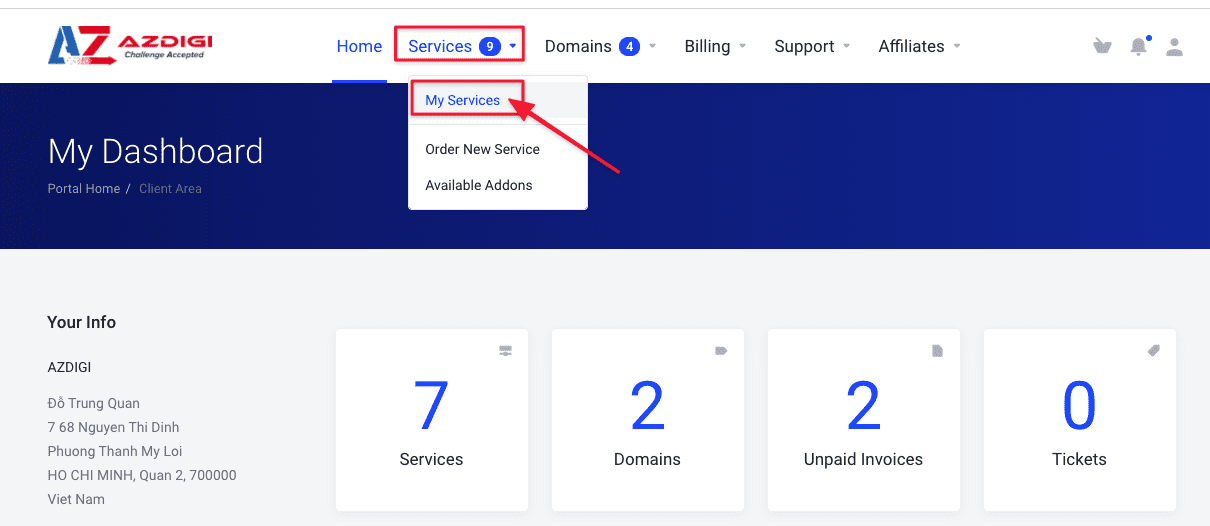
Next, select the service to unlock the IP.

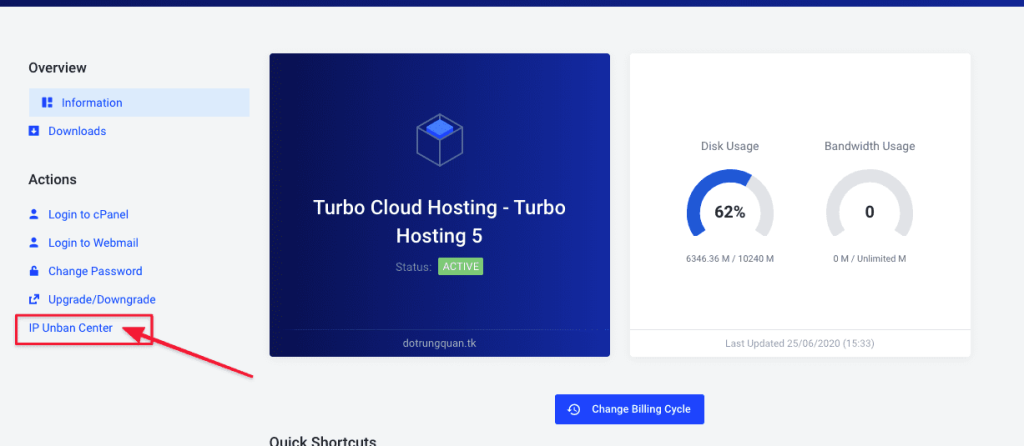
After selecting the service, you choose IP Unban Center to enter the IP check and unlock interface.
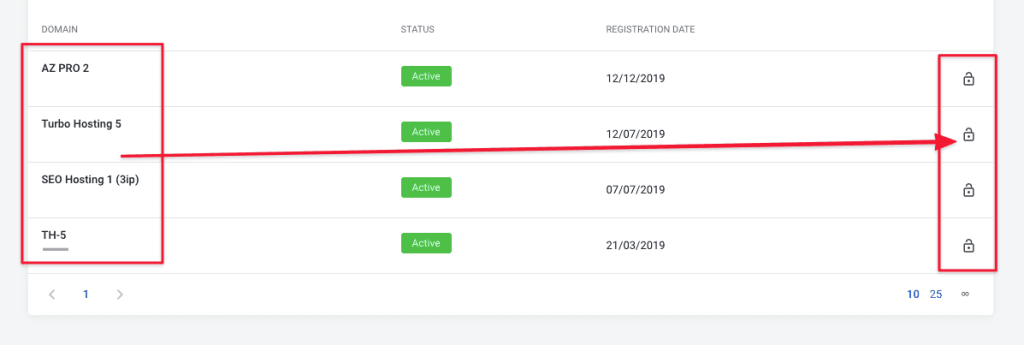
This section will display the services, you select the service to check IP => click on the lock in the right corner.
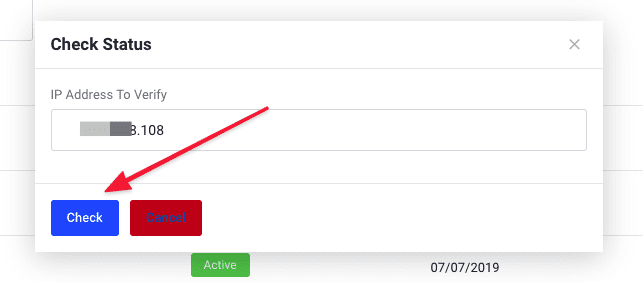
Click Check to see if your IP is locked
If this IP is in the blocked list on the server, the system will display a red message with the reason for it to be blocked as shown below, you can press the Unban button to unblock this IP.

After Unban, you will be able to access the server with the unlocked IP immediately.
You might also like
- How to unblock an IP address using CSF on DirectAdmin
- CrowdSec on Linux VPS - Next-Generation IDS to Replace Fail2ban
- How to upload source code from Local to Hosting using FTP
- How to use the Imunify360 feature on hosting AZDIGI
- How to install SSL Mail Hosting
- Explain and use CSF (ConfigServer & Firewall)
About the author

Thạch Phạm
Đồng sáng lập và Giám đốc điều hành của AZDIGI. Có hơn 15 năm kinh nghiệm trong phổ biến kiến thức liên quan đến WordPress tại thachpham.com, phát triển website và phát triển hệ thống.