
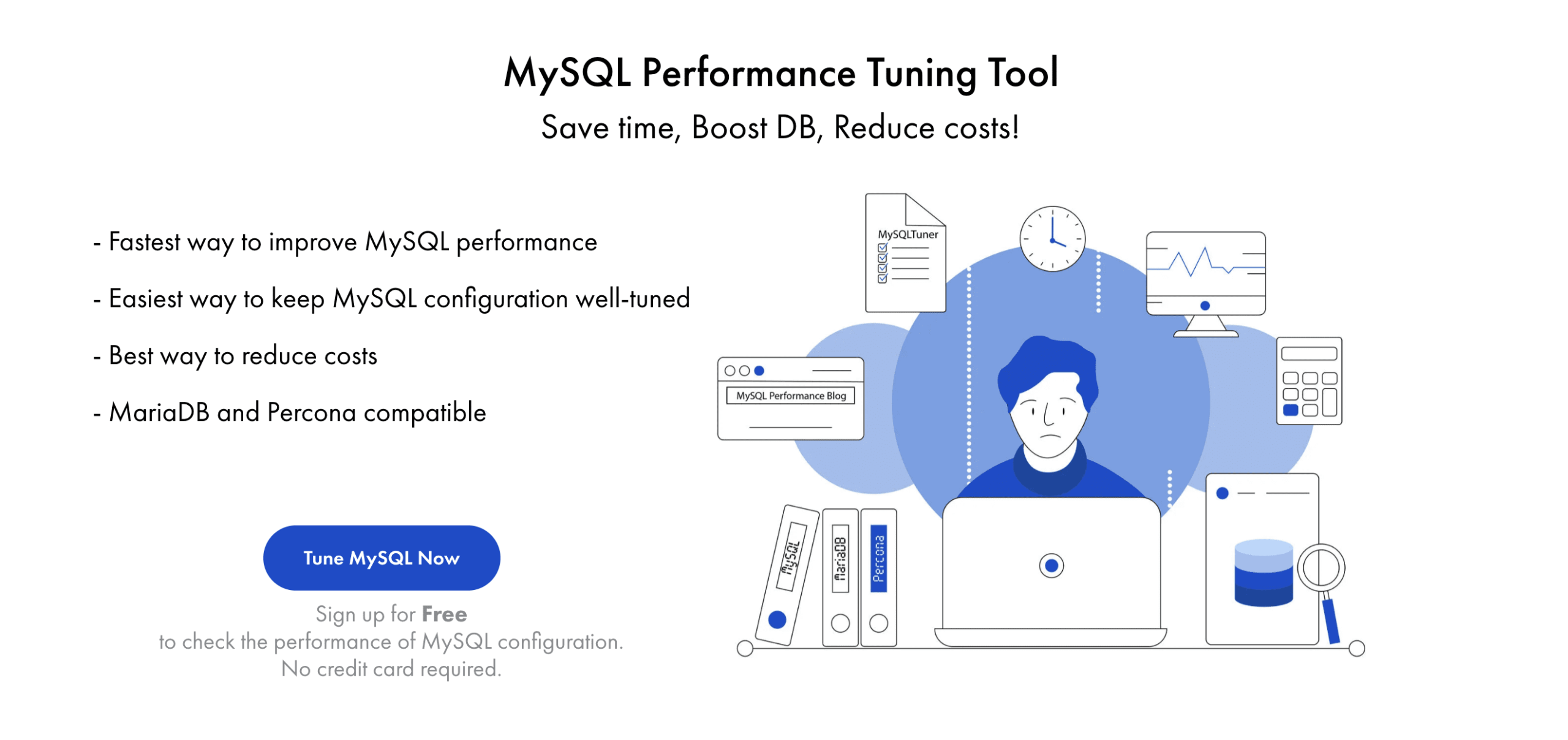
For websites that use MySQL as their database management system, the data processing speed on the website largely depends on the performance of the MySQL software on the server. For websites with substantial data, if the MySQL server is not optimized, it can easily lead to server overload issues.
In addition to optimizing the database structure, the data processing performance of MySQL is heavily influenced by the software configurations (located in the /etc/my.cnf file on the server). In this article, AZDIGI will introduce you to a convenient software called Releem, which specializes in monitoring performance and optimizing configurations on servers using MySQL/MariaDB. It is free to start and easy to use.
How Releem Works
Releem is a Software as a Service (SaaS) that operates by installing the Releem Agent on the server. It automatically sends relevant data about the MySQL server to the Releem system, including configuration information and the operational history of MySQL. This data is analyzed to provide the best optimization recommendations.
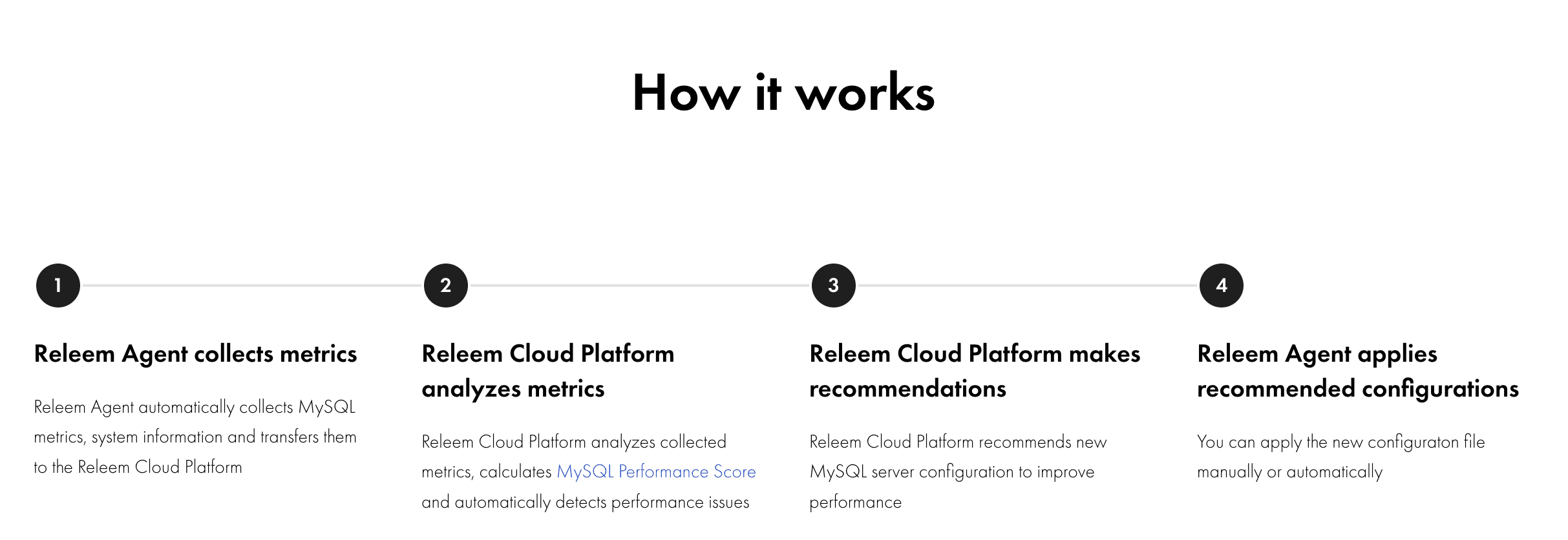
What’s unique about Releem is that it supports a script to automatically apply the suggested configurations if you prefer not to configure manually, saving you time. With the free package, Releem offers up to 10 basic customization recommendations to improve the performance of your MySQL server. Alternatively, you can upgrade to an advanced package starting from $49/month to receive additional custom optimization suggestions.
How to Use Releem
Step 1. Sign up for a free account
You can access the link https://app.releem.com/?signup to register for a free account and start using this tool.
Step 2. Add the server to Releem
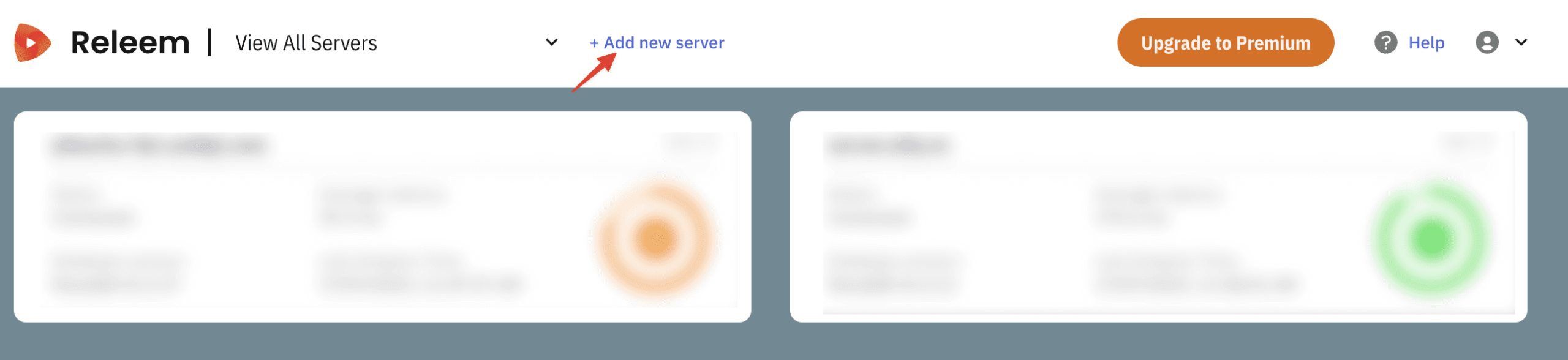
To begin, log in to Releem and add your server by clicking the Add new server button.
Afterward, you can choose the appropriate option that matches the current server setup. Note that if you are using MySQL on Docker or AWS RDS, please select the suitable option.
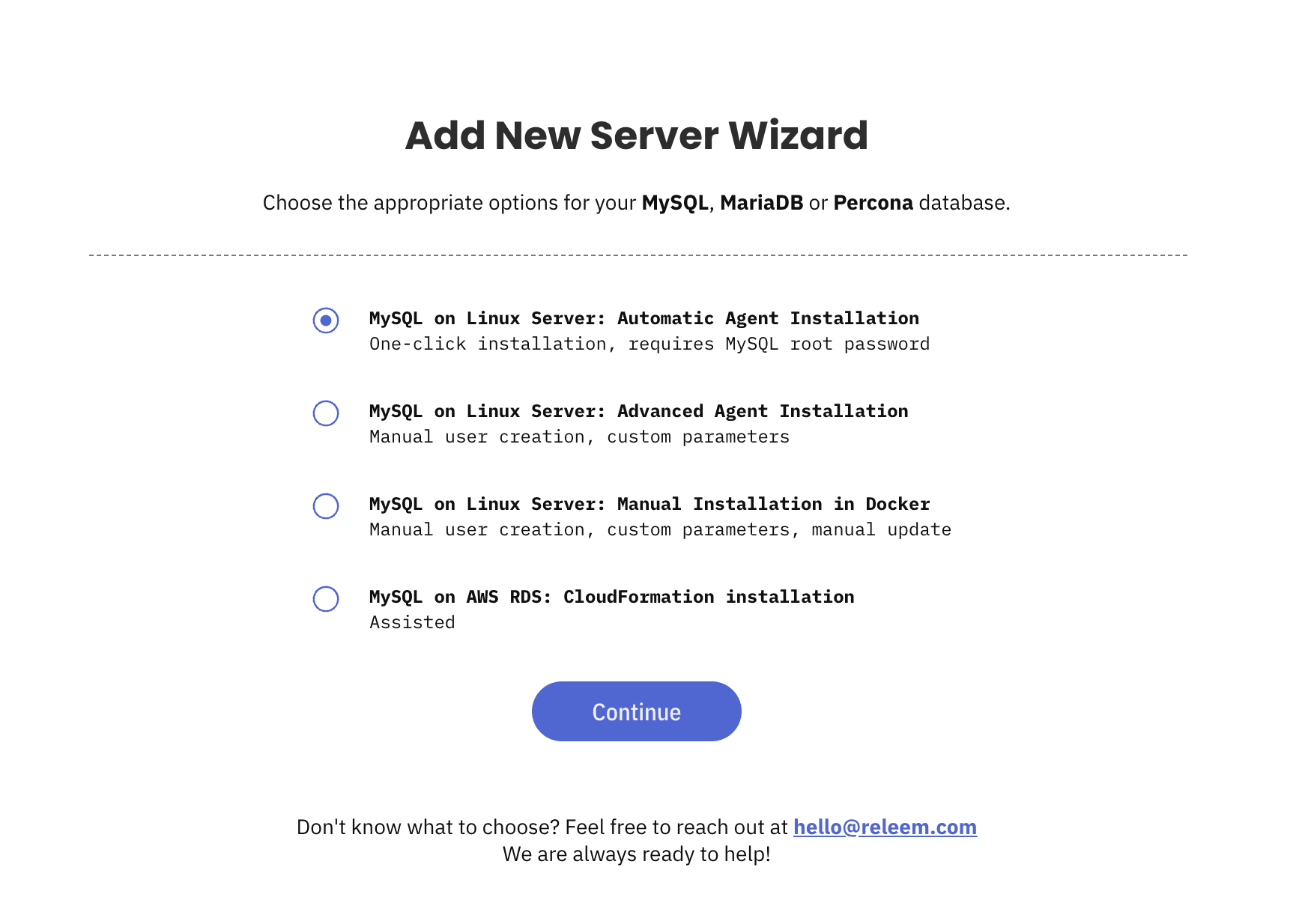
In the next step (if you choose the default option for automatic agent installation), you will need to enter the root password of MySQL. Then, copy the generated command below and install it on the server.
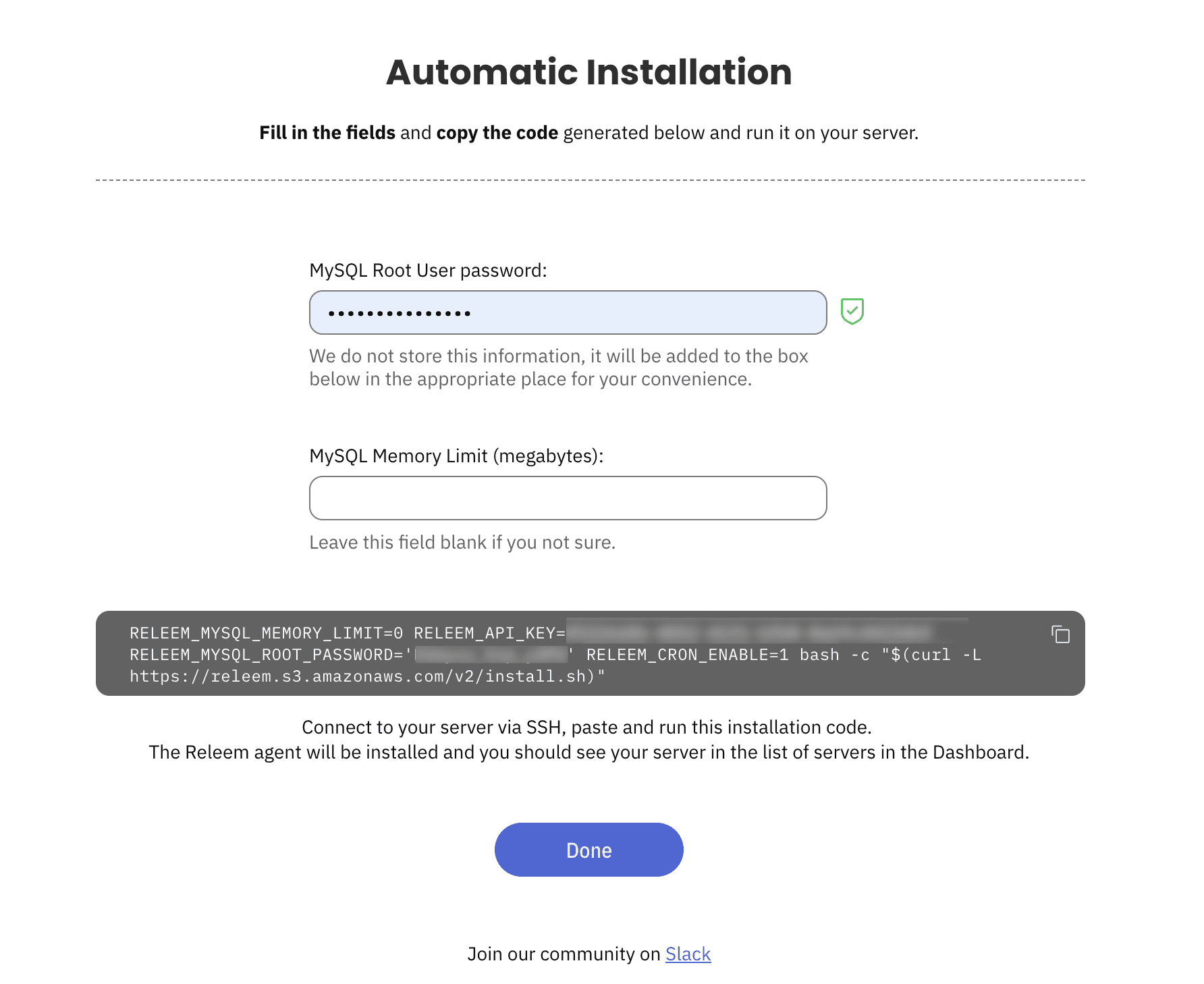
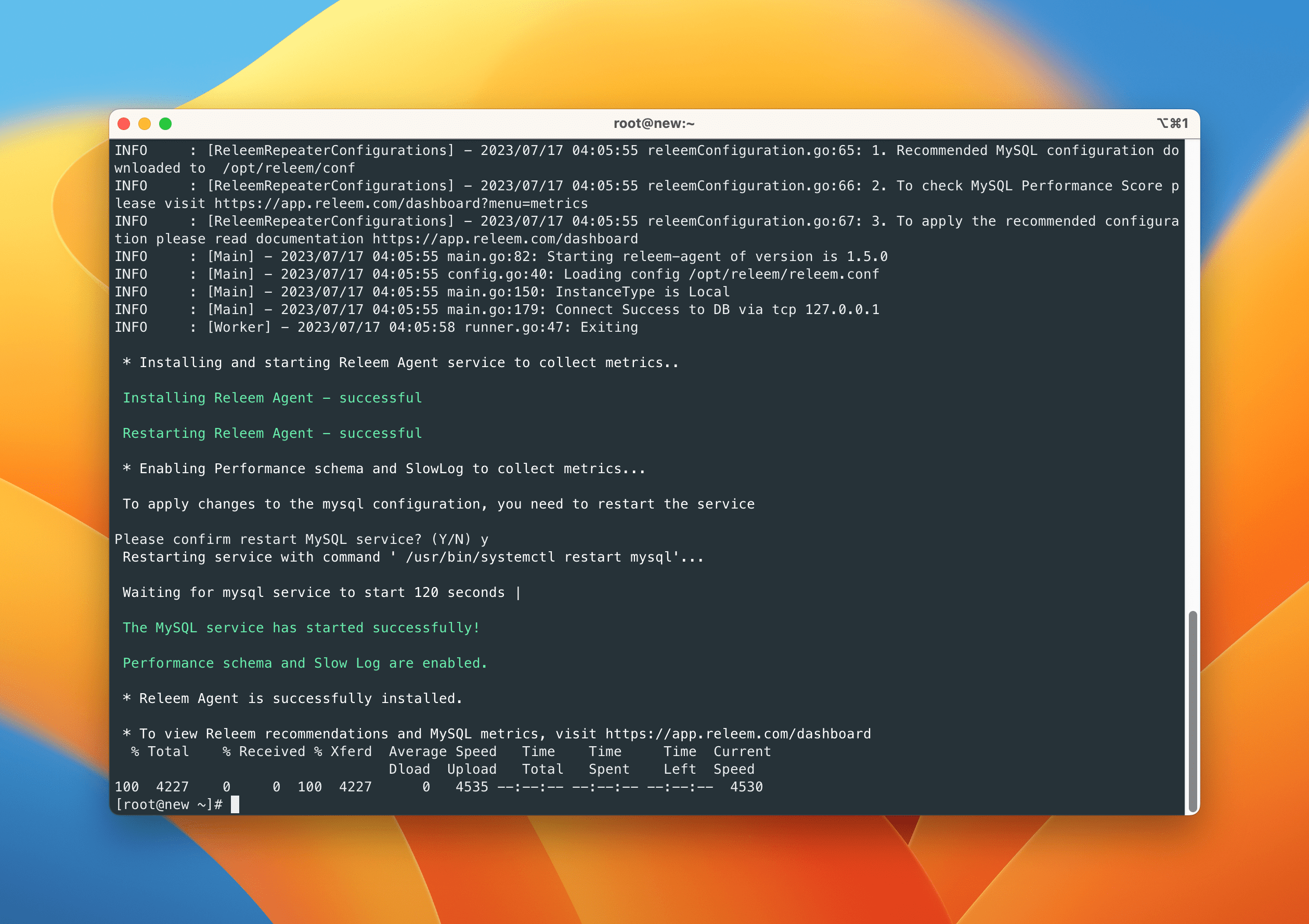
You will receive a notification on the server after the installation is completed, and MySQL will need to be restarted.
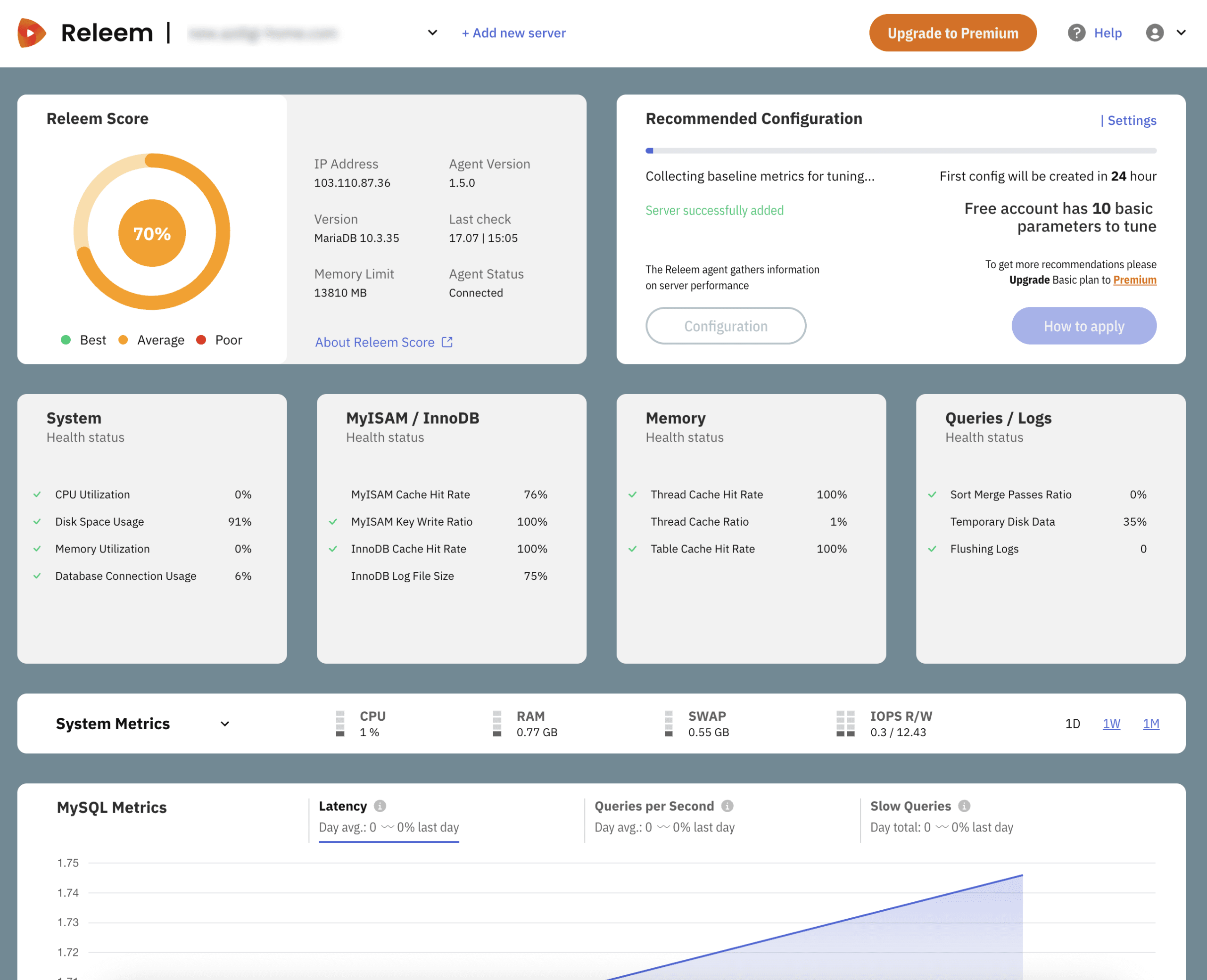
Once the server addition is complete, you will be able to view the statistics of the MySQL server in the interface. Releem will need at least 24 hours to collect server information to provide custom recommendations. Therefore, within the first 24 hours, you won’t need to perform any additional actions here.
Step 3. Configure MySQL based on Releem’s recommendations
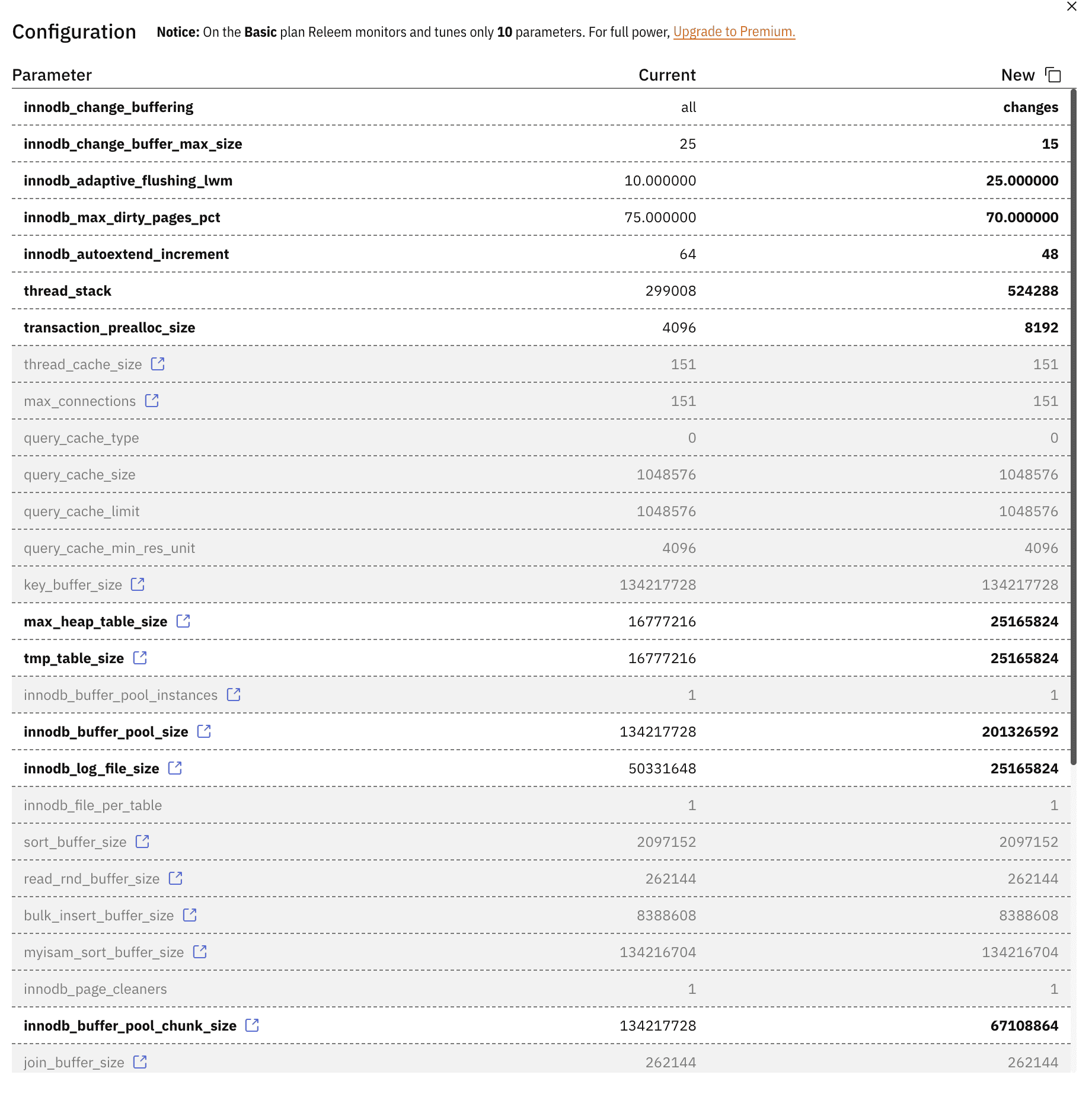
After the initial 24 hours of operation, Releem will suggest optimal configurations for your current MySQL server. To view the details of the suggested configurations, you can click on the “Configuration” button in the management interface.
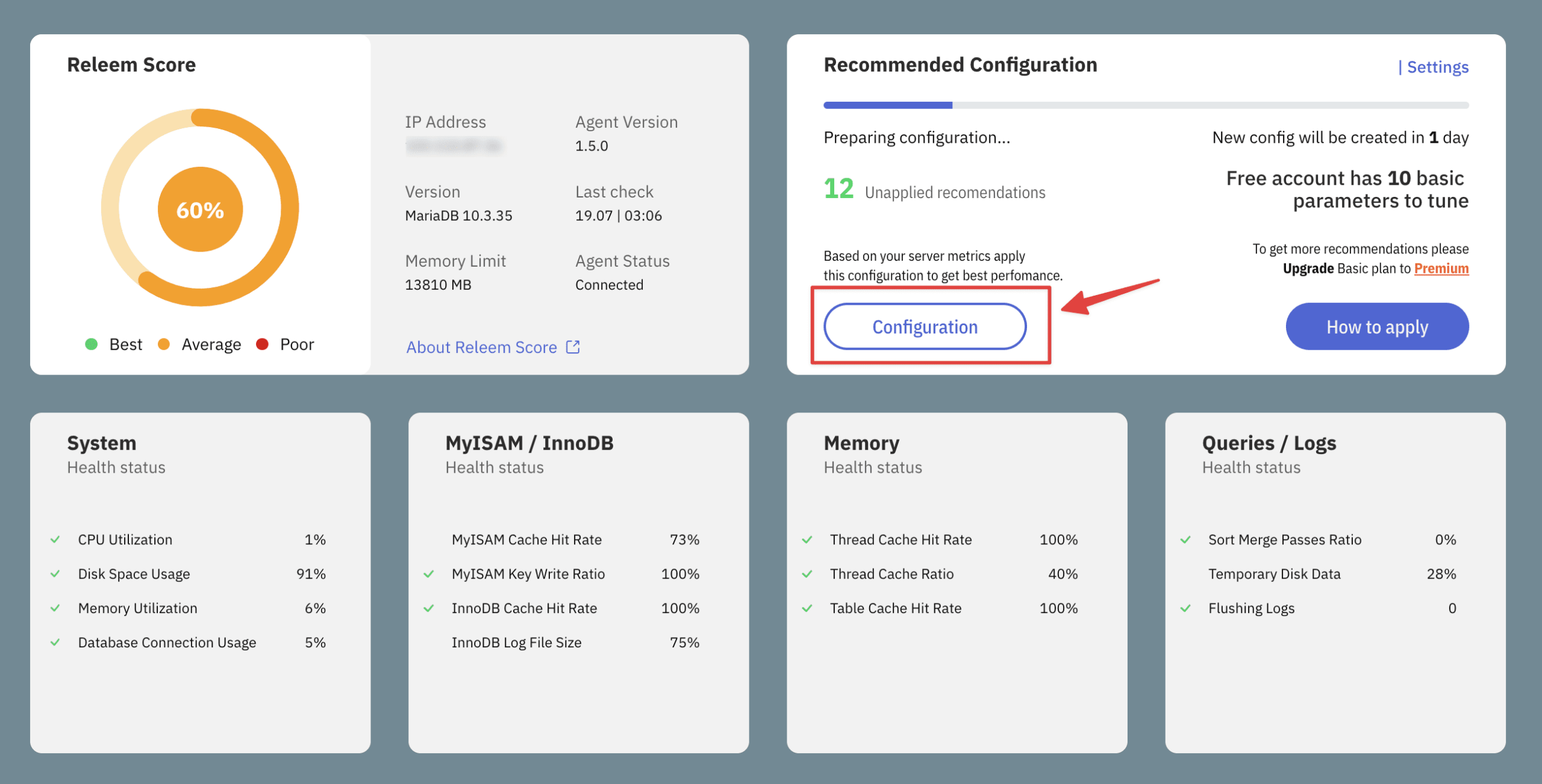
In this view, the “Current” column represents the current configuration values, while the “New” column displays the suggested configuration values. You can apply the configurations by adding or modifying the /etc/my.cnf file.
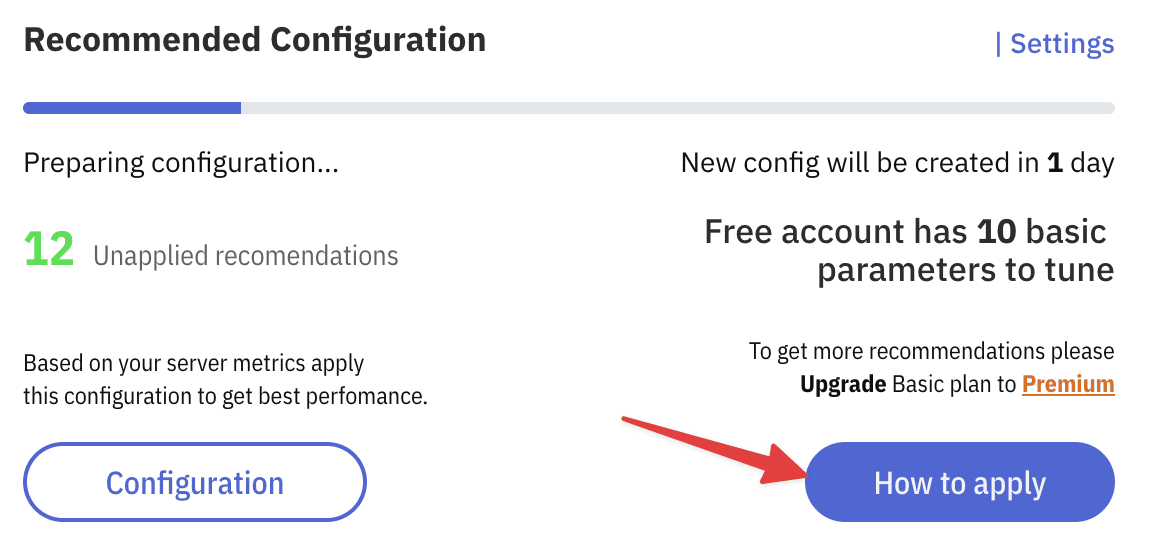
Alternatively, you can click on the “How to apply” button to get the command for automatic setup.
After completing the configuration, you will need to wait for Releem to re-read the settings and continue providing suggestions in the following days. If you want to receive more advanced configuration recommendations, you can upgrade to the premium package.
Conclusion
Releem is an excellent new tool for monitoring performance and optimizing configurations for MySQL servers. In practical experience, AZDIGI has applied this tool to several services and noticed significant improvements in server performance, thus accelerating websites or applications that utilize MySQL.
You might also like
- Monitoring MySQL/MariaDB with Zabbix Agent
- Ottomatik - Convenient automatic backup for MySQL and files on the server
- Optimize MySQL speed on DirectAdmin
- Databases on Coolify — MySQL, PostgreSQL, Redis, MongoDB
- Disable mysql-bin on DirectAdmin
- CrowdSec on Linux VPS - Next-Generation IDS to Replace Fail2ban
About the author

Thạch Phạm
Đồng sáng lập và Giám đốc điều hành của AZDIGI. Có hơn 15 năm kinh nghiệm trong phổ biến kiến thức liên quan đến WordPress tại thachpham.com, phát triển website và phát triển hệ thống.