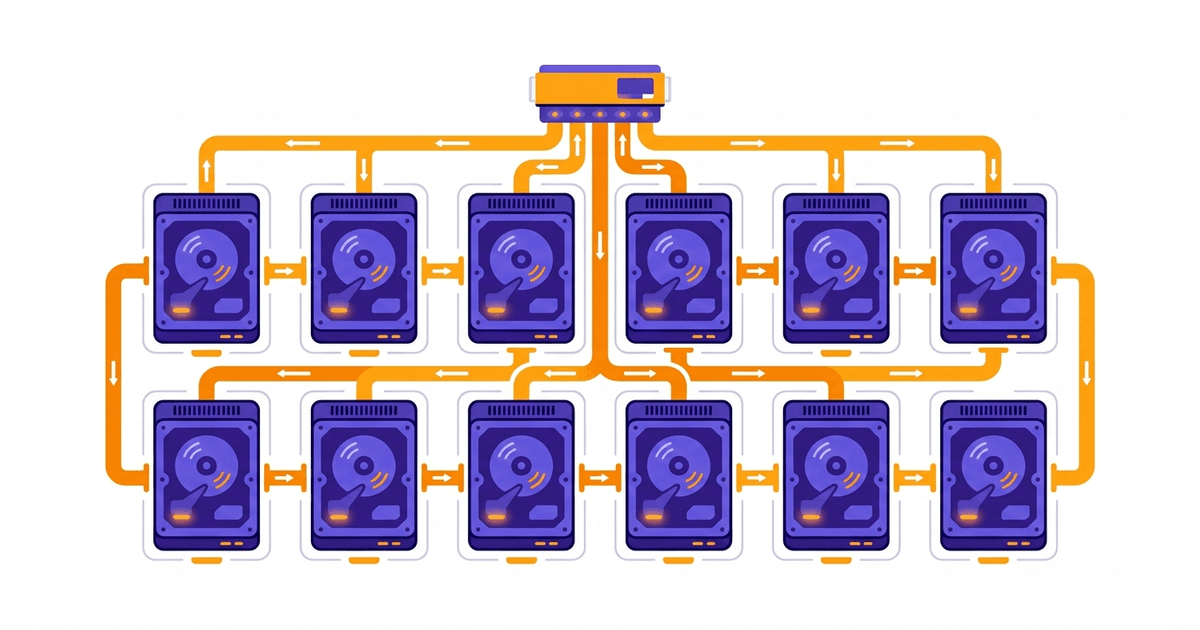
RAID (Redundant Array of Independent Disks) is a technology that combines multiple physical hard drives into a single storage system. The goal is to increase read/write speed, protect data when drives fail, or both.
The concept of RAID was first introduced in 1988 by a research group at the University of California, Berkeley. Initially, the “I” in RAID stood for “Inexpensive” (cheap), with the idea of using many small cheap drives instead of one large expensive drive. Later, the term was changed to “Independent” to be more accurate.
Today, RAID remains a standard component in most servers, storage systems, and professional hosting services.
Why Do We Need RAID?
Hard drives are mechanical components (HDD) or electronic (SSD), and all have limited lifespans. In a 24/7 server environment, drive failure is inevitable – it’s not a matter of “if” but “when”.
RAID solves two main problems:
- Data protection (redundancy): When one drive fails, data remains intact on other drives. The server continues operating normally while replacing the failed drive.
- Performance improvement: Data is distributed across multiple drives, parallel read/write operations help achieve faster speeds compared to using a single drive.
Depending on the RAID level, you can prioritize speed, prioritize safety, or balance both. The following section will cover each specific level.
Popular RAID Levels
RAID 0 (Striping)
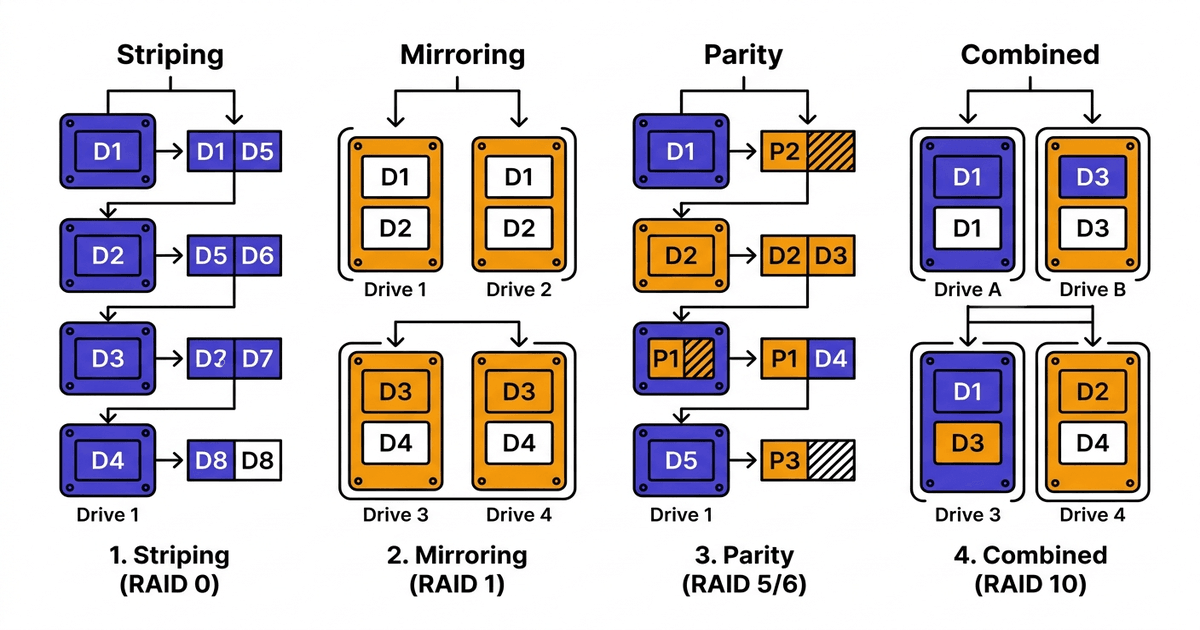
RAID 0 splits data into small blocks and writes them alternately across multiple drives. For example, with 2 drives: block 1 goes to drive A, block 2 goes to drive B, block 3 goes back to drive A, alternating continuously.
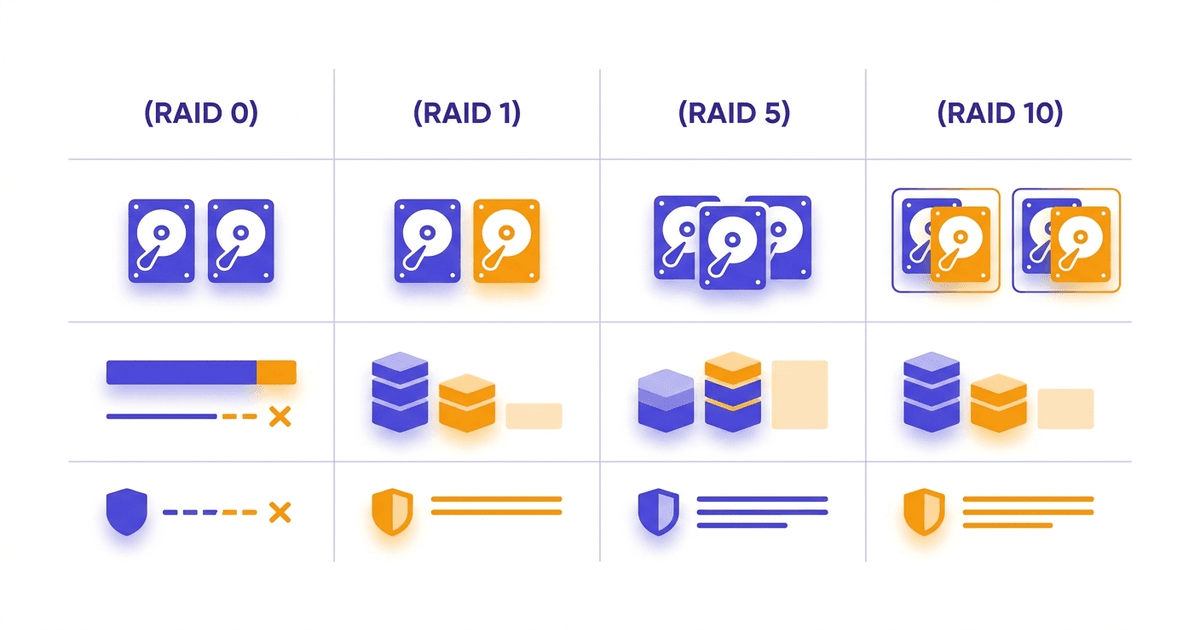
The advantage is that read/write speed scales almost linearly with the number of drives. 2 drives give nearly double speed, 4 drives give nearly 4x speed. All drive capacity is utilized.
Disadvantage: no protection mechanism whatsoever. A single drive failure means total data loss. RAID 0 is suitable for tasks requiring high speed where data can be recovered, such as video rendering or temporary cache.
- Minimum drives required: 2
- Usable capacity: 100%
- Fault tolerance: none
RAID 1 (Mirroring)
RAID 1 writes identical data to two drives (or more). Simply put, it creates an exact copy in real-time.
When one drive fails, the remaining drive still has complete data. Read speed can improve because the system reads from both drives in parallel. Write speed doesn’t improve since it must write to both drives simultaneously.
The most obvious disadvantage is wasted capacity. Using 2x 1TB drives only gives 1TB usable space. Storage cost doubles.
- Minimum drives required: 2
- Usable capacity: 50%
- Fault tolerance: 1 drive
RAID 5 (Striping + Parity)
RAID 5 combines striping with parity (checksum data). Data and parity are distributed evenly across all drives. When one drive fails, the system uses parity to calculate the missing data.
This is a RAID level that balances speed, capacity, and safety well. With 4x 1TB drives, you get 3TB usable space, losing 1TB for parity. Good read speed, write speed slower than RAID 0 due to parity calculation.
Limitation: can only tolerate 1 drive failure. If a second drive fails during rebuild, data is lost. With large drives (4TB and up), rebuild time can take dozens of hours, making this risk significant.
- Minimum drives required: 3
- Usable capacity: (n-1)/n
- Fault tolerance: 1 drive
RAID 6 (Double Parity)
RAID 6 is similar to RAID 5 but uses two parity blocks instead of one. Thanks to this, RAID 6 can withstand 2 simultaneous drive failures without data loss.
The benefit is greater peace of mind during rebuild. One drive fails, the system remains safe even if a second drive encounters problems during the rebuild process.
In exchange, write speed is slower than RAID 5 (more parity calculations) and loses capacity of 2 drives for parity. With 6x 1TB drives, you get 4TB usable.
- Minimum drives required: 4
- Usable capacity: (n-2)/n
- Fault tolerance: 2 drives
RAID 10 (RAID 1+0)
RAID 10 combines mirroring (RAID 1) and striping (RAID 0). Data is mirrored first, then striped across mirror pairs.
For example with 4 drives: drives A and B form one mirror pair, drives C and D form the second mirror pair. Data is striped between the two pairs. The result is both the high speed of striping and the safety of mirroring.
RAID 10 can tolerate at least 1 drive failure, and potentially up to 2 drives if the two failed drives are in different mirror pairs. Both read/write speeds are good. Rebuild time is fast because it only needs to copy from the surviving mirror drive.
Disadvantage: loses 50% capacity for mirroring, and requires minimum 4 drives. Despite this, RAID 10 is the most popular choice for database servers, web servers, and systems requiring both performance and reliability.
- Minimum drives required: 4
- Usable capacity: 50%
- Fault tolerance: at least 1 drive (maximum n/2 if each pair only loses 1)
RAID Level Comparison Table
| Criteria | RAID 0 | RAID 1 | RAID 5 | RAID 6 | RAID 10 |
|---|---|---|---|---|---|
| Minimum drives | 2 | 2 | 3 | 4 | 4 |
| Usable capacity | 100% | 50% | (n-1)/n | (n-2)/n | 50% |
| Drive fault tolerance | 0 | 1 | 1 | 2 | 1-n/2 |
| Read speed | Very high | High | High | High | Very high |
| Write speed | Very high | Average | Average | Lower than RAID 5 | High |
| Rebuild time | None | Fast | Slow | Very slow | Fast |
| Suitable applications | Cache, rendering | Small critical data | File server, NAS | Large storage, archive | Database, web server |
If you want to learn more deeply, see detailed comparison of each RAID level or the analysis article RAID 10 vs RAID 5.
Hardware RAID vs Software RAID
There are two ways to implement RAID: using hardware (hardware RAID) and using software (software RAID).
Hardware RAID uses a dedicated RAID controller card with its own processing chip and cache memory. This card manages all RAID operations without using the server’s CPU and RAM. Popular models include LSI MegaRAID, Dell PERC, HP Smart Array.
Advantages of hardware RAID include stable performance, battery backup (BBU) support to protect cache during power outages, and independent operation from the operating system. Disadvantages are high cost and dependence on the card model (if the card fails, you need the same type of card to read the data again).
Software RAID uses the server’s CPU and RAM to manage RAID. Linux has mdadm, Windows has Storage Spaces, macOS has Disk Utility. No need to buy additional hardware.
Software RAID is more flexible, easier to expand, and lower cost. However, it shares CPU/RAM resources with the system. With modern SSD/NVMe, software RAID performs quite well because modern CPUs can handle parity processing easily.
In practice, enterprise servers typically use hardware RAID. VPS and cloud typically use software RAID or distributed storage solutions.
Does RAID Replace Backup?
No. This is a common misconception.
RAID protects against hardware failures (drive failures). But RAID does not protect against:
- Accidental file deletion, the system deletes simultaneously across all drives
- Ransomware encrypting data, all drives get encrypted
- Software bugs overwriting data incorrectly
- RAID controller failure making the entire array unreadable
- Natural disasters, fires destroying the entire server
RAID keeps the server running continuously when drives fail. Backup keeps data recoverable when everything else fails. These two complement each other, they don’t replace each other.
The rule remains 3-2-1: three copies, two different media types, one offsite.
RAID Applications in Hosting and Servers
In the hosting industry, RAID is a mandatory standard. Specifically:
Web servers and hosting: Most use RAID 10 or RAID 5. For web servers serving many websites, RAID 10 provides the best read/write speeds, especially for random I/O tasks like database queries.
VPS and cloud: VPS infrastructure typically runs on RAID 10 with NVMe drives to ensure speed for multiple VPS simultaneously. At AZDIGI, the NVMe VPS system uses NVMe U.2 RAID-10 technology for outstanding read/write speeds compared to conventional SATA SSD.
Database servers: MySQL, PostgreSQL, MongoDB all have very random read/write patterns. RAID 10 is the most popular choice for production databases because of good write speed and fast rebuild.
Backup and storage: Backup systems and NAS typically use RAID 5 or RAID 6. More usable capacity, write speed is less important since backups typically run on schedule.
Frequently Asked Questions
Does RAID replace backup?
No. RAID only protects when hard drives fail. If you have accidental deletion, ransomware, or software errors, RAID won’t help. Always need backup alongside RAID.
How many hard drives does a server need minimum for RAID?
Minimum 2 drives for RAID 0 or RAID 1. RAID 5 needs 3 drives, RAID 6 and RAID 10 need 4 drives. The specific number depends on the RAID level you choose.
Which RAID is most popular for web servers?
RAID 10 is the most popular choice for web servers and database servers. The reason is RAID 10 provides good read/write speeds, fast rebuild, and good drive fault tolerance. RAID 5 is also used when optimizing capacity is more important than speed.
How do Hardware RAID and Software RAID differ?
Hardware RAID uses a dedicated controller card with processing chip and memory, not sharing resources with the server. Software RAID uses the server’s CPU and RAM for management. Hardware RAID is more stable but expensive. Software RAID is flexible, cheap, and good enough with modern SSD/NVMe.
If you’re looking for VPS running on RAID 10 NVMe platform with high performance, check out high-quality VPS at AZDIGI.
You might also like
- RAID 0, 1, 5, 6: A Detailed Comparison of Each RAID Level
- RAID 10 vs RAID 5: Which to choose for your server?
- The features of NVMe U.2 RAID-10 technology at AZDIGI
- NVMe Hosting vs SSD Hosting: A Detailed Performance Comparison
- Turbo Business Hosting AZDIGI - The Next Generation: Pioneering Technology
- What is Business Hosting? Guide to Choosing the Right Plan
About the author

Trần Thắng
Expert at AZDIGI with years of experience in web hosting and system administration.