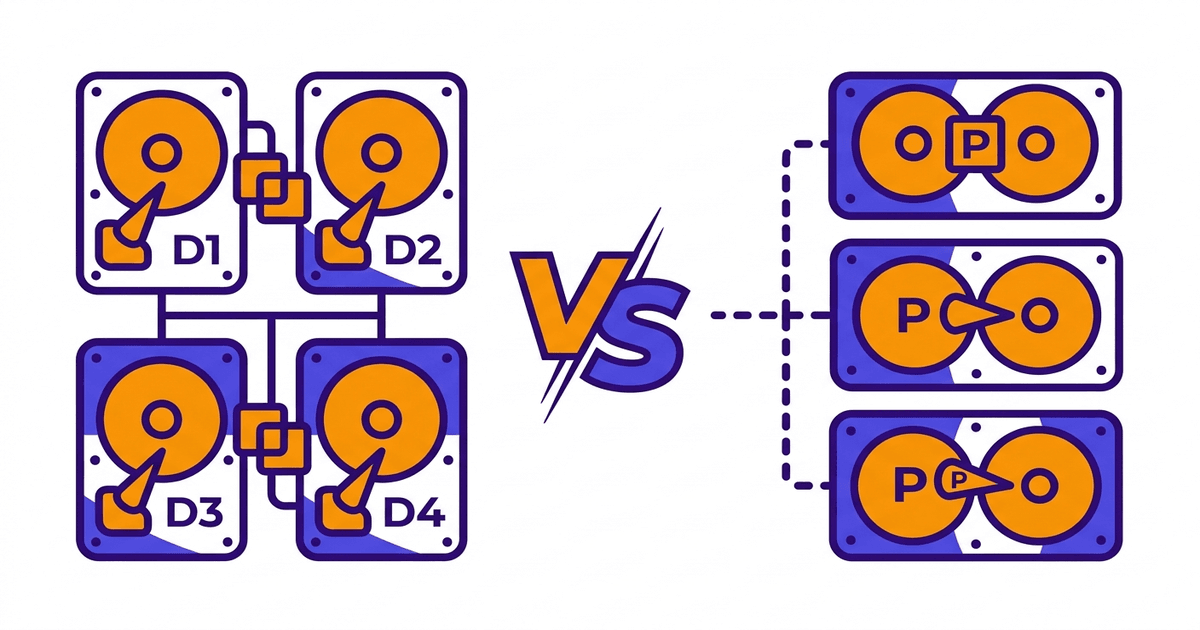
RAID 10 and RAID 5 are the two most popular RAID configurations for servers. Both protect data when drives fail, but their mechanisms are completely different. Choose wrong and you either waste drive space, get slow server performance, or lose data during rebuild.
This article puts RAID 10 and RAID 5 side by side, compares every important criterion, and provides guidance on choosing the right one for each type of server.
Quick Overview
RAID 10 combines mirroring (RAID 1) and striping (RAID 0). Data is duplicated to 2 identical drives (mirror), then multiple mirror pairs are combined in parallel (stripe). Fast writes because no parity calculation needed. Fast rebuild because it only copies from mirror drive. Uses 50% capacity, requires minimum 4 drives.
RAID 5 uses striping combined with distributed parity. Data and parity are distributed evenly across all drives. When 1 drive fails, the system uses parity to calculate the lost data. More space-efficient than RAID 10, requires minimum 3 drives. But slower writes and longer rebuild times.
If you need to see other RAID levels (RAID 0, 1, 6), the comprehensive comparison article has complete information.
Direct Comparison Table
| Criteria | RAID 10 | RAID 5 |
|---|---|---|
| Minimum drives | 4 | 3 |
| Usable capacity (4 x 1TB drives) | 2TB (50%) | 3TB (75%) |
| Drive failure tolerance | 1 drive per mirror pair | 1 drive total array |
| Sequential read speed | High | High |
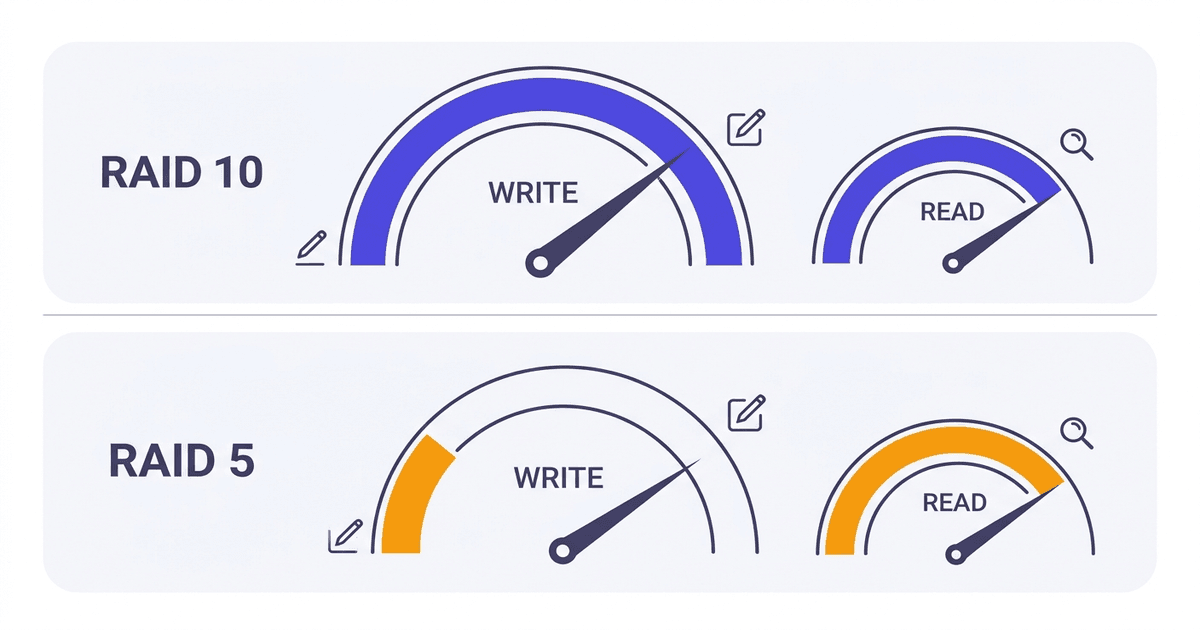
| Random write speed | Very high | Medium (write penalty) |
| Rebuild time (4 x 2TB drives) | 1-2 hours | 4-8 hours |
| Cost per usable TB | Higher | Lower |
| Risk during rebuild | Low | High (URE) |
| Performance when degraded | Nearly normal | Noticeably reduced |
Write Performance: RAID 10 Wins Clearly
This is the biggest difference between the two configurations, and also the main reason production servers choose RAID 10.
RAID 10 simple writes: The controller only needs to write the original to drive A and the mirror to drive B in the same pair. Two parallel write operations, done.
RAID 5 complex writes: Every time a data block is written, the controller must perform a “read-modify-write” process:
- Read old data at the position to be written
- Read corresponding old parity
- Calculate new parity from new data and old parity (XOR)
- Write new data
- Write new parity
5 I/O operations for 1 write. That’s why RAID 5 has a large “write penalty”.
In real-world benchmarks, RAID 10 is typically 2 to 3 times faster than RAID 5 in random write IOPS. With workloads like databases (MySQL, PostgreSQL), email servers, or VPS nodes running multiple virtual machines, write performance directly impacts application speed.
Some RAID controllers have write cache (battery-backed) that helps reduce RAID 5’s write penalty. But when the cache fills up (under sustained heavy load), RAID 5 write performance still drops significantly.
Read Performance: Nearly Equal
Both RAID 10 and RAID 5 read fast thanks to striping. Data is distributed across multiple drives, allowing parallel reads by the controller.
RAID 10 has a small advantage: the controller can read from both drives in each mirror pair, distributing requests more flexibly. But the difference isn’t significant in practice.
With read-heavy, write-light workloads (web servers serving static content, CDN origin, read replica databases), both perform well. Under these conditions, RAID 10’s write advantage doesn’t matter, and RAID 5 saves more storage space.
Rebuild Time: RAID 10 Much Faster
Rebuild is the process of restoring data when replacing a new drive into the array after 1 drive fails. The rebuild mechanisms are completely different between the two types.
RAID 10 rebuild: Controller copies data from the remaining drive in the same mirror pair to the new drive. Volume of data to read = capacity of 1 drive. Other mirror pairs are unaffected, system still runs nearly normally.
RAID 5 rebuild: Controller must read all data on all remaining drives in the array, calculate parity backwards to recover failed drive data, then write to new drive. Volume to read = total capacity of all remaining drives. The entire array is under load throughout the process.
Specific example: 4 drives x 2TB array.
- RAID 10: rebuild reads 2TB from 1 mirror drive. Time about 1-2 hours with NVMe, 3-4 hours with SATA SSD.
- RAID 5: rebuild reads 6TB from 3 remaining drives, calculates parity, writes 2TB. Time 4-8 hours with NVMe. With HDD, can take 12-24 hours.
Long rebuild time means the system stays in “degraded” state (lost protection) longer. In this state, if another drive fails, data is lost.
With RAID 10, degraded state only affects 1 mirror pair, other pairs still have full protection. With RAID 5, the entire array has no protection during rebuild.
URE Risk During RAID 5 Rebuild
URE (Unrecoverable Read Error) is a read error that cannot be recovered, occurring randomly on any drive. This isn’t a “drive failure” but a failure to read 1 specific sector.
Typical URE rates:
- Enterprise HDD: 1 error per 10^15 bits read (about 114TB)
- Enterprise SSD/NVMe: 1 error per 10^17 bits read (about 11.4PB)
When RAID 5 rebuilds, the controller must read all data on remaining drives. With a 4-drive HDD x 4TB array, it needs to read 12TB. Probability of encountering at least 1 URE in 12TB: about 10%. This number increases with array capacity.
If URE occurs during rebuild, the controller cannot calculate parity backwards for that sector. Result: rebuild fails, data lost.
RAID 10 is less affected because rebuild only reads from 1 drive (2-4TB instead of 12TB), much lower probability of URE. With NVMe/SSD, URE rates are already very low, so this risk is almost negligible.
However, with large capacity HDDs (4TB, 8TB, 16TB) on RAID 5, URE risk during rebuild is a real concern. This is why the industry is gradually moving from RAID 5 to RAID 6 or RAID 10 for large HDD arrays.
Cost: RAID 5 More Economical
RAID 10 loses 50% capacity to mirroring. RAID 5 only loses 1 drive for parity. With more drives in the array, RAID 5 becomes more economical.
Specific example:
Need 10TB usable capacity:
- RAID 10: need 20TB of drives (10 x 2TB drives or 5 x 4TB drives, always even number)
- RAID 5: need about 14TB of drives (7 x 2TB drives, usable capacity = 12TB)
Drive cost difference: 30-40% depending on drive prices.
With storage servers holding tens of TB of data (backup, archive, media), RAID 5 or RAID 6 saves significantly. With production servers needing only a few TB for database/OS/website, RAID 10’s extra cost isn’t much compared to uptime and performance value.
Performance When Degraded
When 1 drive has failed but hasn’t been replaced yet, the array runs in “degraded” state. Performance in this state differs significantly.
RAID 10 degraded: Mirror pair missing 1 drive only reads from remaining drive. Read speed for that pair decreases (loses parallel reading ability), but other pairs remain normal. Write speed unaffected as controller still writes normally, just missing mirror copy.
RAID 5 degraded: Every read of data from the failed drive must be calculated backwards from parity + data on remaining drives. Entire array runs slower than normal. Writes are also slower because parity must be constantly updated.
With production servers needing stable uptime and performance, RAID 10 provides much better degraded experience.
When to Choose RAID 10, When to Choose RAID 5
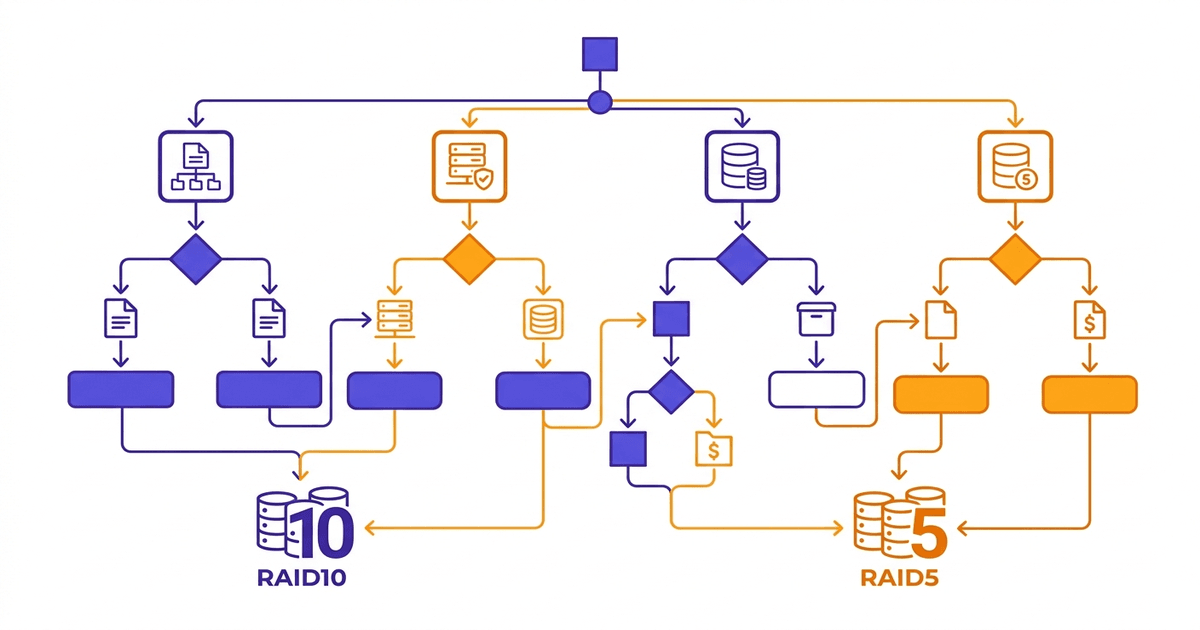
Choose RAID 10 when:
- Database server (MySQL, PostgreSQL, MongoDB, SQL Server)
- Email server (Exchange, Zimbra, iRedMail)
- Production VPS/hosting node serving multiple websites or virtual machines
- Virtualization server (VMware ESXi, Proxmox, Hyper-V)
- Heavy random write workload, need low latency
- Server using NVMe/SSD drives, want maximum speed utilization
- Uptime is priority #1, accept higher drive costs
Choose RAID 5 when:
- File server, internal storage NAS
- Backup storage, archive server
- Read-heavy, write-light workload (static content web server, CDN origin)
- Need large capacity with reasonable cost
- Array using small drives (under 2TB) and few drives (3-4 drives)
- Data can be recovered from other sources if array fails
If workload falls between choices (example: file server but also has write-heavy applications), RAID 6 might be a compromise: higher usable capacity than RAID 10, safer than RAID 5.
Conclusion
Production servers running database, email, hosting, VPS should use RAID 10. High write performance, fast rebuild, low risk. Drive costs are slightly higher, but in return get significantly better uptime and performance.
Storage servers, archives, backups, large capacity NAS can use RAID 5 (or RAID 6 if dual protection needed). Cost savings, higher usable capacity, suitable for read-heavy workloads.
All server infrastructure at AZDIGI uses NVMe U.2 RAID-10 drives for hosting and VPS, combining NVMe speed with RAID 10 safety to ensure high-level I/O performance and data protection.
Frequently Asked Questions
Can RAID 5 lose data during rebuild?
Yes, it’s possible. If during rebuild, any remaining drive encounters a read error (URE), rebuild fails and data may be lost. This risk increases with drive capacity and number of drives in array. With HDD 4TB and above, probability of URE during rebuild is not negligible. This is why many administrators have switched from RAID 5 to RAID 6 or RAID 10 for critical data.
Is RAID 10 worth double the cost?
“Double” is somewhat exaggerated. RAID 10 loses 50% capacity, but total server cost also includes CPU, RAM, motherboard, power supply, rack cabinet, bandwidth, staff. Drive cost typically only accounts for 15-25% of total server cost.
With database servers or VPS nodes, RAID 10 write performance directly impacts application speed. Fast rebuild reduces downtime risk. Considering total operational costs (including data loss risk), RAID 10 is usually worthwhile.
With storage servers needing tens of TB, drive cost difference becomes significant, and then RAID 5/6 is a more reasonable choice.
What RAID should small servers use?
Server with only 2 drive slots: RAID 1 is the only choice with protection. Simple, effective.
Server with 4 drives running mixed workload (web + database): RAID 10 for best performance and safety. 2TB usable from 4 x 1TB drives is enough for many applications.
Server with 4 drives needing large capacity, read-heavy workload (file share, backup): RAID 5 is more economical with 3TB usable, but accept higher rebuild risk.
If unsure, default to RAID 10. Extra cost isn’t much, but peace of mind about data and performance is very valuable.
You might also like
- RAID 0, 1, 5, 6: A Detailed Comparison of Each RAID Level
- What is RAID? Overview of Popular RAID Levels
- NVMe Hosting vs SSD Hosting: A Detailed Performance Comparison
- VPS SSD vs VPS NVMe: What's the difference, which one to choose?
- The features of NVMe U.2 RAID-10 technology at AZDIGI
- VPS vs Cloud Server: Which One Should You Choose?
About the author

Trần Thắng
Expert at AZDIGI with years of experience in web hosting and system administration.