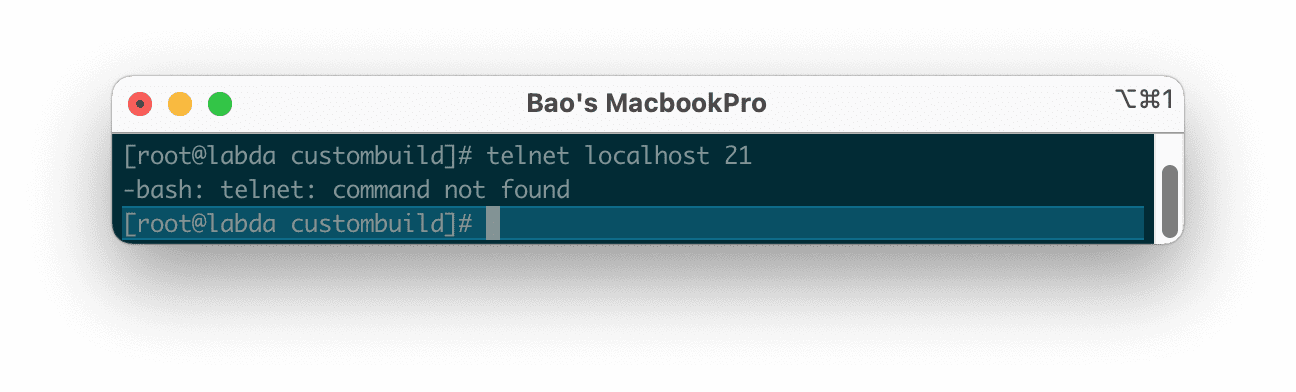
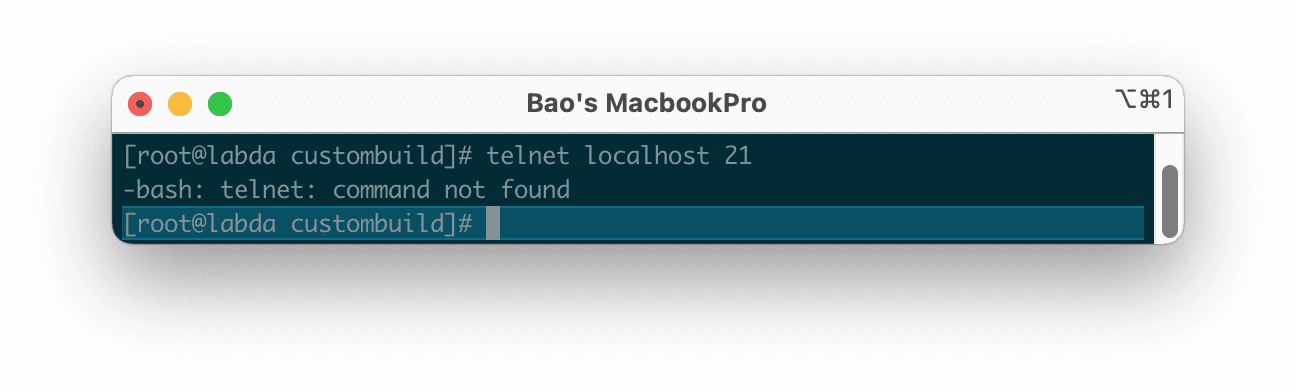
In this article, AZDIGI will help you fix the error of the Telnet command not found on CentOS and RHEL. Because in new versions of CentOS and RHEL, there will be no built-in Telnet and you have to install it if you want to use Telnet actively.
I. What is Telnet?
Telnet is an acronym that combines the words “teletype network”, “terminal network” or “telecommunications network”, generally referring to and related to telecommunications networks.
There are many definitions of Telnet, Telnet can be called a command line protocol used to manage various devices such as servers, PCs, routers, switches, cameras, remote firewalls, etc. Or Telnet is a computer protocol that provides capabilities for two-way interactive communication for computers on the internet and a local area network (LAN).
Telnet is responsible for providing remote connection, responsible for sending commands or data to a remote network connection, so they are very common in the network. This protocol appeared in 1969 and covered all the basic needs of a command line interface on the internet. After SSH was born, it was the successor of Telnet, so it solved the disadvantages of Telnet.
II. Fix the Telnet command not found error on CentOS/RHEL
To fix the telnet command not found error on CentOS/RHEL, we need to do the following 3 steps.
Step 1: SSH into your server
To fix the telnet command not found error on CentOS/RHEL, we first need to SSH or access your VPS/server as root. Or you can use a user with sudo privileges If you don’t know how to SSH into your VPS/Server, you can refer to the following tutorial:
After successfully SSH, we continue with step 2, to perform the installation.
Step 2: Install the EPEL repository
To install the EPEL repository, use the following command:
yum install epel-release -y
Below is the result when I use the above install command:

After the installation is complete, we continue to step 3 to execute the command to install the Telnet service.
Step 3: Command to install Telnet service
Depending on the version of CentOS/RHEL you are using, the commands will be different.
For CentOS 7
yum -y install telnet
Hoặc
sudo yum -y install telnet
For CentOS 8 using DNF
dnf -y install telnet
Hoặc
sudo dnf -y install telnet
Since I’m using CentOS 7, I will use the yum -y install telnet command and below is the result after I run the command:

Now you can completely use the telnet command without the same error as before.

telnet command not found on CentOS, RHEL has been resolved.III. Summary
If you are a server and network administrator, you will definitely use telnet. Hopefully, after this article, the problem of telnet command not found on CentOS, RHEL will no longer happen to you.
See more useful articles about Linux VPS at the following link:
If you need assistance, you can contact support in the ways below:
- Hotline 247: 028 888 24768 (Ext 0)
- Ticket/Email: You use the email to register for the service and send it directly to: support@azdigi.com .
You might also like
- nload - Monitor network bandwidth usage on Linux
- iftop - A detailed network bandwidth monitoring tool on Linux
- Fixing the "Another app is currently holding the yum lock" error on CentOS
- How to install Odoo on CentOS 8 (Open Source ERP and CRM)
- Fix the "The repository no longer has a Release file" error on Ubuntu
- htop - Monitoring Linux server processes
About the author

Thạch Phạm
Đồng sáng lập và Giám đốc điều hành của AZDIGI. Có hơn 15 năm kinh nghiệm trong phổ biến kiến thức liên quan đến WordPress tại thachpham.com, phát triển website và phát triển hệ thống.