Similar to other tools like PuTTY, XShell, WinSCP is also a tool that supports FTP and SFTP. And in today’s article, AZDIGI will guide you to use WinSCP to connect to a Linux server or VPS that supports SSH protocol.
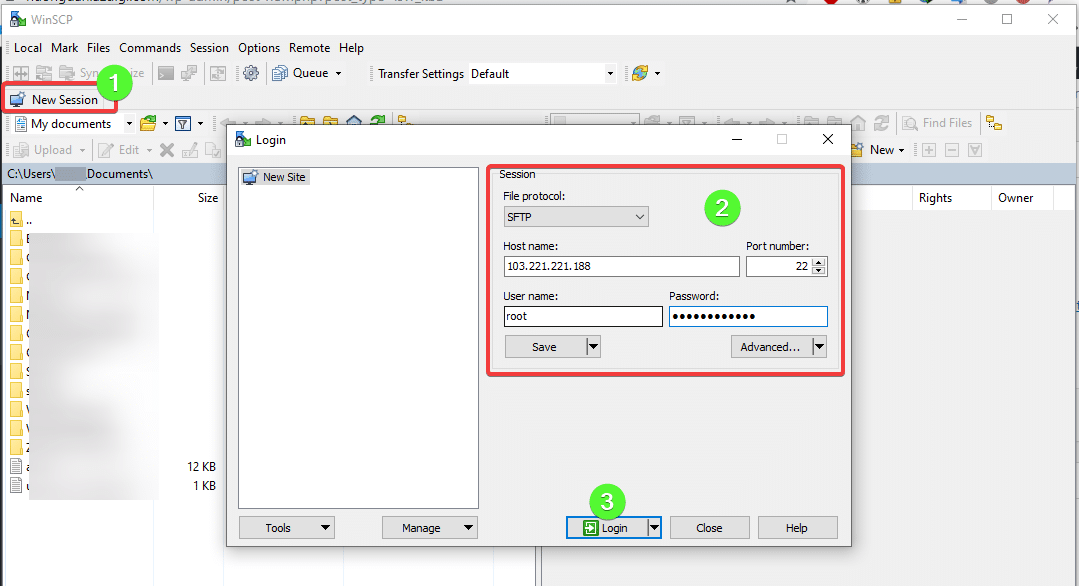
As shown below, click New Session to create a window and enter root information
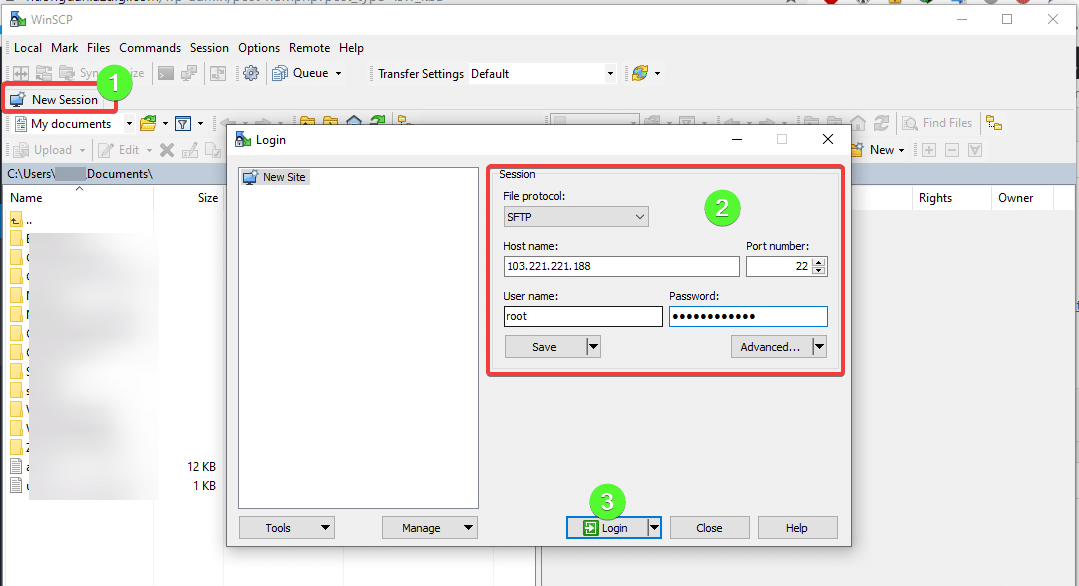
You choose YES to continue.
In the interface below, you can customize the file with the SFTP protocol.

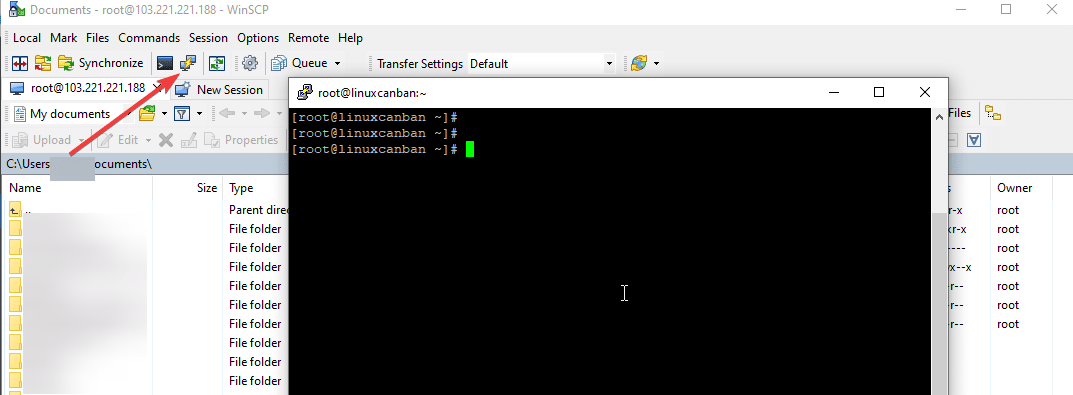
To open the Terminal window, click on the icon as below, the system will display the Terminal interface with Putty.
Wishing you success!
This article has been reviewed by AZDIGI Team
About the author

Thạch Phạm
Đồng sáng lập và Giám đốc điều hành của AZDIGI. Có hơn 15 năm kinh nghiệm trong phổ biến kiến thức liên quan đến WordPress tại thachpham.com, phát triển website và phát triển hệ thống.
10+ years serving 80,000+ customers