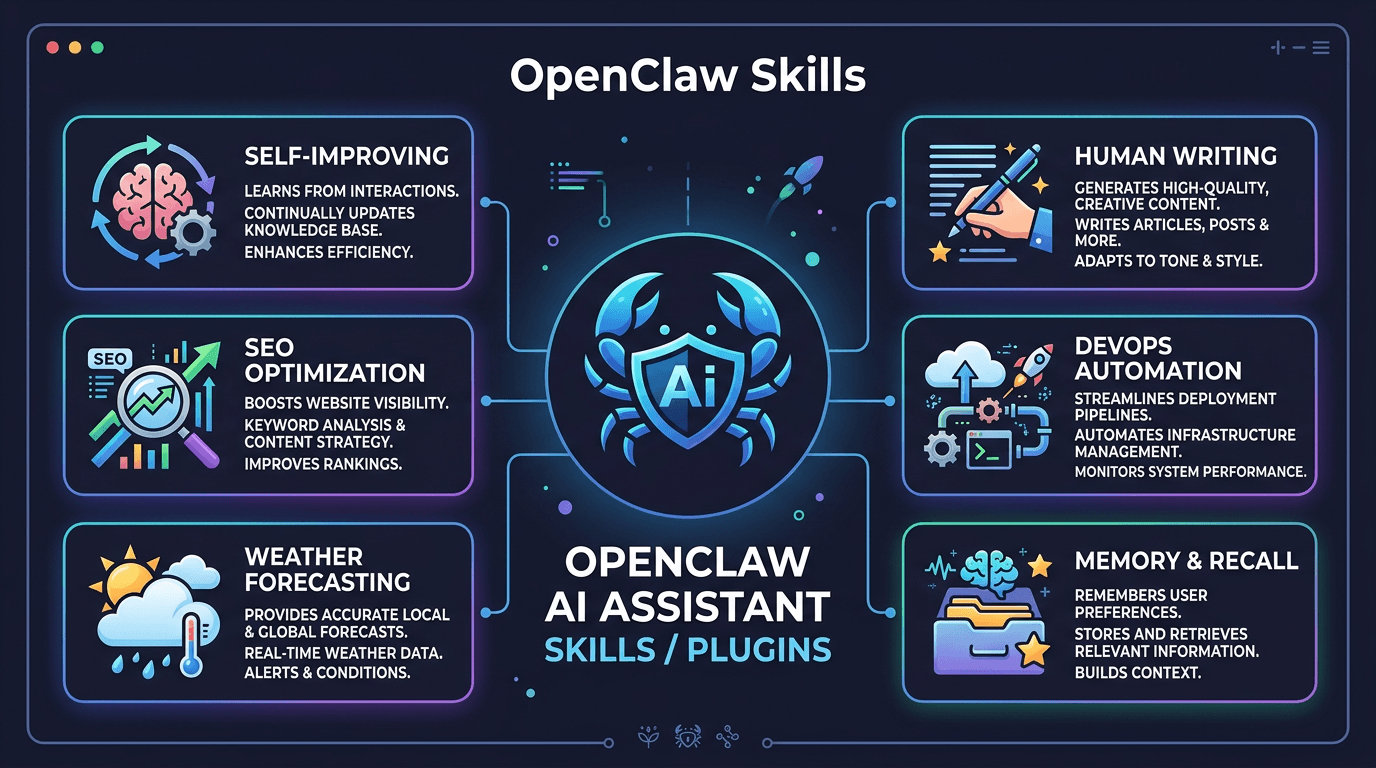
OpenClaw can be extended with additional functionality through Skills. Each skill is a set of guidelines or supplementary processes to help agents handle specific groups of tasks better, such as content writing, system management, or learning from previous work sessions.
One of the most popular places to find and install skills is ClawHub (clawhub.com). This is a community hub for OpenClaw skills that allows searching, installing, and updating through CLI.
In this article, I will review some noteworthy skills, along with basic installation methods and usage considerations. If you are new to OpenClaw or want to expand functionality, this is a reference list to check first.
How to Install Skills from ClawHub
Before diving into the list, let me briefly explain how to manage skills using the clawhub CLI. If your system does not have this tool available, you can install it separately via npm following ClawHub guidelines.
Search for Skills
To find skills related to a specific topic, use the search command:
clawhub search "seo"The results will show a list of matching skills with short descriptions.
Install Skills
clawhub install <slug>Skills are usually installed in the skills/ directory within the current workdir, unless you change it with --workdir or --dir. After installation, check the skill directory and try a relevant task to confirm OpenClaw recognizes it properly.
View Installed Skills List
clawhub listUpdate All Skills
clawhub update --allIf you install skills from ClawHub, check for updates regularly to avoid using outdated versions.
Each skill is usually a directory with a SKILL.md file and accompanying support files. Before long-term use, open SKILL.md to see what the skill does, when it activates, and if there are additional requirements.
Some Skills Worth Considering First
Below are skills worth considering first. This list does not mean you should install all of them, but choose according to actual needs.
1. self-improving-agent
If you want the agent to record errors, lessons learned, and times when users correct its methods, this is a skill worth looking at first.
How it works: whenever the agent encounters an error, gets corrected by you, or discovers a better way to do things, it will automatically record this in the .learnings/ directory. These lessons are categorized and saved, so in the next session, the agent does not repeat old mistakes.
More specifically:
- When a command fails, the agent automatically logs the cause and handling method
- When you correct the agent (“not like that, do it this way”), it records the correction
- When it discovers new capabilities are needed, it creates a feature request
- Lessons repeated 3+ times get promoted to hard rules, applied by default
Used correctly, this skill helps the agent limit repeating the same mistake in future work sessions.
clawhub install self-improving-agent2. human-writing
If you use OpenClaw to write articles, emails, reports, or public content, this is a skill to consider early.
The issue is AI tends to write following very recognizable patterns: using words like “delve”, “pivotal”, “unleash”, “it’s worth noting”, uniform sentence structure, every paragraph ending with a generic summary sentence. Read a few lines and you immediately know AI wrote it.
The human-writing skill solves this problem by teaching the agent to avoid typical AI patterns, write with a more natural voice, have variation in sentence structure, and maintain individual style instead of sounding like a “corporate robot”.
Especially useful if you write English content, where AI tells are more obvious.
clawhub install human-writing3. simplify-and-harden
This skill is for those who use OpenClaw for coding or config management. After the agent completes a coding task, the skill will automatically run an additional review step:
- Simplify: Find unnecessarily complex code, dead code, redundant logic, then simplify
- Harden: Check for hidden security vulnerabilities, missing validation, insufficient error handling
This skill pairs very well with self-improving-agent. When simplify-and-harden finds issues, self-improving-agent will record them so the agent writes better code from the start next time.
clawhub install simplify-and-harden4. seo
If you have a blog or website, the SEO skill will turn OpenClaw into a fairly comprehensive SEO tool:
- Website SEO audit: check meta tags, heading structure, internal links, page speed issues
- Keyword analysis: find potential keywords, evaluate difficulty
- Content optimization: suggest improvements to existing articles for better ranking
- Competitor analysis: analyze what keywords competitors are ranking for
This skill does not completely replace dedicated SEO tools, but is still useful if you need quick audits, content ideas, or checking basic points on your website.
clawhub install seoSome Skills Suitable for Specific Needs
The skills below are more suitable for specific use cases.
5. weather
Simple but convenient skill. Allows OpenClaw to check weather via wttr.in or Open-Meteo, no API key needed.
Most useful when you set up heartbeat (feature for OpenClaw to proactively check-in periodically). The agent can automatically check weather and report to you each morning, or warn if there is heavy rain.
clawhub install weather6. proactive-agent-lite
By default, OpenClaw operates in “you ask, it answers” mode. This skill changes that. The agent will be more proactive: self-suggest improvements, self-check related things, and offer suggestions you haven’t thought of.
Suitable if you want OpenClaw to play the role of a colleague rather than just a passive tool.
clawhub install proactive-agent-lite7. elite-longterm-memory
OpenClaw has a basic memory system through the MEMORY.md file. But if you need more complex memory management, this skill provides a tiering system:
- Short-term: Information in the current work session
- Long-term: Important things, preserved across sessions
- Archive: Old information but may need to reference again
Consider installing if you use OpenClaw regularly and find the default memory system insufficient.
clawhub install elite-longterm-memory8. devops
For sysadmins and those who use OpenClaw for server management. This skill adds knowledge and procedures for tasks like:
- Server management (health check, log analysis, resource monitoring)
- Deployment and CI/CD
- Docker, Kubernetes, cloud services
- Troubleshooting server issues
If you are using OpenClaw on a VPS and want it to support system administration, this is a skill to install.
clawhub install devopsDon’t Install Skills Indiscriminately
You should not install too many skills if you don’t really need them. Here are a few reasons:
Token cost and longer processing time. Each installed skill adds to the system prompt that the agent must read on every processing turn. 5 skills are fine, 20 skills make the prompt considerably longer, costing tokens and increasing response time.
Potential conflicts. Two skills with the same function may give contradictory guidance, causing the agent to receive conflicting directions and produce less stable results.
Difficult to check and troubleshoot. When there are problems, more skills mean more variables to check.
Note: Before installing a skill, read the description on ClawHub and check the SKILL.md content. Only keep skills that actually serve the work you are doing.
Creating Your Own Skills
Besides installing from ClawHub, you can completely write your own skills. The basic process:
- Create a new directory in
~/.openclaw/workspace/skills/ - Write a
SKILL.mdfile describing what the skill does, when it activates, and detailed instructions for the agent - Add support files if needed (scripts, templates, reference docs)
SKILL.md is the file that describes how the skill operates, activation conditions, and accompanying instructions. The clearer this file is, the easier the agent can apply it correctly.
I have a more detailed guide on how to create skills: Installing and Creating Skills for OpenClaw. If you want to learn more deeply, read that article.
Summary
Below is a summary table of the skills mentioned in this article:
| Skill | Main Purpose | Suitable For |
|---|---|---|
| self-improving-agent | Record errors, lessons, and corrections | Regular OpenClaw users |
| human-writing | Support more natural writing, reduce robotic tone | Article writers, email, reports |
| simplify-and-harden | Review code and config toward cleaner, more secure | Developers, system administrators |
| seo | Support basic SEO audit and content review | Websites, blogs, content teams |
| weather | Check weather, suitable for heartbeat | Personal users |
| proactive-agent-lite | Increase agent proactivity | Those who want agent to suggest more tasks |
| elite-longterm-memory | Extend long-term memory capabilities | Multi-session users, multiple contexts |
| devops | Add workflow related to system administration | Sysadmin, DevOps |
If just starting, prioritize skills that directly serve current needs, rather than installing many at once.
Then you can add gradually according to specific needs. For example: writing content then consider human-writing, system management then consider devops, working with SEO content then look at seo.
Besides existing skills on ClawHub, you can also create your own skills for special processes. This is suitable when your needs do not match existing skills.
You might also like
- What Is Hermes Agent? Installation and Usage Guide
- What is MCP? How AI agents connect to tools and external data
- OpenClaw hybrid: Gateway on VPS + Node on local Mac
- OpenClaw Security: Step-by-Step Safe Configuration Guide
- Integrating OpenViking into OpenClaw: Upgrading AI Agent Memory, Reducing Token Costs by 83%
- What is Claude Code Channels? Complete Guide to Connecting Claude Code with Telegram and Discord
About the author

Trần Thắng
Expert at AZDIGI with years of experience in web hosting and system administration.