Overview
What is Softaculous?
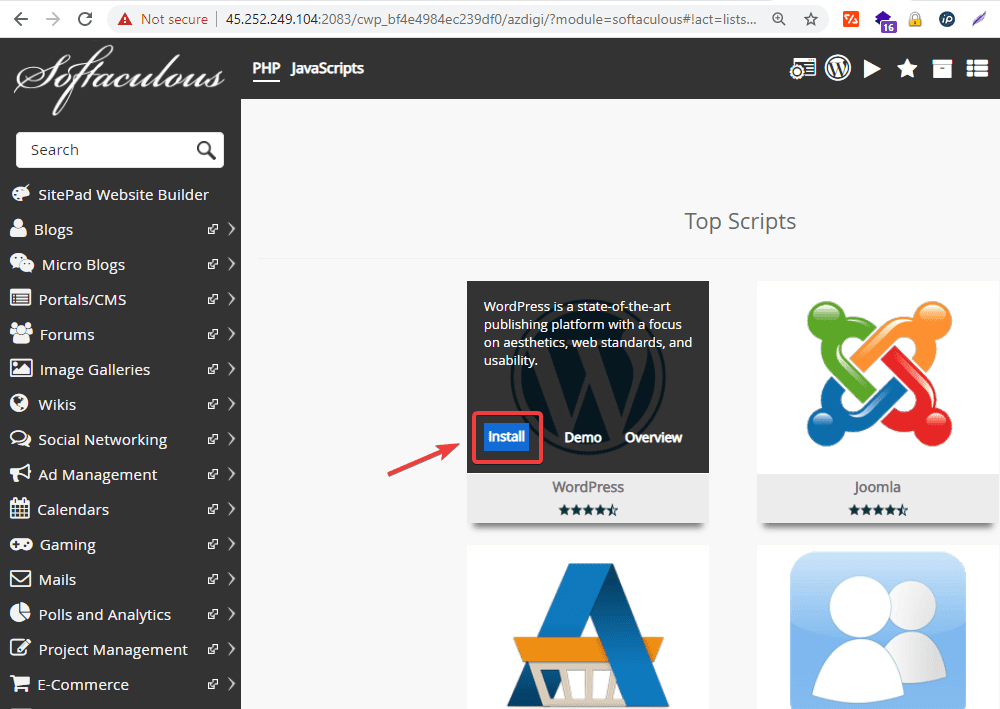
Softaculous is a commercial scripts library, capable of automatically installing open source and commercial web applications on a website through popular control panels such as cPanel, DirectAdmin, Plesk. and some other control panels. With Softaculous, the installation of the source code becomes extremely fast with just a few mouse clicks.
Softaculous has 2 versions: Pro (paid) and Free. The Pro version offers the ability to quickly install more than 280 applications. The Free version supports the installation of over 50 applications.
You can check out some Softaculous information from the homepage here.
In this article, AZDIGI will guide you on how to install Softaculous on one of the most popular controls today, WHm/cPanel.
Implementation guide
Step 1: Prepare the Softaculous license
If you do not have a Softaculous license, you can register for a trial of Softaculous at the homepage via the link below:
At the registration interface, in the Server IP (Required) (1) section, enter your server IP:
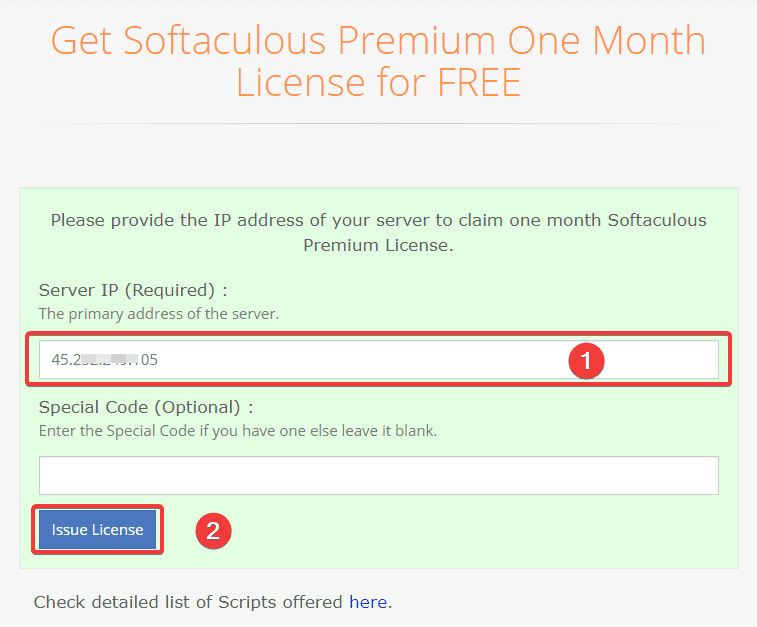
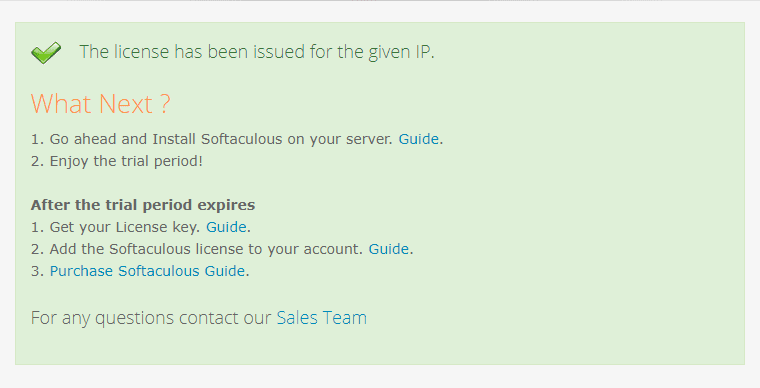
After filling in the information, click Issue License (2) to register. After successful registration, you will receive a notification like this:
Step 2: Enable ionCube Loaders on the server
Before installing Softaculous, you need to make sure ionCube Loaders is enabled on WHM/cPanel. You can enable it by doing as follows:
At the WHM interface, go to Server Configuration (1) => Tweak Settings (2) => PHP (3) => ioncube (4) => Save (5)
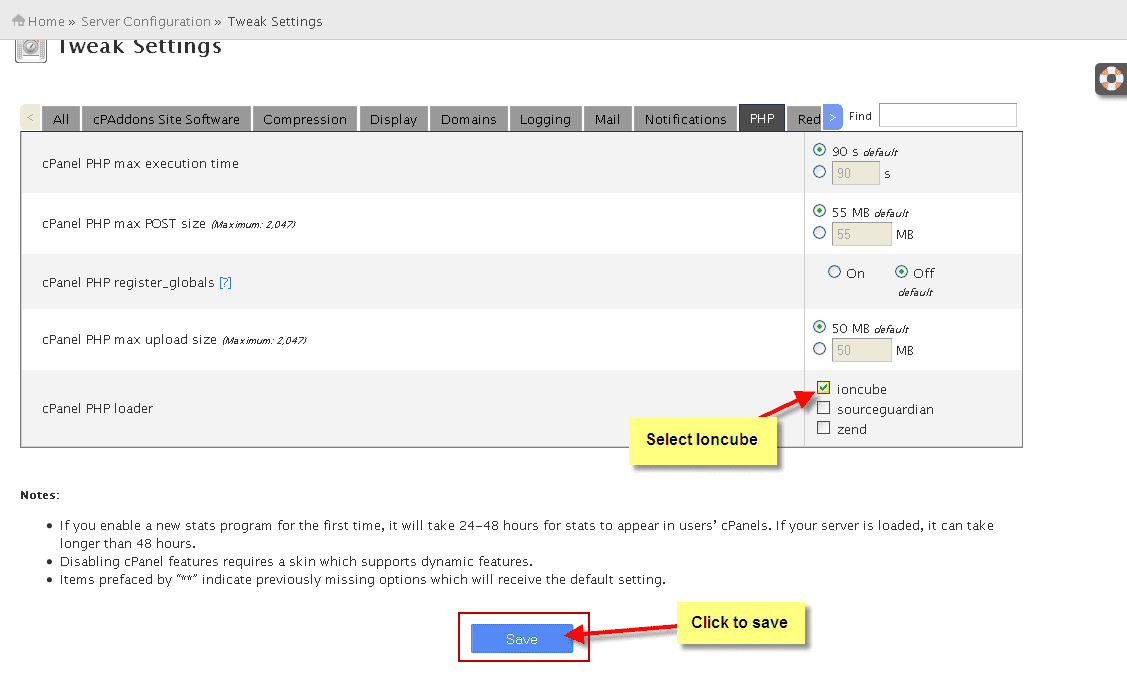
After successfully enabling ionCube Loaders, we go into Softaculous installation with the next steps.
Step 3: Install Softaculous
To install Softaculous, you need to SSH into your server with the root user, if you don’t know how to SSH, you can refer to the instructions below:
After SSH into VPS successfully, you can install Softaculous by running the following commands:
wget -N https://files.softaculous.com/install.sh
chmod 755 install.sh
./install.sh
Command annotation:
- Download the Softaculous installation file from the homepage.
- Permission to execute the installation file
- Run the installation file
The installation will take a few minutes and will run like the one below:
[root@45-252-249-105 ~]# wget -N https://files.softaculous.com/install.sh --2020-10-11 01:06:45-- https://files.softaculous.com/install.sh Resolving files.softaculous.com (files.softaculous.com)... 192.198.80.3 Connecting to files.softaculous.com (files.softaculous.com)|192.198.80.3|:443... connected. HTTP request sent, awaiting response... 200 OK Length: 4936 (4.8K) [application/x-sh] Saving to: ‘install.sh’100%[===============================================================================================================>] 4,936 --.-K/s in 0s
2020-10-11 01:06:46 (37.5 MB/s) - ‘install.sh’ saved [4936/4936]
[root@45-252-249-105 ~]# chmod 755 install.sh [root@45-252-249-105 ~]# ./install.sh ----------------------------------------------- Welcome to Softaculous Apps Installer -----------------------------------------------
/////////////////////////////// // INSTALLING SOFTACULOUS // Detected Panel : cPanel // DOWNLOADING SOFTACULOUS PACKAGE // CONFIGURED universal.php // FETCHED THE LICENSE // UPDATED SCRIPTS CATEGORIES // UPDATED SCRIPTS LIST // ADDED CRON JOB // REGISTERING SOFTACULOUS PLUGIN WITH CPANEL // This might take few minutes... // BUILDING SCRIPT CACHE // REGISTERING SOFTACULOUS SCRIPTS CATEGORY WITH CPANEL // This might take few minutes... // REGISTERING SOFTACULOUS WORDPRESS MANAGER WITH CPANEL // This might take few minutes... // Script Packages will be downloaded in background ///////////////////////////////
===================================================== Congratulations, Softaculous was installed successfully Softaculous has been installed at: Path : /usr/local/cpanel/whostmgr/docroot/cgi/softaculous Scripts Path : /var/softaculous
We request you to please register for updates and notifications at : http://www.softaculous.com/board/index.php?act=register It also inspires us when you register. Registration is free and just a one minute job.
If you need any support you can always count on us. Just drop in at our Support Board: http://www.softaculous.com/board Alternatively, you can contact us via Email at support@softaculous.com
Thank you for using Softaculous
After successful installation, you will receive the message: Thank you for using Softaculous.
Step 4: Check Softaculous on WHM/cPanel
To check Softaculous, at the WHM interface, go to Plugins (1) => Softaculous – Instant installs (2).
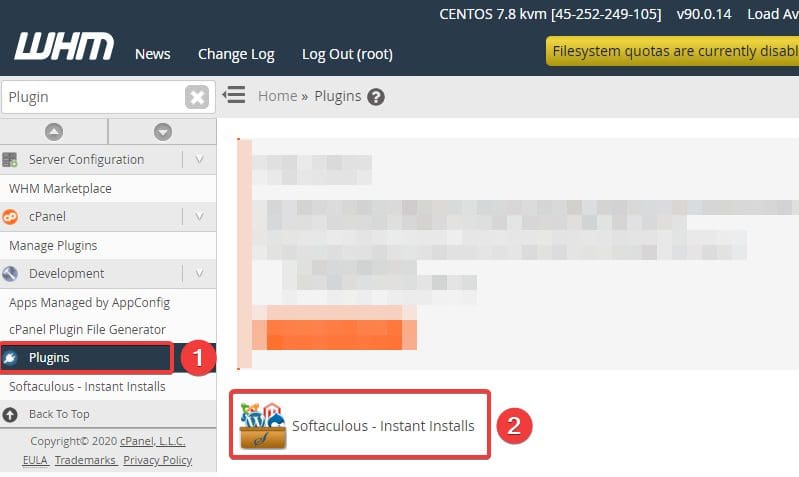
So we have successfully installed Softaculous.
Summary
So in this article, AZDIGI showed you how to install Softaculous on a server using WHM/cPanel quickly and simply with just a few command lines. With Softaculous, you’ll find it easier than ever to install source code. If you find the article interesting and useful, please share it widely.
You can check out some useful cPanel articles below:
About the author

Thạch Phạm
Đồng sáng lập và Giám đốc điều hành của AZDIGI. Có hơn 15 năm kinh nghiệm trong phổ biến kiến thức liên quan đến WordPress tại thachpham.com, phát triển website và phát triển hệ thống.