Different from other Control Panels like cPanel, Plesk and CyberPanel, DirectAdmin performs compressed files differently than guides, and this article, AZDIGI will guide you to perform compressed on DirectAdmin.
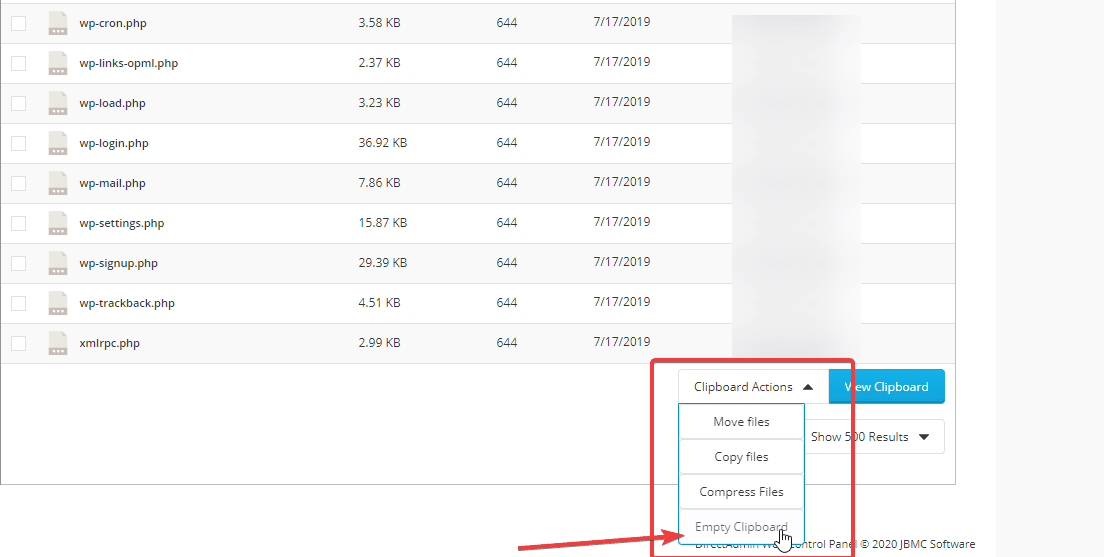
First, you access the place where you need to compress the file and select Empty Clipboard
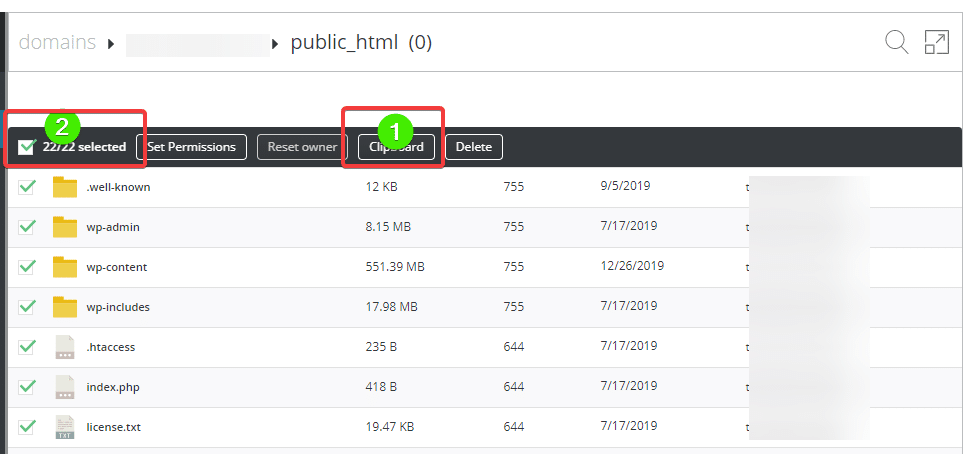
After clicking Empty, you select the files to compress and select Clipboard
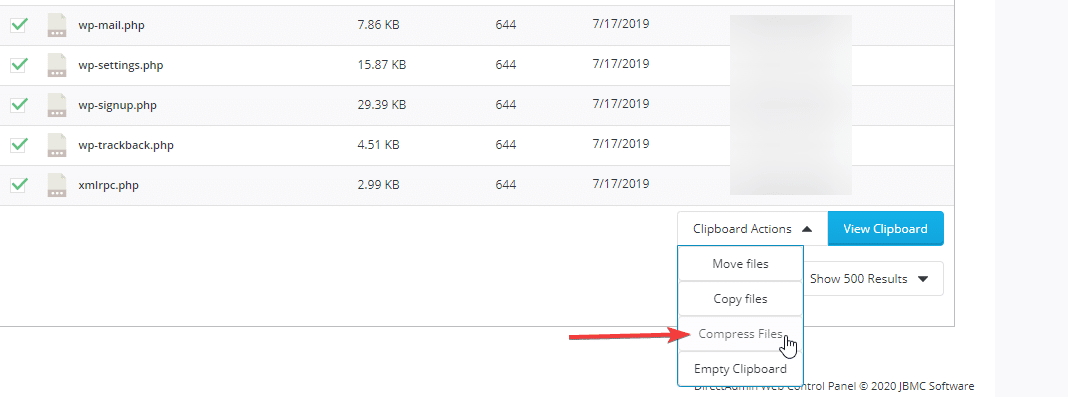
Next, scroll down to the bottom in the Clipboard Actions section and select Compress File
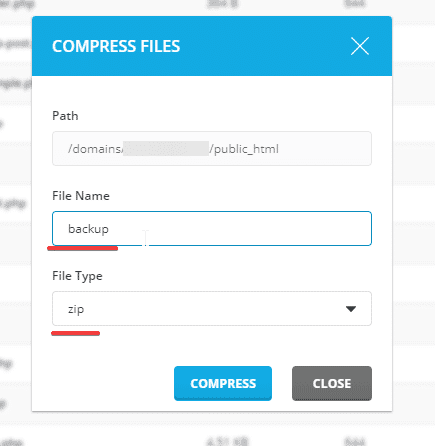
At the Compress file table, enter the file name to set and format, click Compress, and wait a few minutes to complete it!
After creating the compressed file, you can proceed to download this file for backup or transfer it to another hosting.
About the author

Thạch Phạm
Đồng sáng lập và Giám đốc điều hành của AZDIGI. Có hơn 15 năm kinh nghiệm trong phổ biến kiến thức liên quan đến WordPress tại thachpham.com, phát triển website và phát triển hệ thống.