
What is a Domain Email?
Usually, we use mail services like Gmail, yahoo, outlook to do email communication and for work, but there is another form of email that is also used quite a lot today, which is email by the domain name. A domain email is created based on your existing domain name; this email is usually used in businesses or large companies.
When you use an email with a domain extension such as kythuat@azdigi.com, business@azdigi.cf…, your users or customers will rate your company, business or organization as reputable and create high trust and more professional.
In this article, AZDIGI will guide you on how to create a free domain email directly on DirectAdmin in the simplest way, let’s follow along.
Step 1: Create a domain email
For DirectAdmin old interface
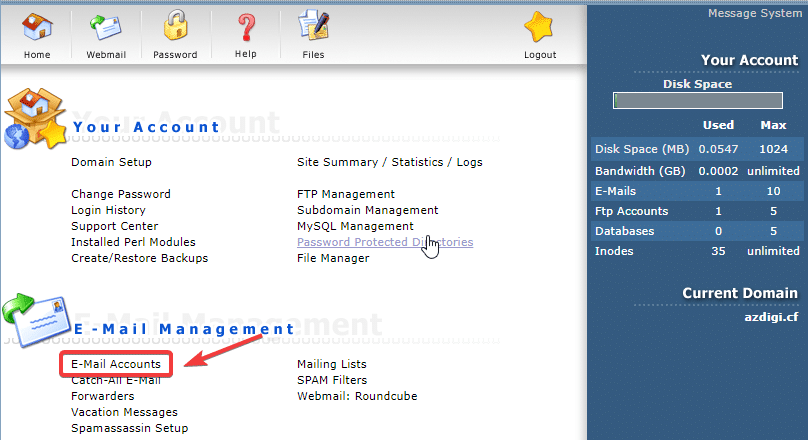
At the admin interface, go to the E-Mail Management section => click E-Mail Accounts.
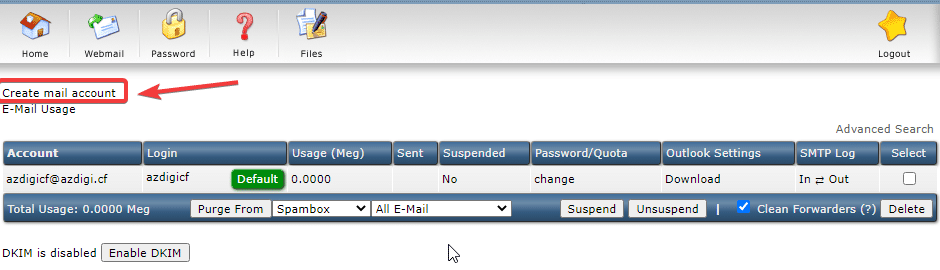
At the next interface, click Create mail account to create a new email.
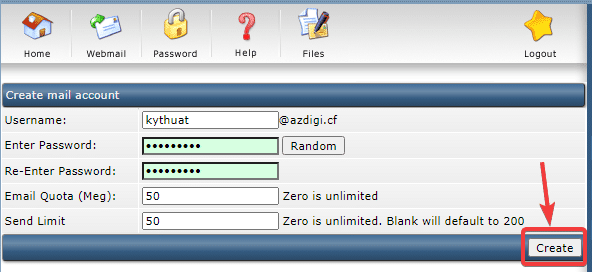
In this interface, you fill in all the information:
- Username: Email name to create.
- Enter Password
- Re-Enter Password
- Email Quota: Total account capacity (unit is in MB)
- Send Limit: The maximum number of emails sent by the account.
After filling in all the information, click Create to create an account.
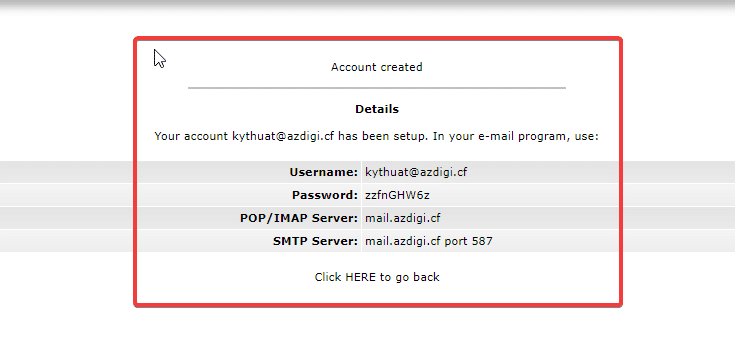
As shown below, the email has been successfully created, you can save this information.
For DirectAdmin new interface
At the DirectAdmin administration interface, click E-mail Manager => E-mail Accounts.
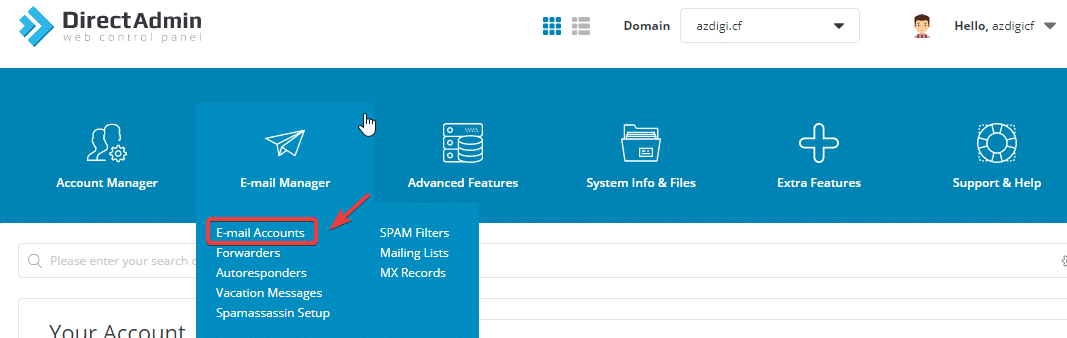
In the next interface, select Create Account to create a new email.
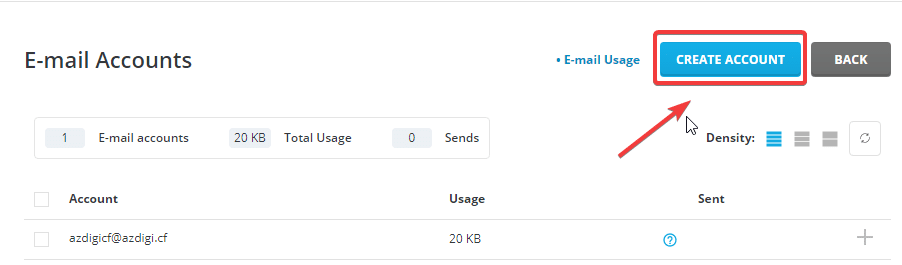
Next, you fill in the same information as in the old interface.
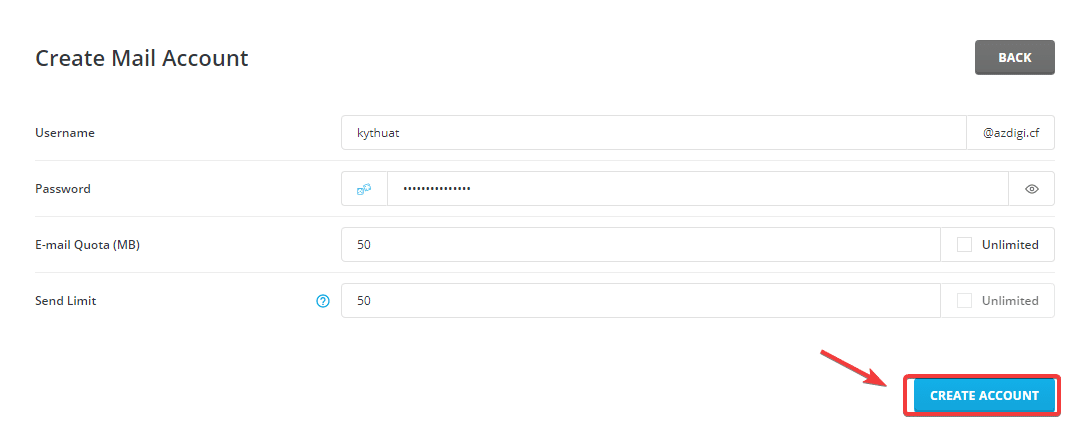
After filling in all the information, click CREATE ACCOUNT.
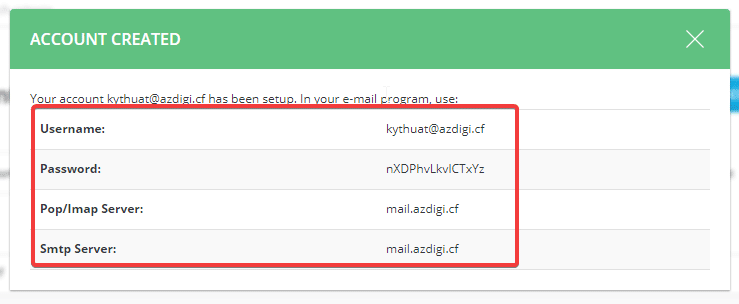
As shown below, the email has been successfully created, you can save this information.
Step 2: Use Roundcube webmail
After successfully creating an account, you can use Roundcube to make webmail send/receive email, using the following:
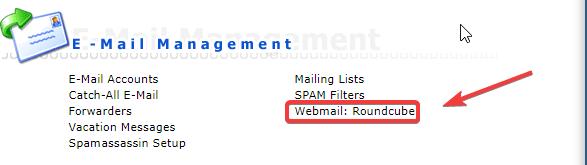
For DirectAdmin old interface
At the DirectAdmin interface, in the E-Mail Management section => click Webmail: Roundcube
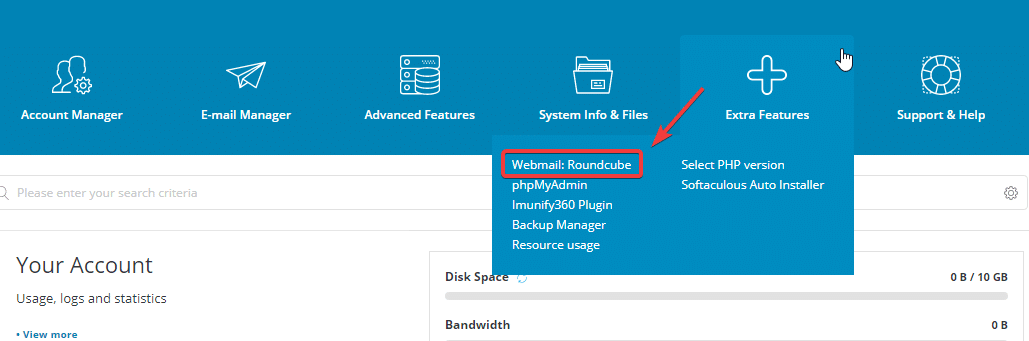
For DirectAdmin new interface
At the DirectAdmin interface, in the E–Mail Management section => click Extra Features => Webmail: Roundcube.
Here is the Roundcube interface:
Note: for email to be sent and received successfully, you need to make sure that your domain has been fully pointed with MX records to VPS/hosting’s a mail server, you can do this by pointing MX records as below:
- Record MX: domain => webmail.domain (priority 10).
- Record A: webmail => IP hosting.
Thus, AZDIGI has completed the steps to create and use Roundcube as webmail to send and receive emails. In the following article, AZDIGI will guide you on how to use Webmail Roundcube in detail.
- Hotline 247: 028 888 24768 (Ext 0)
- Ticket/Email: You can use your email to register for the service and send it directly to: support@azdigi.com
Wishing you success!
About the author

Thạch Phạm
Đồng sáng lập và Giám đốc điều hành của AZDIGI. Có hơn 15 năm kinh nghiệm trong phổ biến kiến thức liên quan đến WordPress tại thachpham.com, phát triển website và phát triển hệ thống.