I. Overview
In this tutorial, AZDIGI will show you to upgrade Apache DirectAdmin to the latest version.
Apache versions 2.4.17 to 2.4.38 are extremely dangerous security vulnerabilities. This vulnerability allows an attacker with the highest probability of hijacking as root. This error is most easily exploited on Web Hosting servers (Shared Hosting) using Apache webserver. The current fix is to update to the latest Apache patch; the newest version at the time of writing is Apache 2.4.43. The update should be done immediately to ensure the safety of your VPS/Server.
II. Upgrade Apache DirectAdmin to the latest version
To upgrade Apache DirectAdmin to the latest version, follow these 3 steps.
Step 1: Check which version of Apache is running
To check the version of Apache running, we use the following command:
httpd -v
If your version is lower than 2.4.39, you should upgrade now to fix the vulnerability. Or even higher but still under version 2.4.43, it also needs to be upgraded.
Step 2: Update to the latest version of Apache
To ensure there are no problems during this process, you should run it in the console or use the screen command. We can still reconnect and monitor the upgrade progress if we get disconnected from the system.
This process can take a long time, the time will depend on the hard drive speed and CPU performance of your VPS/Server.
The command to update Apache to the latest version for VPS/Server DirectAdmin must run CustomBuild 2.0. If you have not upgraded to CustomBuild 2.0, you can refer to the following two tutorials:
cd /usr/local/directadmin/custombuild
./build update
./build apache
./build php n
./build rewrite_confs
If you use CustomApache, you can refer to DirectAdmin’s instructions:
After completing the installation and upgrade, continue with step 3 to check the Apache version.
Step 3: Recheck the version of Apache is using
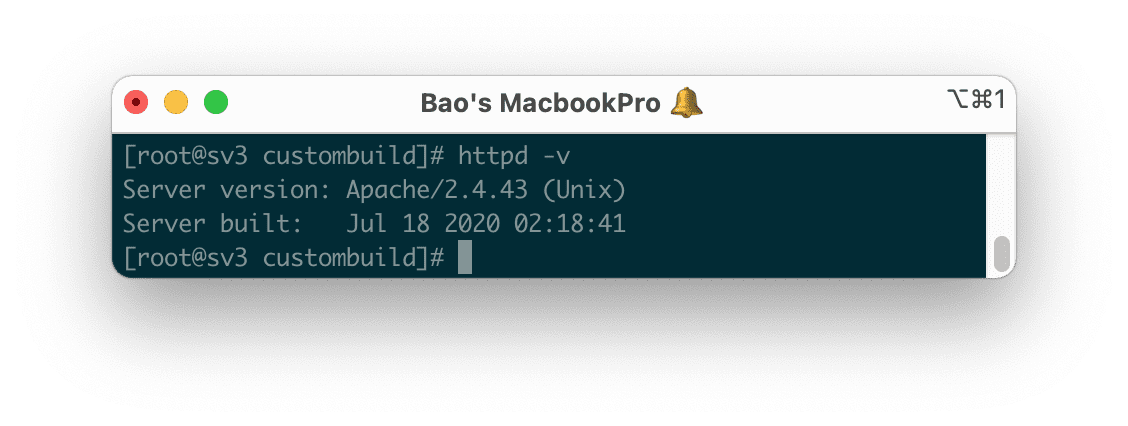
We still use the same command as in step 1, but the version is the latest this time.
httpd -v
Below is the result on my server after upgrading Apache DirectAdmin to the latest version.
III. Summary
AZDIGI has completed the steps to upgrade Apache DirectAdmin to the latest version. You should regularly update other software/services on your system to restrict attacks.
Hope you enjoy this article and share it widely.
About the author

Thạch Phạm
Đồng sáng lập và Giám đốc điều hành của AZDIGI. Có hơn 15 năm kinh nghiệm trong phổ biến kiến thức liên quan đến WordPress tại thachpham.com, phát triển website và phát triển hệ thống.