In the previous article, AZDIGI has shown you to install Odoo on CentOS 8 server. You can refer to the link below:
In this article, AZDIGI will guide you to install the SSL certificate on Odoo with NGINX Webserver. To do this, you need to install Odoo first
After installing Odoo, you need to verify and get an SSL certificate including 3 required files (Certificate, Private Key, CAcrt). Currently, AZDIGI provides SSL of all kinds, such as GOGETSSL, SECTIGO, DIGICERT with extremely attractive prices and supports free certificate verification with SSL DVs, you can refer to register at the following link:
Odoo SSL installation steps
To install Odoo SSL, you need the following 3 files:
- Certificate: *.crt
- Private Key: *.key
- CACertificate *.crt
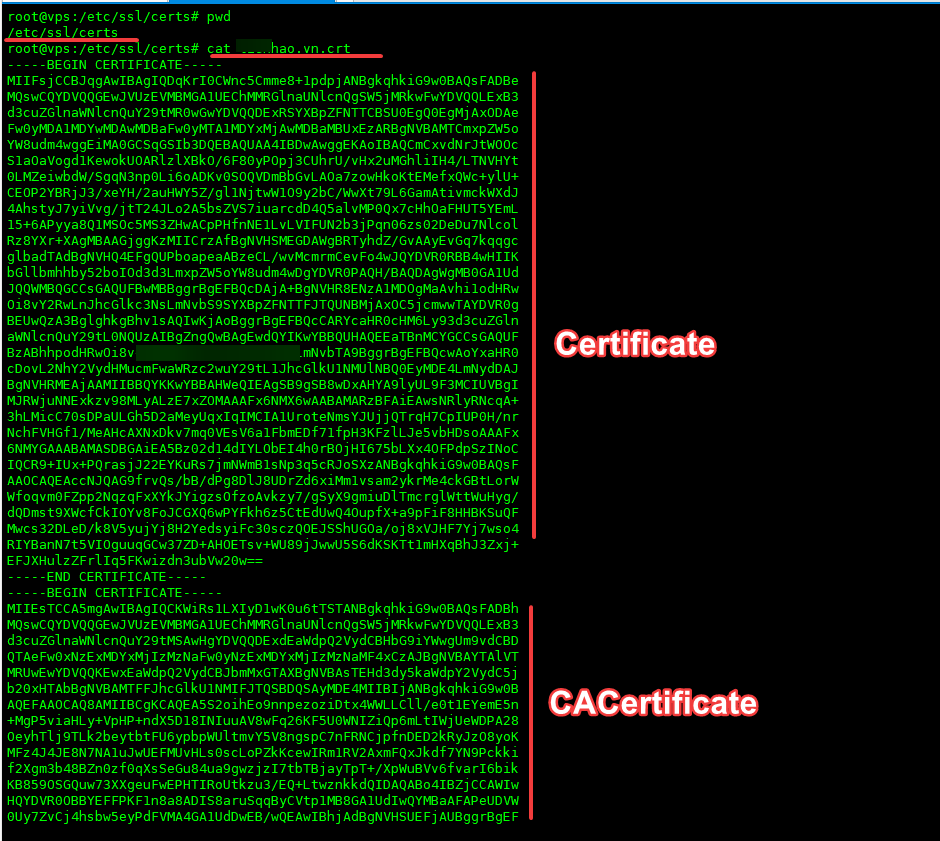
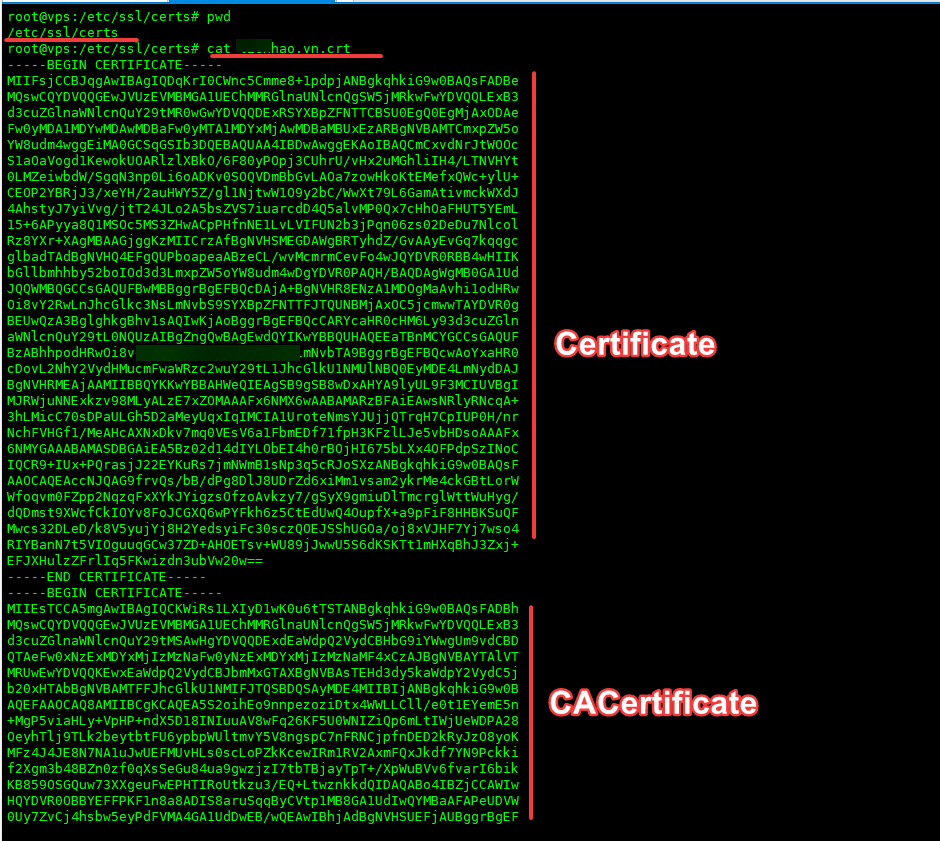
Step 1: Create a file to save crt certificate and CACertificate
Note: Replace domain with your domain name.
vi /etc/ssl/certs/domain.crt
chmod 644 /etc/ssl/certs/domain.crt
After creating, you open the .crt file and enter the contents of the Certificate: *.crt and CACertificate *.crt.
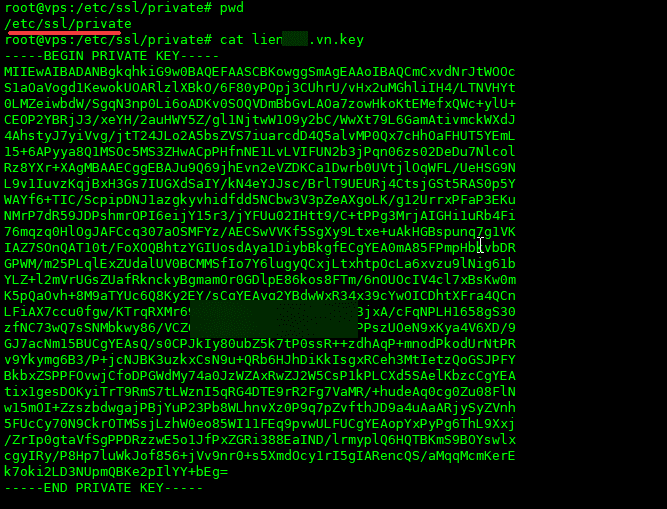
Step 2: Create a file to save the Private Key
Note: Replace domain with your domain name.
vi /etc/ssl/private/domain.key
chmod 644 /etc/ssl/private/domain.key
After creating, you open the .key file and enter the content of the Private Key: *.key.
Step 3: Configure vhost to install Odoo SSL
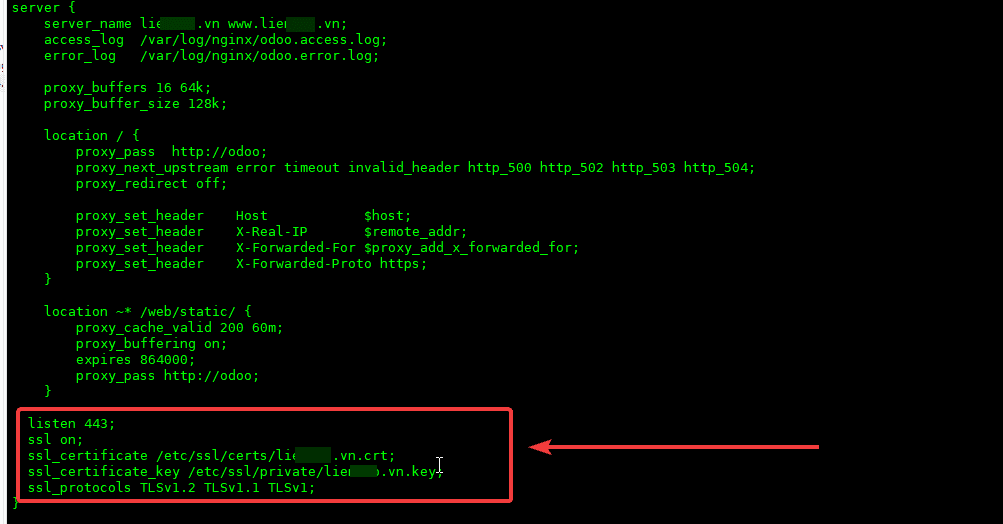
You need to open the vhost file to add the SSL certificate path. With Odoo, the configuration file is located at /etc/nginx/sites-enabled. I will open this file and configure as follows:
vi /etc/nginx/sites-available/odoo
Then you create a configuration with the following content (remember to change the domain with your domain name) or if the file you created is in a different path, you need to re-declare the corresponding path.
listen 443;
  ssl on;
  ssl_certificate /etc/ssl/certs/domain.crt;
  ssl_certificate_key /etc/ssl/private/domain.key;
  ssl_protocols TLSv1.2 TLSv1.1 TLSv1;
After you have declared the certificate, save the configuration file and test nginx with the following command:
nginx -t
server nginx reload
If there is no error when testing Nginx, you can check the SSL certificate with the online tool sslshopper.
So AZDIGI has shown you to complete the Odoo SSL installation. Hopefully, this article will help you to be proactive in the installation without any problems.
If you have questions or need support, please live chat with Technical Department. Or send the ticket to the Technical Department according to the information below.
- Hotline 247: 028 888 24768 (Ext 0)
- Ticket/Email: You can use your email to register for the service and send it directly to: support@azdigi.com
About the author

Thạch Phạm
Đồng sáng lập và Giám đốc điều hành của AZDIGI. Có hơn 15 năm kinh nghiệm trong phổ biến kiến thức liên quan đến WordPress tại thachpham.com, phát triển website và phát triển hệ thống.