Handling the error “Failed to start firewalld.service” with a few extremely simple commands with AZDIGI.
I. Overview
In the process of using VPS, there are some cases where you need to use Firewalld, but when you start up, you get an error and the log will show “Failed to start firewalld.service: Unit is masked.“
[root@template /]# systemctl start firewalld
Failed to start firewalld.service: Unit is masked.
You don’t need to worry too much about this, the cause of this error can be understood simply because the Firewalld service has been disabled (masked) and cannot be started with the system. You need to open (unmask) to be able to start Firewalld.
You can learn more about Filewalld at the homepage by following the link: https://firewalld.org/
II. Handling Instructions
Step 1: Run the command Unmask Firewalld
You can use the following command:
systemctl unmask --now firewalld
If you receive the message below, you have successfully unmasked.
[root@template /]# systemctl unmask --now firewalld
Removed symlink /etc/systemd/system/firewalld.service.
Step 2: Restart Firewalld
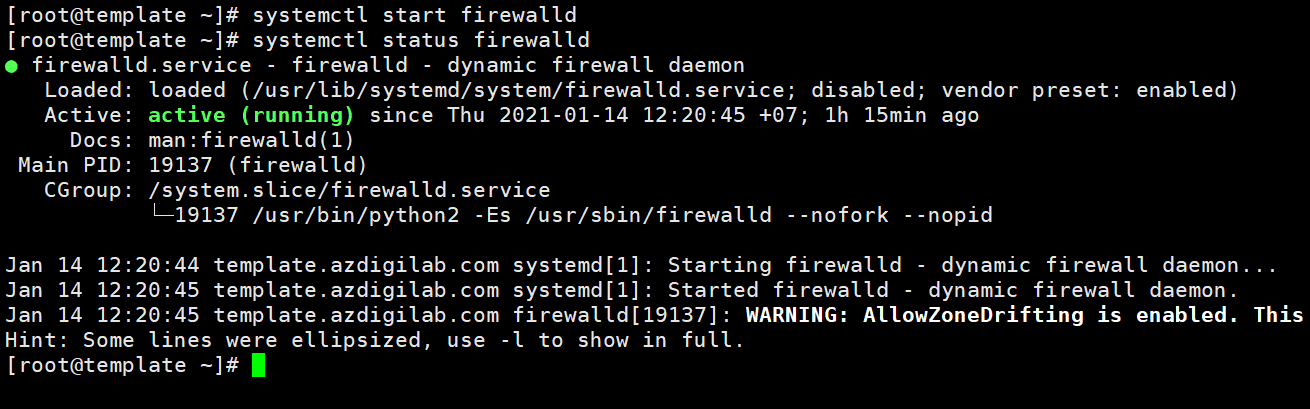
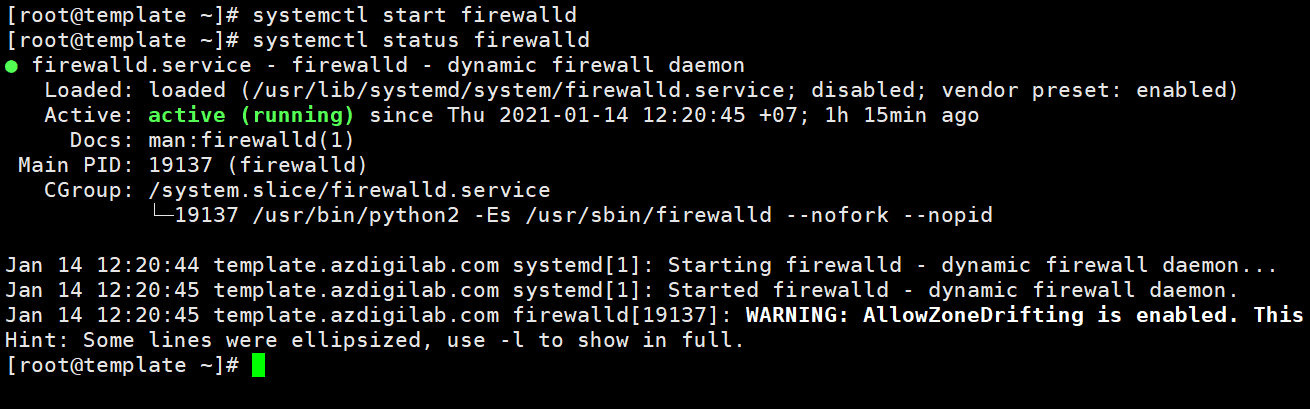
Now you can restart Firewalld with the following command:
systemctl start firewalld
systemctl status firewalld
III. Summary
Thus, AZDIGI showed you how to handle the error Failed to start firewalld.service: Unit is masked quickly with just a few simple commands. Hope this article will help you solve it successfully!
If you find the article helpful, please share it widely. In addition, you can refer to some other articles on Linux knowledge at the link below:
If you need assistance, you can contact support in the ways below:
- Hotline 247: 028 888 24768 (Ext 0)
- Ticket/Email: You use the email to register for the service and send it directly to: support@azdigi.com
You might also like
- [Fix] [Fix] Invalid command UNIT_PROXY Apache 2.4.48 DirectAdmin
- Troubleshooting Linux VPS - How to Handle Common VPS Issues
- How to install Odoo on CentOS 8 (Open Source ERP and CRM)
- Handling the syntax error: INSERT INTO counter
- How to install Redis 6 on CentOS 7
- Fix the "Aria engine is not enabled or did not start" error on aaPanel
About the author

Thạch Phạm
Đồng sáng lập và Giám đốc điều hành của AZDIGI. Có hơn 15 năm kinh nghiệm trong phổ biến kiến thức liên quan đến WordPress tại thachpham.com, phát triển website và phát triển hệ thống.