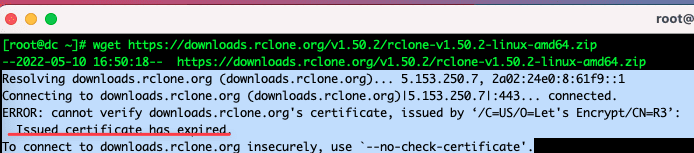
When using wget command to download any file from outside and if you get an Issued certificate has expired error, it means your CA certificate has expired. You can view information about expired CA Root here.
And downloading forces you to add --no-check-certificate option after each download link. This interferes with you a lot and we will handle it will be as follows:
ERROR: cannot verify downloads.rclone.org's certificate, issued by ‘/C=US/O=Let's Encrypt/CN=R3’:
  Issued certificate has expired.
To connect to downloads.rclone.org insecurely, use `--no-check-certificate'.
At the SSH window, copy and run the commands below:
- Command 1: Install a new ca-certificate
- Command 2: Update ca-trust
- Command 3: Create an affiliate link
- Command 4: Command to update ca-trust
yum install -y ca-certificates
update-ca-trust force-enable
sudo ln -s /etc/ssl/your-cert.pem /etc/pki/ca-trust/source/anchors/your-cert.pem
update-ca-trust
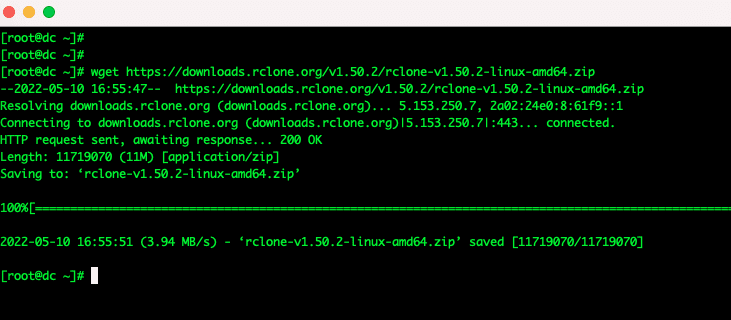
After running the above commands, try wget again and you should see that everything is working normally again.
- Reference source: https://www.mankier.com/8/update-ca-trust#Source_Configuration
Wishing you success!
If you encounter any difficulties in the process of using VPS at AZDIGI , please contact the Technical Department directly through the information below:
- Email : support@azdigi.com
- Ticket : http://bit.ly/azdigi-ticketkythuat
- Hotline: 028 888 24768
You might also like
- How to install free SSL with ZeroSSL
- How to change the SSL certificate issued on ACME
- AddTrust External CA Root SSL has expired, causing a complete SSL error.
- Fix the "The repository no longer has a Release file" error on Ubuntu
- 401 Unauthorized Error: causes and how to fix
- Cloudflare Tunnel: Access Your Home Computer Remotely Without Port Opening
About the author

Thạch Phạm
Đồng sáng lập và Giám đốc điều hành của AZDIGI. Có hơn 15 năm kinh nghiệm trong phổ biến kiến thức liên quan đến WordPress tại thachpham.com, phát triển website và phát triển hệ thống.