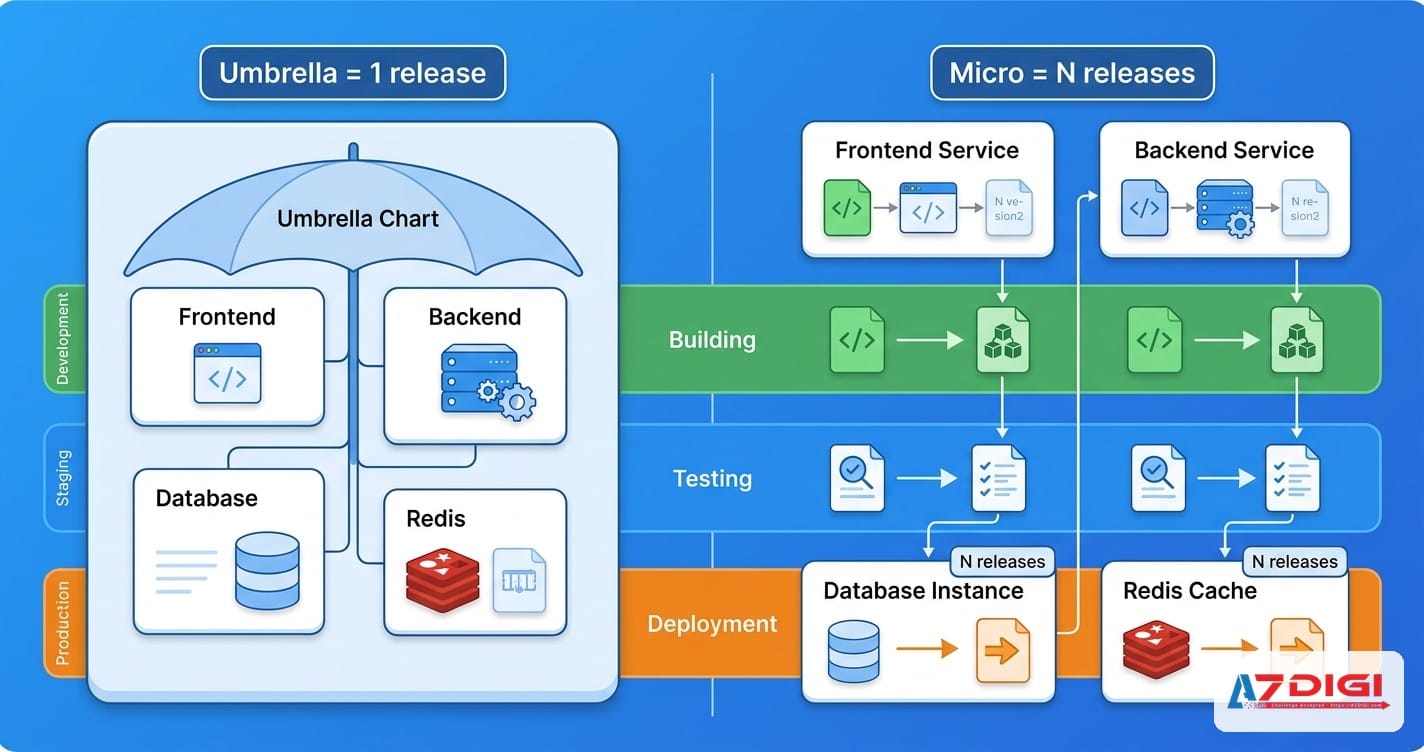
In the previous part of this series, we looked at handling multiple environments with values files and naming conventions. This part moves to a harder question: when a system has many services, should you group everything into one umbrella chart, or split it into separate charts for each microservice?
If you have ever deployed a stack with web, API, worker, Redis, PostgreSQL, and a few supporting components, you have probably faced this decision already. Umbrella charts are tidy, easy to understand, and easy to deploy in one shot. Separate charts are more flexible and map better to team ownership. Both options sound reasonable because both are reasonable in the right context.
This article is for readers who already know the Helm basics, including charts, values.yaml, and dependencies. I am not trying to force one universal answer here because there is none. Instead, we will compare both strategies from an operational angle: deployment flow, ownership, complexity, blast radius, and how well each model scales later.
- What an umbrella chart is and when it makes sense
- Microservices chart strategy, when everything is split
- A practical decision matrix
- A migration path
- Practical examples by team size
- Best practices
- FAQ
umbrella chart: what it is and when it makes sense
An umbrella chart is a parent chart that declares multiple subcharts or dependencies for different parts of the system. In simple terms, it is a single deployment package. Instead of installing 4 or 5 charts separately, you run one helm upgrade --install and roll out the whole stack together.
# Chart.yaml
apiVersion: v2
name: my-platform
description: Umbrella chart for the full application stack
type: application
version: 0.1.0
dependencies:
  - name: web
    version: 1.4.2
    repository: file://charts/web
  - name: api
    version: 2.1.0
    repository: file://charts/api
  - name: worker
    version: 1.2.3
    repository: file://charts/worker
  - name: redis
    version: 18.17.0
    repository: https://charts.bitnami.com/bitnami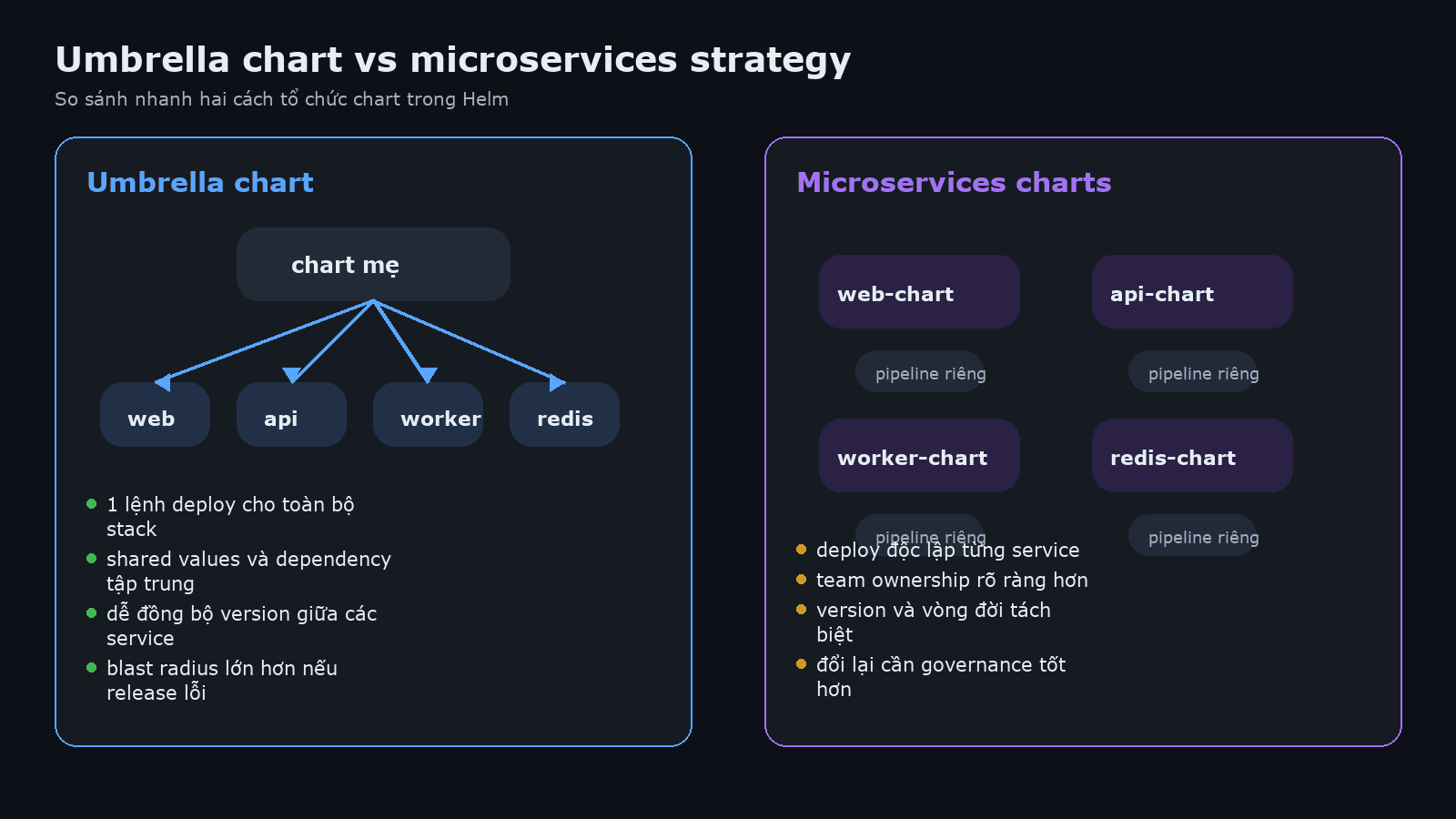
The first advantage is operational simplicity. One deploy command, one release name, one place to hold shared values. For a small team, that matters a lot because it reduces the number of things people have to remember and coordinate. Whoever is on call can also understand the current state faster because one release tells the story of the whole stack.
Another strong point is shared configuration. You may have the same domain suffix, the same imagePullSecrets, the same namespace labels, and the same ingress class across the system. Keeping these values at the parent chart level makes configuration more consistent and avoids the slow drift where service A uses one annotation pattern and service B uses a slightly different one.
💡 Umbrella charts fit early-stage systems very well, especially when service boundaries are still moving and the team still changes the platform at a system-wide level.
But umbrella charts are not free. The biggest cost is blast radius. When everything lives inside one release, a bad values change in the web service can still trigger an upgrade that touches API, worker, or shared dependencies. Sometimes Helm only applies the diff you expect. Sometimes a lifecycle hook, a dependency update, or a shared template makes the entire release shake.
Ownership also gets blurry over time. At first, a 3-person team can edit everything without much friction. A few months later, the number of services grows, then one person starts focusing on API, another on data, another on frontend. If all of them still have to work in one parent chart and one huge values file, review conflicts start to pile up. This is not Helm being bad. It is the chart structure no longer matching the team structure.
when umbrella charts are a good fit
- The team is still small, often under 5 people
- Services usually release together
- The system still behaves like one product with shared ownership
- Your immediate priority is simple operations and quick setup
- You need to standardize a stack with tightly coupled components
microservices chart strategy: when everything is split
With a microservices chart strategy, each service has its own chart, its own version, and often its own pipeline. Your web chart might release 5 times a week while your billing chart changes only once every 2 weeks. This model reflects the original promise of microservices more closely: independent deployment, clearer ownership, and smaller failure domains.
helm upgrade --install web ./charts/web \
  -n production -f values-production.yaml
helm upgrade --install api ./charts/api \
  -n production -f values-production.yaml
helm upgrade --install worker ./charts/worker \
  -n production -f values-production.yaml
The most obvious benefit is reduced coupling at deployment time. A small API change does not force frontend or worker to move along with it. The team that owns a service can release that service, roll back that service, and carry responsibility for that service. In a larger organization, this becomes close to a requirement if you want to avoid constant bottlenecks.
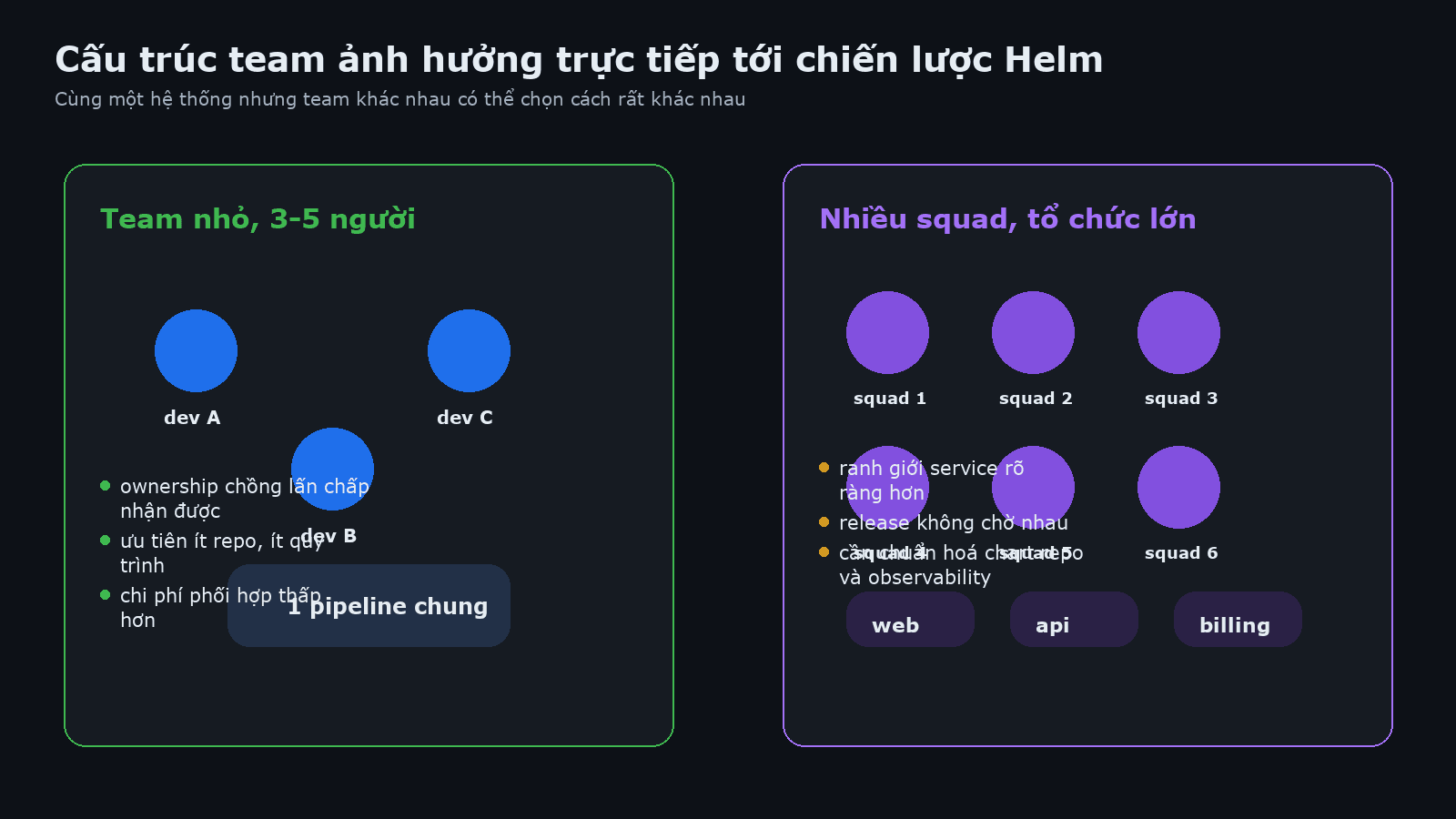
There is also a long-term ownership benefit that is easy to miss early on. A service chart can evolve with the service itself. The API team may want stricter CRD checks or security policies than the frontend team. Separate charts let them do that without turning one giant parent chart into a committee project.
The trade-off is a larger number of moving parts. Version coordination gets harder, secret management can become fragmented, and naming conventions turn messy if you do not enforce them early. You reduce blast radius in one place, but you increase coordination cost somewhere else.
⚠️ Splitting too early is a common mistake. If services are still tightly coupled, always release together, and are maintained by the same team, you are mostly adding repos, pipelines, and new places to debug.
when separate charts make more sense
- Multiple teams build and operate the platform
- Each service has a different release rhythm
- You want isolated rollback paths
- Your CI/CD maturity is already good enough
- Service boundaries are stable and no longer shifting every week
decision matrix: how to choose
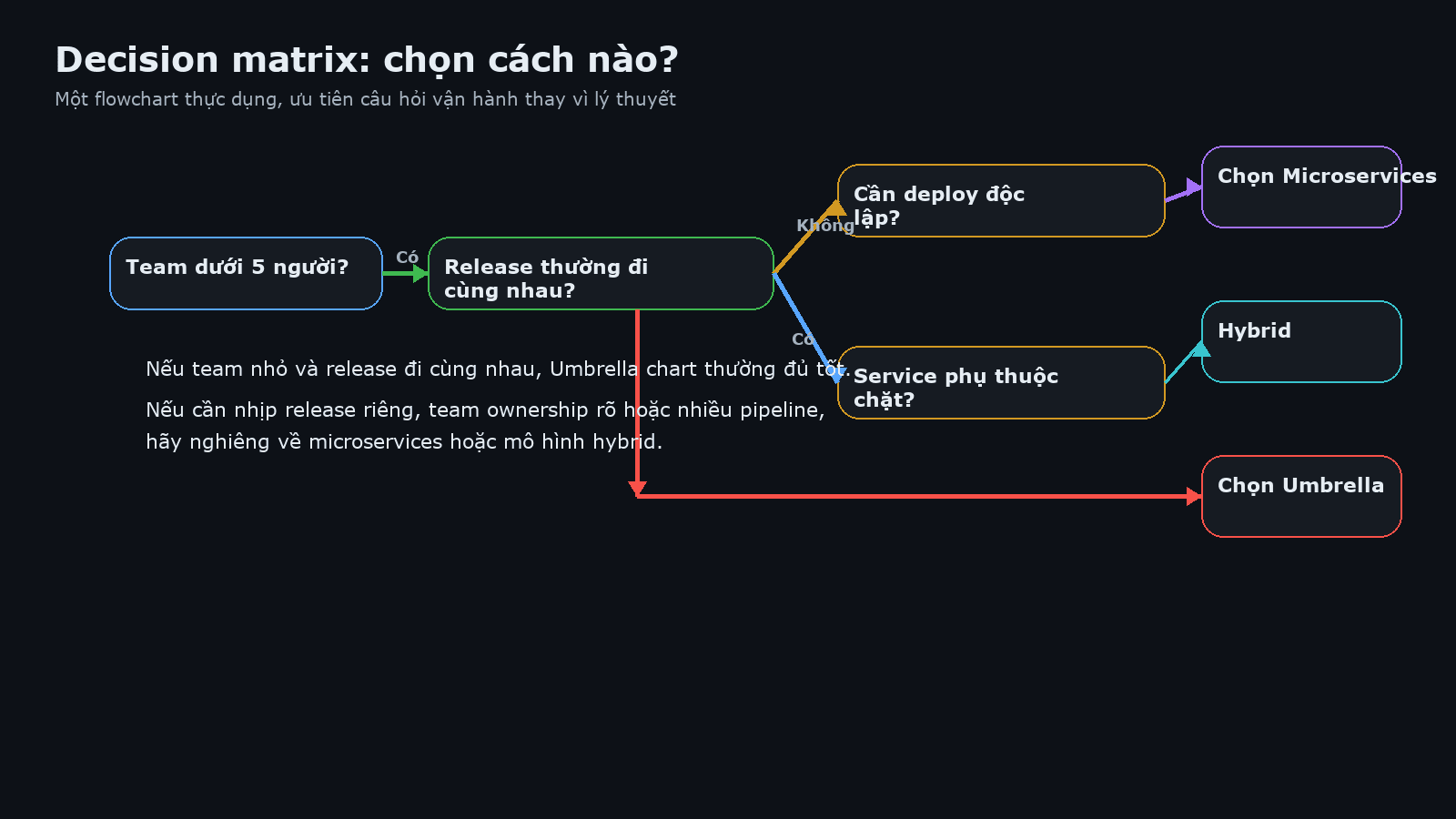
If you only look at architecture theory, microservices often sound more modern. In real operations, the useful questions are simpler: do you actually have enough people, are releases truly independent, is the service count high enough, and do all changes still go through the same approval flow?
| Criteria | Umbrella chart | Microservices charts |
|---|---|---|
| Team size | Small, centralized | Medium to large, multiple squads |
| Application complexity | Moderate, tight dependencies | Higher, clearer bounded contexts |
| Deployment frequency | Usually moves together | Different by service |
| Blast radius | Larger | Smaller per service |
| Version management | Easier to read as one unit | Needs stronger version discipline |
| Coordination cost | Low at the beginning | Lower later when the org grows |
Put simply, if your team still asks every day whether web and API should release together, chances are you are not ready to split deeply yet. On the other hand, if web releases constantly for feature experiments while billing must move slowly under tighter control, an umbrella chart will turn into a bottleneck.
migration path: from monolith to umbrella to microservices
Many teams do not jump straight into a final architecture. A more natural path is to start with raw manifests or a monolith, then group things into an umbrella chart to introduce structure, and only later split into independent charts once service boundaries and team boundaries are mature enough.
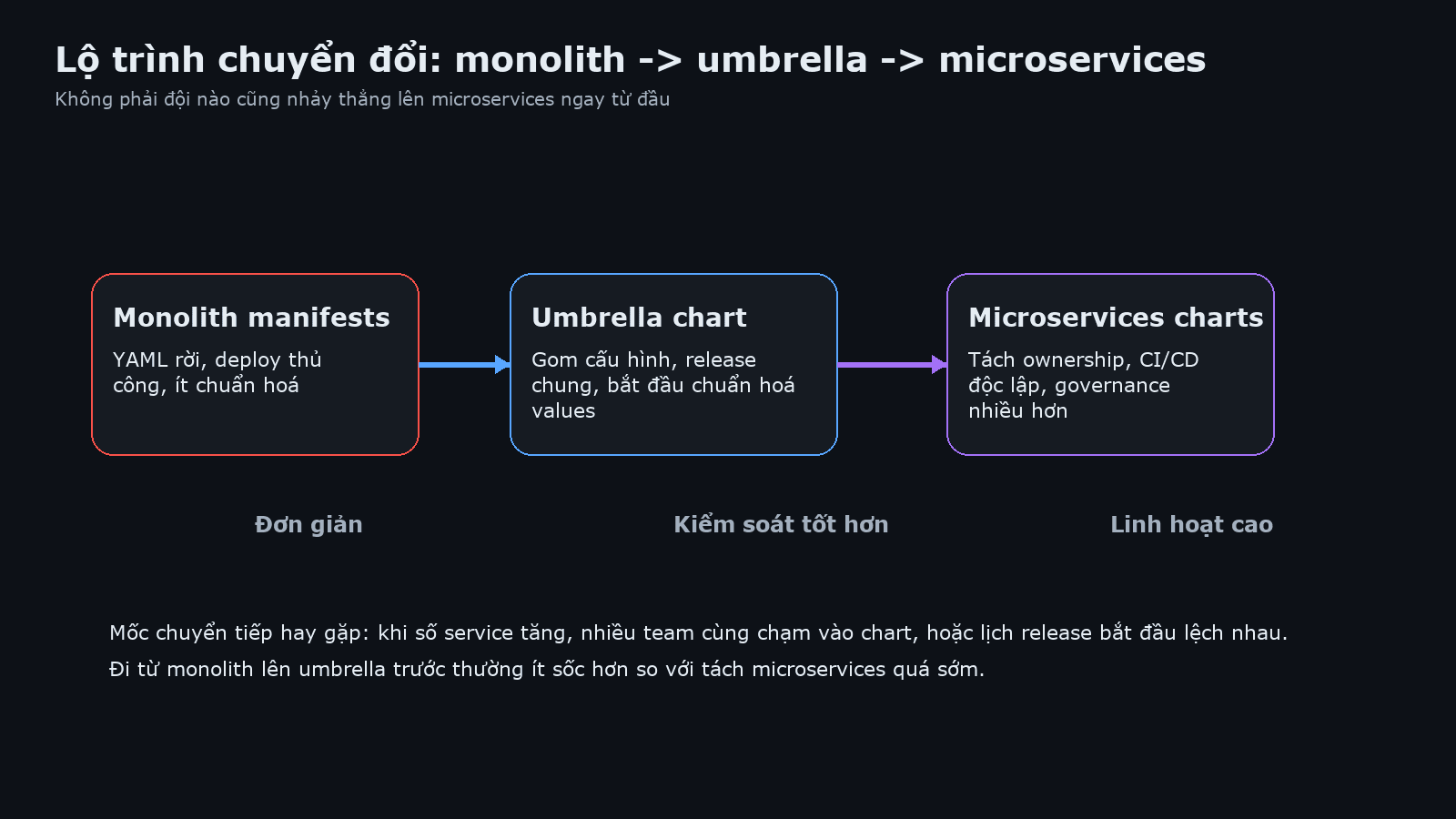
The monolith or raw manifest stage usually shares one trait: every change is a system-wide change. Helm often enters the picture here mainly to standardize and reuse templates. An umbrella chart is a very sensible middle step because it does not force you to solve every ownership problem immediately.
Later, signs start to appear. Your values files get too long, pipelines run too long, chart reviews pull in too many reviewers, or each service begins to move on a different schedule. These are real operational signals, not trends. Once you see enough of them, split gradually instead of rewriting the entire chart model in one massive move.
# example of shared values before splitting
global:
  domain: app.example.com
  imagePullSecrets:
    - regcred
api:
  replicaCount: 3
worker:
  replicaCount: 2
When you split charts, keep only what is truly global, such as ingress class, common labels, or imagePullSecrets. Values that belong to one service should move into that service chart. If everything stays global, you are carrying the umbrella chart mindset into a separated architecture and recreating coupling through the back door.
practical examples: small team vs large organization
The first example is a 4-person startup. The product has a Next.js frontend, a Node.js API, a background worker, and Redis. All 4 components usually change together because new features touch both frontend and backend. In that context, an umbrella chart is a sensible choice. The team can keep one parent chart, one values set for staging, one values set for production, and a simple release process per environment.
In that case, splitting into 4 separate charts sounds more sophisticated than it really is. You would have to manage 4 releases, 4 versions, possibly 4 pipelines, and extra coordination logic. Before you gain flexibility, you may simply gain process overhead.
The second example is a larger organization with separate web, API, payments, and data platform teams. Each team has different release goals, different SLAs, and different maintenance windows. In this case, an umbrella chart often becomes a bottleneck because every change is forced through the same release bundle. A microservices chart strategy gives each team its own release pace, rollback path, and policy controls.
There is also a hybrid model between the two extremes. Each larger domain can have its own umbrella chart, while different domains still deploy independently. For example, the commerce domain may package web, checkout, and promotion together, while the data domain packages workers and schedulers together, and infrastructure components such as monitoring or ingress stay separate. Many teams use this as a practical middle path.
best practices for each strategy
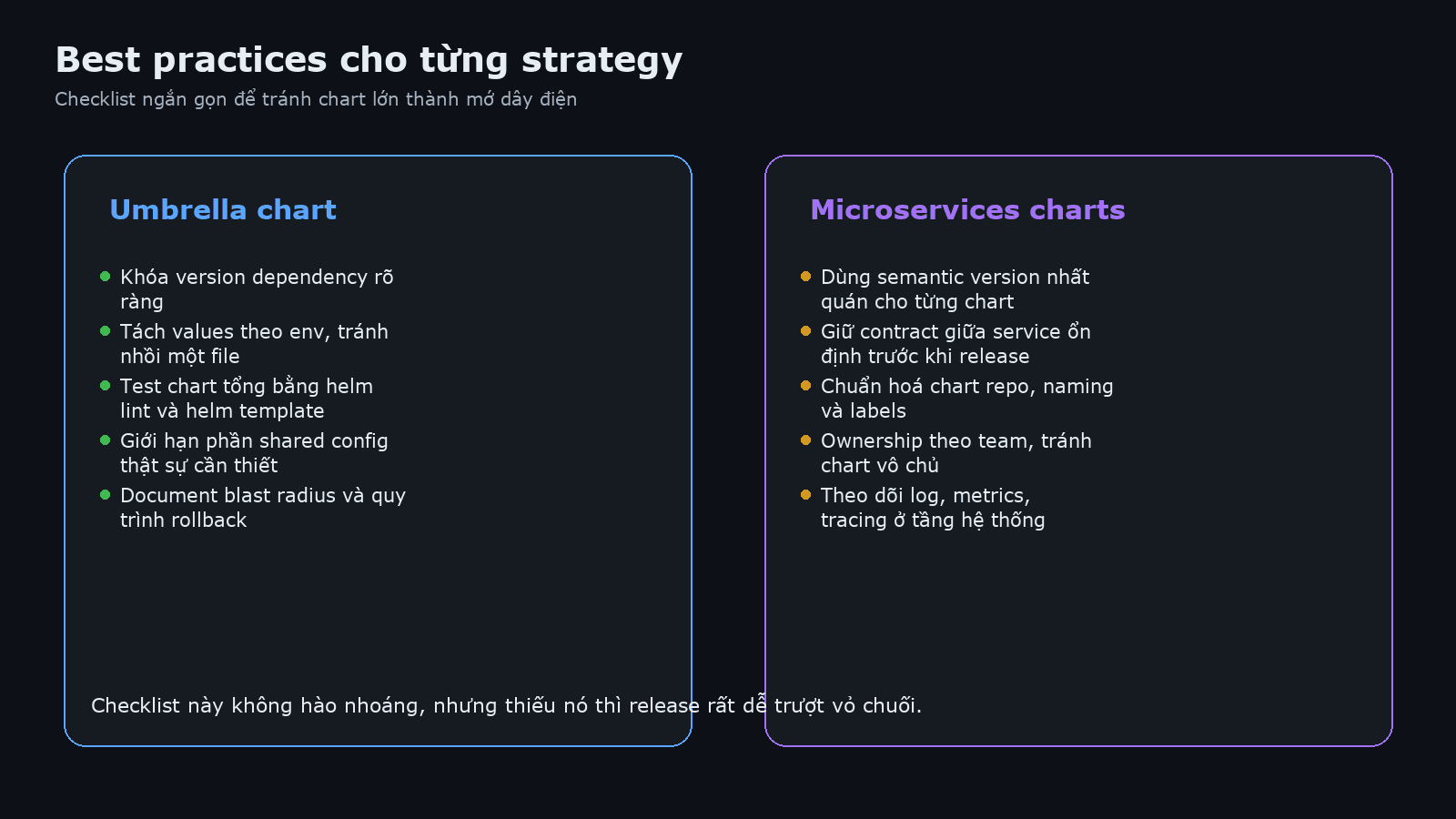
Either model can work well if you keep enough discipline around it. Without discipline, any chart structure can eventually turn into a tangled mess.
for umbrella charts
- Pin dependency versions clearly. Do not let subcharts float to latest and wait for production to remind you.
- Split values by environment. If you skipped the previous article about multi-environment structure, go back and revisit that setup.
- Test the full chart regularly. Use
helm lint,helm template, and chart testing in CI if possible. - Limit shared configuration. Keep only what is genuinely shared instead of pushing everything into
global. - Document blast radius. The team should know which changes can affect the full stack and how rollback works.
for microservices charts
- Use consistent semantic versioning. Chart version, app version, and release notes should be readable and predictable.
- Manage dependencies at the contract level. Team A should know what Team B guarantees in APIs, schemas, events, or secret formats.
- Keep repo and naming conventions consistent. Release names, labels, annotations, and secret keys should follow shared rules.
- Do more than chart tests. Add smoke tests, contract tests, and rollback checks at the service level.
- Keep observability shared. Charts may be separate, but logs, metrics, and tracing should still be visible at the system level.
ℹ️ The final article in this series will go deeper into production practices such as versioning, rollback, secret management, and safer release workflows. You can follow it at part 12 on production best practices.
faq: common questions about chart architecture
Should one umbrella chart include everything, even databases and monitoring?
Usually that is not a good idea. Stateful databases, monitoring stacks, and ingress controllers often have a different lifecycle from the application itself. Bundling them together may feel convenient for one deploy command, but over time it increases blast radius and makes rollback harder to control.
If you use microservices, does every service need its own chart?
Not necessarily. If several services still belong to the same bounded context, are maintained by the same team, and share the same release schedule, grouping them under a smaller umbrella chart can still be a very practical choice. Your chart architecture should reflect deployment reality, not architectural slogans.
What signs show that it is time to split an umbrella chart?
Values files get too long, chart PRs need too many reviewers, one service keeps waiting for another to release, rollback is hard to isolate, and ownership is no longer obvious. If those signs appear consistently, the parent chart is probably overloaded.
Can you move back from separate charts to an umbrella chart?
Yes, especially if the team shrinks or the product direction changes. Helm does not prevent that. The careful part is handling dependencies, release naming, secret ownership, and CI/CD workflows so the consolidation does not create disruption.
summary
Umbrella charts are not outdated. A microservices chart strategy is not automatically better either. The right answer usually depends on whether the deployment model matches the team model and the system’s real change patterns. Small team, shared releases, and tight dependencies point strongly toward an umbrella chart. Larger team, clearer ownership, and different release rhythms point toward separate charts.
If you are still unsure, the safest route is usually an evolutionary one: standardize first with an umbrella chart, watch for real bottlenecks, and split gradually when there is a clear operational reason. It may look less flashy, but it usually hurts a lot less.
You might also like
- Deploying applications from public repositories: Bitnami, Artifact Hub, and best practices (Part 5/12)
- Templates, Values, Functions, and Debugging: Mastering Go Templating in Helm (Part 4/12)
- What is vLLM? When should you use vLLM instead of Ollama
- What is Flowise? When Should You Self-Host It on a VPS?
- What is vLLM? When should you use vLLM instead of Ollama
- How to Rent a VPS: Choose a Configuration and Set It Up Safely
About the author

Trần Thắng
Expert at AZDIGI with years of experience in web hosting and system administration.