Before installing SSL for your website, you must make sure that the domain has been successfully pointed to the server IP.
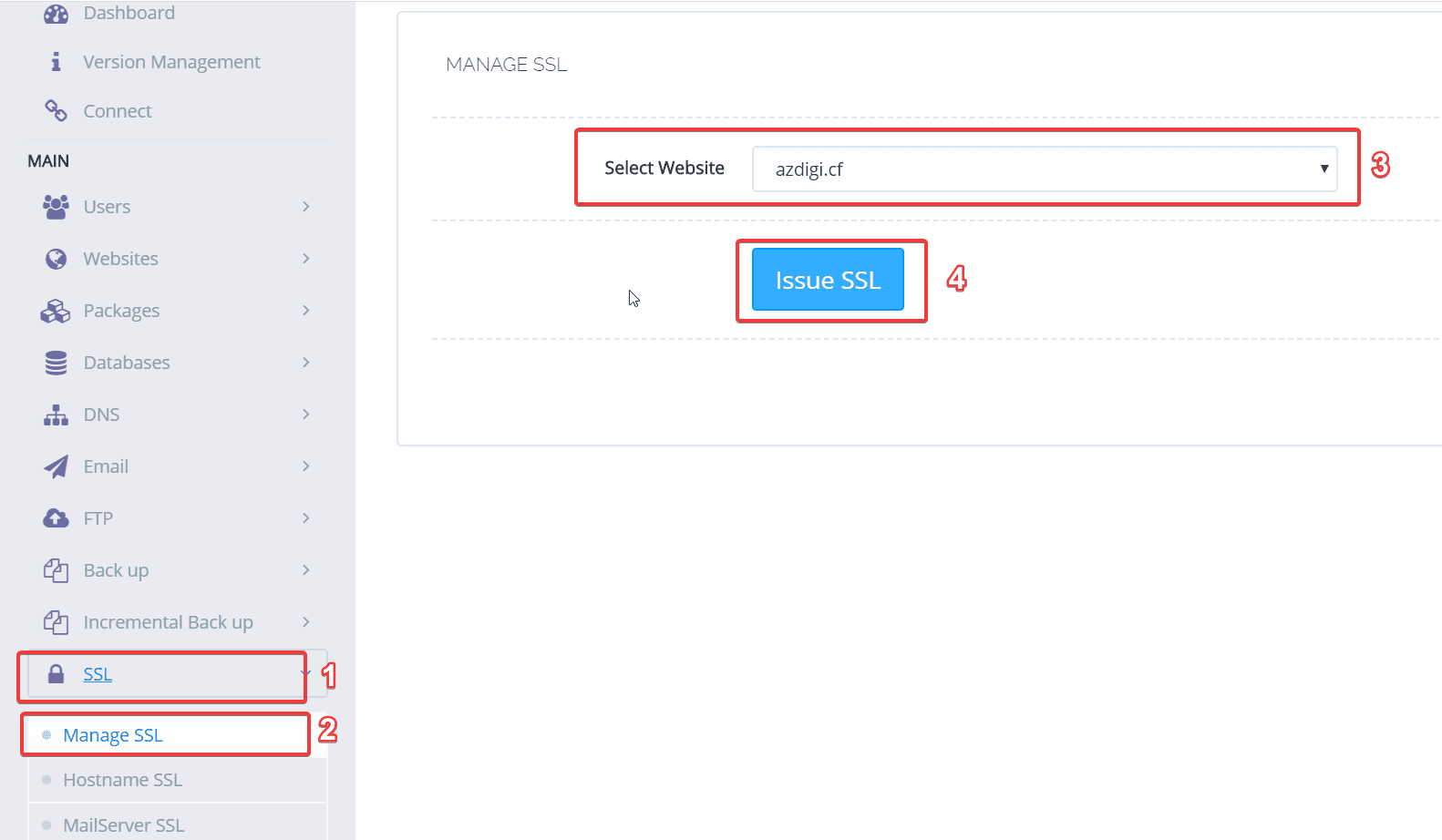
To install SSL, you access the Cyber Panel administration, in the menu on the left you choose SSL -> Manage SSL -> Select the website to install
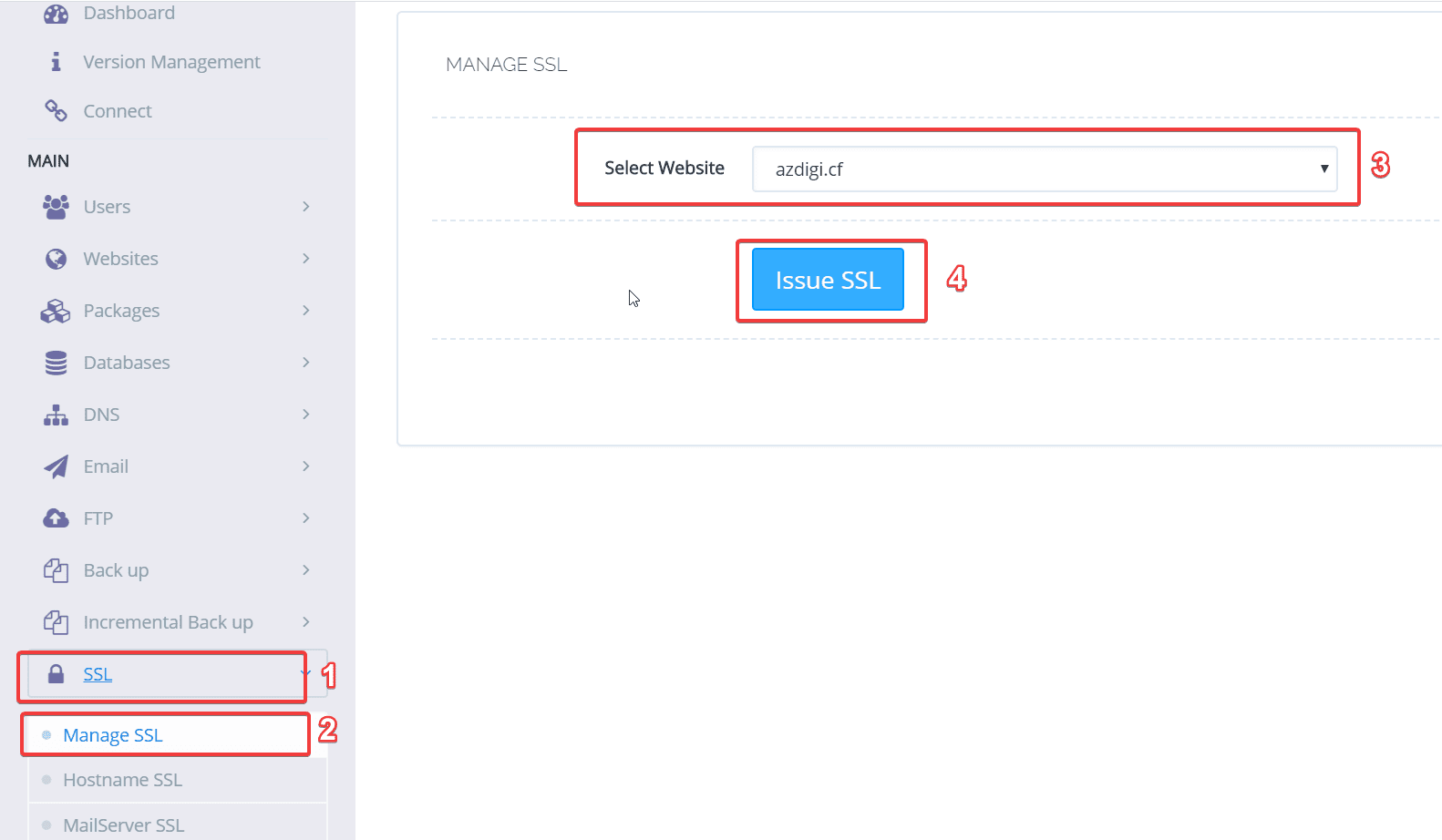
Click Issue SSL to proceed with the installation
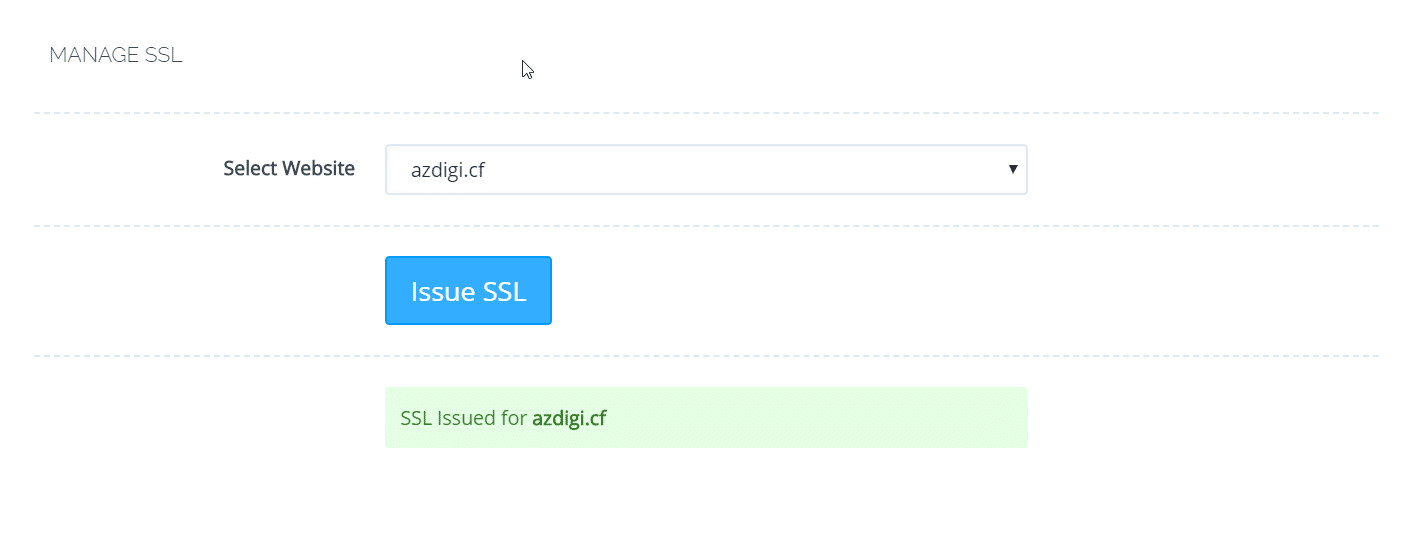
The installation process will take a few minutes, when the installation is successful, you will receive a message as shown below:
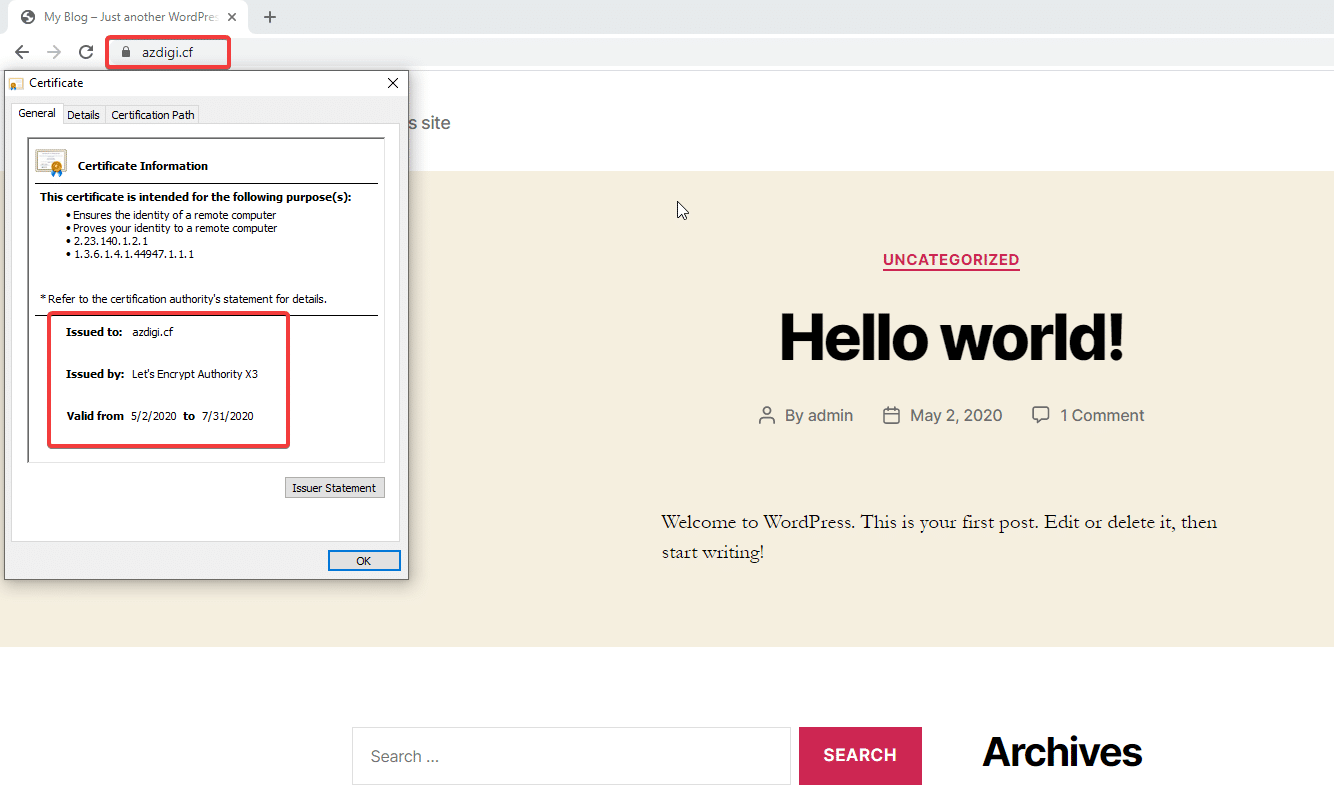
Next, go to any browser and visit the website to check the results.
Wishing you success!
This article has been reviewed by AZDIGI Team
About the author

Thạch Phạm
Đồng sáng lập và Giám đốc điều hành của AZDIGI. Có hơn 15 năm kinh nghiệm trong phổ biến kiến thức liên quan đến WordPress tại thachpham.com, phát triển website và phát triển hệ thống.
10+ years serving 80,000+ customers