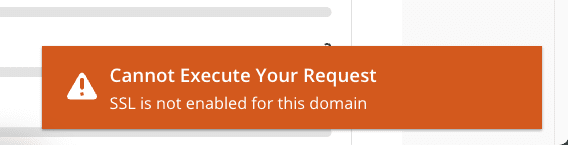
In some cases, when you perform SSL settings on Host/VPS using DirectaAmin control, you will get an error “SSL is not enabled for this domain” with a specific log as shown below. So what is this error and how to handle it? Please follow the article.
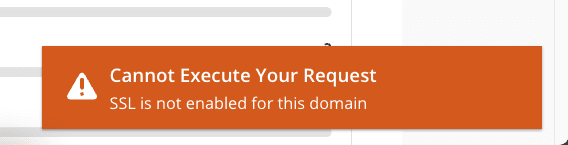
Cause
The reason why you install SSL and encounter the above warning is that DirectAdmin says that this domain has not yet enabled the feature to allow SSL.
How to fix
To handle this problem, you just need to enable the feature to allow the use of SSL on that domain. Specifically, how to enable it is as follows:
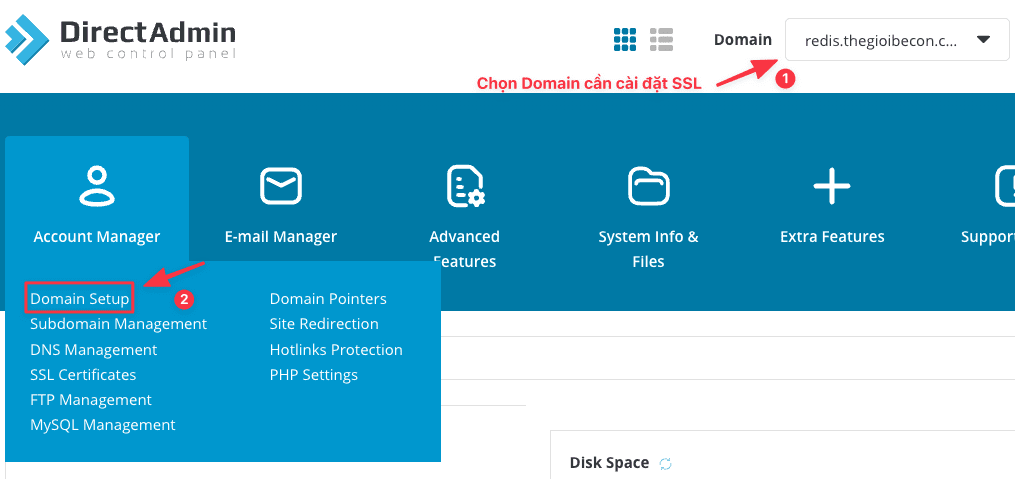
First, choose the domain you need to install SSL => Domain Setup.
Next, tick Secure SSL => click MODIFY to apply the setting.
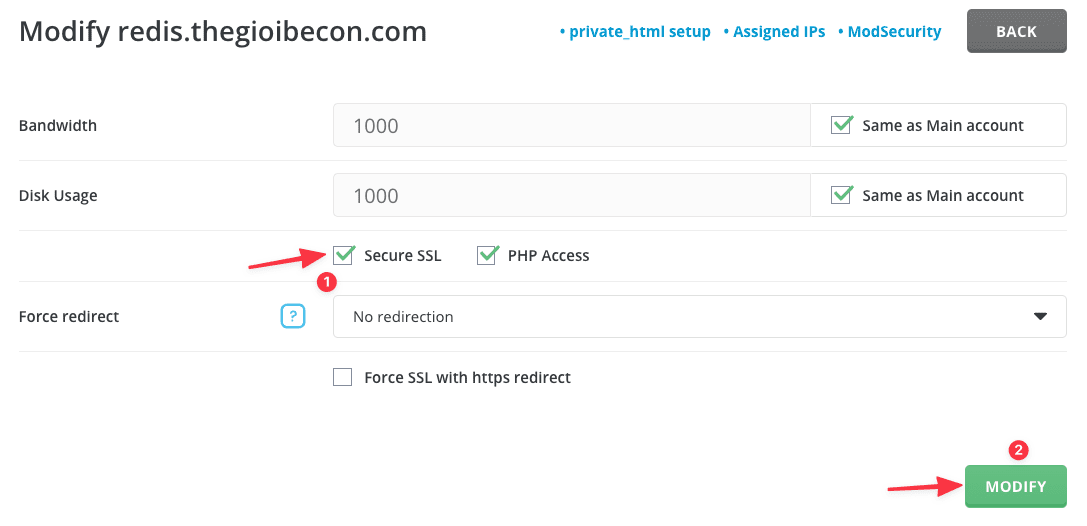
You can now reinstall SSL normally.
So in this article, AZDIGI has shown you to solve the “SSL is not enabled for this domain” error with a few simple steps. Hope this article will help you!
You can refer to other instructions at the link below:
If you need assistance, you can contact support in the ways below:
- Hotline 247: 028 888 24768 (Ext 0)
- Ticket/Email: You use the email to register for the service and send it directly to: support@azdigi.com .
You might also like
- Fix Roundcube Database Error on DirectAdmin
- How to fix the Security Error No valid session key error on CSF DirectAdmin
- How to fix the error: Request body no files data length is larger on DirectAdmin
- How to fix the "Either the domain has been overused, or the reseller ran out of resources" error on DirectAdmin
- Fix the "Aria engine is not enabled or did not start" error on aaPanel
- How to enable SSL Let's Encrypt on DirectAdmin
About the author

Thạch Phạm
Đồng sáng lập và Giám đốc điều hành của AZDIGI. Có hơn 15 năm kinh nghiệm trong phổ biến kiến thức liên quan đến WordPress tại thachpham.com, phát triển website và phát triển hệ thống.