
Coolify is a familiar choice when you need to self-host applications, databases, and many other services on VPS. The interface is quite intuitive, with Git integration, SSL, backup and many components sufficient for small to medium systems. However, Coolify is not always the most suitable answer. Some people want a lighter tool, some need CLI-oriented solutions, and some are running Kubernetes so they want a more compatible platform.
In this article, I will compile 4 Coolify alternatives according to a proper comparison table: all are free or open-source tools that can be self-hosted and suitable for application deployment needs on private infrastructure. The goal is not to choose the “absolute winner” tool, but to see which case should use Dokploy, CapRover, Dokku or Kubero.
When to Look for Coolify Alternatives
Coolify is quite strong at bringing many tasks into one place: Git connection, application deployment, database running, SSL provisioning and project management. But precisely because it encompasses many parts, sometimes it is not the leanest choice. With a small VPS, you might want a lighter tool. If you are used to working through the terminal, a CLI-oriented platform might be easier to control. And if the system is already following Kubernetes, choosing a tool built for K8s would be better than forcing everything into the traditional Docker host approach.
If you are considering self-hosting such platforms, a Pro VPS or X-Platinum VPS is a practical starting point for lab and running small to medium applications.
Tool Selection Criteria in This Article
- Must have a free version or be open-source, not mixed with paid SaaS groups.
- Can be self-hosted on private infrastructure.
- Suitable for application, service or container deployment needs.
- Has distinct enough characteristics, not just a pale copy of Coolify.
Dokploy: The Closest Choice to Coolify if You Still Want a Modern Interface
Dokploy is the most easily mentioned name when someone asks about Coolify alternatives. The reason is quite simple: Dokploy’s approach is closer to Coolify than many other tools. It still follows the style of having an admin interface, focusing on the experience of deploying applications, services and databases on VPS, instead of forcing users to assemble everything from scratch.
Dokploy’s strength is the quite modern user experience. If you are looking for a tool like “log into panel, connect source code, deploy and monitor status”, then Dokploy is easier to get familiar with than CLI-oriented choices. For small teams or people who like clear dashboards, this is the most reasonable candidate to place alongside Coolify.
The point to consider is that Dokploy’s ecosystem is not yet as thick as some tools with longer lifespans. Documentation, community experience and the number of practical guides are not yet as abundant as Coolify or Dokku. If you like using tools that already have more “real-world cases”, this is where you should consider more.
CapRover: Suitable for Those Who Need a Stable and Easy-to-Use Self-Hosted PaaS on VPS

CapRover is not as new as Coolify or Dokploy, but that is also an advantage. This is the type of tool that the self-host community has been using for quite a long time, leaning towards stability and simple deployment methods. To understand quickly, CapRover is like a lean PaaS layer for you to push web apps, APIs or services to VPS without having to manually build the entire pipeline.
CapRover’s bright point is that installation is not too heavy, application deployment is relatively fast and has ready-made one-click models for some popular services. For people who just need a solution that runs easily on one VPS, without heavy emphasis on fancy interfaces or multi-layer management systems, CapRover is still very worth considering.
The weak point is that CapRover’s interface experience and product thinking are no longer as fresh as the more modern tool groups. If you like a more visually intuitive panel, with a more “product polished” feel, Coolify and Dokploy are easier to appeal to. But if you prioritize compactness and practicality, CapRover is still a solid choice.
Dokku: Suitable When You Prefer CLI Control Over Sitting in Panels
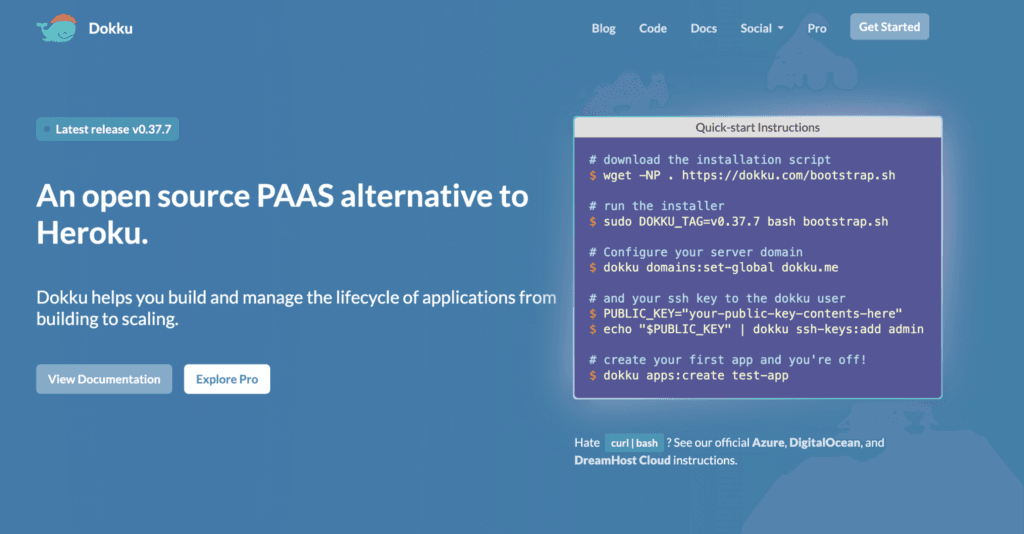
Dokku differs from the other three tools in that it doesn’t try to become a beautiful dashboard to manage everything. Dokku’s essence is close to a Heroku-like application deployment layer but running on your machine. You work mostly through CLI, git push and plugins, so the usage experience is also more technical.
Dokku’s biggest advantage is that it’s lightweight, long-lasting and quite clear in philosophy. If you like a simple environment with few redundant components and want to personally control the deployment flow, Dokku is a tool worth trying. For many developers or sysadmins familiar with terminals, this is actually a plus rather than a minus.
On the other hand, Dokku is not suitable for people looking for an intuitive interface to delegate tasks to non-technical teams. If the goal is to have an easy-to-use control panel that is easy to view status and easy to operate for many people, Dokku will not be as “friendly” as Coolify or Dokploy.
Dokku suits people who like self-control. But if you prioritize easy-to-use admin interfaces for the whole team, you should lean towards Dokploy or CapRover instead.
Kubero: Worth Considering if You Already Follow Kubernetes
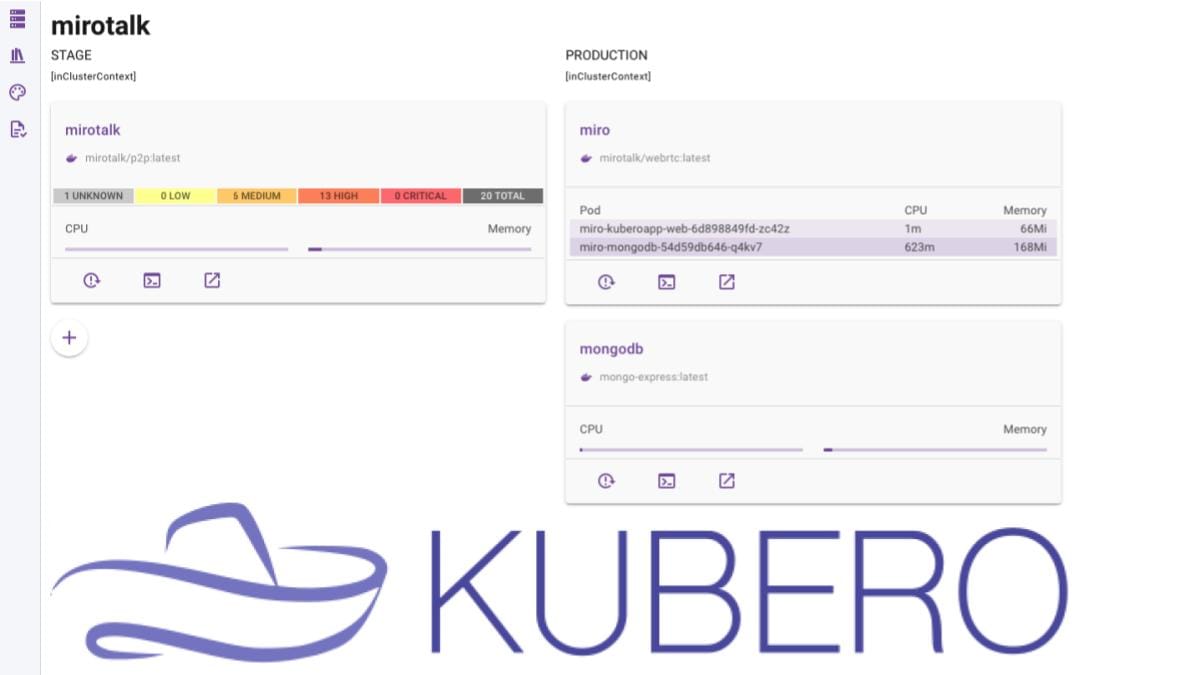
Kubero is a different choice in terms of usage context. If Coolify, Dokploy, CapRover and Dokku are usually mentioned in Docker host environments or single VPS, then Kubero fits better when you already have or want to use Kubernetes. This is a very important point, because if your infrastructure hasn’t moved to K8s, Kubero might make everything unnecessarily heavy.
Kubero’s good point is that it helps make application deployment layers on Kubernetes more accessible. Users don’t need to manipulate everything directly at the manifest or kubectl level right from the start. With homelabs using K3s, internal labs or environments wanting to standardize on K8s, Kubero has its own value that other tools cannot completely replace.
Conversely, if you only have one VPS and the goal is to deploy a few web apps or internal services, choosing Kubero is usually overkill. In that case, Dokploy, CapRover or Dokku are much easier to fit both in complexity and operational time.
Which Tool to Choose
- Choose Dokploy if you want an experience closest to Coolify, still like modern admin interfaces and fast application deployment on VPS.
- Choose CapRover if you want a fairly stable, easy-to-use, low-maintenance self-hosted PaaS that has been used by the community for years.
- Choose Dokku if you like CLI, want lean deployment and don’t need heavy dashboards.
- Choose Kubero if you are truly following Kubernetes and want an application management layer suitable for that direction.
There is no tool here that suits every situation. Coolify is still a good balanced choice for many people, but if you find it doesn’t quite meet your needs, then the four names above are all worth trying. The most important thing is to look back at your current infrastructure: running a single Docker VPS, leaning towards CLI, or already moved to Kubernetes. Choose the right context and any tool will be easier to use.
If you want to self-host such a platform to run apps, services or lab environments, you can start with a Pro VPS or X-Platinum VPS at AZDIGI. For higher needs, more containers or requiring more stable performance, the AMD Cloud Server group is also a worth considering choice.
You might also like
- 4 Free and Open Source Zimbra Alternatives Worth Considering
- 4 Free and Open-Source Alternatives to Cloudflare Tunnel Worth Considering
- Guide to Installing Self-hosted Bitwarden on VPS for Password and Sensitive Data Management
- Comparison: Google Workspace, Microsoft 365, Zoho Workplace, Proton for Business, and Fastmail
- What is Coolify? - Self-hosted alternative to Vercel, Heroku for free
- How to Deploy Laravel to Coolify from Local to Server with Basic CI/CD
About the author

Trần Thắng
Expert at AZDIGI with years of experience in web hosting and system administration.