
If you are paying monthly for Vercel, Railway, Heroku, or Render to host applications, this article is for you. Coolify is an open-source platform that helps you self-host everything on your own server, with a beautiful interface like cloud services but completely free, running on your VPS or personal machine.
I. What is Coolify?
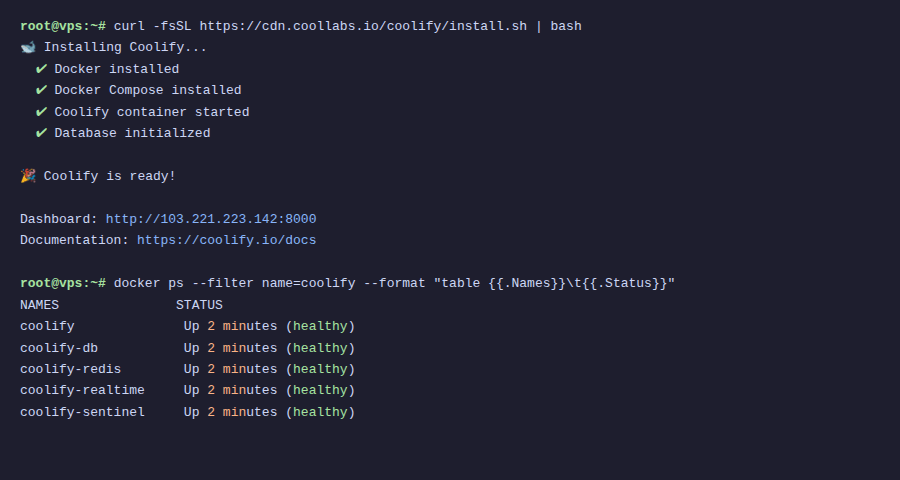
Coolify is a self-hosted PaaS (Platform as a Service), meaning you install it on your VPS, then use the web interface to deploy applications, databases, and hundreds of other services with just a few clicks.
Simply put: Coolify = Vercel + Heroku + Railway, but running on your server.
Outstanding features
- Deploy any language: Node.js, Python, PHP, Go, Ruby, Rust, static sites: everything is supported
- Git integration: Connect GitHub, GitLab, Bitbucket: push code and auto-deploy
- 294+ one-click services: WordPress, Supabase, n8n, Uptime Kuma, Ghost, Plausible Analytics… install with 1 click
- Integrated database: PostgreSQL, MySQL, MongoDB, Redis: create and manage right on dashboard
- Automatic SSL: Let’s Encrypt issues and renews automatically for every domain
- Preview deployments: Every Pull Request has its own URL to test before merging
- Multi-server: Manage multiple servers from 1 dashboard
- Powerful API: Integrate CI/CD, automate everything
II. Compare Coolify with Cloud platforms
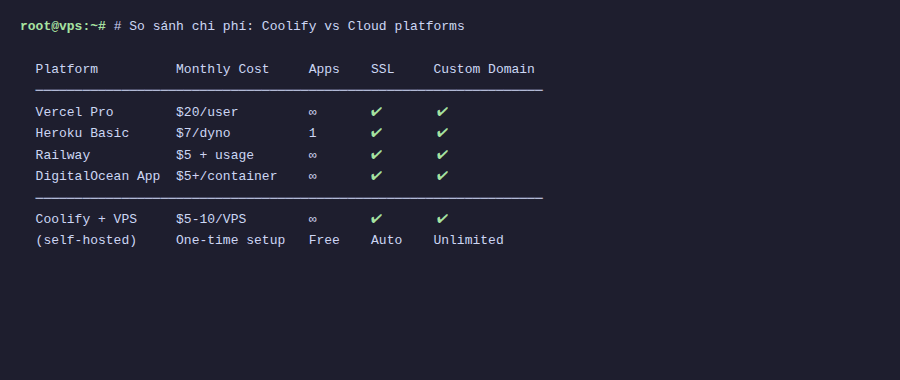
Why not use Vercel/Heroku for convenience? Here is the real comparison:
| Criteria | Vercel/Railway | Heroku | Coolify |
|---|---|---|---|
| Cost | $20+/month (Pro) | $7+/dyno/month | Only pay VPS (~$5-10/month) |
| Number of apps | Limited by plan | Limited | Unlimited |
| Database | Charged separately | Charged separately | Create freely, free |
| Custom domain | Yes (Pro) | Yes | Unlimited |
| SSL | Automatic | Automatic | Automatic (Let’s Encrypt) |
| Data privacy | Data on their cloud | Data on AWS | Data on your server |
| Vendor lock-in | High | High | None, migrate anytime |
| Self-host services | No | Limited | 294+ services 1-click |
💡 Real example: A $10/month VPS (4GB RAM) can run: 3-5 Node.js apps + PostgreSQL + Redis + Plausible Analytics + Uptime Kuma + Ghost blog. On cloud platforms, this combo easily exceeds $50-100/month.
III. When to use Coolify?
Should use when:
- You have many side projects and don’t want to pay cloud for each one
- You want complete data control (GDPR, privacy)
- You need to self-host tools: n8n, Supabase, analytics, monitoring…
- Small team needs private PaaS, don’t want vendor dependency
- You code many apps and need quick deployment
Not suitable when:
- You need global CDN edge (Vercel/Cloudflare still better for static sites needing global speed)
- You don’t want to manage servers at all
- App needs auto-scale to hundreds of instances
IV. Hardware requirements
Coolify runs light, minimum requirements:
- CPU: 2 cores
- RAM: 2 GB (recommend 4 GB if running many services)
- Disk: 30 GB (Docker images need plenty of space)
- OS: Ubuntu 22.04/24.04 LTS, Debian, CentOS, or any Linux distro supporting Docker
- Architecture: AMD64 or ARM64 (even works on Raspberry Pi!)
V. Coolify interface
After installation, Coolify provides a beautiful, intuitive web dashboard:
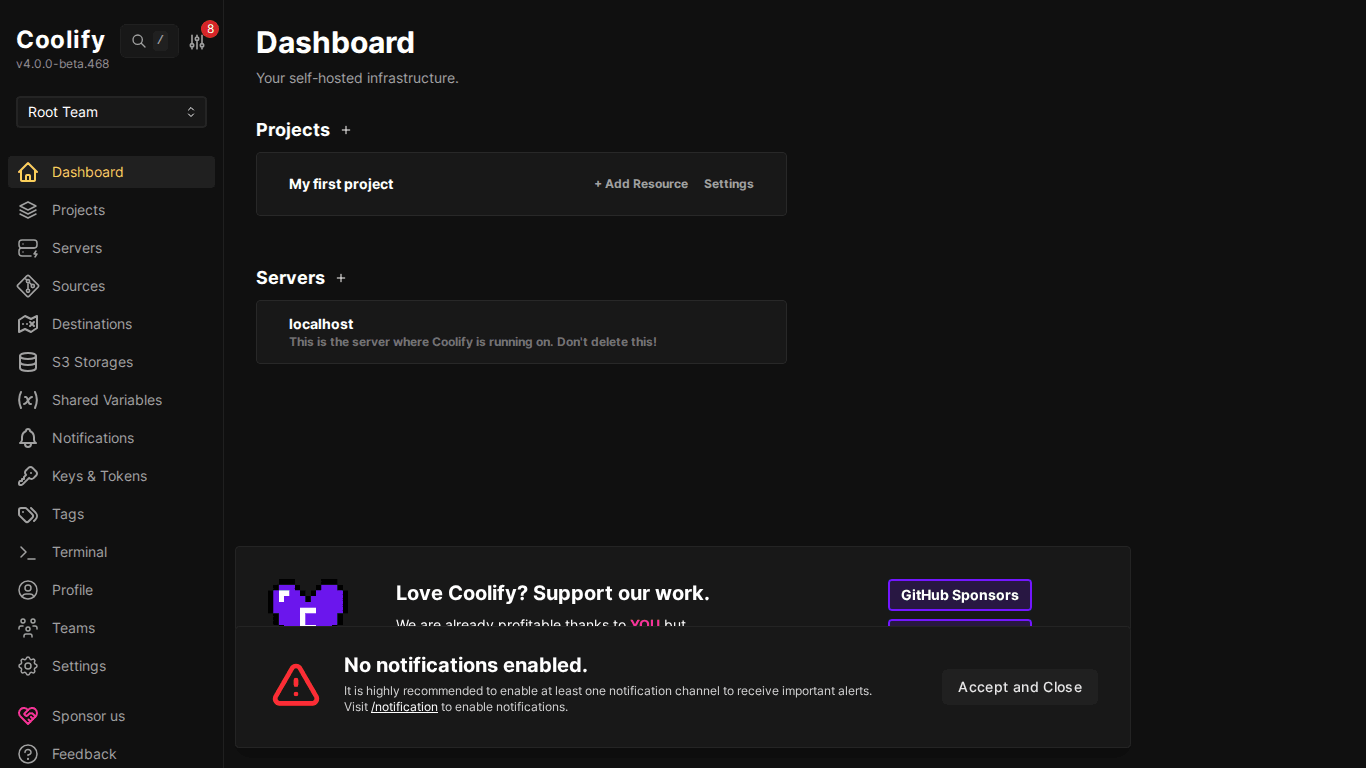
From the dashboard, you can:
- Create and manage Projects (groups of related applications)
- Connect and monitor Servers
- Deploy applications from Git or Docker image
- Create databases with 1-click
- View logs, restart, rollback directly
VI. Basic concepts
Before getting started with installation, understand a few concepts in Coolify:
- Server: Physical machine or VPS where applications run
- Project: Top-level organizational group, e.g.: “Personal Blog”, “Side projects”
- Environment: Environment within project: Production, Staging, Development
- Resource: An application, database, or service you deploy
- Reverse Proxy: Traefik or Caddy: automatically routes domains to correct containers, manages SSL
VII. Conclusion
Coolify is an excellent choice for developers who want to self-host without becoming DevOps experts. Beautiful interface, simple installation, supports hundreds of services, all free on your own server.
Next article: Step-by-step guide to install Coolify on VPS with detailed screenshots.
You might also like
- 4 Free and Open-Source Coolify Alternatives for Self-Hosting Applications
- Databases on Coolify — MySQL, PostgreSQL, Redis, MongoDB
- One-Click Services on Coolify — Deploy 294+ services with just 1 click
- Coolify Interface - Detailed Dashboard Usage Guide
- Coolify Production - Backup, Security
- Installing Coolify on VPS - Detailed Step-by-Step Guide
About the author

Trần Thắng
Expert at AZDIGI with years of experience in web hosting and system administration.